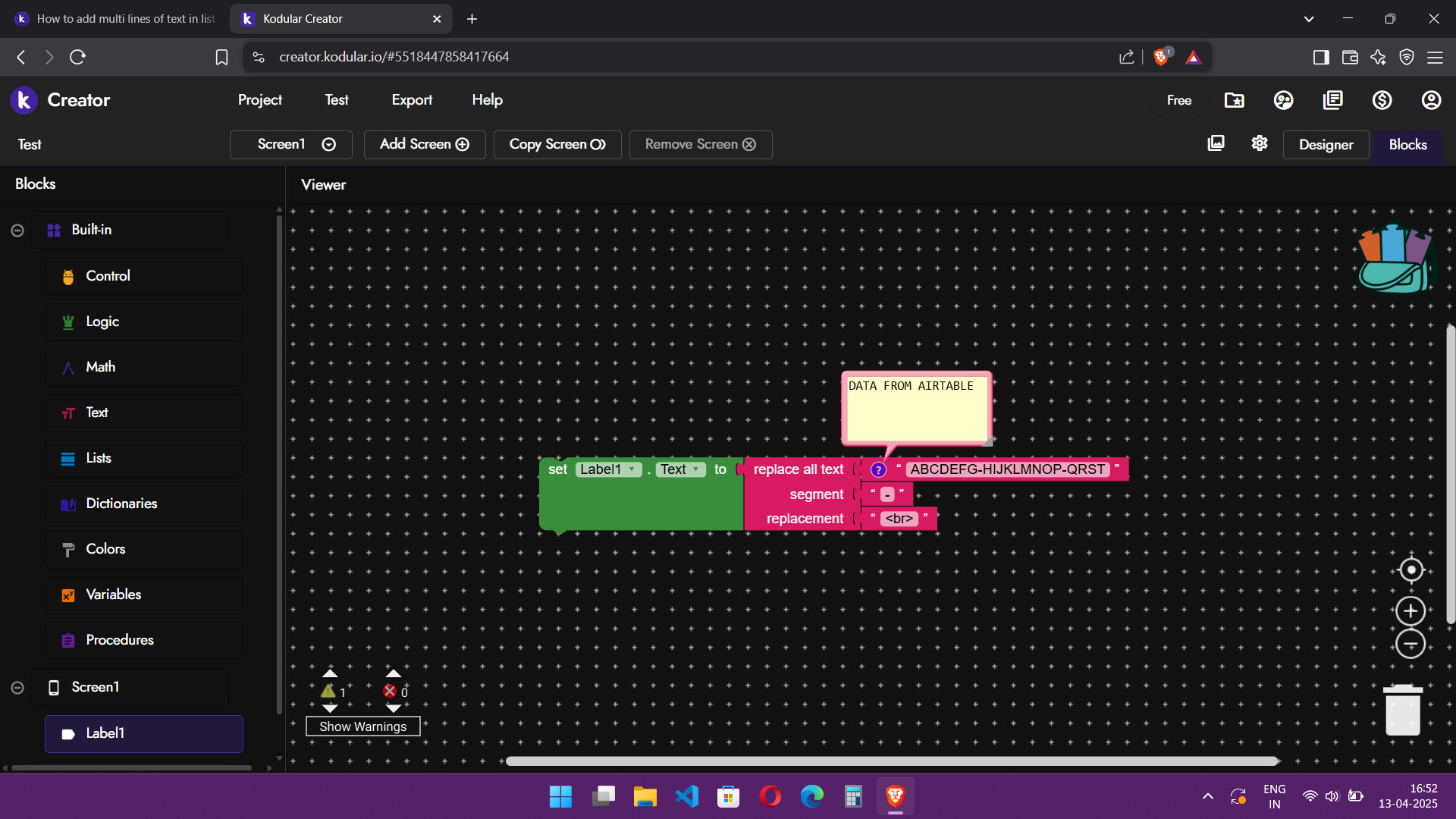
I want to make list of texts where every list contains multiple lines of text.
I want to store it 3 lines and use it as 3 lines of text.
But I am getting ABCDEFGHIJKLM a single line text.
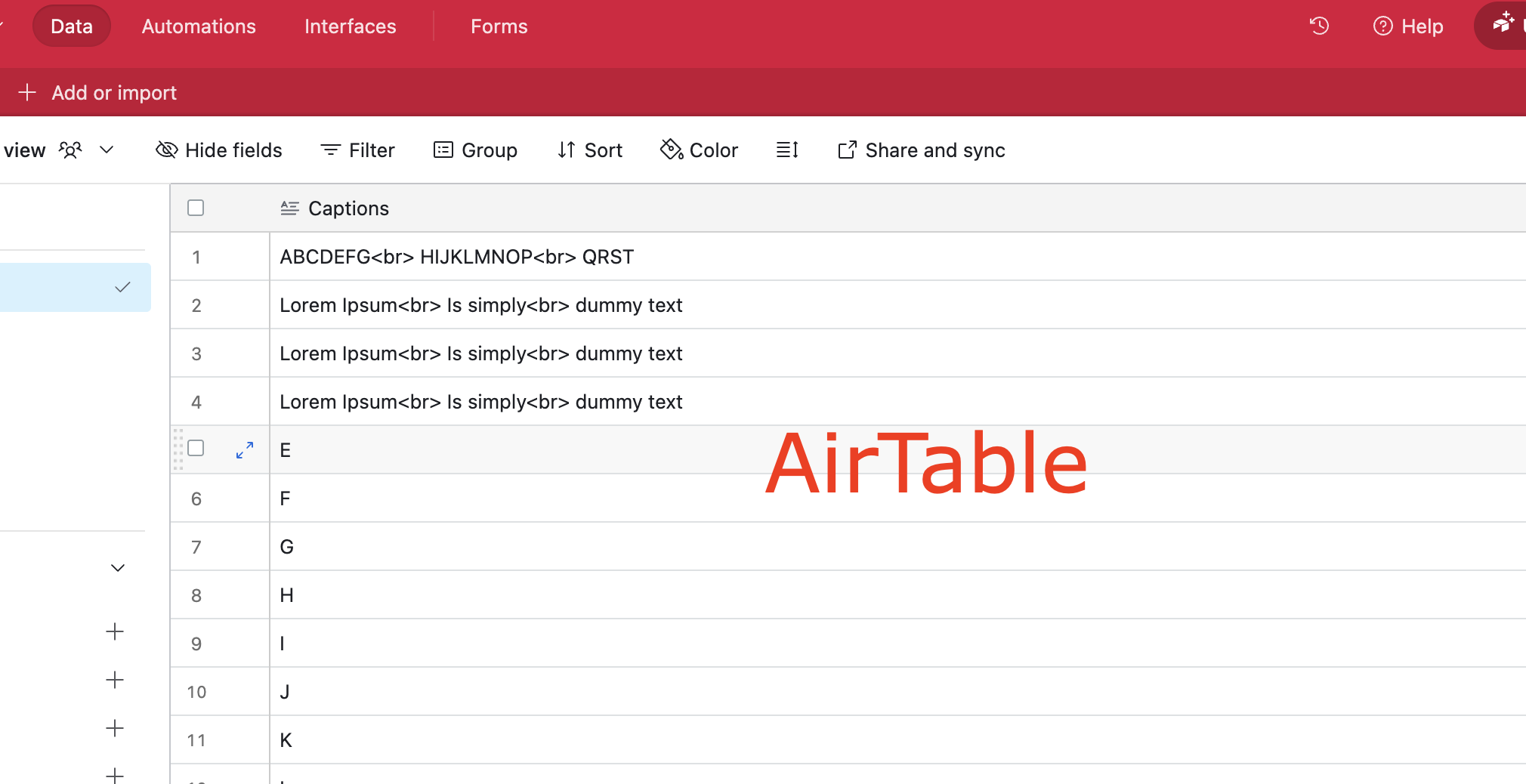
I am uaing airtabele database and using < br> HTML tag to formating multi line text.
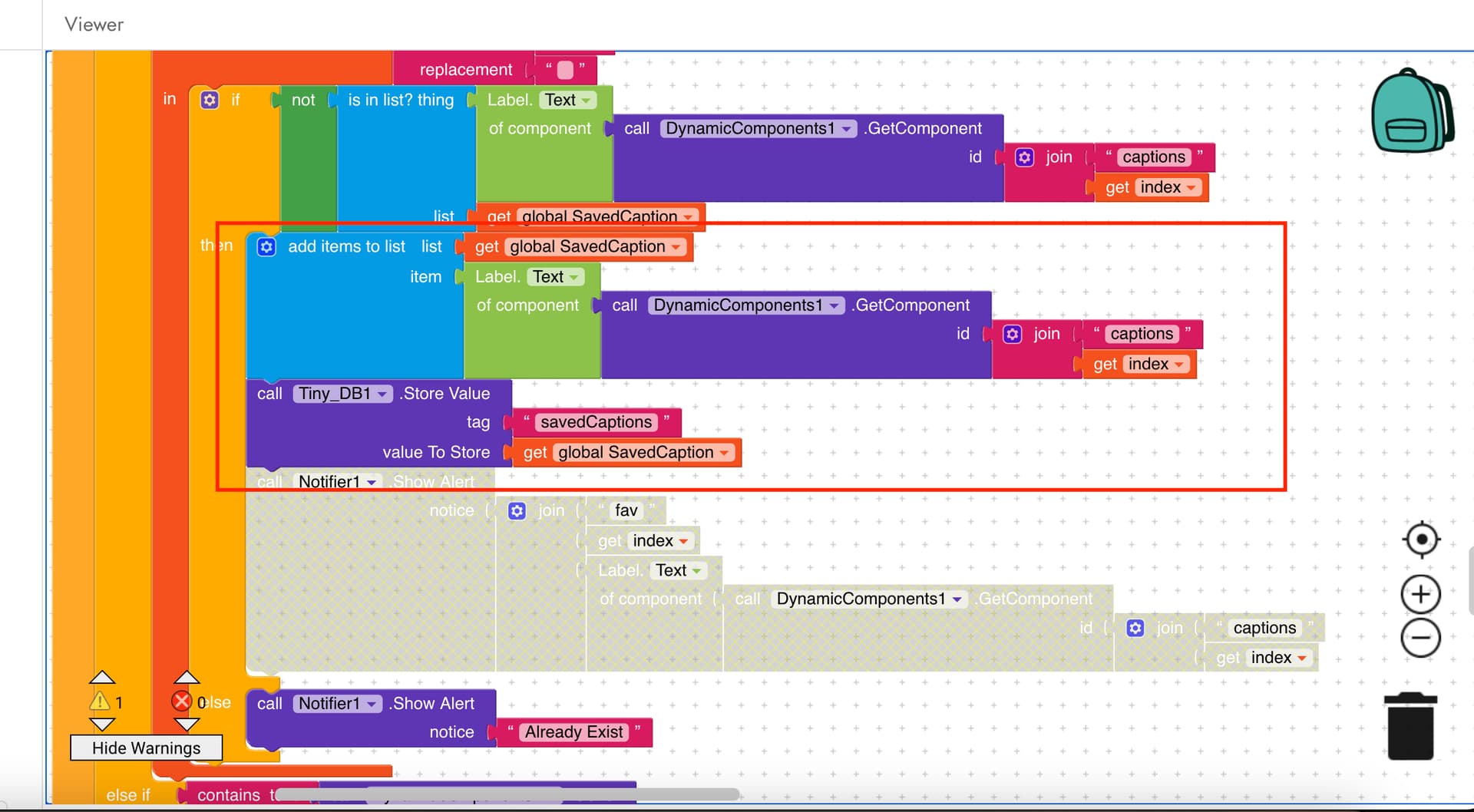
See the block how I made the list
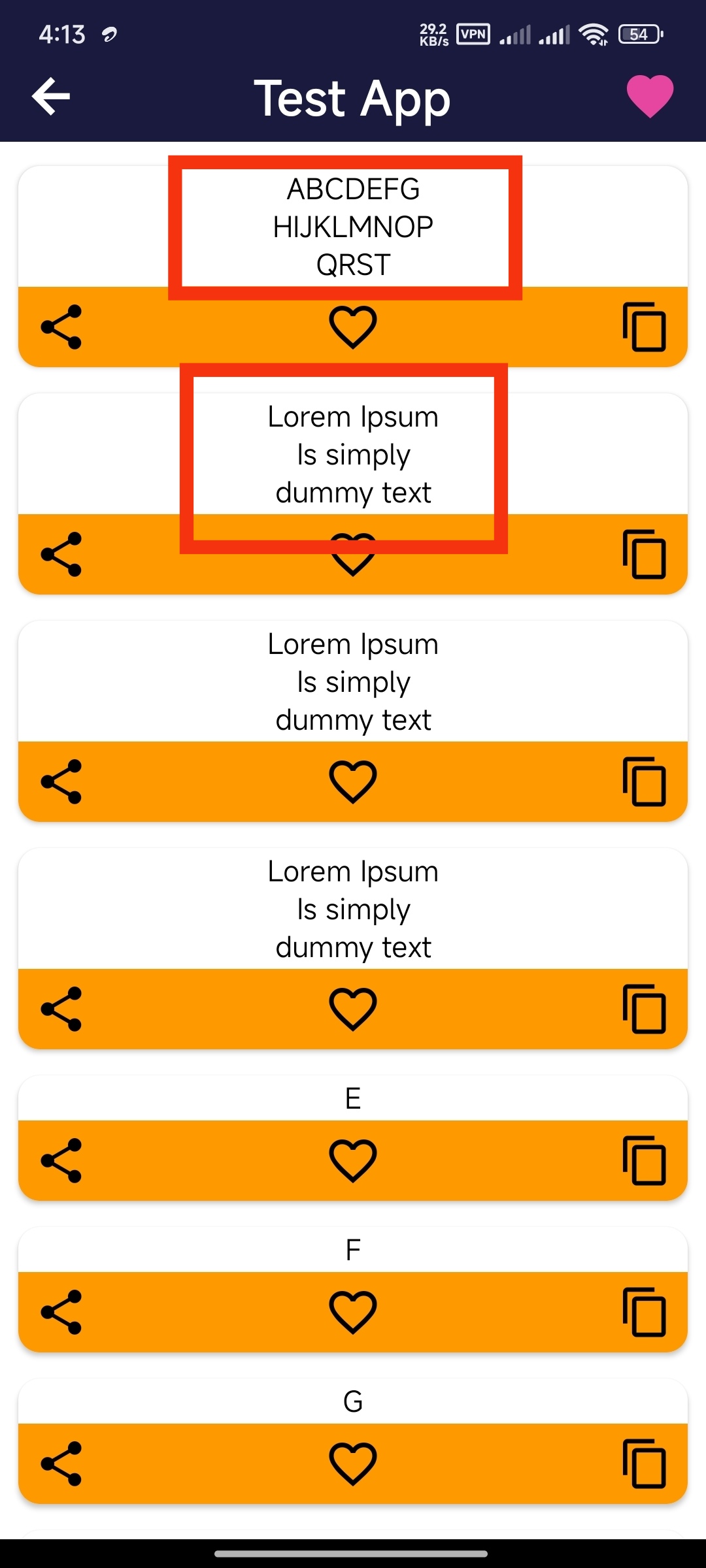
from database to dynamic component view page1. Here its working perfect
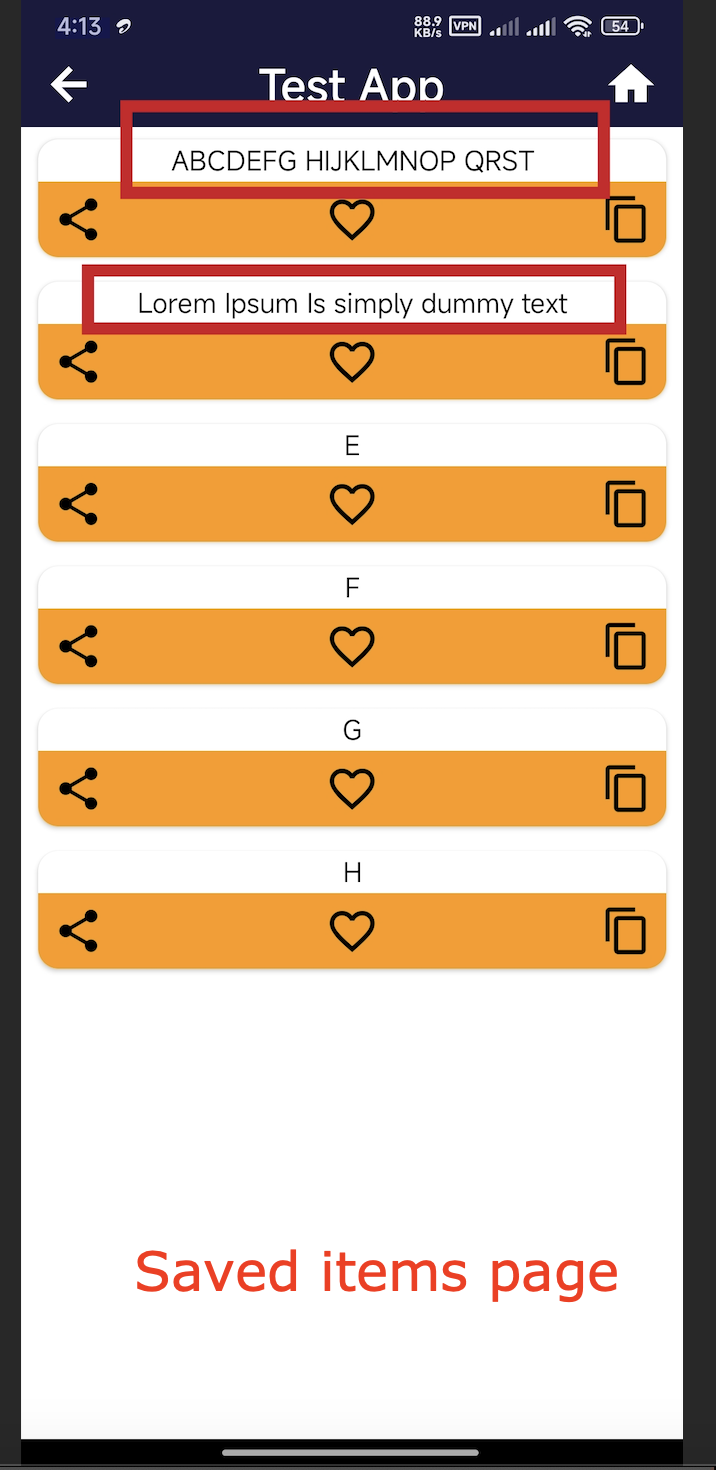
But when try to use that items, getting single line text
Plese anyone help me to solve this problem. Or any other solution for fix this formationg issue.
Store value in this form in Airtable : ABCDEFG-HIJKLMNOP-QRST- with <br> like this :
The above block can be found in Text related blocks…
Is both them created by dynamic component? Since the first dynamic component extension?, i hope you’d have enabled html where as in second you set it nit thats why you getting in a line. Enable HTML
You can either use multiple text components or use one with html and split the lines using new line /n
system
May 13, 2025, 2:21pm
6
This topic was automatically closed 30 days after the last reply. New replies are no longer allowed.