Because I do not understand what has escaped us at this level .. the dynamic creation with the template Schema and the loading of each image from Gsheet everything seems to function correctly well
TrainingApp.aia (1.8 MB)
Thanks you @Still-learning
The image is still not displayed on the screen4
I will try to compile see what if it works
I’m really blocked
In truth, I even try to display the image and the name of the product towards a screen. I prefer to display it with Tiny DB when (I click on a Card Product) on a verticularly on this same screen 3
But I can’t do it
Please help me,
Please someone can help me find a solution with Tiny DB that will display the image and product name when click on it.
Taking into account our following approach:

Thanks in advance
JazzakAllahu Khayran
You’ve used ‘GetStartValue’ in your Screen4. This is used when you use ‘OpenAnotherScreenWithStartValue’. So, have used this in Screen3? However, Sending Image Component as StartValue won’t work, you can’t send component of a Screen to Another screen as startvalue.
Instead of sending the picture to Screen4, send Url
So, have used this in Screen3?
Yes indeed I used in the screen ‘‘ openanotherscreenwithstartvalue ’. and in the screen 4 ‘Get Star Values’ to recover
But how to display this URL in the image component ?
same as you displayed in screen3
In 2nd Blocks Image You Uploaded

This approach had not displayed me the image
Please you can examine the assembly on the 1st image and guide me for a Tiny DB solution?
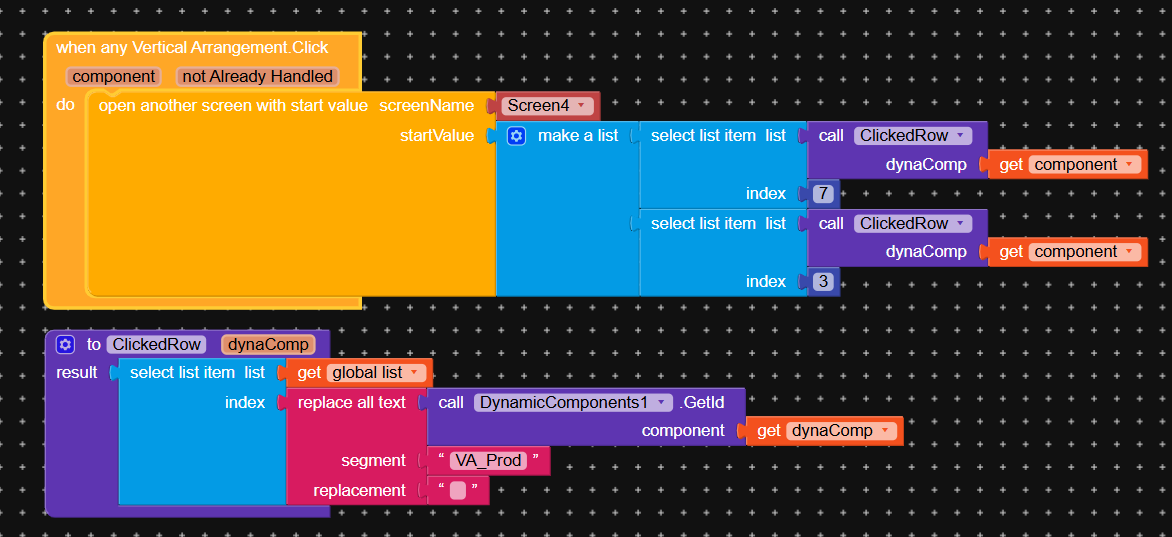
Did you text in apk?
This load asyn required write external storage, so get the permission and check up
Yes the text appears in APK
Okay ..I’ll try
Master, it still doesn’t work
1 Like
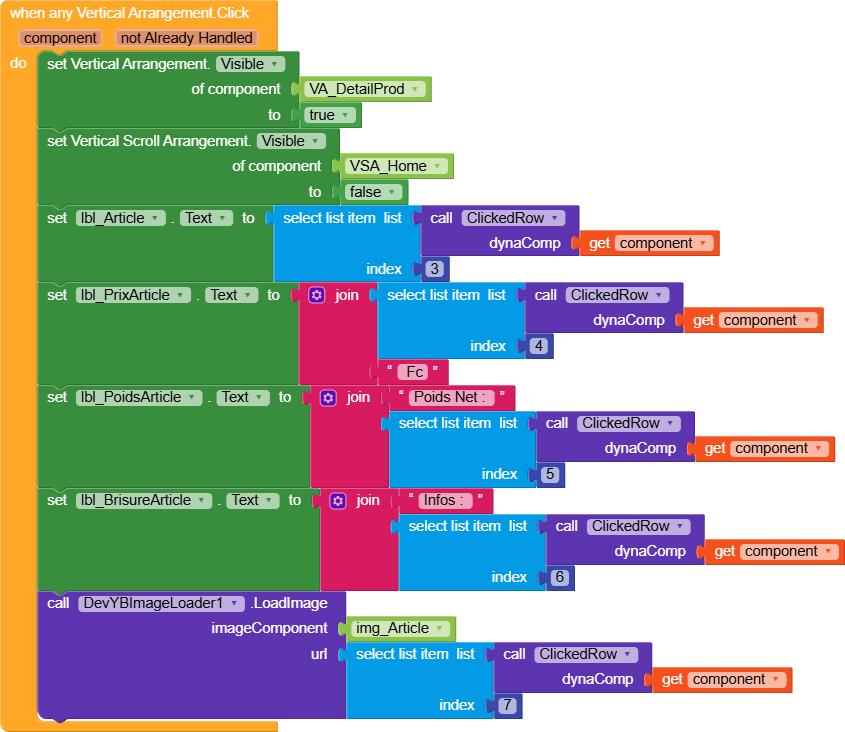
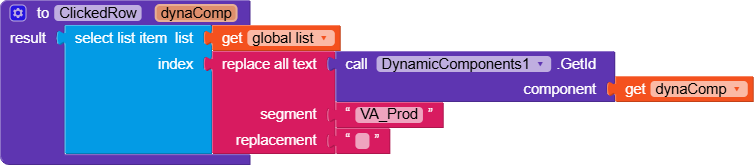
GreenValleyAppTest.aia (2.3 MB)
The display of the image and text are displayed properly.
Now when I click on Card produces, strangely it is the data from the following card product that appears and not the one on which I clicked.
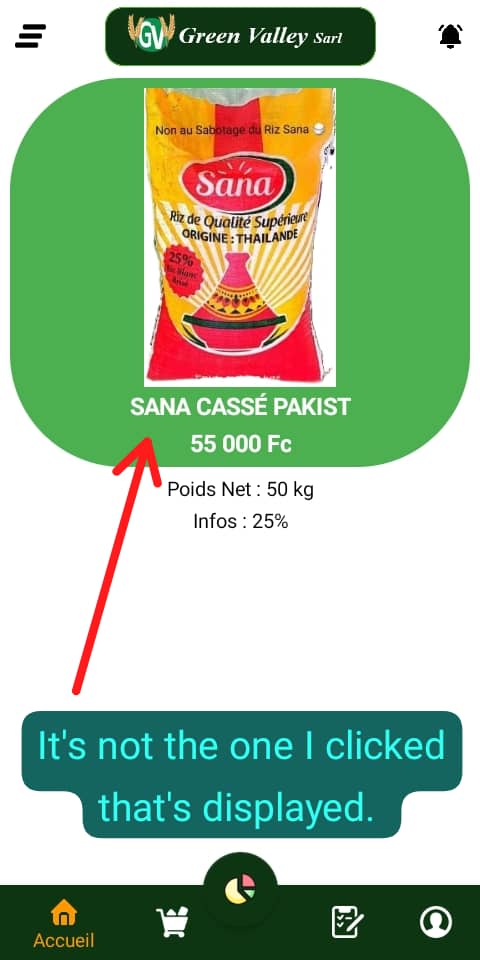
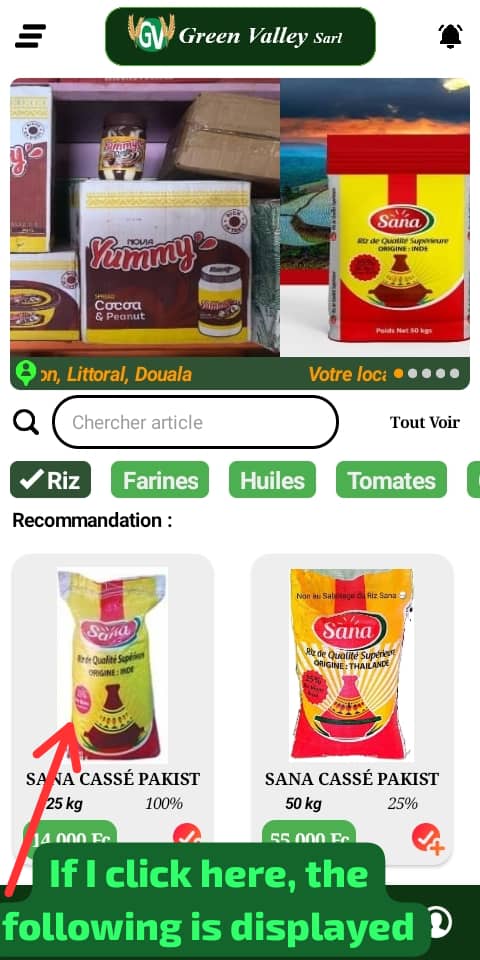
And when I click on the last card, here is the error:
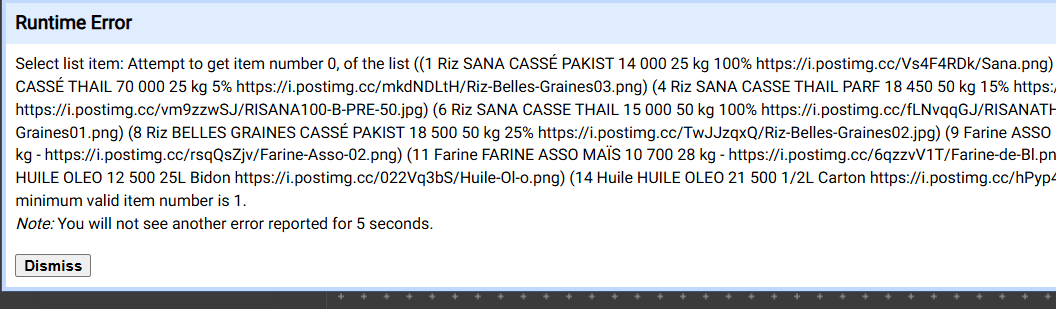
Because you have initialized the global id variable with 0 instead of 1. So this occurs
1 Like
Thanks You @Still-learning
You are a pedagogue 
1 Like