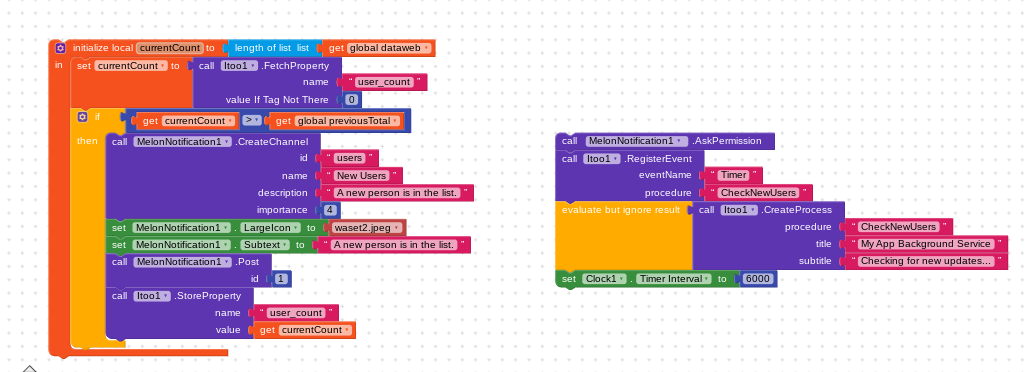
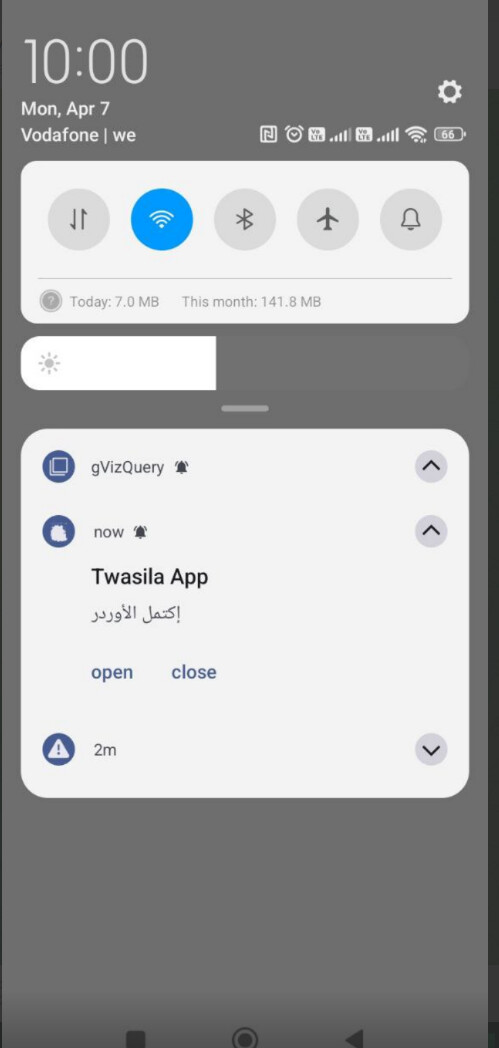
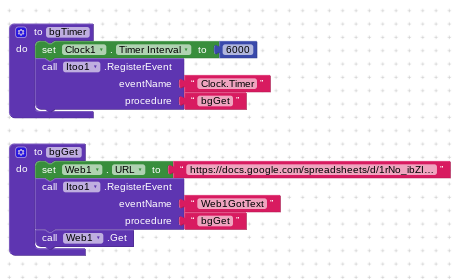
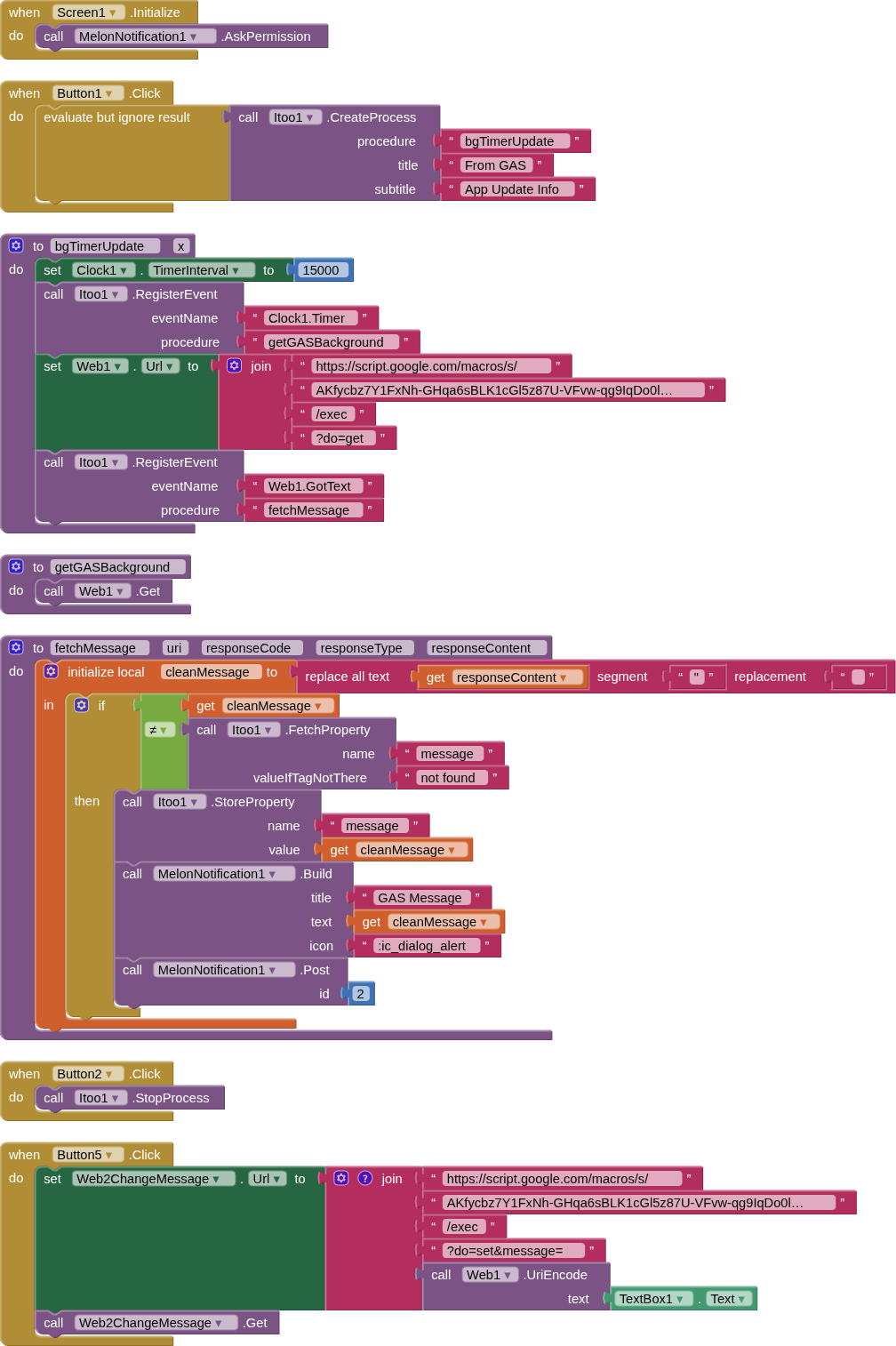
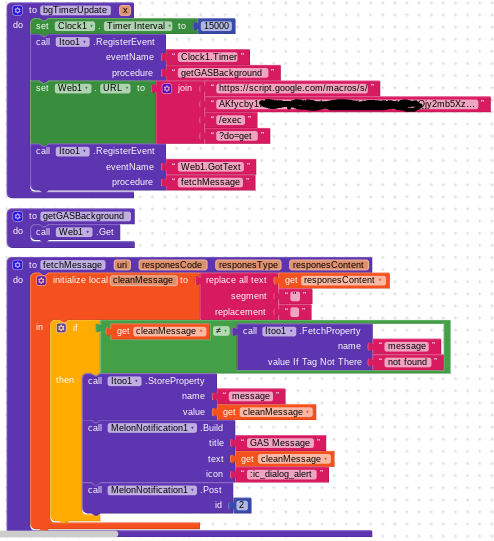
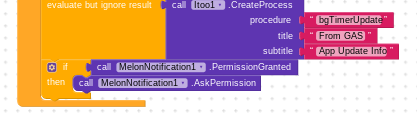
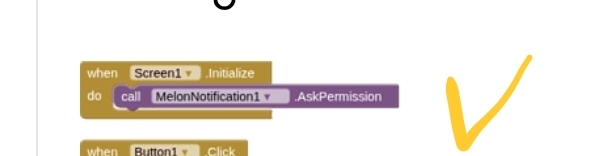
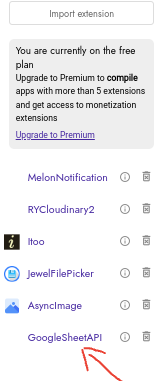
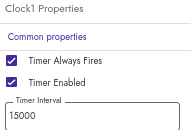
even from the apk app installed and still not appears with permission granted..clock enabled:
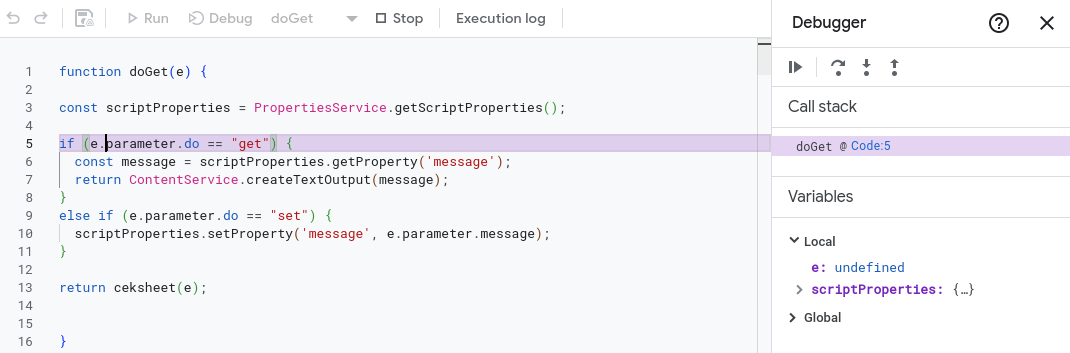
is there a problem with the script :

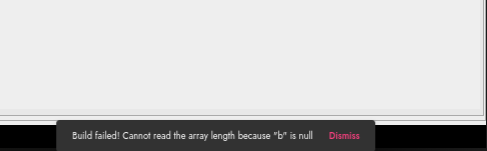
ItooService is running in the Running Services but 0 process and 1 service, while all the apps has at least 1 process, so i think the problem is in the script…beside it show a message when i open the app :
maxi keeps stopping
app info
close app
i figure out the issue of keeps stopping : i am using Android 14
especially on Android 14+
does itoo extension can cause app keeps stopping app info, close app !

AI Overview
Yes, the Itoo extension for MIT App Inventor/Kodular can cause apps to frequently crash, stop, or close unexpectedly ("App keeps stopping" error).
Based on community reports, this is primarily due to compatibility issues with newer Android versions, particularly with apps built after August 17, 2024, which often crash immediately upon launch.
Here are the specific reasons and solutions identified for Itoo extension crashes:
Reasons for Itoo Extension Crashes
Android Compatibility (August 2024 Issue): Builds made after August 17, 2024, utilizing Itoo, tend to crash on launch, especially on Android 14+.
Foreground Service Misconfiguration: If not properly configured with required foreground service types (like "SpecialUse" or "ConnectedDevice"), Android may terminate the service, leading to a crash.
UI Interaction in Background: Attempting to update user interface components (e.g., Labels, TextBoxes, Notifiers) from the background service will cause the app to crash.
Incorrect Data Storage: Using TinyDB in the background instead of Itoo’s native Fetch / Store blocks can lead to crashes.
Missing 'x' Argument: The main background procedure in Itoo requires an argument x to function correctly.
maybe i didn’t set it correctly 
full script :
function doGet(e) {

const scriptProperties = PropertiesService.getScriptProperties();

if (e.parameter.do == "get") {
  const message = scriptProperties.getProperty('message');
  return ContentService.createTextOutput(message);
}
else if (e.parameter.do == "set") {
  scriptProperties.setProperty('message', e.parameter.message);
}

return ceksheet(e);


}


function doPost(e) {


return ceksheet(e);


}


function ceksheet(e) {


// Safety check


if (!e || !e.parameter) {


return ContentService.createTextOutput("Error: No parameters received")


.setMimeType(ContentService.MimeType.TEXT);


}


var ss = SpreadsheetApp.getActive();


var sh = ss.getSheetByName(e.parameter.SH);


if (!sh) {


return ContentService.createTextOutput("Error: Sheet not found")


.setMimeType(ContentService.MimeType.TEXT);


}


var func = e.parameter.func;


// ================= INSERT =================


if (func === "insert") {


var a = e.parameter.A || "";


var b = e.parameter.B || "";


var c = e.parameter.C || "";


var d = e.parameter.D || "";


var valE = e.parameter.E || "";


var f = e.parameter.F || "";


var g = e.parameter.G || "";


var h = e.parameter.H || "";


var valI = e.parameter.I || "";


var j = e.parameter.J || "";


var k = e.parameter.K || "";


var l = e.parameter.L || "";


var m = e.parameter.M || "";


// Check duplicate in column A


var lr = sh.getLastRow();


if (lr > 0) {


var colA = sh.getRange(1, 1, lr, 1).getValues();


for (var r = 0; r < colA.length; r++) {


if (colA[r][0] == a) {


return ContentService.createTextOutput("Data error: Already exists")


.setMimeType(ContentService.MimeType.TEXT);


}


}


}


// FORCE write till column m (important fix)


var row = lr + 1;


sh.getRange(row, 1, 1, 13).setValues([[


a, b, c, d, valE, f, g, h, valI, j, k, l, m


]]);


return ContentService.createTextOutput("Done")


.setMimeType(ContentService.MimeType.TEXT);


}


// ================= UPDATE =================


if (func === "UPDATE") {


var a = e.parameter.A || "";


var b = e.parameter.B || "";


var c = e.parameter.C || "";


var d = e.parameter.D || "";


var valE = e.parameter.E || "";


var f = e.parameter.F || "";


var g = e.parameter.G || "";


var h = e.parameter.H || "";


var valI = e.parameter.I || "";


var j = e.parameter.J || "";


var k = e.parameter.K || "";


var l = e.parameter.L || "";


var m = e.parameter.M || "";


var lr = sh.getLastRow();


var colA = sh.getRange(1, 1, lr, 1).getValues();


for (var r = 0; r < colA.length; r++) {


if (colA[r][0] == a) {


var row = r + 1;


sh.getRange(row, 1, 1, 13).setValues([[


a, b, c, d, valE, f, g, h, valI, j, k, l, m


]]);


return ContentService.createTextOutput("Data UPDATED")


.setMimeType(ContentService.MimeType.TEXT);


}


}


return ContentService.createTextOutput("Update Failed: ID not found")


.setMimeType(ContentService.MimeType.TEXT);


}


// ================= DELETE =================


if (func === "DELETE") {


var a = e.parameter.A || "";


var lr = sh.getLastRow();


var colA = sh.getRange(1, 1, lr, 1).getValues();


for (var r = 0; r < colA.length; r++) {


if (colA[r][0] == a) {


sh.deleteRow(r + 1);


return ContentService.createTextOutput("Data DELETED")


.setMimeType(ContentService.MimeType.TEXT);


}


}


return ContentService.createTextOutput("Delete Failed: ID not found")


.setMimeType(ContentService.MimeType.TEXT);


}


// ================= SEARCH =================


if (func === "search") {


var a = e.parameter.A || "";


var data = sh.getDataRange().getValues();


for (var r = 0; r < data.length; r++) {


if (data[r][0] == a) {


return ContentService.createTextOutput(


"Found|" + data[r].join("|")


).setMimeType(ContentService.MimeType.TEXT);


}


}


return ContentService.createTextOutput("Not Found")


.setMimeType(ContentService.MimeType.TEXT);


}


// ================= GET ALL =================


if (func === "GET_DATA") {


var data = sh.getDataRange().getValues();


var out = "";


for (var r = 1; r < data.length; r++) {


out += r + ". " + data[r].join(" - ") + "|\n";


}


return ContentService.createTextOutput(out)


.setMimeType(ContentService.MimeType.TEXT);


}


return ContentService.createTextOutput("Invalid function")


.setMimeType(ContentService.MimeType.TEXT);


}
also i tried to delete this line since i didn’t used the do set :
else if (e.parameter.do == “set”) { scriptProperties.setProperty(‘message’, e.parameter.message); }
still the notification not appears.
 , so i thought you may have a better methods, show me in blocks if it works..i also have tried one signal notifications using firebase console even tho i am using Gsheet as a database tried with editing the api script adding the one signal notifications, and the one signal notifications doesn’t gave me much choices when the AI gives me steps sometime it works sometime is not..so help me with blocks please if my blocks can be fixed…this is where i am so far :