Kodular.io (Kodular) will setup a (spreadsheet) Airtable database in Kodular. Completely complete.
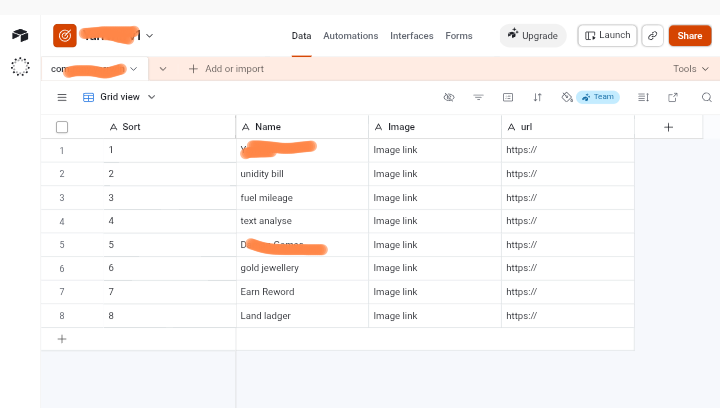
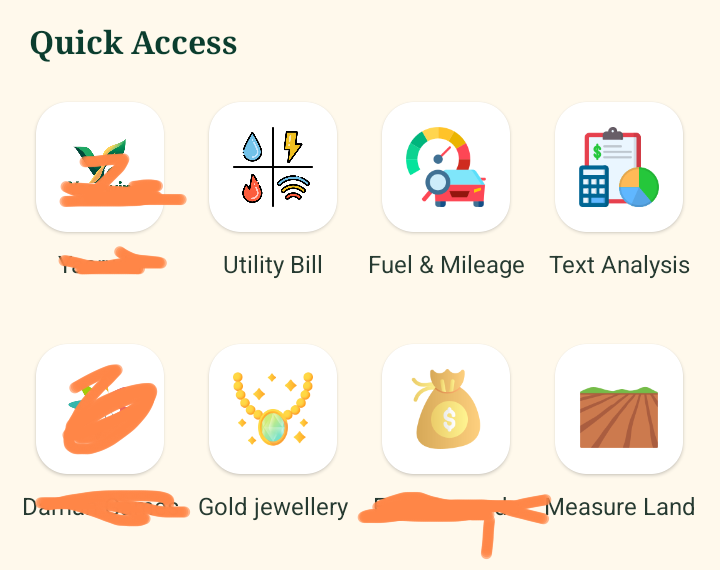
I have 8 cards of Kodular such as name, image, link which are included in the design of Kodular. Now you have to make Airtable and I have created 4 columns in it.
(Columns:- Sort, Name, Image, URL)
And Sort - 1, Name, Image, URL Now you have to set up the work with data values from Airtable in the card designed by Kodular according to this.
The data will be inside the apps I created from the Airtable spreadsheet.
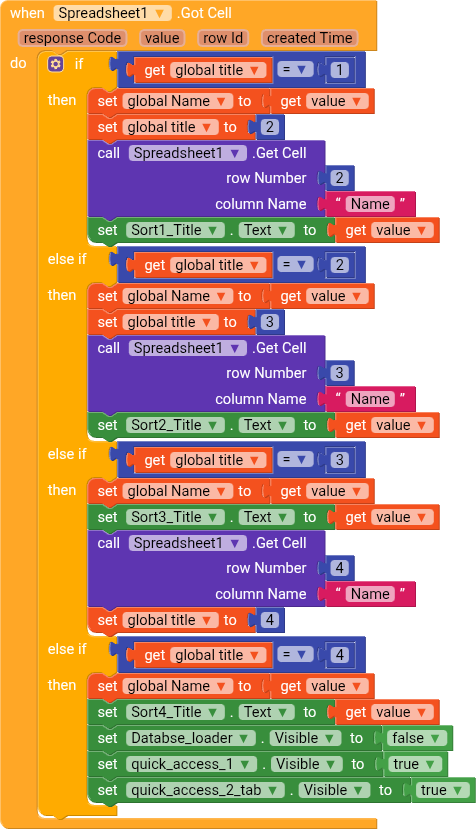
Hopefully I have given complete information, now its fully functional Codular + Spreadsheet Airtable Block Setup Complete Guidelines Create. And images that I can do this.
The only changes in the design of kodular will be sort 1, Title text to = airtable colum name. Image to = airtable image, card button click = airtable url like this.
Please remember that after monthly 1000 API calls (1 request = 1 call) you need to upgrade your airtable plan to premium. Else app will stop working! Using Google Spreadsheet is now best option left.
Sorry, but I don’t agree.
All databases in the world are available as long as they have an extension or APIs that can be called.
Supabase is excellent and I often recommend it.
It has very high limits, and the only drawback is that after 3 days of inactivity the project is paused, but for an active app this doesn’t create any problem (even just one call per day is enough to keep it active).
I didn’t fully understand the request, but I can tell you that the block setup is different depending on whether you use an extension, the web component or the native component.
I had made this guide that use the web component
I should update it because I found a different and much more efficient logic that can be used.
In any case, the guide is still valid.
And with this method, you can use up 1000 calls with a single user in one day
 as long as they have an extension or APIs that can be called.