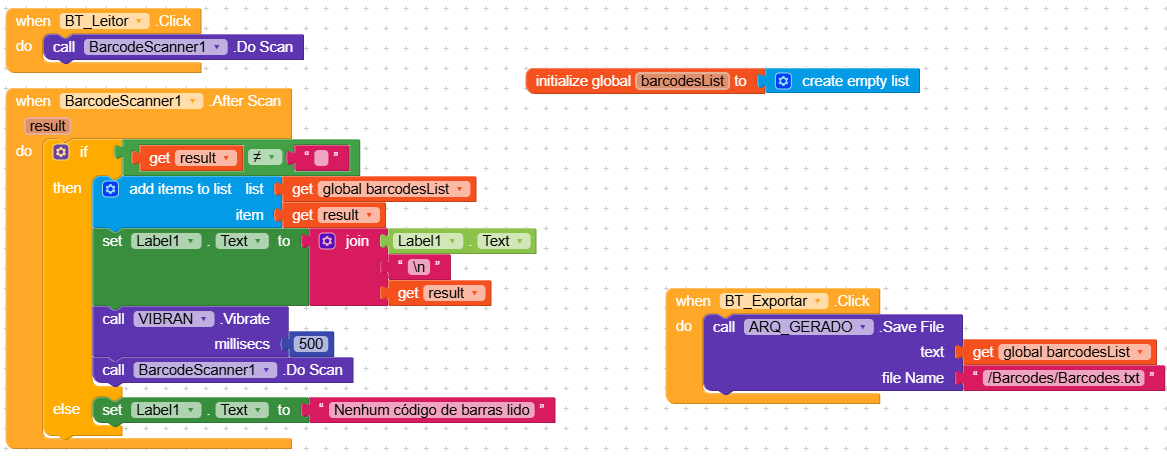
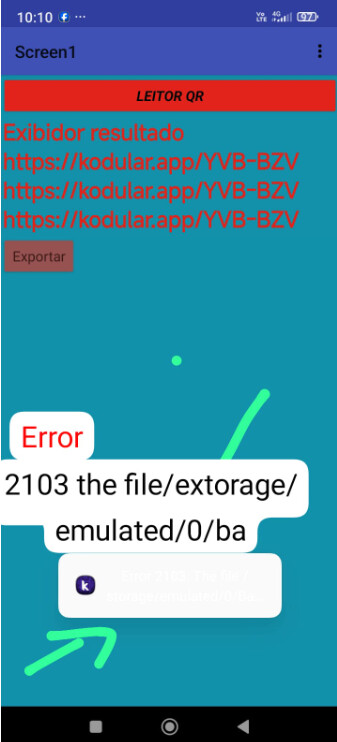
I tried many different combinations, and the result displayed on the screen is this: the reading is successful. But I can’t export it to CSV.
Hi Rommel,
Welcome to the  odular community!
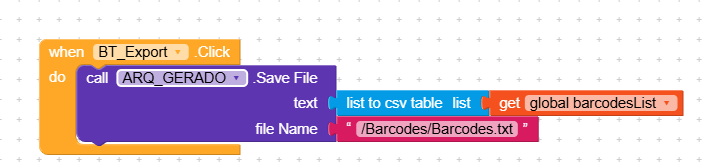
To convert a list into a CSV text, you need to use the appropriate block.

I forgot to tell you that the way you set up the blocks is correct, so why do you say it doesn’t export? Where are you looking for the file?
1 Like
Meanwhile, give a reading to this guide
then try to remove the first /
1 Like
Error 2103 is file could not be created
How did you set the File Scope? To App?
Taifun