Hello Kodular Community,
I need help creating blocks for exporting notes from my WebView to a JSON file. My JavaScript code sends data like this:
Js:
exportNotesBtn.addEventListener('click', e => {
    e.preventDefault();

    if (notes.length === 0) {
        showInfoModal('No Notes', 'There are no notes to export.');
        return;
    }

    const dataStr = JSON.stringify(notes, null, 2);
    const fileName = `noteit-backup-${new Date().toISOString().split('T')[0]}.json`;

    // --- Works inside Kodular ---
    if (window.WebViewInterface) {
        // Send file name + data to Kodular
        const payload = JSON.stringify({
            name: fileName,
            content: dataStr
        });
        window.WebViewInterface.postMessage(payload);
    }
    // --- Works in normal browser ---
    else {
        const dataBlob = new Blob([dataStr], { type: "application/json" });
        const url = URL.createObjectURL(dataBlob);
        const link = document.createElement('a');
        link.href = url;
        link.download = fileName;
        document.body.appendChild(link);
        link.click();
        document.body.removeChild(link);
        URL.revokeObjectURL(url);
    }

    menuScreen.classList.add('translate-x-full');
});
I WANT THIS JSON FILE DOWNLOAD IN MY KODULAR WEBVIEW APP. ChatGPT tried to helped me and gave me this:
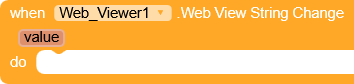
when WebViewer1.WebViewStringChange
set local variable data to (get WebViewer1.WebViewString)
set local variable obj to (call JSONTextDecode(data))
call File1.SaveFile
    text = get value from obj → "content"
    fileName = join "/storage/emulated/0/Download/" (get value from obj → "name")
when File1.AfterFileSaved
   call Notifier1.ShowAlert("Notes exported successfully to Downloads ✅")
Could anyone please help me build this or share a working example? I’m struggling with the variable creation and JSON decoding parts.
What I need:
· Someone to create these blocks in a project and share screenshots
· Or export the blocks as .aia file so I can import
· Step-by-step visual guidance
My components:
· WebViewer1
· File1
· Notifier1
Thank you! 
 odular community