Advanced Video Editing
V3 Extension Description
Advanced Editing Features for Video Editor Extension (200+ Features). Includes masking, color correction, motion tracking, and professional editing tools. Built with 3.0. Rush.
UltimateVideoEditor Extension - Complete Feature List
 Summary
- Total Functions: 107
- Total Properties: 27
- Total Events: 65
 1. BASIC EDITING FEATURES (Features)
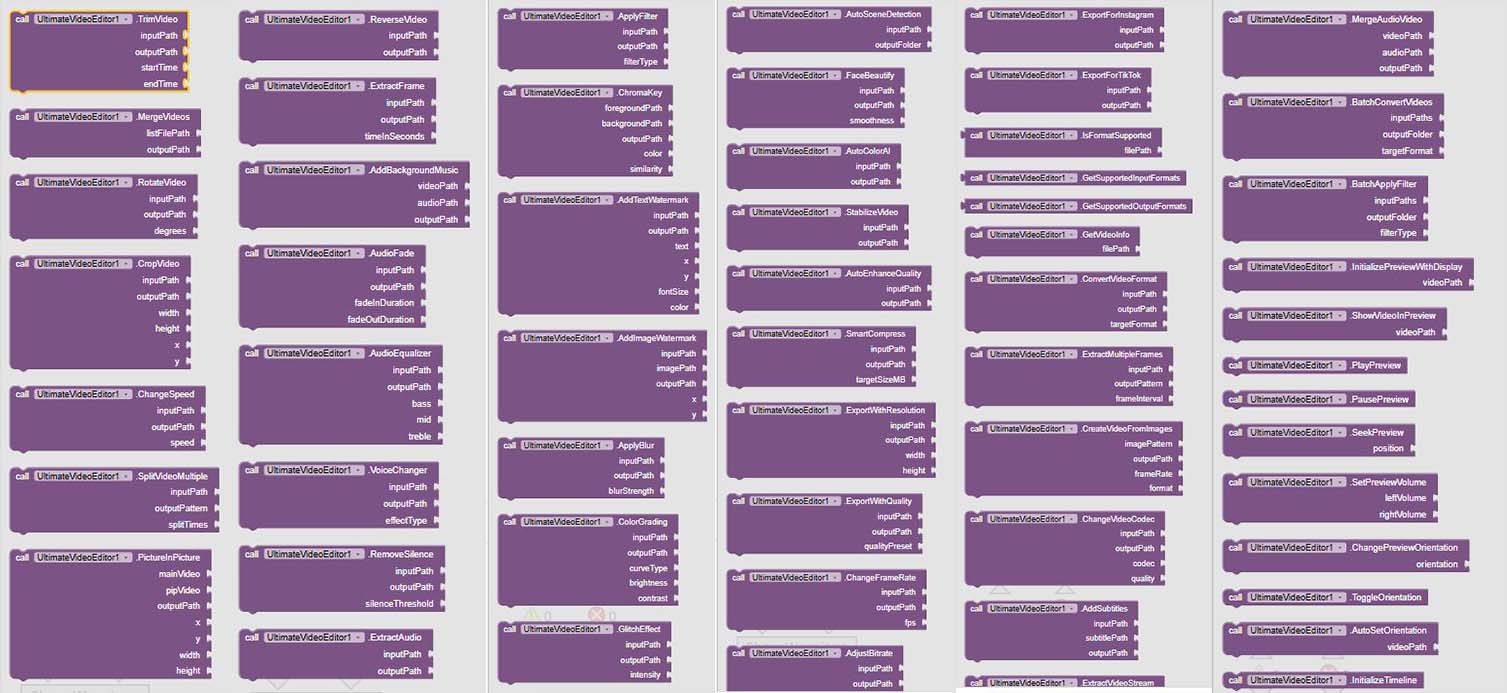
- TrimVideo - Trim video from start to end time
- MergeVideos - Merge multiple videos into one
- RotateVideo - Rotate video by 90, 180, or 270 degrees
- CropVideo - Crop video to specific dimensions
- ChangeSpeed - Change video playback speed
- SplitVideoMultiple - Split video at multiple points
- PictureInPicture - Create picture-in-picture effect
- ReverseVideo - Reverse video playback
- ExtractFrame - Extract frame from video at specific time
- ExportWithResolution - Export video with specific resolution
- ExportWithQuality - Export with quality preset
- ChangeFrameRate - Change video frame rate
- AdjustBitrate - Adjust video bitrate
- ExportForInstagram - Export for Instagram feed (4:5)
- ExportForTikTok - Export for TikTok/Reels (9:16)
- IsFormatSupported - Check if video format is supported for input
- GetSupportedInputFormats - Get all supported input formats
- GetSupportedOutputFormats - Get all supported output formats
- GetVideoInfo - Get video file information
- ConvertVideoFormat - Convert video to any supported format
- ExtractMultipleFrames - Extract multiple frames from video
- CreateVideoFromImages - Create video from image sequence
- ChangeVideoCodec - Adjust video codec and quality
- AddSubtitles - Add subtitles to video
- ExtractVideoStream - Extract video stream without re-encoding
 2. AUDIO FEATURES (Features)
- AddBackgroundMusic - Add background music to video
- AudioFade - Add fade in and fade out effects to audio
- AudioEqualizer - Apply audio equalizer with custom bands
- VoiceChanger - Voice changer with multiple effects
- RemoveSilence - Remove silent parts from video
- ExtractAudio - Extract audio from video
- MergeAudioVideo - Merge audio and video streams
- BatchConvertVideos - Batch convert multiple videos
- BatchApplyFilter - Batch apply filter to multiple videos
- AddPresetMusic - Add preset music from library
 3. VISUAL EFFECTS (Features)
- ApplyFilter - Apply color filter to video
- ChromaKey - Apply chroma key (green screen) effect
- AddTextWatermark - Add text watermark to video
- AddImageWatermark - Add image watermark to video
- ApplyBlur - Apply blur effect to video
- ColorGrading - Advanced color grading with curves
- GlitchEffect - Glitch and distortion effects
- ApplyPosterizeEffect - Apply a posterize effect to a video
- ApplyVignetteEffect - Apply a vignette effect to a video
- ApplyPixelateEffect - Apply a pixelate effect to a video
- ApplyKaleidoscopeEffect - Apply a kaleidoscope effect to a video
- ApplyShapeMask - Apply shape masks to video (circle, rectangle, heart, star)
- ApplyMosaicEffect - Apply mosaic/pixelation effects with different shapes
- AdvancedColorAdjust - Advanced color adjustments with HSL controls
- CopyReplaceSegment - Copy video segment and replace in different position
- AdjustOpacity - Adjust video opacity/transparency
- InvertColors - Invert video colors (negative effect)
- ApplyFilmstripEffect - Create filmstrip/multiple frame effect
- FitVideoToFrame - Fit video to frame with various modes
- FlipVideo - Flip video horizontally or vertically
- DeleteVideoSegment - Delete specific segment from video
- AddAnimatedSticker - Add animated sticker to video
- AddMultipleStickers - Add multiple stickers to video
- AddAnimatedCaptions - Add professional captions with animation
- ChangeVideoBackground - Change video background with green screen
 4. AI FEATURES (Features)
- AutoSceneDetection - Auto scene detection and splitting
- FaceBeautify - Face beautification and skin smoothing
- AutoColorAI - Auto color correction using AI
- StabilizeVideo - Stabilize shaky video
- AutoEnhanceQuality - Auto video quality enhancement
- SmartCompress - Smart video compression with size target
 5. PREVIEW & TIMELINE UI FEATURES ( Features)
- InitializePreviewWithDisplay - Initialize main preview area with video display
- ShowVideoInPreview - Show video in main preview area
- PlayPreview - Play video in preview area
- PausePreview - Pause video in preview area
- SeekPreview - Seek to specific position in preview
- SetPreviewVolume - Set preview volume
- ChangePreviewOrientation - Change preview orientation (horizontal/vertical)
- ToggleOrientation - Toggle between horizontal and vertical orientation
- AutoSetOrientation - Auto-detect and set best orientation for video
- InitializeTimeline - Initialize timeline with horizontal scroll
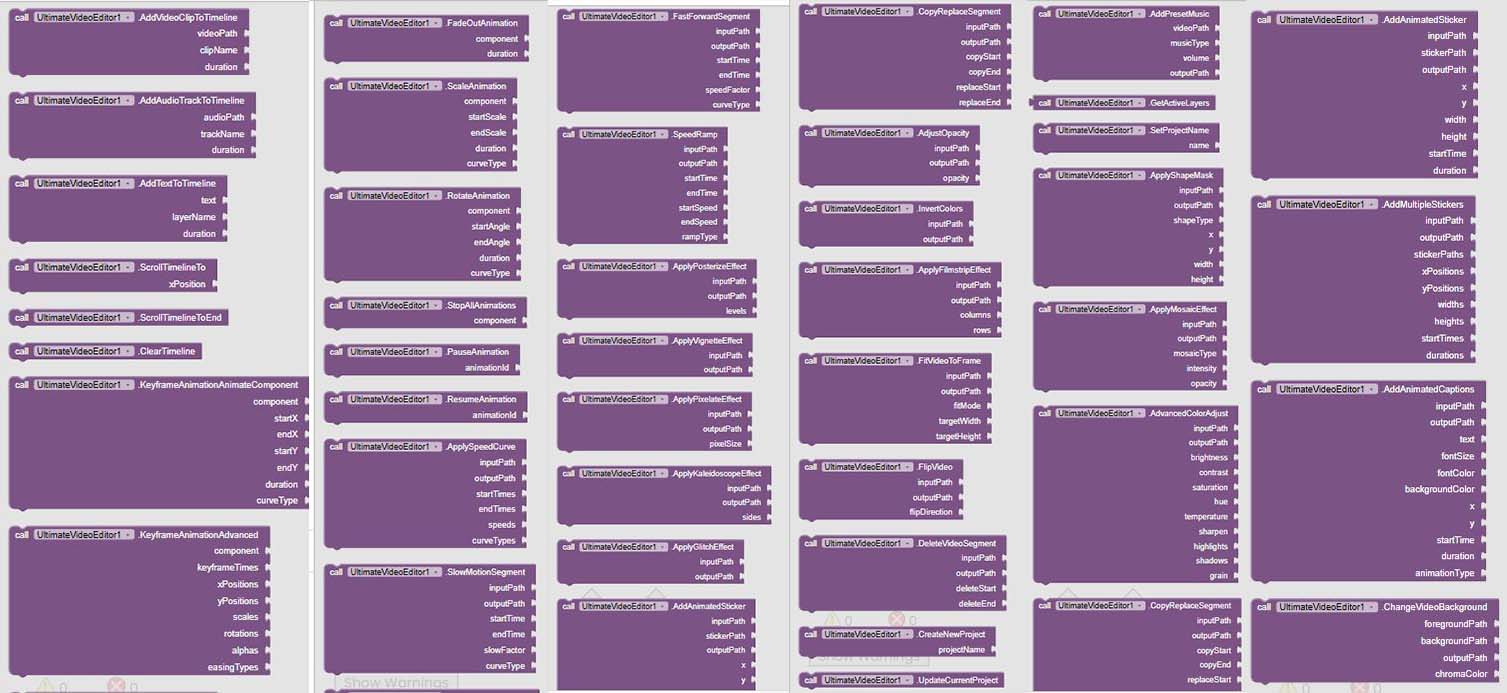
- AddVideoClipToTimeline - Add video clip to timeline with thumbnail
- AddAudioTrackToTimeline - Add audio track to timeline
- AddTextToTimeline - Add text layer to timeline
- ScrollTimelineTo - Scroll timeline to specific position
- ScrollTimelineToEnd - Scroll timeline to show latest clips
- ClearTimeline - Clear all items from timeline
- GetActiveLayers - Get active layers information
- SetProjectName - Set project name
 6. KEYFRAME ANIMATION FEATURES ( Features)
- KeyframeAnimationAnimateComponent - Add keyframe animation to component (ImageView, Button, etc.)
- KeyframeAnimationAdvanced - Advanced keyframe animation with multiple properties
- AnimateButterfly - Animate butterfly or any object with smooth movement
- FadeInAnimation - Create fade in animation
- FadeOutAnimation - Create fade out animation
- ScaleAnimation - Scale animation with bounce effect
- RotateAnimation - Rotation animation
- StopAllAnimations - Stop all animations for component
- PauseAnimation - Pause running animation
- ResumeAnimation - Resume paused animation
 7. SPEED CURVE FEATURES ( Features)
- ApplySpeedCurve - Apply variable speed curve to video with smooth transitions
- SlowMotionSegment - Create smooth slow motion effect in specific segment
- FastForwardSegment - Create fast forward effect in specific segment
- SpeedRamp - Apply speed ramp (gradual speed change)
 8. PROJECT HISTORY & MANAGEMENT FEATURES ( Features)
- CreateNewProject - Create new project and add to history
- UpdateCurrentProject - Update current project with latest information
- GetAllProjects - Get list of all previous projects
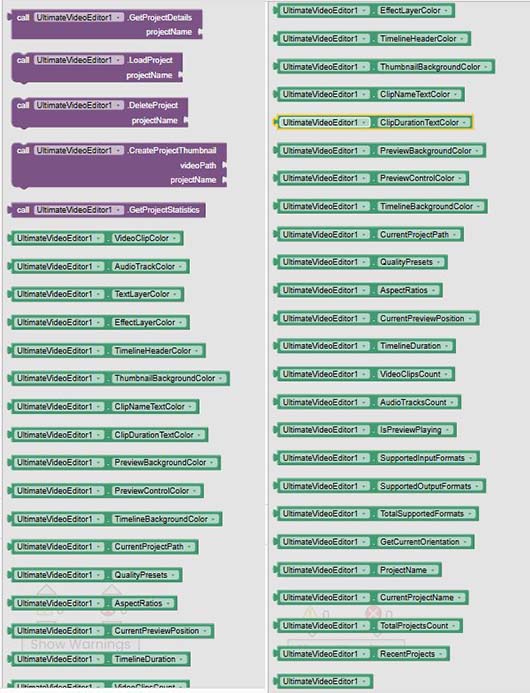
- GetProjectDetails - Get detailed project information
- LoadProject - Load existing project from history
- DeleteProject - Delete project from history
- CreateProjectThumbnail - Create project thumbnail
- GetProjectStatistics - Get project statistics
9. CUSTOMIZATION PROPERTIES ( Properties)
- VideoClipColor - Color for video clip elements in timeline
- AudioTrackColor - Color for audio track elements in timeline
- TextLayerColor - Color for text layer elements in timeline
- EffectLayerColor - Color for effect layer elements in timeline
- TimelineHeaderColor - Color for timeline header text
- ThumbnailBackgroundColor - Background color for thumbnails
- ClipNameTextColor - Text color for clip names
- ClipDurationTextColor - Text color for clip durations
- PreviewBackgroundColor - Background color for preview area
- PreviewControlColor - Color for preview controls
- TimelineBackgroundColor - Background color for timeline area
- CurrentProjectPath - Get current project path
- QualityPresets - Get available quality presets
- AspectRatios - Get available aspect ratios
- CurrentPreviewPosition - Get current preview position
- TimelineDuration - Get total timeline duration
- VideoClipsCount - Get video clips count
- AudioTracksCount - Get audio tracks count
- IsPreviewPlaying - Check if preview is playing
- SupportedInputFormats - Get supported input formats
- SupportedOutputFormats - Get supported output formats
- TotalSupportedFormats - Get total supported format count
- GetCurrentOrientation - Get current orientation
- CurrentProjectName - Get current project name
- TotalProjectsCount - Get total projects count
- RecentProjects - Get recent projects list
- ProjectName - Get current project name
 10. EVENTS ( Events)
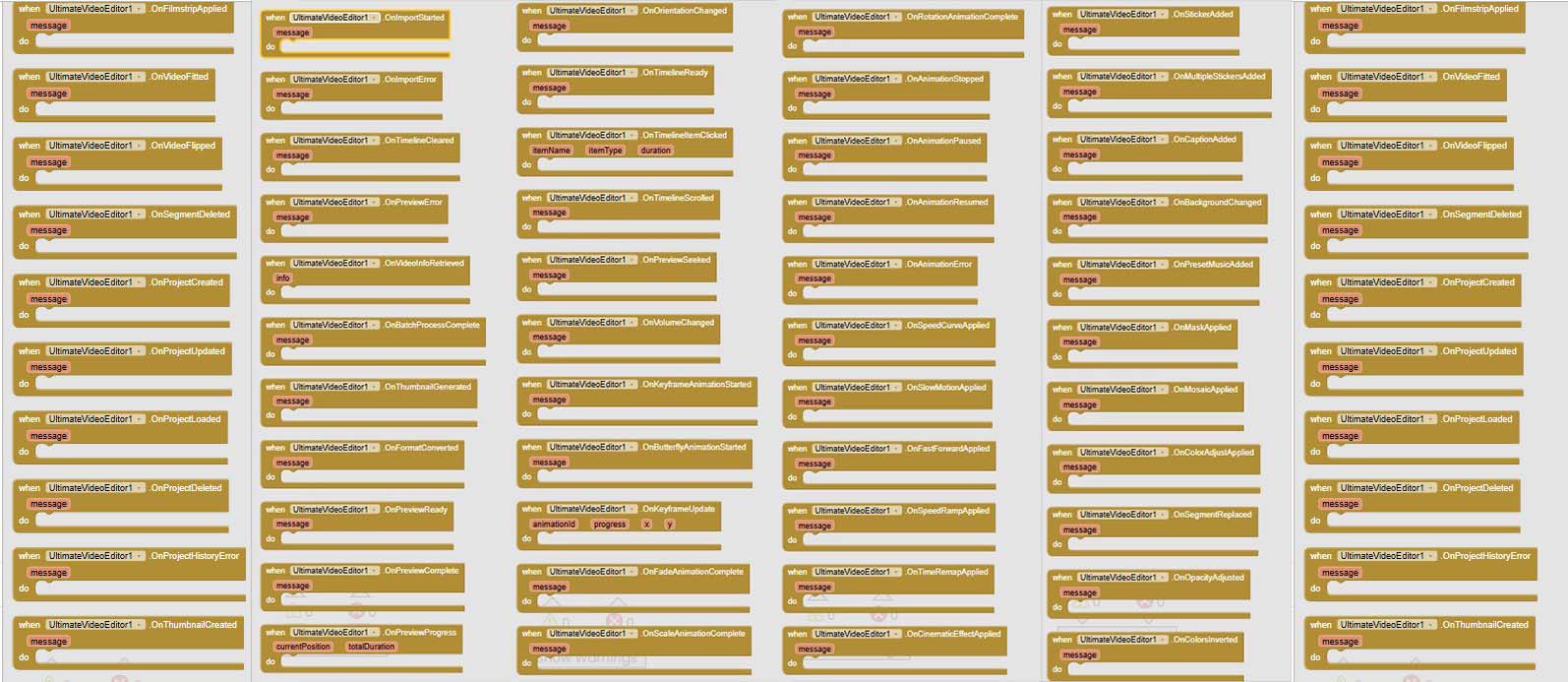
The extension includes 65 different events that trigger during various operations, including:
- Operation completion events
- Error handling events
- Preview control events
- Timeline interaction events
- Animation events
- Project management events
- And many more
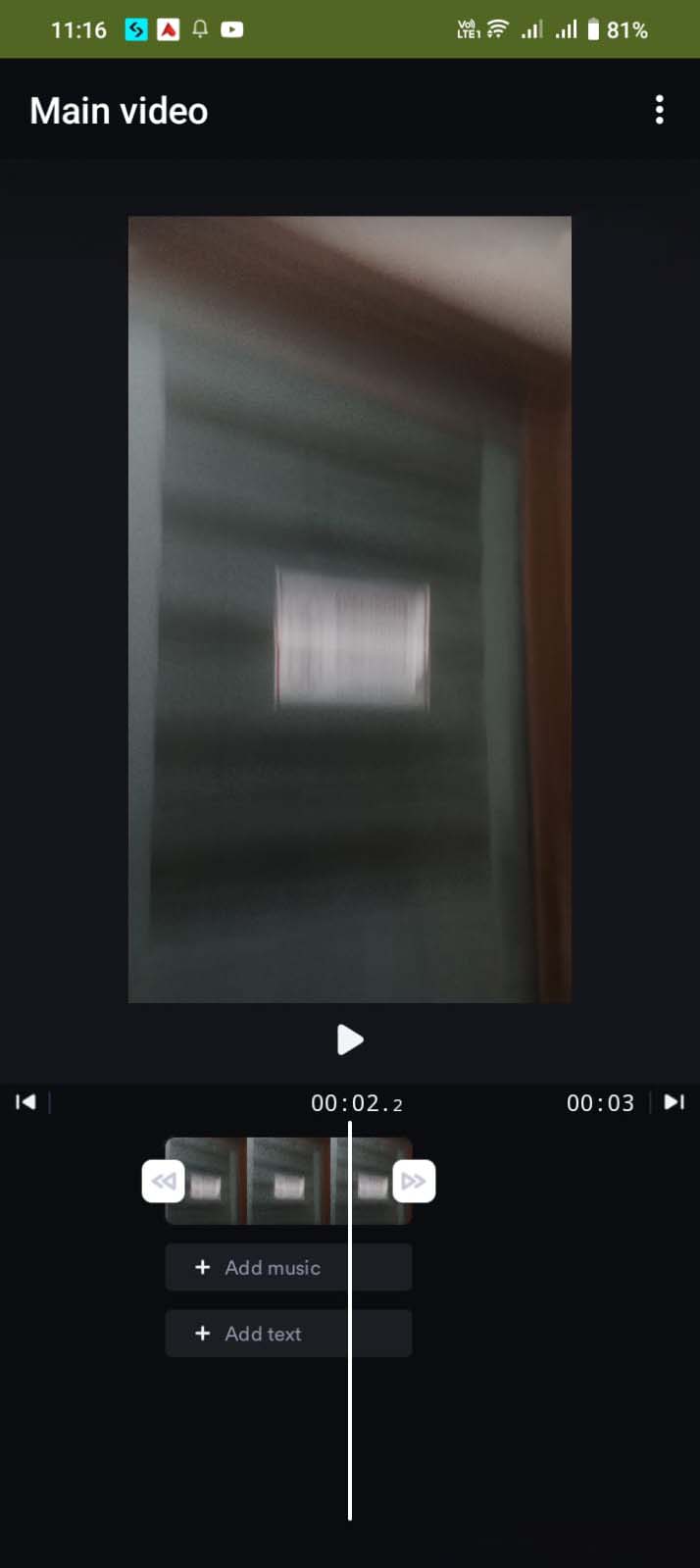
Demo video coming soon
Extension specifications:
 Price: $15 USD
 Built & documented using: [RUSH 3.0]
 Supported builders: Kodular, AppInventor & others.
