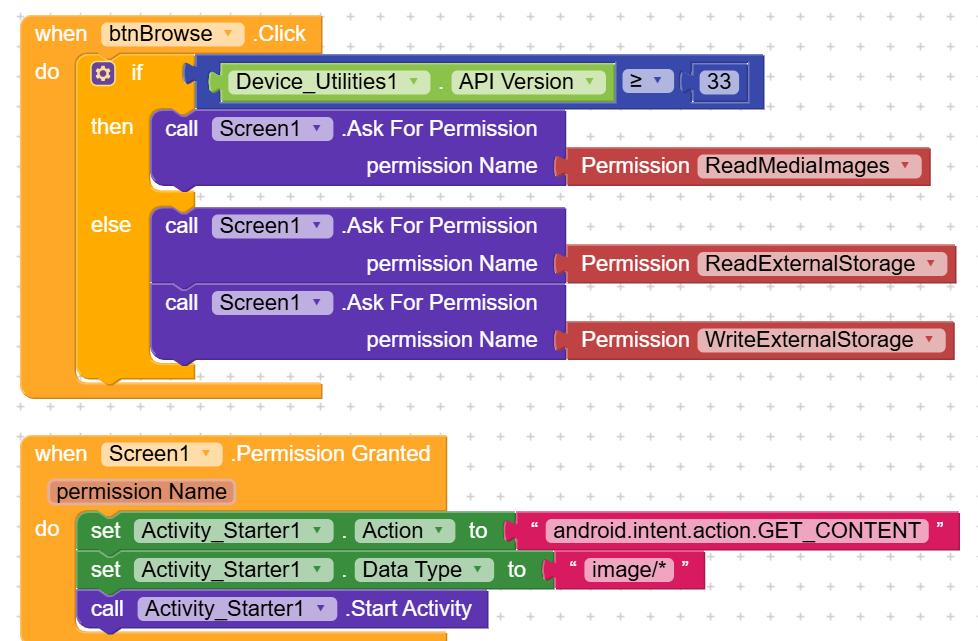
android.intent.action.GET_CONTENT not work in android 14, API/SDK 34
maybe someone can help me, thank’s
Try this out, also avoid using content// Direct. kodular got many bugs now. So after getting the content try to copy it in your app directory, to avoid read 908 error permission,
I suggest you the @Ibrahim_Jamar URI to file converter AIX, it work fine with this these media things
He didn’t published it yet but you can talk to him in PV
Ok thanks. I’ll try
As pointed out by Taifun, you should use SAF.
In which directory are the images located?
basically I want to look for files on my phone’s storage media
1 Like
Never mind, follow bodymindpower’s advice below, which works perfectly without extensions  .
.

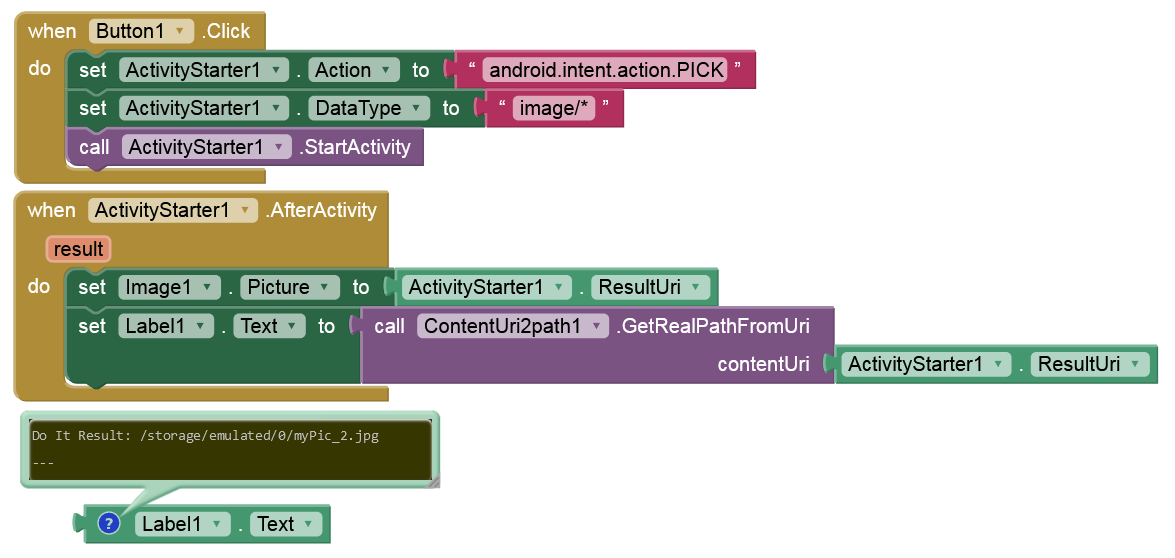
I’ve tried it and it worked. Thank you.
but i can’t show image selected with ActivityStarter1.result URI in image1 block
@Victor_Kastom says correct,
In Android 14+, using Activity Starter with arbitrary file paths no longer works in Kodular.
 You must:
- Use your app’s own directory:
/Android/data/... - Or convert to
content://URI via an extension
Check this
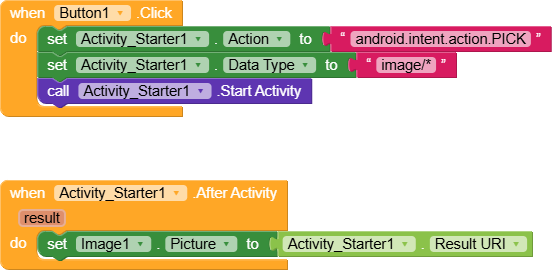
its works for picking the image, but it requests read permission when tried to show that image, it will be blocked in android 13+, so before using that uri make sure you have copied to your app’s own directory
AIA
Pick.aia (1.8 KB)
2 Likes
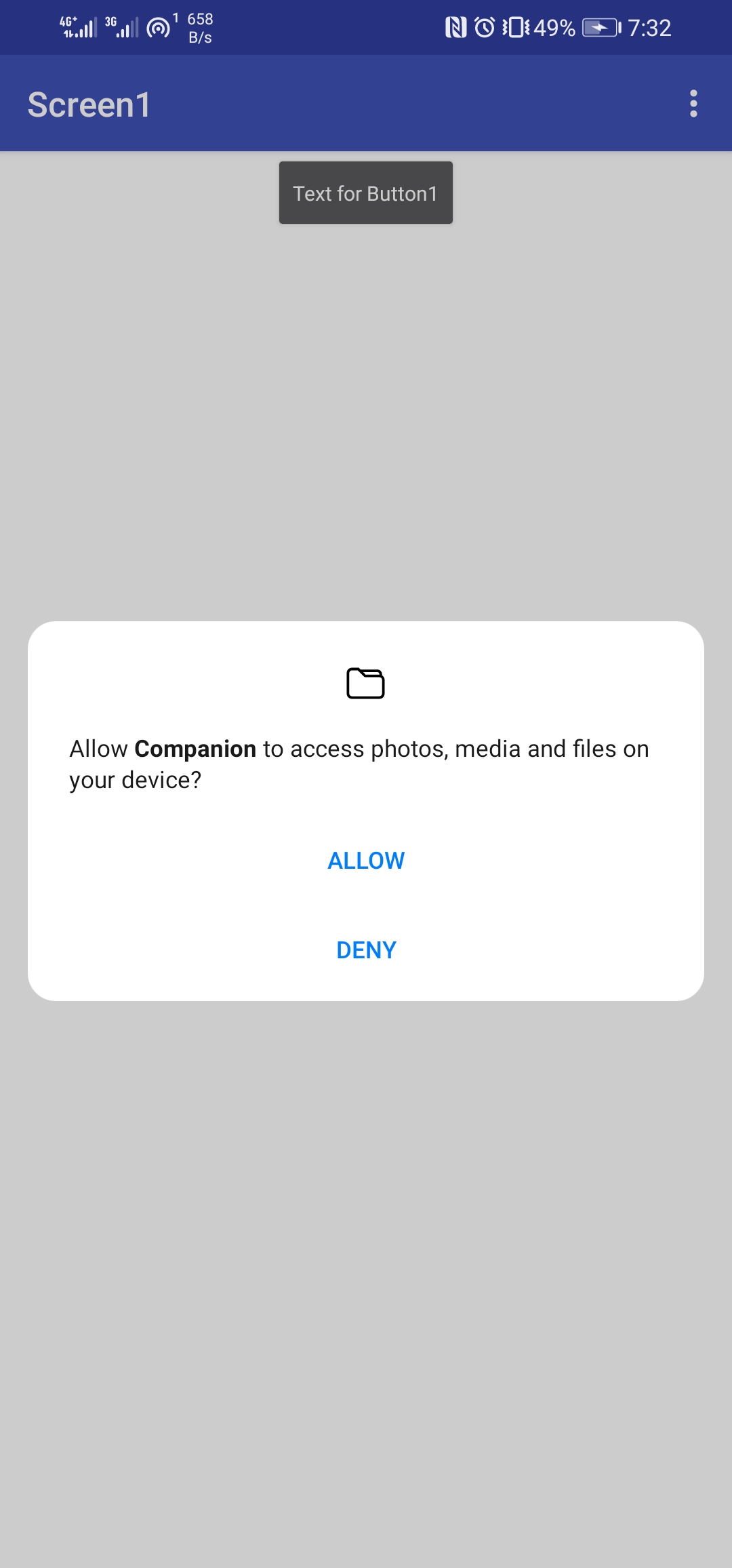
Yes, this is one of the countless bugs in Kodular that I’ve been talking about for years. The image component incorrectly requests READ permission. Furthermore, on Android 13+, it also requests READ_EXTERNAL_STORAGE, which no longer exists on Android 13+. No storage permission should be requested here at all.
So use an extension to display the image without storage permission, e.g., Picasso.
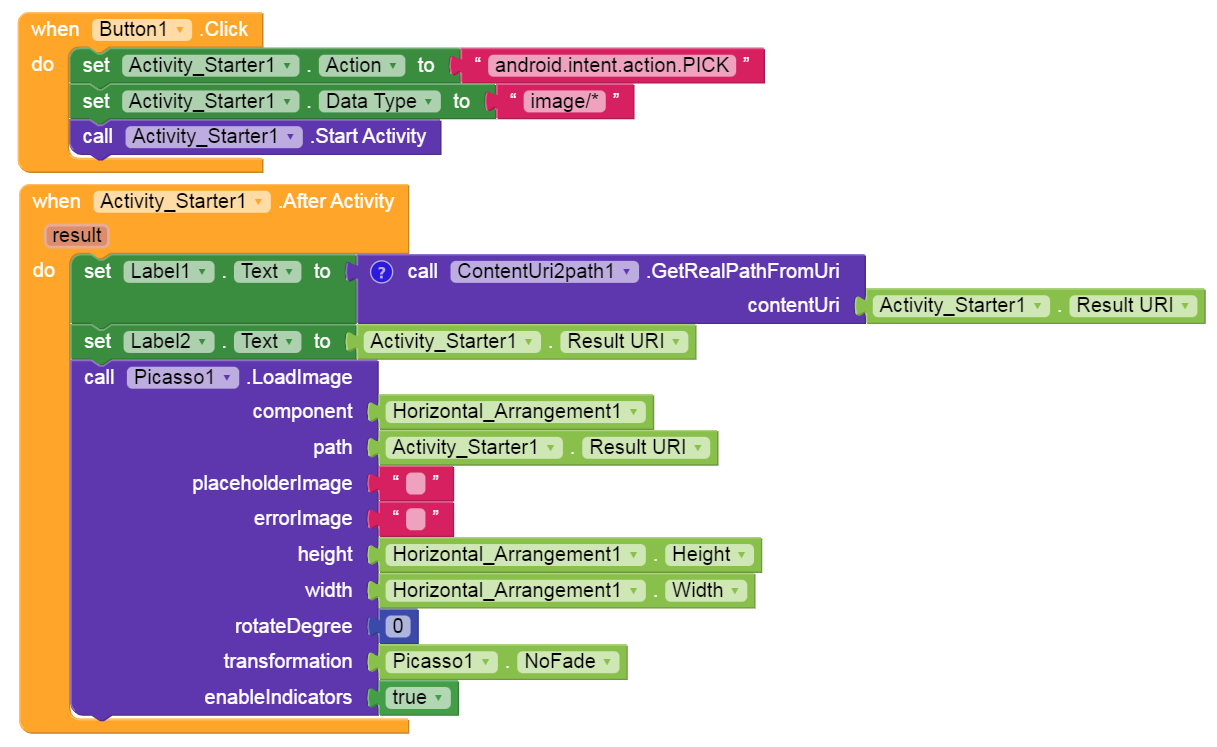
As I’ve suggested to the MIT AI2 team several times, all automatic storage permission requests should be removed from the components (at least on Android 11+). I’ve explained it there in detail several times.
1 Like
I tried picasso blocks, and it couldn’t display the image. 
I checked it with Kodular and it works (tested on Android 16).
Post your (test) aia.
After I tried again, it turned out I could display using Picasso. Thanks
You must use the latest extension version from July 1, 2024.
do you have link latest extension picasso?
Thank you. How to empty horizontal arrangement from image?
Try one of the file extensions to do the conversion
Search the extensions directory to find the link
Taifun
