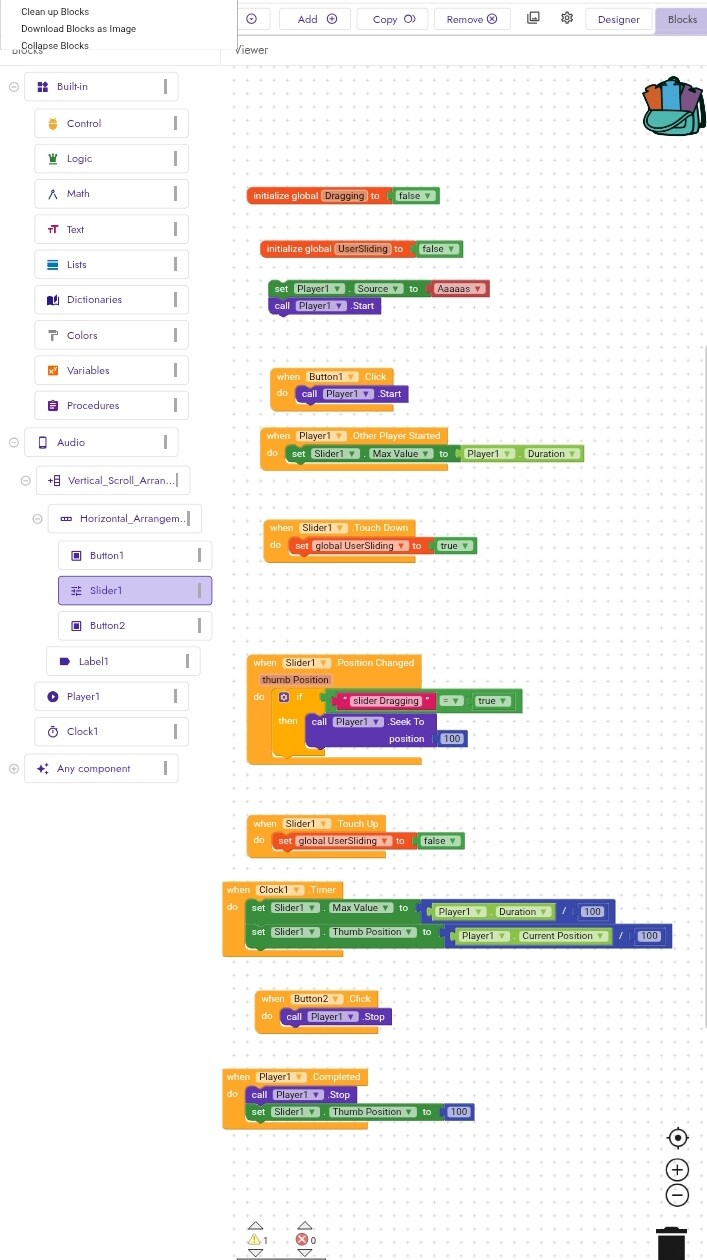
I’m building a music player in Kodular and I’m facing two issues with the Slider component:
When a song is playing, the Slider does not move automatically to show the current position of the song. When I drag the Slider to move forward or backward, the music does not seek to the new position.
Here’s what I have done so far:
I added a Clock with a 500ms interval to update the Slider.
The Slider shows progress when I drag it, but it doesn’t affect the music.
I think I might be missing some blocks or arranging them incorrectly.
Could someone please check my block setup and guide me on how to make the Slider sync properly with the music?
I added a slider to control the music.
The slider moves, but when I drag it, it doesn’t stay in the new place it goes back to the old position.
Also, when I move the slider forward or backward, the music doesn’t change at all.
I used a Clock to update the slider and also added the Slider.PositionChanged block, but it’s still not working.
 When a song is playing, the Slider does not move automatically to show the current position of the song.
 When I drag the Slider to move forward or backward, the music does not seek to the new position.
 .
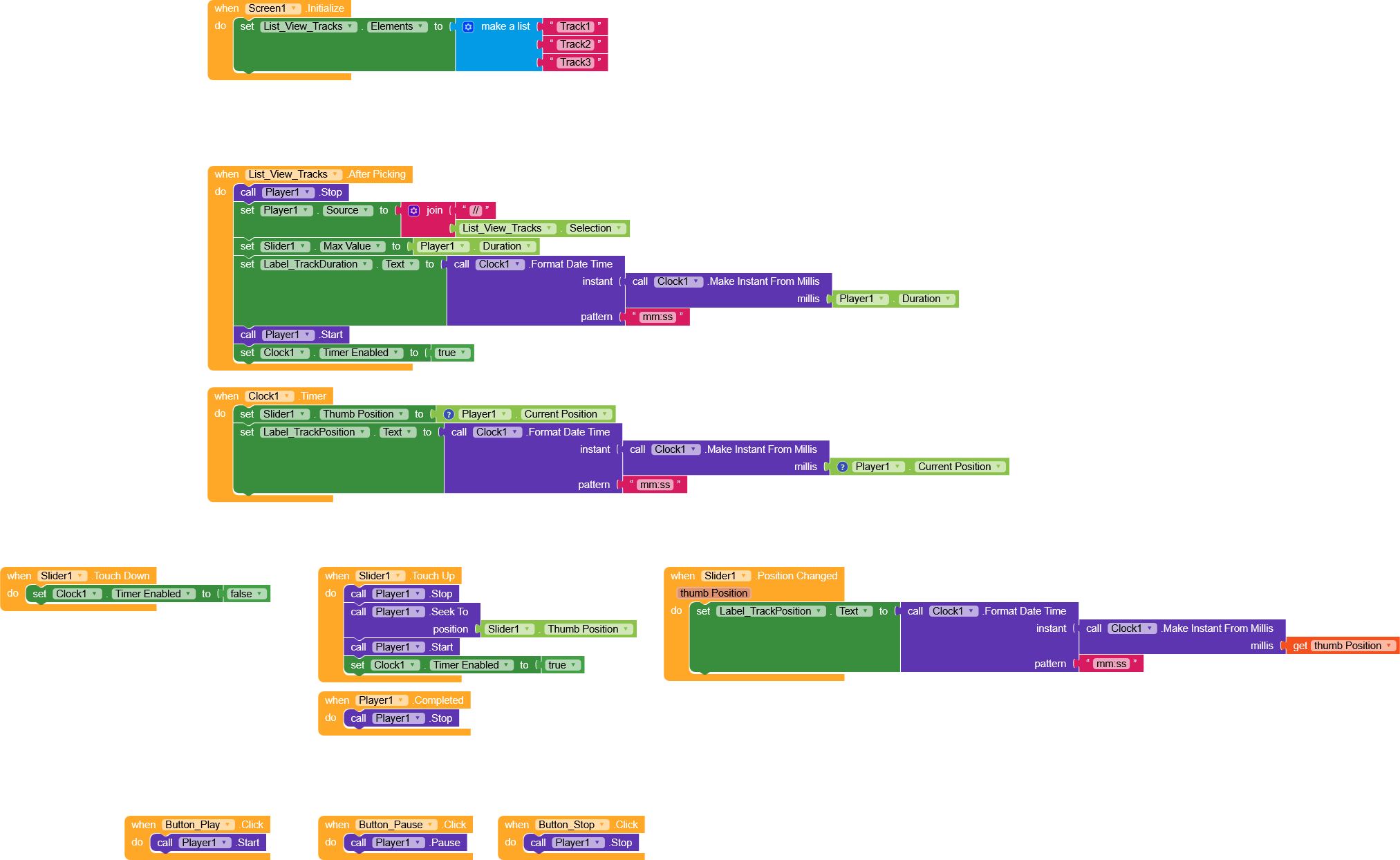
.
 oding!!!