Hello. I wanted to take my Google sites website and turn it into an app that is simple for parents to have access too. All was working perfectly except, I can’t get my WhatsApp Group links to open. I can get them to open if I click external browser but then the app no longer looks like an app as it reverts to the desktop mode. Does anyone have any suggestions. I have tried coding it with ChatGPT but we haven’t been able to come up with anything that works. Any ideas?
Hi Nikki,
Welcome to the Kodular community
I had already answered a similar question some time ago, try taking a look to see if it helps (the user never got back to me  ).
).
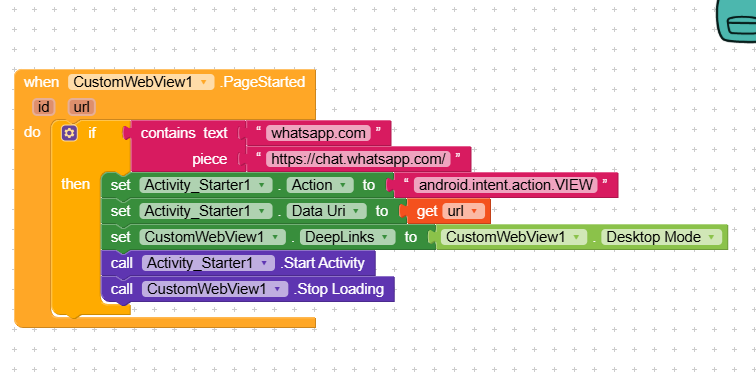
Thank you so much for your reply. I keep going round and round in circles my code, either the app opens in desktop view ( which I don’t want it to do as it loses its app feel) or I get the url error. I can’t seem to get it right
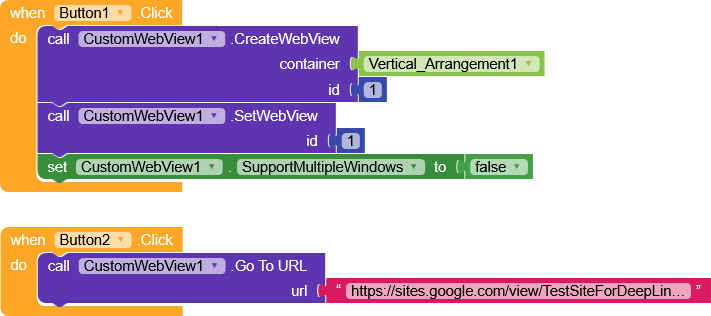
If you’ve already set up the custom web view correctly, disable SupportMultipleWindows, and clicking the link should correctly redirect you to WhatsApp.
I did a very simple test like this, and it works correctly.
The customWebView that I downloaded was an old version so the app wasn’t supported by my android. Do you know where I can get an updated version?
Here you can find the latest version,
Hi,
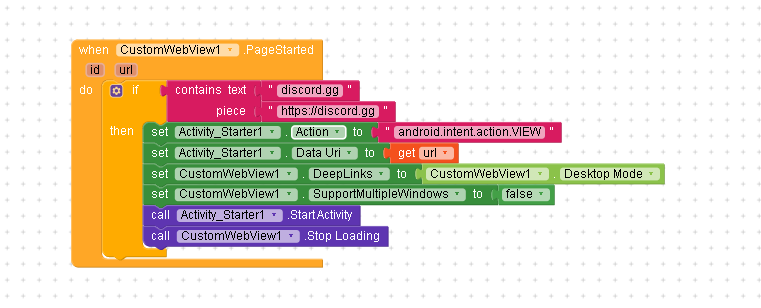
there’s no need to use the Activity Starter, just
- enable deep links
- disable SupportMultipleWindows
and if the deeplink is structured correctly, you’ll be redirected to the app.
Thank you very much, I have loaded it.
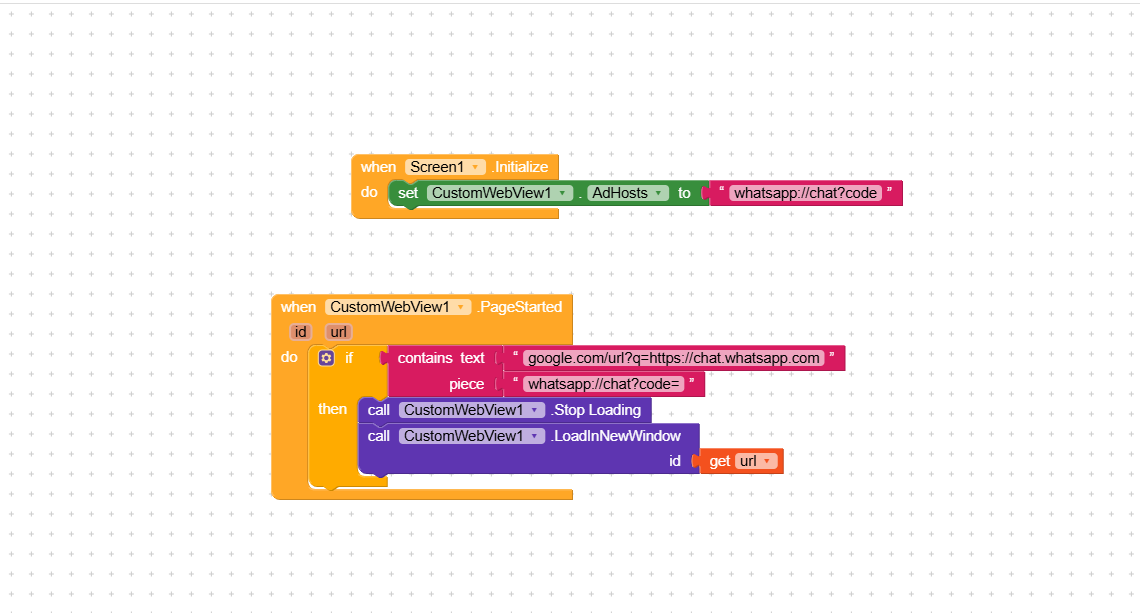
Look I am a novice when it comes to building an app. But I feel like I have tried every possible solution and still haven’t made any progress. Where am I going wrong??
You don’t need to configure anything, Android handles the deep link directly.
At this point, I think the deep link is the problem,
the first frame of this video already shows you how to get the link to access the group.
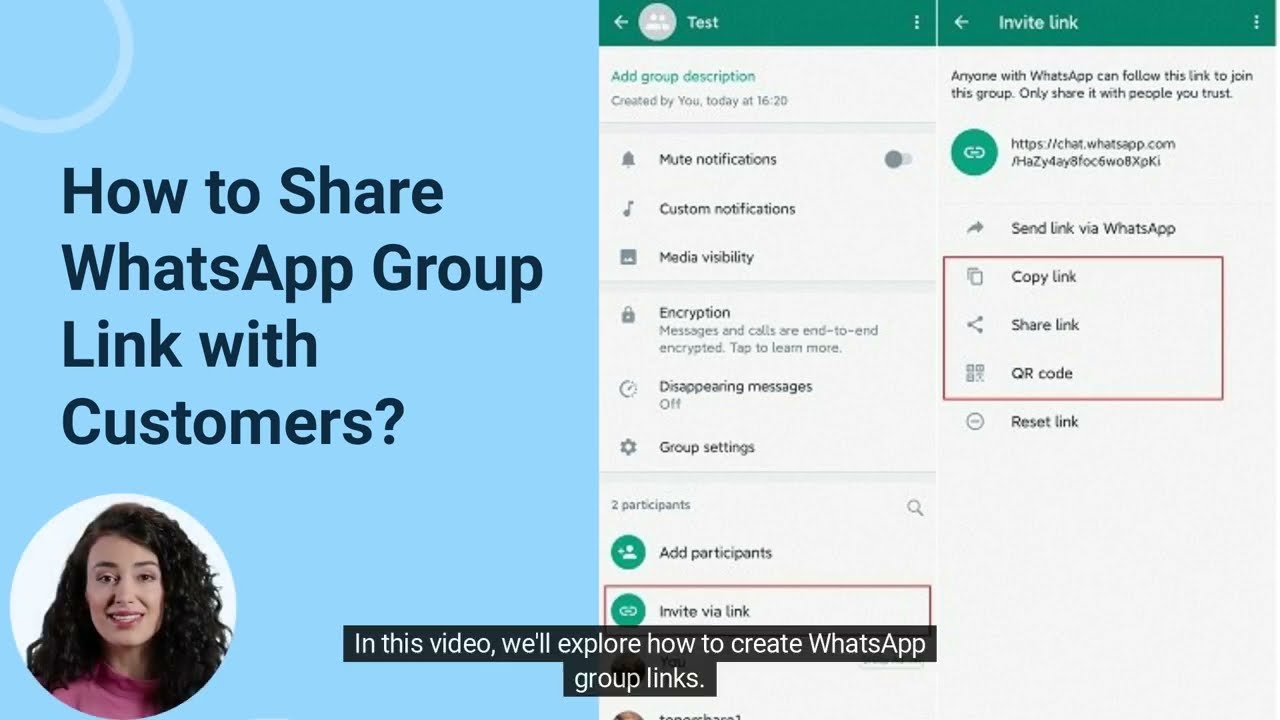
I see the join group page for a spilt second before it hits the Web page not available. All the links were shared with me according to the video you shared with me. Then I added the links to my website.

That did not work either, it made my Kodular companion freeze completely and when the app loaded, it was just a black screen
I also see the black screen while the site is loading, but then it loads and I can see the page, tested on two different devices.
That’s strange 
Could you send me in PM the site you’re trying to use?
Can I send you the site I want to use in the webview? Maybe that way you’ll understand what I want to do.
Anyone have any ideas how to solve this?
The irony is that it works perfectly in Thunkable but I prefer Kodular as it is easier to use
I’m trying to find a possible cause, but we did everything correctly, how strange 
Is there no way to make it change to external browser mode only when they click the extra murals eagle?
Nothing is impossible
have you tried using another device?