Thanks everyone for the feedback – I read all your comments, did deep research, and finally understood why Kodular or Any other Block’s App platforms cannot change the main app icon directly.
Why they CANNOT Change the Main App Icon (Real Reason)
- App icon is set in AndroidManifest.xml → Android reads it only once at install time.
- To change icon at runtime, you need → This lets you have multiple launcher icons and switch them.
- They does NOT allow editing AndroidManifest.xml → No way to add → true icon change = impossible.
Even if you upload appicon.png, it becomes a drawable — NOT a launcher icon.
But Don’t Lose Hope!
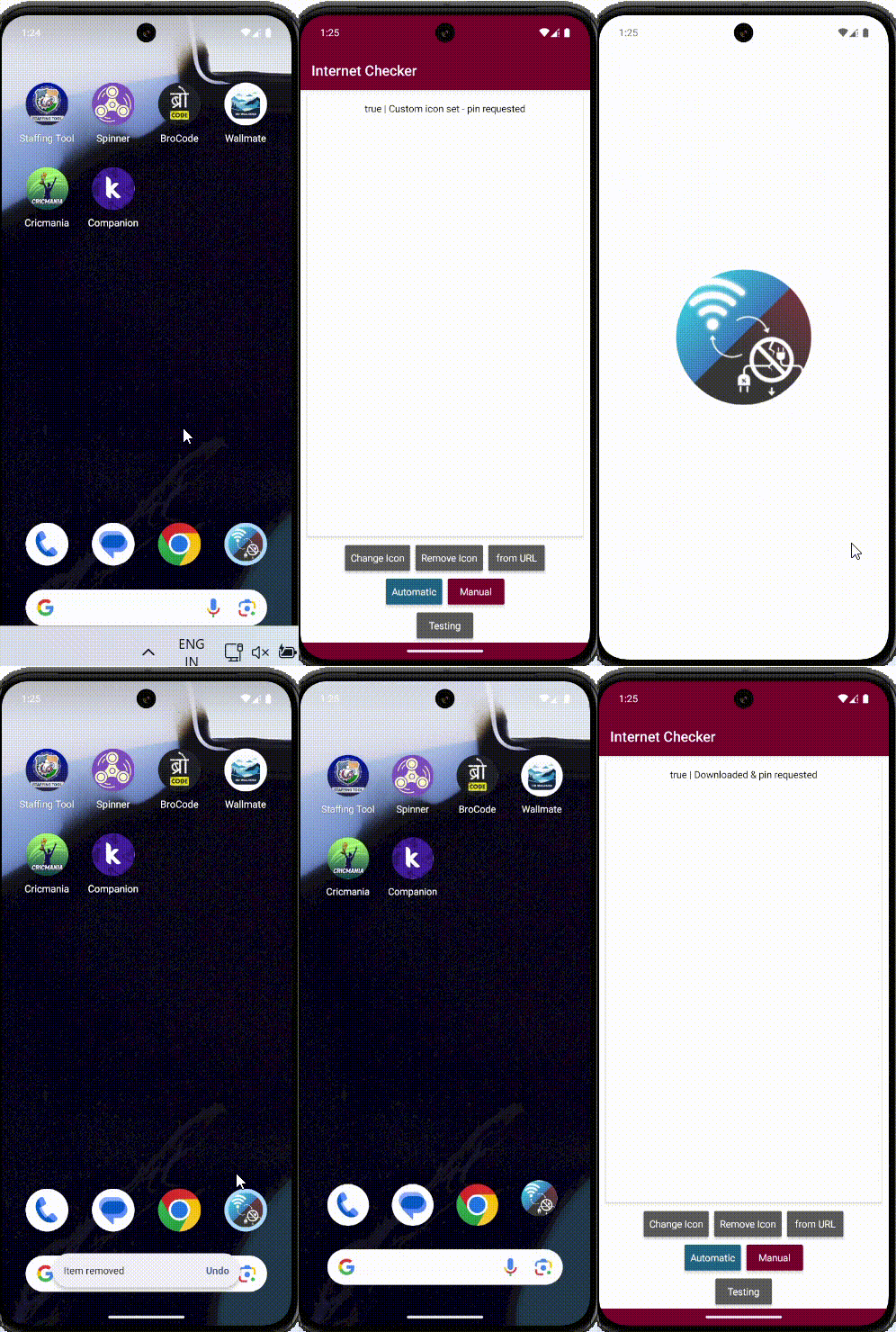
I created a powerful extension that gives you a realistic dynamic app icon — as close as possible to the real thing — without editing manifest!
appyIcon – Dynamic App Icon Extension
Features:
- Set icon from assets (appicon.png)
- Set icon from any URL (.jpg, .jpeg, .png)
- One-time pin → icon updates forever
- Remove custom icon → disables shortcut + reverts
- No duplicates – clean & smooth
How It Works (Simple Flow)
- First time: Click “Set Custom Icon” → “Add to Home” popup → Tap OK
- After that: Icon changes instantly on every click
- Remove: One click → back to original
Demo GIF