I want to change the video ID in my app’s YouTube Player using Firebase.
I’ve tried a few different things, but none of them worked.
Has anyone done this before or knows how to do it?
Please help me!
Hi,
Could you explain better what you’re trying to do?
There is a page in my app with two YouTube Player components.
I want to change the video IDs of these YouTube Players using Firebase Database,
so that I can update the videos in my app whenever I want.
How do you have structured the data on Firebase?
Anyway, it’s really easy
In Screen.Initialize you do a getValue for the tag with the IDs from Firebase, and as soon as the video IDs are returned, you set them in the players.
Then you can add exceptions, like if an ID doesn’t arrive, set some default videos, check if there’s a connection, etc.
I didn’t quite understand what you meant, could you show it with blocks? I just need to know how to change its ID.
Translated by RaYzZz
Hi,
Please make sure to always write in English
If you’d like an example, reply to this question
Firebase db
- id : ahahsgsah
I did it in the form of
I meant something like this 
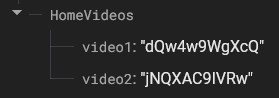
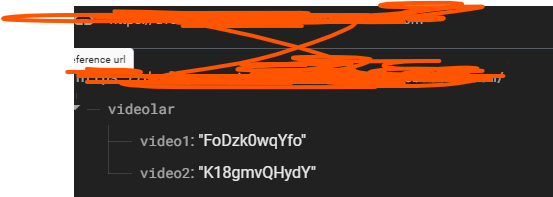
In that case, would you like the data in this format?
Yes, that’s what I did. I’m sorry I couldn’t explain it to you properly. But even if I did, the videos wouldn’t play. I couldn’t figure out how to pass the video id to the component as a Firebase DB value.
I’m not sure if this method is smart or unnecessarily complex.
I noticed that Firebase receives the data faster than the YouTubePlayer can initialize, so I decided to proceed this way.
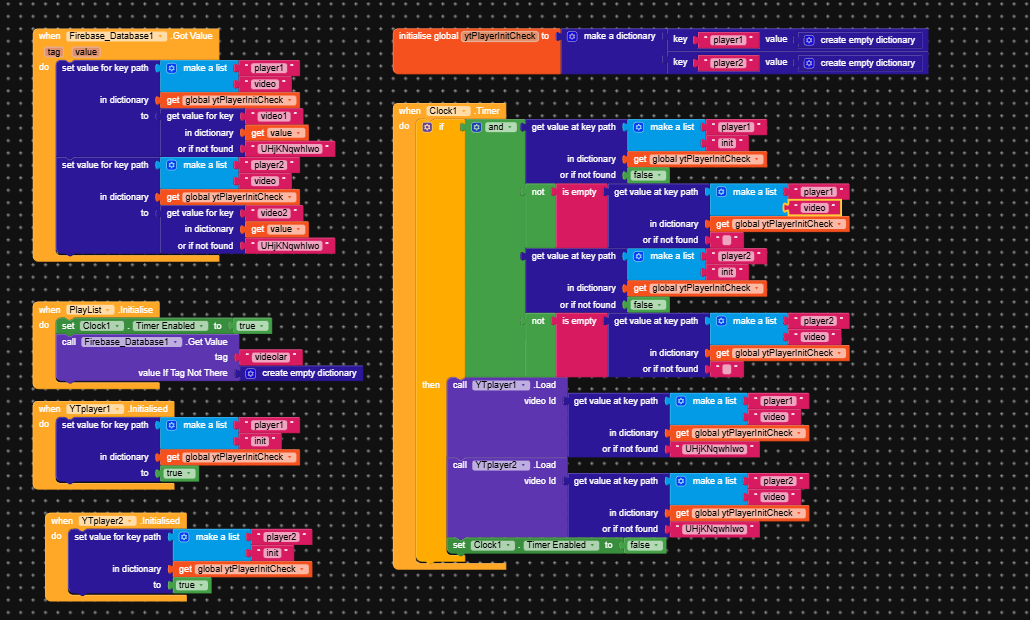
Blocks
Firebase structure
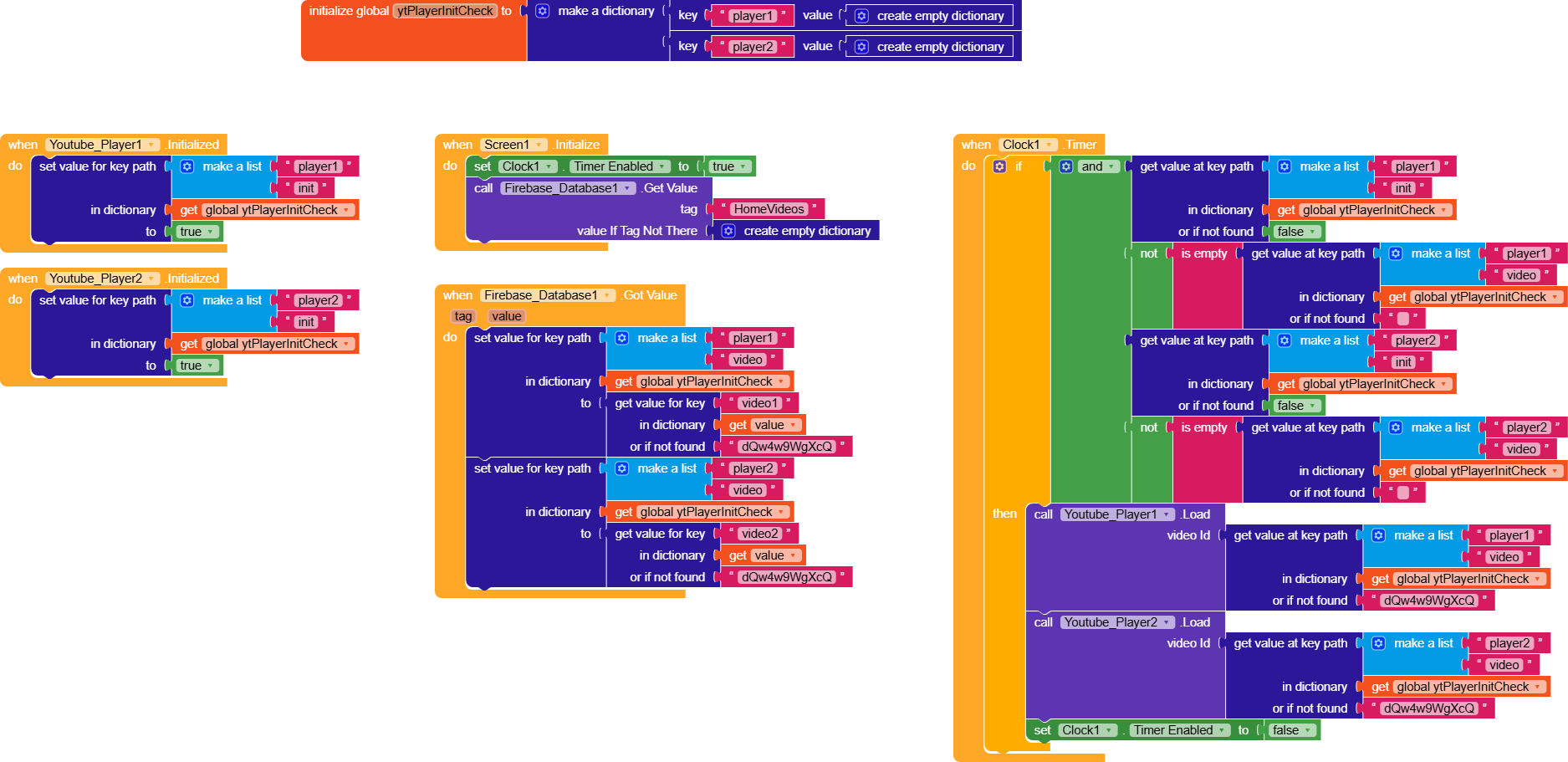
In Screen1.Initialize, we start a clock that checks every 10 ms whether the two players are initialized and whether the video is available
Using a dictionary
ytPlayerInitCheckwhere
- we’ll save whether the players are initialized
ytPlayerInitCheck > playerX > init,- and where we’ll also store the video IDs received from Firebase,
ytPlayerInitCheck > playerX > video.
and we also do a getValue to retrieve the HomeVideos node.
If everything is true, load the two videos. Done.
Otherwise, you can simply add a splash screen for a few seconds to make sure the players are initialized and you have the video IDs
If instead you use my method, you can switch the layout from the splash screen to the home as soon as everything is ready.
I did as you said but it didn’t work. Did it work for you too?
Show the blocks you’re using, or directly share the .AIA project (removing any Firebase information).
Yes, it works for me
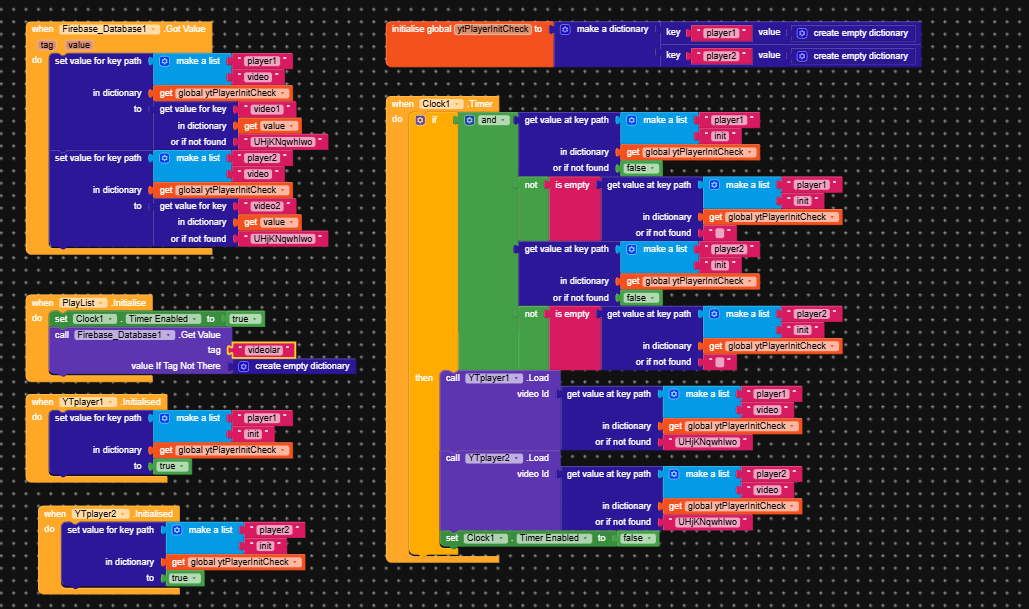
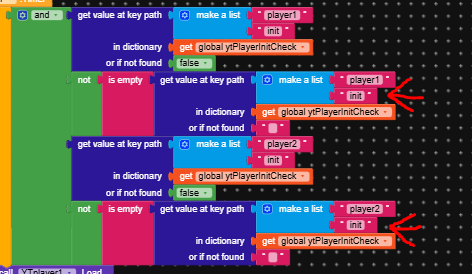
What did you set in Firebase.ProjectBucket?
Everything seems to be correct, I’m trying to understand the problem, but the backup video we put in case the video we provided doesn’t arrive always comes.
To simplify the troubleshooting process, add a notifier that shows what you’re getting as the value from Firebase.