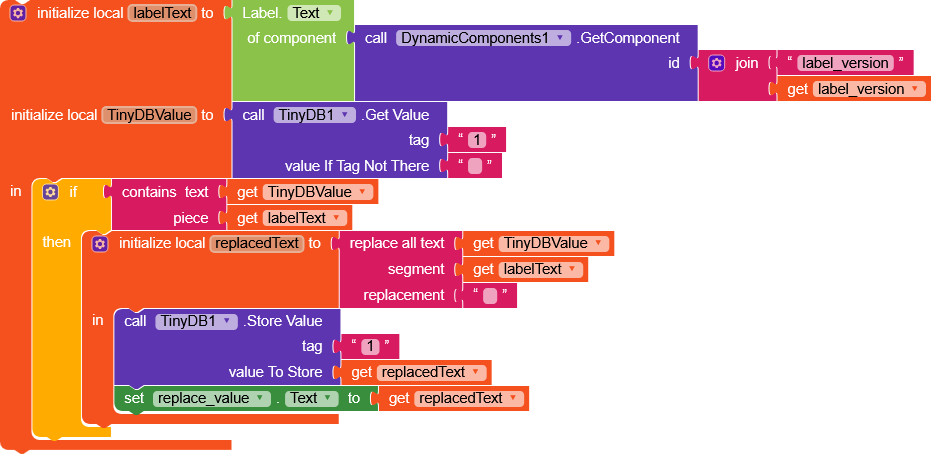
Hello, how can I delete something that was in tinydb but so that it doesn’t leave any lines when deleted? Because I had stored lists variable in tinydb and I delete the list of each quiz upon user request. But I see the result in the label as if it leaves lines. I’m worried that this will affect the device’s RAM and the application’s performance if it keeps repeating the lines infinitely. Instead of doing a method similar to clear tag (I don’t want to clear all.. i know clear all can solve this problem), maybe you can advise me to do a clear tag and then immediately put the text I want.. but i think this way also .. add lines vertically
lines = empty data
Empty spaces but occupying space as if there is data present but not visible - can be distinguished by the fact that the length of the screen changes and allows scrolling down, which increases steadily
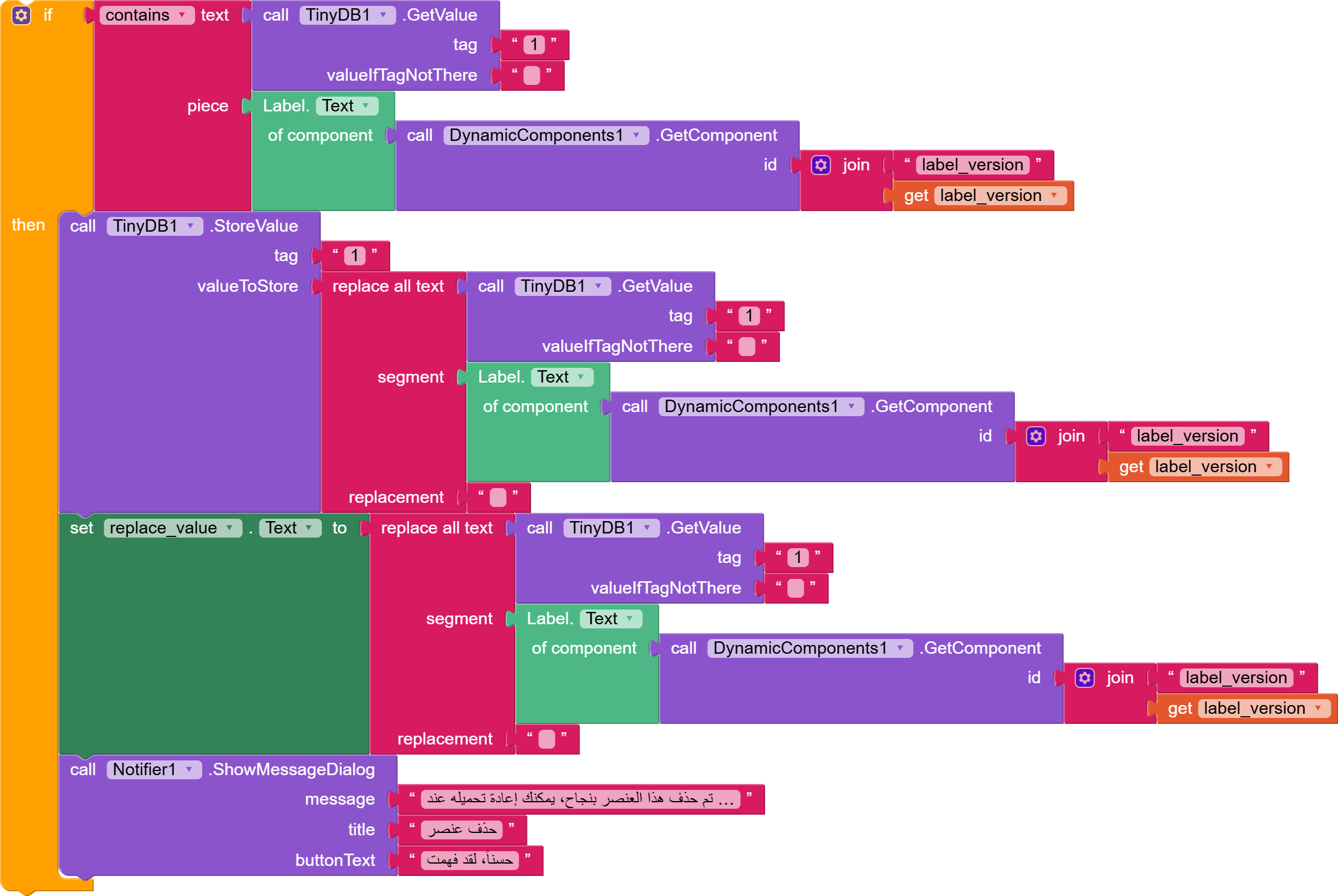
 my screen brightness is set to night mode