whats that? How can i create it. (sorry i am new in Coding and Kodular in general and just 15 years old)
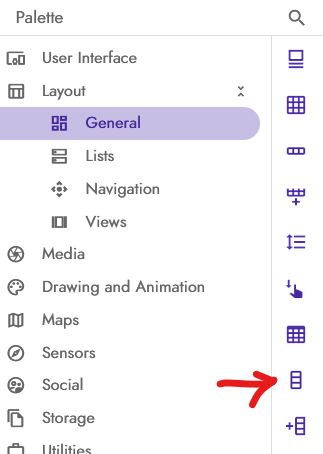
Great, don’t apologize.
But if you don’t know what it is, I suggest following some guides to better understand the world of block-based coding.
okay i did it but my app doesnt follow any Links (e.g. Google maps)
Do a test by importing this project and setting your site in GoToURL.
Yes i already did it and it doesnt work and i cant upload the aia in my project
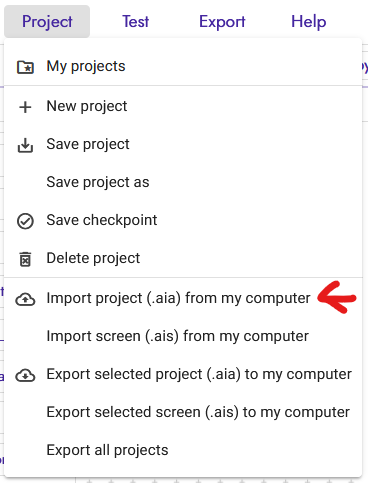
Thank you i did it and write my home url in there. Now it is working like a normal Webviewer (it schows my website) but i cant still open Deeplinks like Google maps and stuff like that.
 , and I’m sure the project used to work.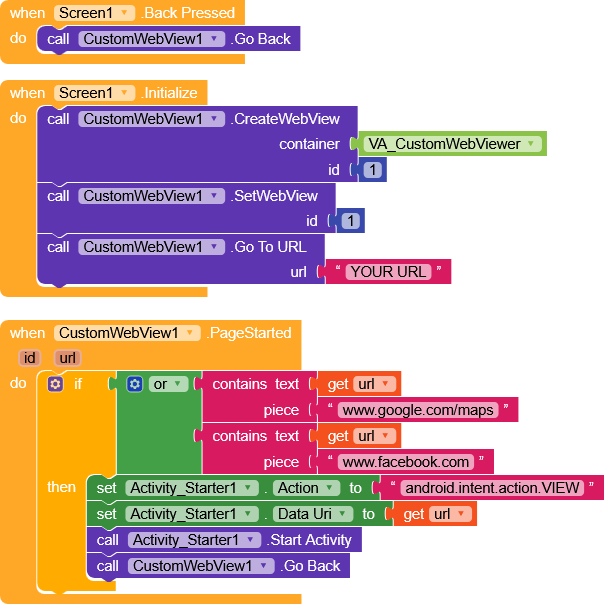
Both doesnt work.
Forgive me for making you download yet another AIA,
But I want to find a solution that works for you.
try this one
CustomWebViewDLTest.aia (78.1 KB)
1 Like
No Problem, but it doesnt work
Have you tried clicking on one of the links that were in my Google document?
if so, what happens? does it open in the regular webviewer?
No you cant open the links
I don’t remember if I included it in the previous project, but make sure that
SupportMultipleWindows = false
That said,
I’m home now and I tested with two different devices, Android 14 and 15, and it works correctly with both projects.
I have no other ideas for now about what could be interfering 
I’ll keep thinking…
- When I use the normal WebViewer together with the CustomWebViewer extension, it should follow deep links. It actually works, but only if I turn on “OpenExternalBrowser” in the normal WebViewer. Then it follows the deep links, which is great.
The problem is that I also have two other URLs (the login and logout URLs). These also open in the external browser, but they should not open there. - With the structure I have right now (the one shown in the picture), I don’t have problems with the login or logout URLs. They do not open in the external browser, which is good.
But in this setup I cannot open any Google links at all.
Hi,
Since the deep links work in the first case, I’d say to keep that.
Can you show me how you set up the blocks there?
Yes, when I keep it like this, I have the problem that every new user has to log in through an external browser, because the login page URL is different from the main URL. So it automatically opens in the external browser. Do you know how I can disable the external-browser behavior only for the login page URL, and keep it activated for all other URLs?
Can you publish the AIA project or send it to me in a private message?
I tried a lot of different block setups but all doesnt work so i removed all and i want to start again. So currently i dont have any blocks. Maybe you can help me to set up the blocks to solve my problem.
Certainly,
but I need a detailed description of the workflow.
For example, since you have different URLs, how are they connected to each other?