The error most likely comes from a component that requires READ_EXTERNAL_STORAGE on Android 11+ (the new permission is READ_MEDIA_IMAGES).
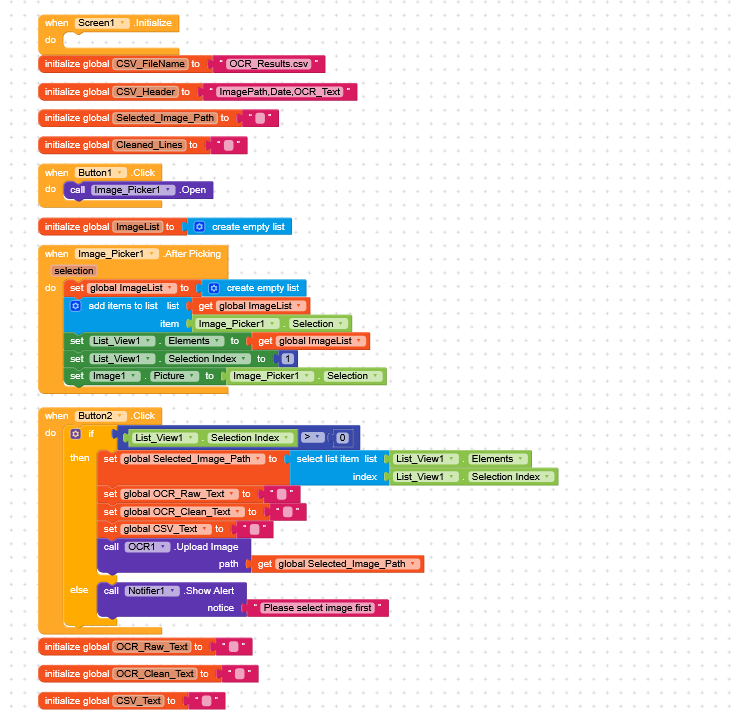
It would be useful to show us the relevant blocks related to picking and scanning.
The ImagePicker should have been fixed, in fact, it now only requires android.permission.INTERNET.
I have some doubts about the scan you’re performing, but I’d need to see which blocks you’re using.
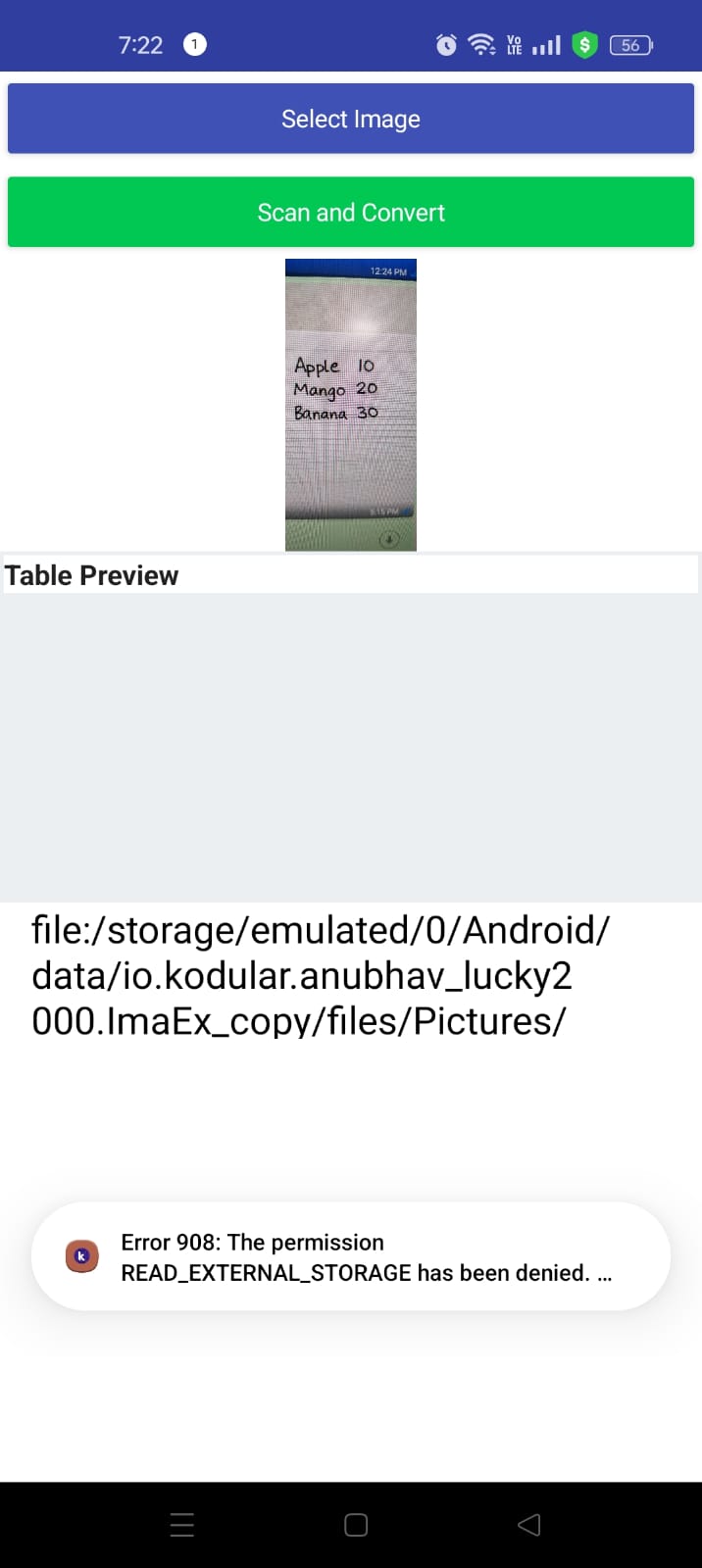
Well, I am getting Error 908 right after ImagePicker.AfterPicking.
Flow:
ImagePicker.Selection → stored in Selected_Image_Path → sent to OCR extension and File.SaveFile.
I am NOT manually requesting READ_MEDIA_IMAGES permission.
Target SDK: (write your value)
Tested on Android version: (write version)
Is ImagePicker.Selection returning a path that cannot be accessed directly in Android 11+?
Do I need a FileProvider or different method to read the image instead of direct path?
I cannot find Target SDK option in Kodular properties.
Error 908 happens right after ImagePicker.AfterPicking.
I store ImagePicker.Selection in a variable and pass it to OCR UploadImage and File.SaveFile.
Is ImagePicker returning a content URI instead of real file path on Android 14?
How should I handle this — permission extension, FileUtil, or another method?
If you’re using the native OCR component, the problem could be exactly that.
From the component permissions, I see it still has READ_EXTERNAL_STORAGE (deprecated)
So I’d suggest using an external extension outside of Kodular as a temporary solution.
It would really help if you provided a screenshot your relevant blocks, so we can see what you are trying to do, and where the problem may be.
To get an image of your blocks, right click in the Blocks Editor and select “Download Blocks as Image”. You might want to use an image editor to crop etc. if required. Then post it here in the community.
I understand that on Android 13/14 the ImagePicker is returning a restricted path (often inside /Android/data/...), and that this may cause Error 908 when the OCR extension tries to read the file.
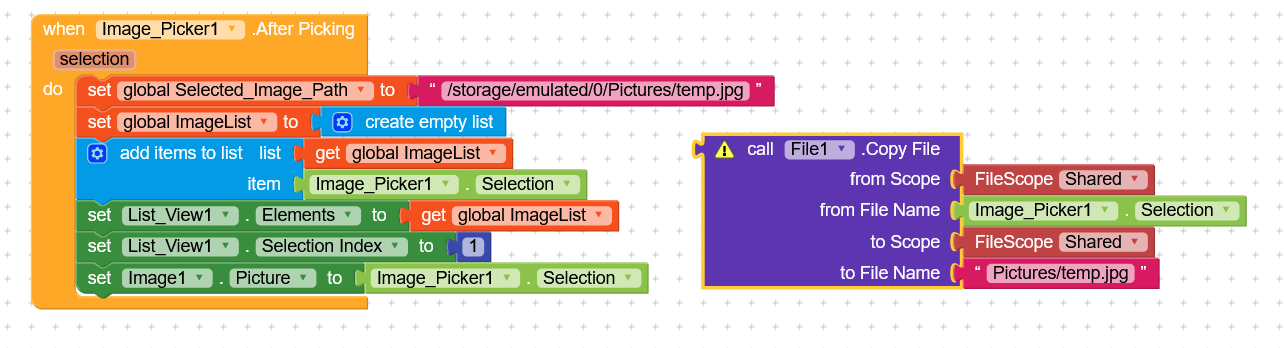
Based on suggestions, I am trying to do this:
Goal flow:
User picks image with ImagePicker.
Immediately copy that image to a public folder like /storage/emulated/0/Pictures/temp.jpg.
Then use this new path for OCR upload instead of the original ImagePicker.Selection path.
So I am trying to add something like:
call File1.CopyFile
from Scope: Shared
from File Name: ImagePicker1.Selection
to Scope: Shared
to File Name: “Pictures/temp.jpg”
Then:
set global Selected_Image_Path to "/storage/emulated/0/Pictures/temp.jpg"
And later:
OCR1.UploadImage path = global Selected_Image_Path
Problem:
I cannot correctly place the call File1.CopyFile block inside when ImagePicker1.AfterPicking. It seems to be a different type of block and does not snap properly into the event body like other call blocks (e.g., Notifier or OCR).
Could someone please show (screenshot or description) the exact block structure of:
and it is not necessary to copy the file.
However, since it is a directory freely accessible by the app, it seems very strange that it gives a permission error.
Useful guide
I’ll try to study it a bit and see if I can find a solution.