Runtime Error in Latest Kodular Update (apply-to-args issue)
After updating to the latest version of Kodular, my project started throwing a runtime error that did not exist in the previous version.
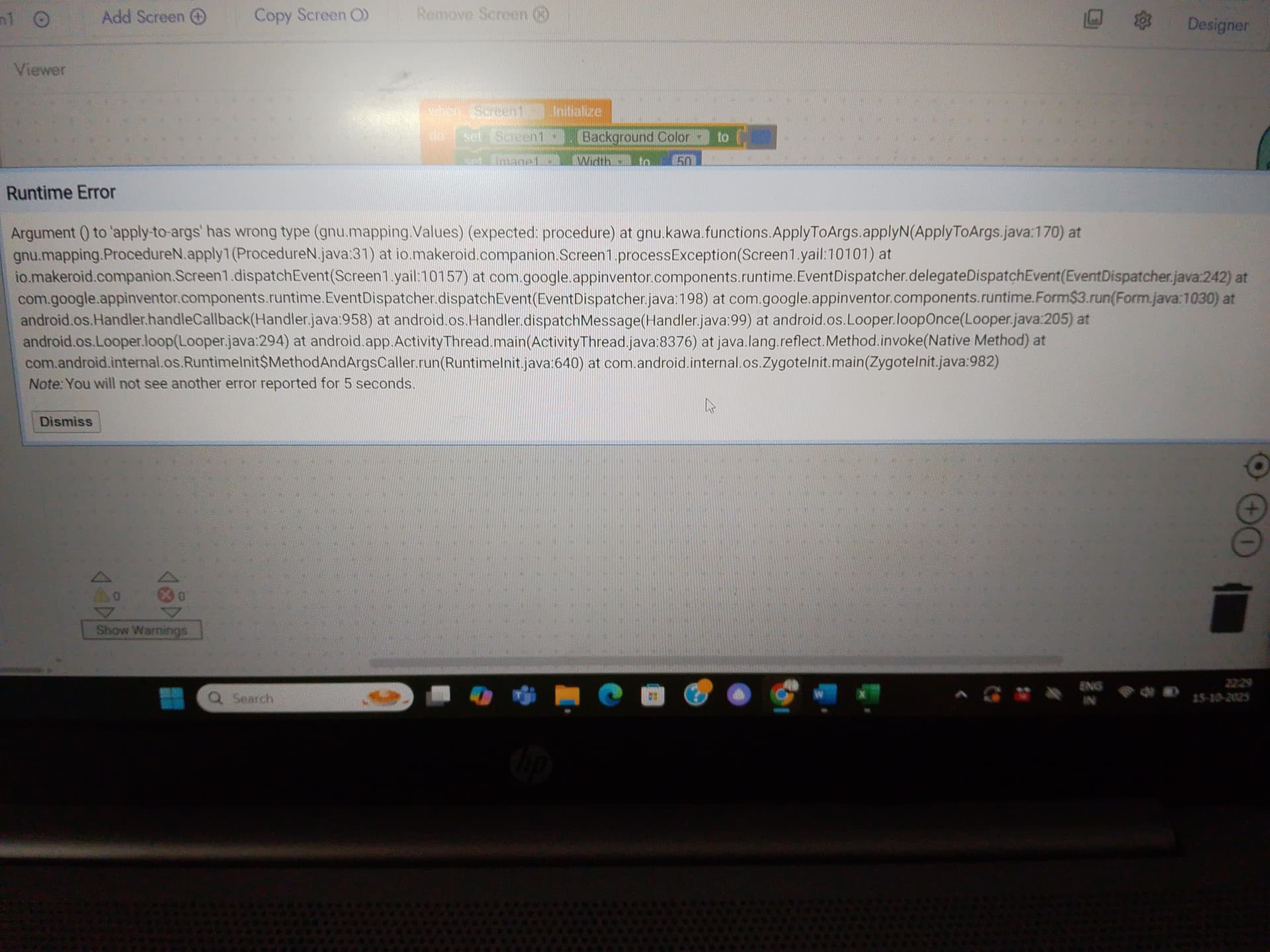
The crash happens when running the project in Kodular Companion. The error trace suggests it is related to procedures/events handling (probably when a procedure or event is triggered with arguments).
This is a regression bug because the exact same project ran fine in the previous Kodular release without any issue.
Error Trace
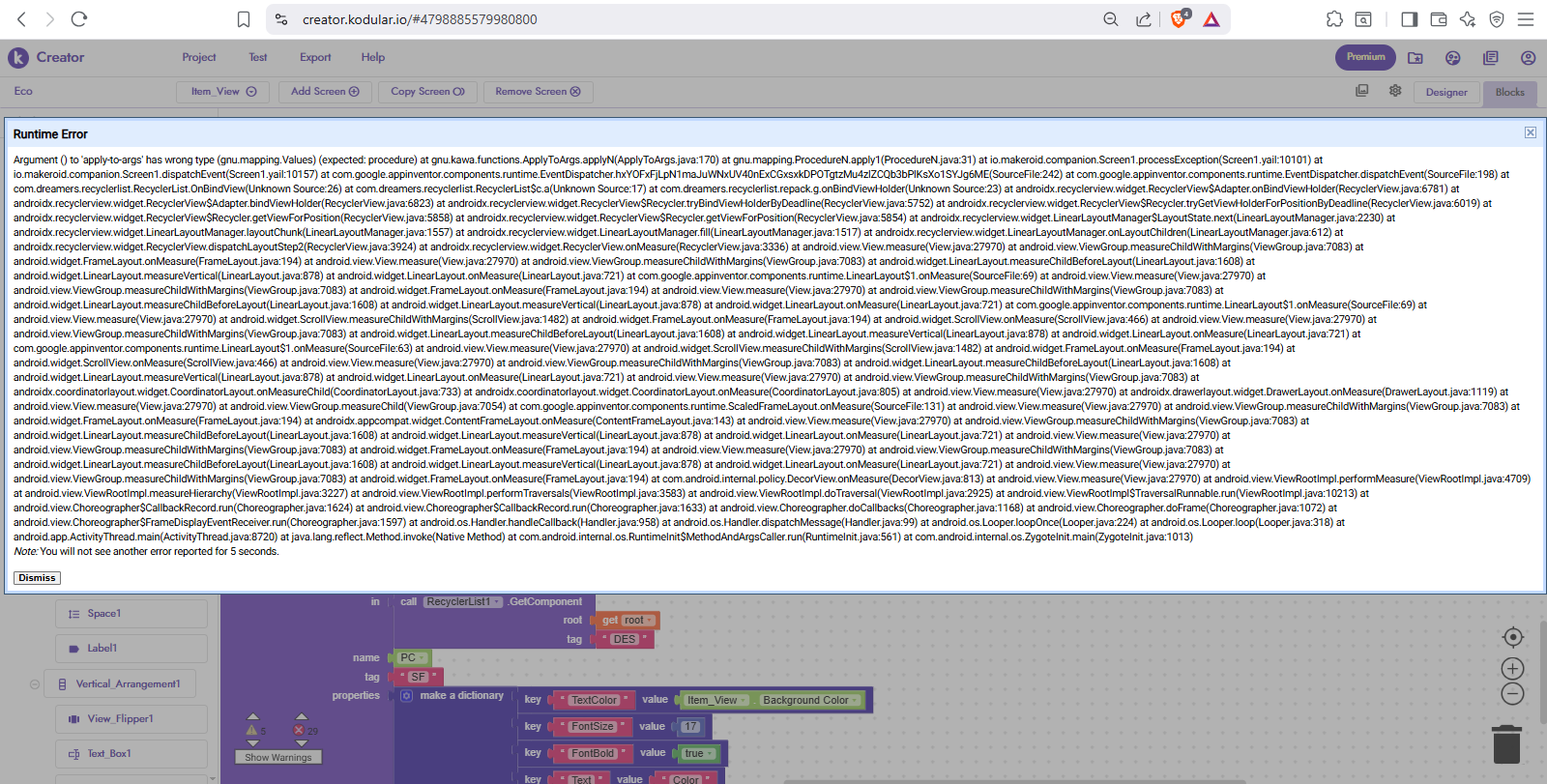
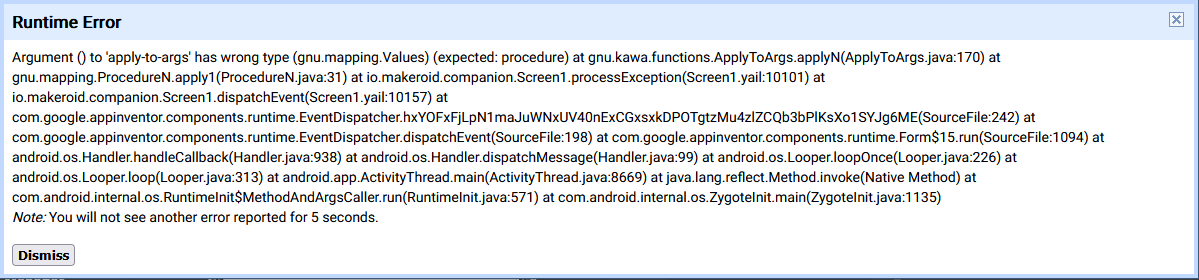
Argument () to 'apply-to-args' has wrong type (gnu.mapping.Values) (expected: procedure)
at gnu.kawa.functions.ApplyToArgs.applyN(ApplyToArgs.java:170)
at gnu.mapping.ProcedureN.apply1(ProcedureN.java:31)
at io.makeroid.companion.Screen1.processException(Screen1.yail:10101)
at io.makeroid.companion.Screen1.dispatchEvent(Screen1.yail:10157)
at com.google.appinventor.components.runtime.EventDispatcher.hxYOFxFjLpN1maJuWNxUV40nExCGxsxkDPOTgtzMu4zlZCQb3bPlKsXo1SYJg6ME(SourceFile:242)
at com.google.appinventor.components.runtime.EventDispatcher.dispatchEvent(SourceFile:198)
at com.google.appinventor.components.runtime.Form$15.run(SourceFile:1094)
at android.os.Handler.handleCallback(Handler.java:958)
at android.os.Handler.dispatchMessage(Handler.java:99)
at android.os.Looper.loopOnce(Looper.java:224)
at android.os.Looper.loop(Looper.java:318)
at android.app.ActivityThread.main(ActivityThread.java:8720)
at java.lang.reflect.Method.invoke(Native Method)
at com.google.app.internal.os.RuntimeInit$MethodAndArgsCaller.run(RuntimeInit.java:561)
at com.google.app.internal.os.ZygoteInit.main(ZygoteInit.java:1013)
The project should run without errors (as it used to in the previous version of Kodular).
Actual Behavior
The project crashes with the error above when certain procedures/events are triggered.
Observations
The bug appears only in the new release of Kodular.
In the last version, this issue never appeared with the same project.
The error seems connected to procedure calls or event handling, possibly due to internal changes in the ApplyToArgs / EventDispatcher implementation.
Could be a regression from recent updates that broke compatibility with projects created earlier.
Please investigate if the recent Kodular update introduced a regression in the event/procedure system now its 5 days, i was think that my project got issue, but even new ones do the same.
This error makes it impossible to run my project in Companion
I did this to see if it throw anything related to an empty list, but its not give expected error. Or do you also update the apply-to-args into this way?
Its must throw something like this telling where i did wrong
Hey am sorry @Diego to tag you again, but I have been waiting for response from you since yesterday never heard anything about this issue, it’s only from my side?
Because I can’t run any project now if any argu appear companion stuck
In exported APK it throwing normally error, eg findviewbytag must not be null, this happens only in the main creator, when running the project in companion, it’s not mentioning what’s the problem.
I was able to replicate the issue, and the actual problem is that you are trying to access a list item which does not exist. The error is misleading, but that seems to be the issue.
I’ll step in for a moment because I think there’s some misunderstanding.
Ibrahim is performing this operation specifically to demonstrate Kodular’s abnormal behavior.
Normally, executing this operation would trigger the usual error indicating that we’re selecting the wrong index.
Instead, this time it produces an error that crashes the app or the companion.
I agreed with @Ibrahim_Jamar said, I’m also facing an issue on a runtime error; when there is an error happen the dialog will show what the exact error for small instant and replaced with wrong type {apply to args}… instead of showing exact error.
I have added it to the bugs tracker, but unfortunately has lower priority than other bugs, as it’s just about exception reporting (and not an error as such):
All my old projects before Kodular update was working fine but now giving " [warning Runtime Error: Argument () to ‘apply-to-args’ has wrong type (gnu.mapping.Values)]" error and even after exporting apk and after opening it gets stuck on white screen and app automatically closes.
This issue comes in with Kodular creator version 2025.8, after facing it in my all project I reported it on 18 August, I was hoping that the next update they will deal with it but still throwing the same error,
I suggested you to remove any blocks from when screen1intiallize block and try again
apply-to-args is, in any case, a very simple error, just like in the example Ibrahim showed in his report.
There’s definitely some block that’s set up incorrectly.
In your previous projects, the error might have been ignored because it wasn’t blocking.
I’d ask you to show your blocks, if possible.
 Error Trace
 Expected Behavior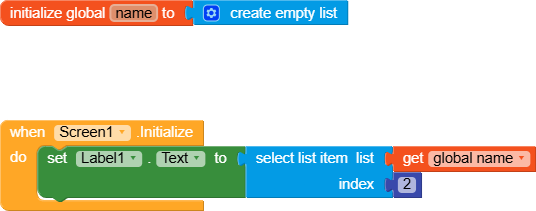
 Actual Behavior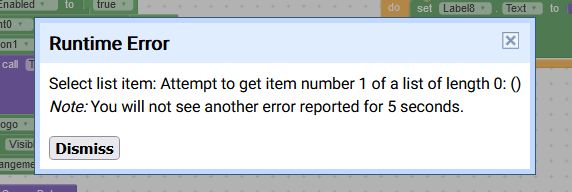
 odular community!