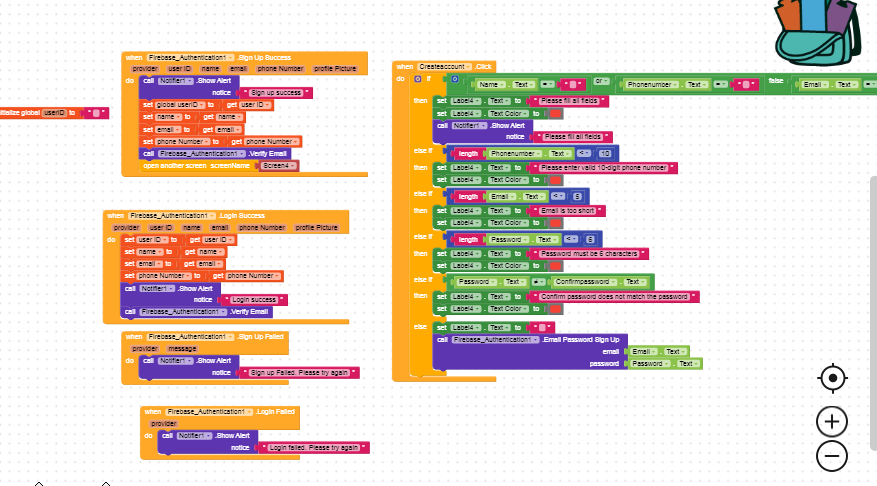
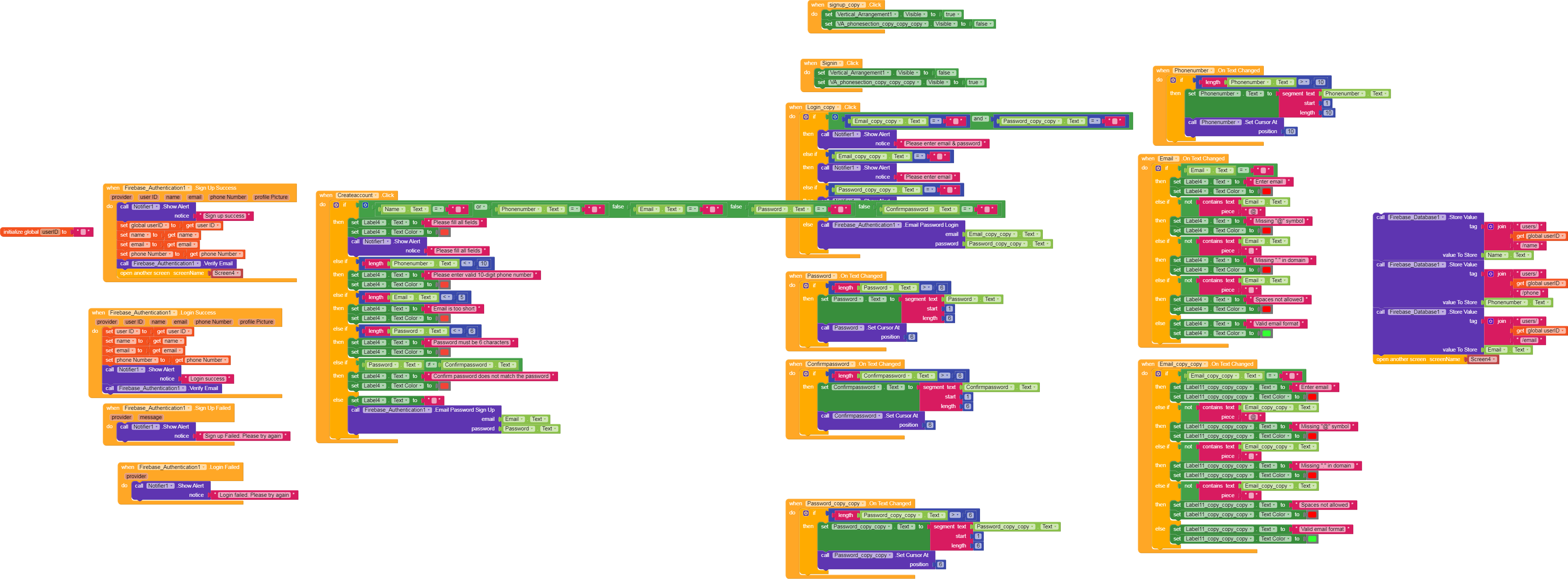
I tested with fixed email and password values.
still signup/login success events are not triggered.
Signup failed works, but no success callback.
User is created successfully in Firebase Authentication console.
So Firebase is working.
Please advise what to check next.
Firebase Authentication is successful and users are created in the console.
but SignUpSuccess and LoginSuccess events never trigger in Kodular.
Has anyone faced this issue before or knows what causes it?
There are the blocks I am using to fetch products from Airtable.
The API call runs, but no data appears in the app UI.
Please let me know if anything is missing or incorrectly configured.
Hello, I followed all the steps you mentioned, but the Airtable data is still not loading. The “Got Column” event is not triggering, so it seems Airtable might not be connecting properly. Could you please help me fix this?
Thank you!
Check your credentials. There are hundreds of guides about this.
Note: In your initial block, you’ve already used 3 of your 1000 GETs (so you can only launch the application a maximum of 350 times) while waiting for results. After that, Airtables will block your quota until the following month.
Thanks for the information.
I will recheck my Airtable credentials (API key, Base ID, table name and column names).
But still the main problem is that the “Got Column” event is not triggering at all.
Even a single column is not returning any data.
If possible, please help me check what I may be missing.
Thanks!
I am currently building a grocery app and I am looking for a free sample .aia
to better understand the complete basic workflow.
I am mainly trying to learn and implement:
• Login / Signup
• Loading products from Firebase or Airtable
• Cart functionality
• Order placement flow
If anyone has a free demo or basic grocery app .aia
(even a simple, partial, or incomplete project),
it would be extremely helpful for learning and reference.
Any sample, guidance, or direction would be greatly appreciated.
Thank you for your time and support.
It wouldn’t help you and you’d be left with a lot of questions because you don’t understand the basic building blocks.
Advance one step at a time, try simple things and build your own logic; then you can scale your project.
You’ll waste more time understanding someone else’s functional flow than studying your own building blocks.