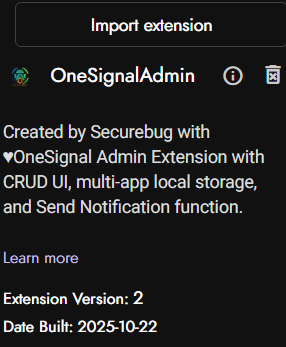
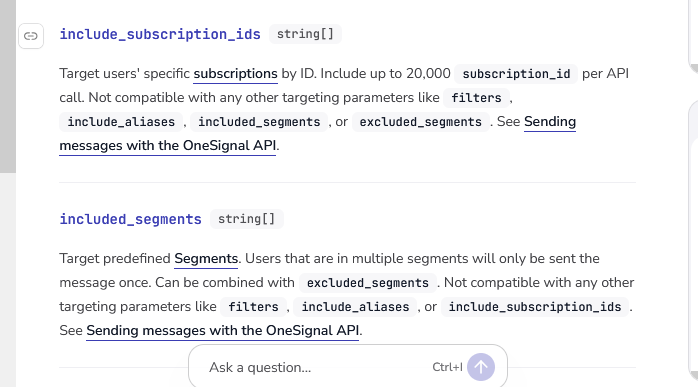
OneSignal Admin Free/Pro Extension
Description
OneSignal Admin Pro is a powerful Kodular/MIT App Inventor extension for managing multiple OneSignal apps, notification templates, and sending push notifications effortlessly. It supports both free and licensed versions with advanced features like local storage, template management, and multi-app support.
Free Version : Basic notification sending
Pro Version [$5 USD or INR 500/- ] : Full CRUD UI, templates, multi-app management
 Released On : Oct 22, 2025
Support me if you love this free extension:
PayPal
Explanation
OneSignal Admin Pro eliminates the need to repeatedly sign in to OneSignal for different apps. With this single extension, you can:
- Manage multiple OneSignal apps in one interface
- Save notification templates locally for reuse
- Send notifications instantly without re-authentication
- Export/Import your app configurations
- Works for both free users and licensed pro users
Perfect for app developers, marketing teams, and businesses managing multiple applications with push notifications.
Real-World Scenarios
Mobile Agency Owner:
“Before: 10 different apps = 10 different OneSignal logins.
After: One extension manages all client notifications with templates for common messages.”
E-commerce App Developer:
“Saved 20+ notification templates for flash sales, order updates, and promotions. Send to 5 different store apps instantly.”
Game Studio:
“Pre-made templates for level updates, daily rewards, and events across our game portfolio.”
Features
 Free Version Features:
- Send notifications using App ID & API Key
- Basic OneSignal integration
- No license required
- Perfect for single-app users
 Pro Version Features:
- Multi-App Management : Add, edit, delete multiple OneSignal apps
- Notification Templates : Save and reuse notification patterns
- Local Storage : All data stored locally on device
- Export/Import : Backup and restore your app configurations
- CRUD UI Interface : Beautiful material design interface
- Template Preview : See templates before sending
- One-Click Sending : Send from templates or custom inputs
- License System : Secure activation for pro features
Demo Video
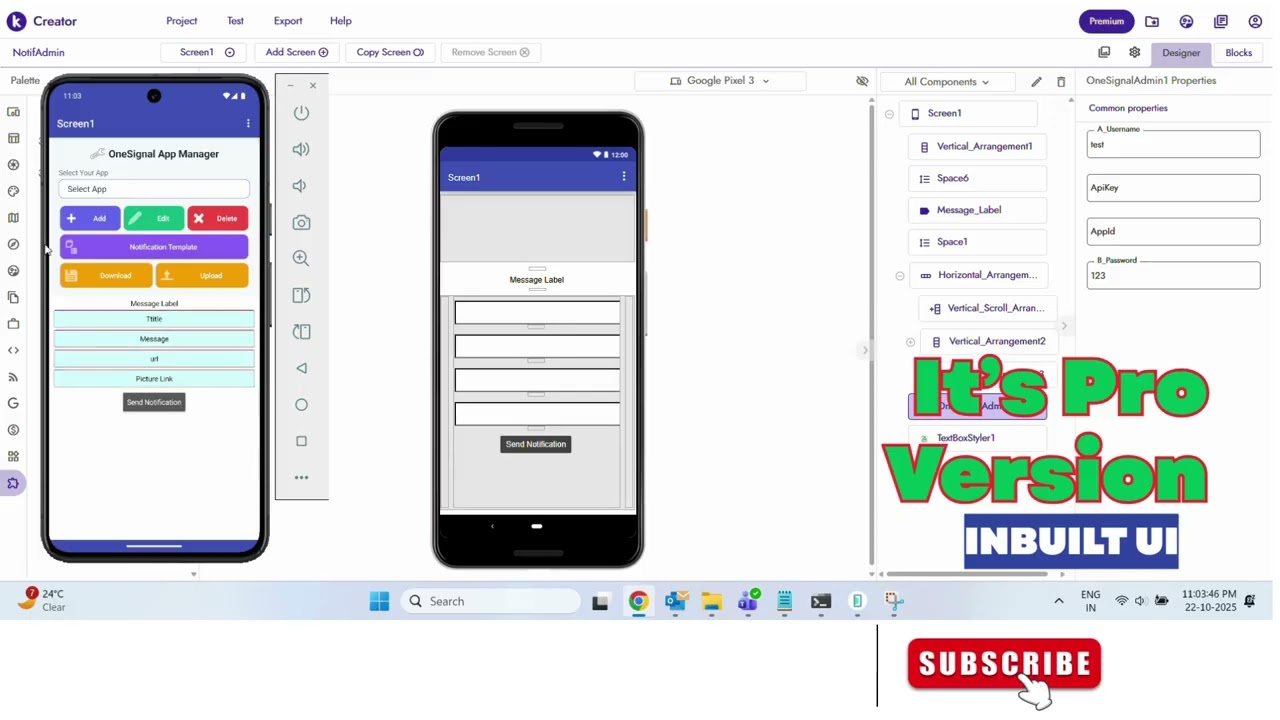
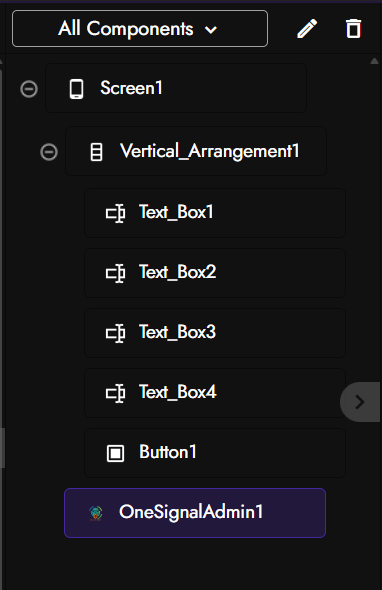
Designer Properties
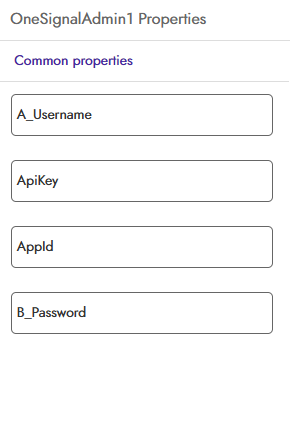
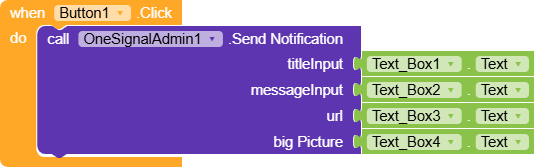
Blocks Overview
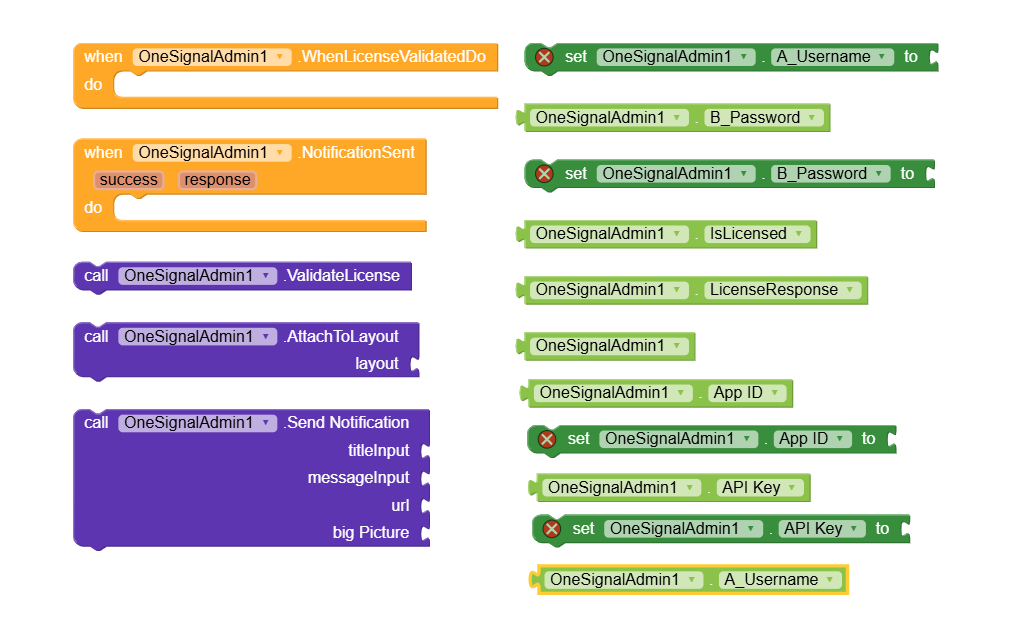
 Setup Blocks:
- AttachToLayout : Connect the UI to any arrangement
- ValidateLicense : Check license validity (for pro features)
- AppId/ApiKey : Set credentials for free version
 Notification Blocks:
- SendNotification : Send push notifications (works in both versions)
- NotificationSent Event : Fires after sending with success/response
 Info Blocks:
- IsLicensed : Check if pro features are unlocked
- LicenseResponse : Get license validation message
How to Use (Block Steps)
Free Version Setup:
- Add Extension to your project via Kodular’s Extensions tab.
- Set Credentials in Designer or Blocks:
Set OneSignalAdmin1.AppId to "your-app-id" Set OneSignalAdmin1.ApiKey to "your-api-key" - Send Notification:
Call OneSignalAdmin1.SendNotification title: "Hello" message: "World" url: "" bigPicture: ""
Pro Version Setup:
- Set License in Designer or Blocks:
Set OneSignalAdmin1.A_Username to "your-license-username" Set OneSignalAdmin1.B_Password to "your-license-password" - Validate License on startup:
When Screen1.Initialize Call OneSignalAdmin1.ValidateLicense - Attach UI to arrangement (to show the built-in interface):
Call OneSignalAdmin1.AttachToLayout arrangement: VerticalArrangement1 - Use Full Features through the beautiful UI interface that appears in the attached arrangement.
 Send Notification with Event:
Use this event block to check the result after calling SendNotification:
When OneSignalAdmin1.NotificationSent success: %success response: %response If %success Then Show Alert "Notification sent successfully!" Else Show Alert "Failed: " %response End If
Blocks Image
Use Cases
- Multi-App Developers : Manage notifications for all your apps in one place
- Marketing Teams : Create template libraries for different campaigns
- Agency Owners : Handle multiple client apps efficiently
- App Publishers : Streamline notification workflows across app portfolio
- E-commerce Apps : Pre-made templates for sales, updates, promotions
- Content Apps : Notification templates for new content, reminders
- Game Developers : Player engagement notifications with templates
Why Choose OneSignal Admin Pro?
Time Saver
No more switching between apps or re-entering credentials. Manage everything in one interface.
 Local Storage
Your app configurations and templates are stored locally - no external dependencies.
 Beautiful UI
Material design interface that’s intuitive and professional.
 Dual Mode
Start with free version, upgrade to pro when you need advanced features.
One-Click Operations
Send notifications to any of your configured apps with single click.
Installation
- Import the
.aixfile via Kodular Extensions tab - Drag OneSignalAdmin component to your screen
- Choose Your Mode :
- Free : Set AppId and ApiKey properties
- Pro : Set license credentials and call ValidateLicense
(On Purchase you recieved from me) with LifeTime Access
- Attach UI (pro feature) using AttachToLayout block
- Start Sending notifications!
AIX File (Extension  )
)
OneSignalAdmin.aix (58.5 KB)
Support continued development if free version of extension saves you time: [PayPal me]
(PayPal.Me)
Contact for Pro License
OneSignal Admin Pro v1
Price: $5 USD or INR 500/-
- Send me a DM
- Contact me on Telegram: @ek_rahgir
Feedback & Support
Try OneSignal Admin Pro and share your experience in the comments! Your feedback helps improve this extension for everyone.
Need help with setup? Check the video or ask in comments!
A Little Love Note!
For everyone who has purchased a license for this extension, please know that I’m here to help! I’d be delighted to personally assist you with setting up OneSignal in your main app and even guide you through creating an Admin app using this extension for seamless management.

Special Thanks 
A huge thank you to @RaYzZz and @Ibrahim_Jamar for their help with comprehensive OneSignal API documentation and demo AIA files. Their work helped me understand the OneSignal integration deeply, which led to extending my extension into this Pro version with local templates, multiple app management, and streamlined notification workflows.
Changelog
- v1 : Basic OneSignal notification sending for Free user, CRUD operations, local storage, material design, Added export/import, enhanced UI, template management, Pro version with license system, templates, multi-app support
Future Updates
- Bulk notification sending
- Scheduled notifications
- Advanced segmentation
- Analytics integration
- More template types
Transform your notification workflow today with OneSignal Admin Pro!


 (check demo video section)