Recycler View Pager
This extension allows you to create view pager with recycler view in horizontal and vertical orientation. This extension is based on modified sources of Recycler VeiwPager library on Github. Since this extension uses recycler view as view pager so there is no issue in showing 1000s of pages without any issues.
All Blocks


Documentation

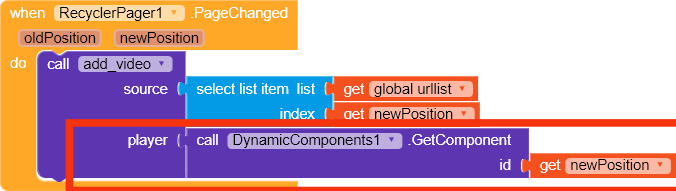
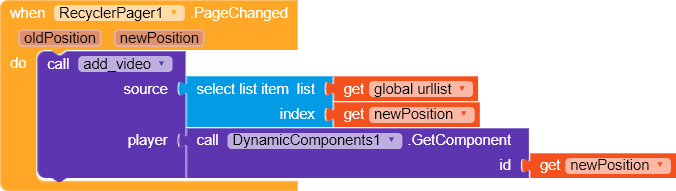
This event raises when user changes the page. Return the old position and new position of the page that is active.

This event raises when a page needed to be updated with the referenced position. As it is same as recycler view then I would like you to read about android recycler view before using this extension.

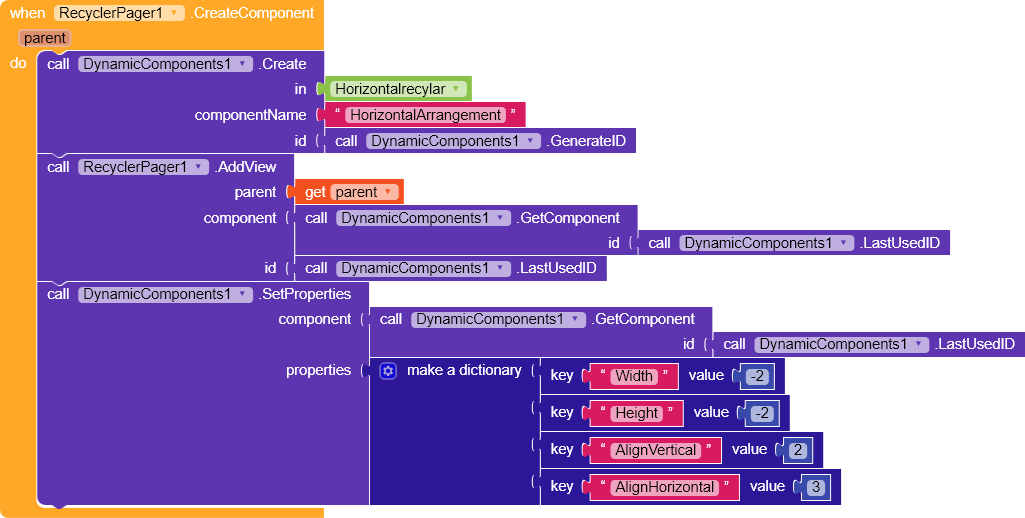
This event raises when onCreateViewHolder of the adapter raises. You have to create your whole design here and then have to add your created design into the parent of recycler view/

These event raises when components receive click on them. Make sure to add click listener to the component by using AddClickListener block.

Initialize or creates the viewpager in given container.

Add your view in to the parent of recycler view.

Add the click listener to the given component with id.

Add a page at given position.

Remove a page at given position.

Returns the id of the component that was given to the AddParent block from given position.

Smooth scroll the view pager to given position.

Returns the current page position of view pager.

Set the total property of the view pager. This should be specified after initializing the view pager. This block specifies the total amount of pages that you want to show.

Set the orientation of the view pager. Default is Vertical. This property must be set before the initialization of view pager..

If checked then user won’t be able to swipe multiple pages in one swipe. Use this property if you want to make video player thing.
How to Use
A quick usage of the extension

First of all, You would have to initialize the view pager in a container. Make sure to set the orientation property first then just set the total amount of pages that you want to show to the users.
After setting the total of view pager, CreateComponent and BindView event will be called to create components and then bind them.

Here I created a simple arrangement and label to show you. You can create any design with dynamic component extension with schema or blocks both.

In BindView event you can set the properties of your components.
You can use PageChanged event for setting other properties that you want.
Screenshots

Demo APK
RecyclerPager.apk (5.2 MB)
You can try the APK before purchasing the extension.
Download
Credit
Thanks @Shreyash for the super power full Rush .
Like the extension if you like it 
Suggestion and issue are welcome
Thanks you
Sumit

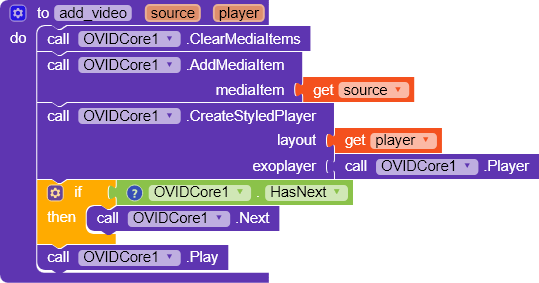
 , anyways where did you get that extension, [OvidCore?