[ FREE ] TinydbBackup Extension
**
Documentation
Event when an error message needs to be shown.
Event when the export is complete.
Event when the import is successful.
Export this text and file path
Set the file for import
Export enter the file type
How to Use
Download
com.riad.tinydbbackup.aix (51.6 KB)
10 Likes
RDR_SA
December 8, 2023, 6:03am
2
If I want to back up my whole tinyDB then how can I do it?
2 Likes
Taifun
December 8, 2023, 1:27pm
4
I’m not sure, if I understand the purpose of that method
Taifun
1 Like
Taifun
December 8, 2023, 1:39pm
6
Your graphical explanation does not help…
Why do we have to use ImportFileType and when?
Taifun
remove
January 30, 2024, 4:51am
7
Keep up the good extension
1 Like
Uploading: pp.png…
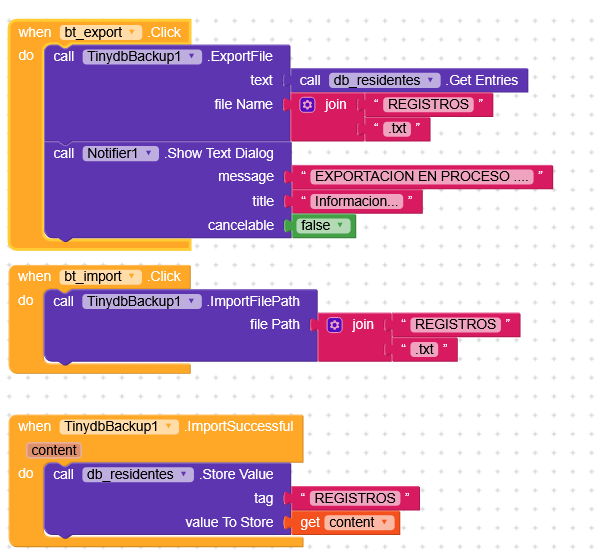
Hi, I need some help. I was able to export, but I haven’t been able to import the missing file.
I’m sending the blocks.
I would really appreciate it.
Which file?
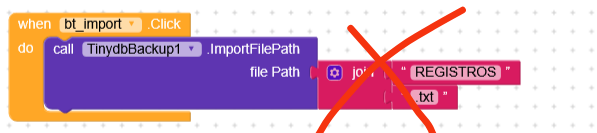
You’re giving wrong file path
Edgar_Angel:
Uploading: pp.png…
Re-upload this image.
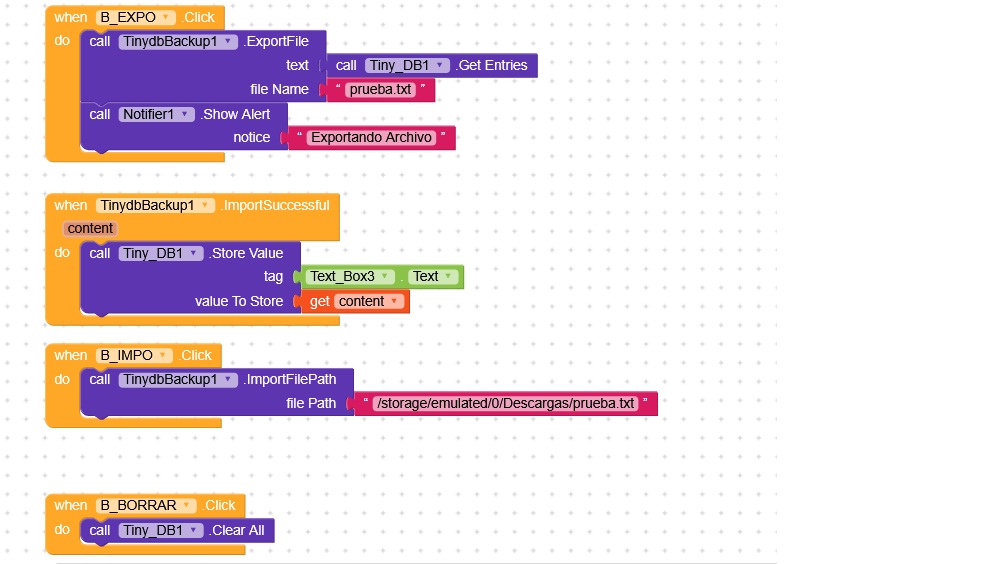
I can export now, but I need to import the file. I don’t understand how. Please help, or if anyone knows another method to export and import a TinyDB database, I would appreciate it.
 Released on : 8 December 2023
 Latest Version :2.0