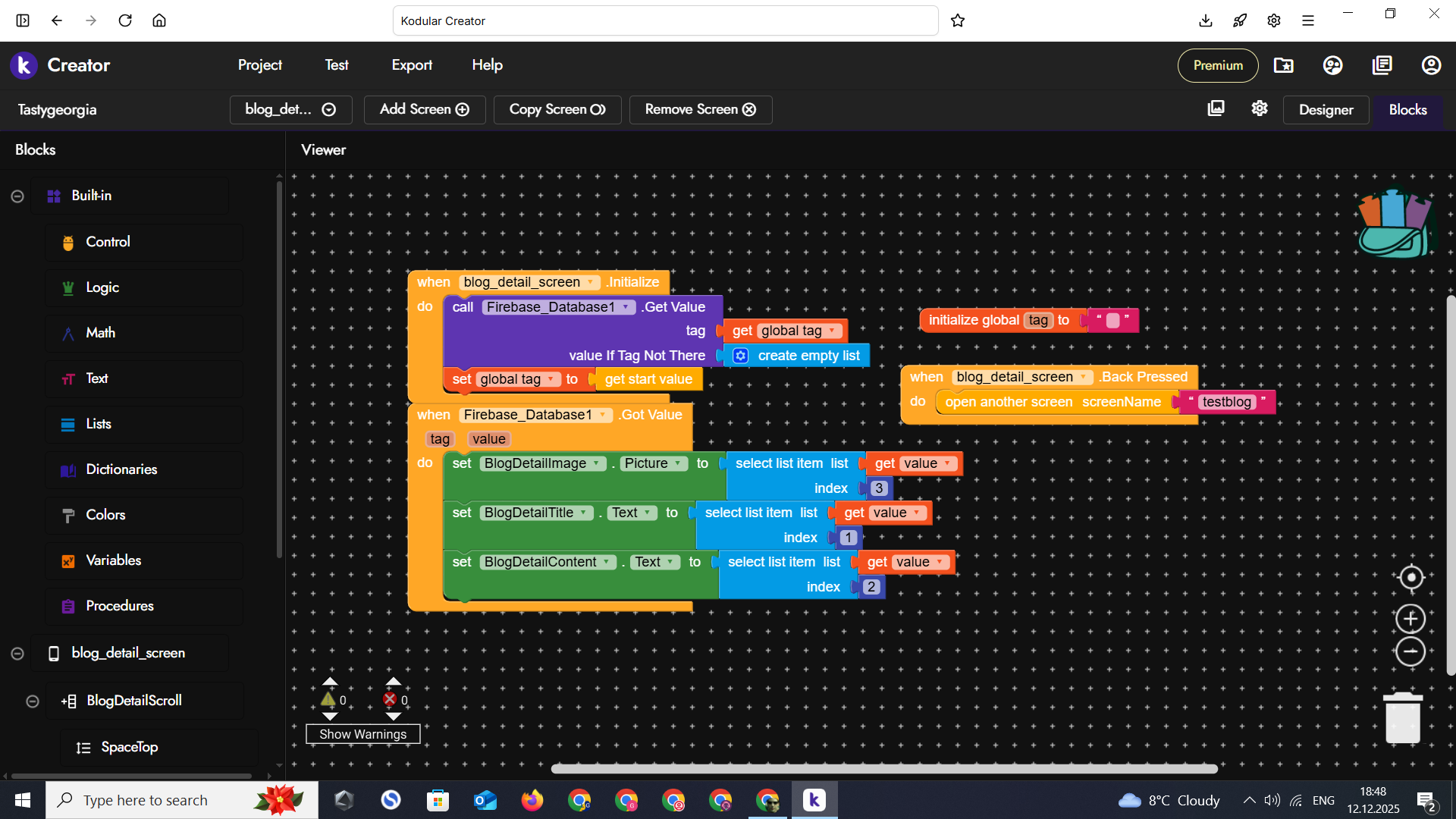
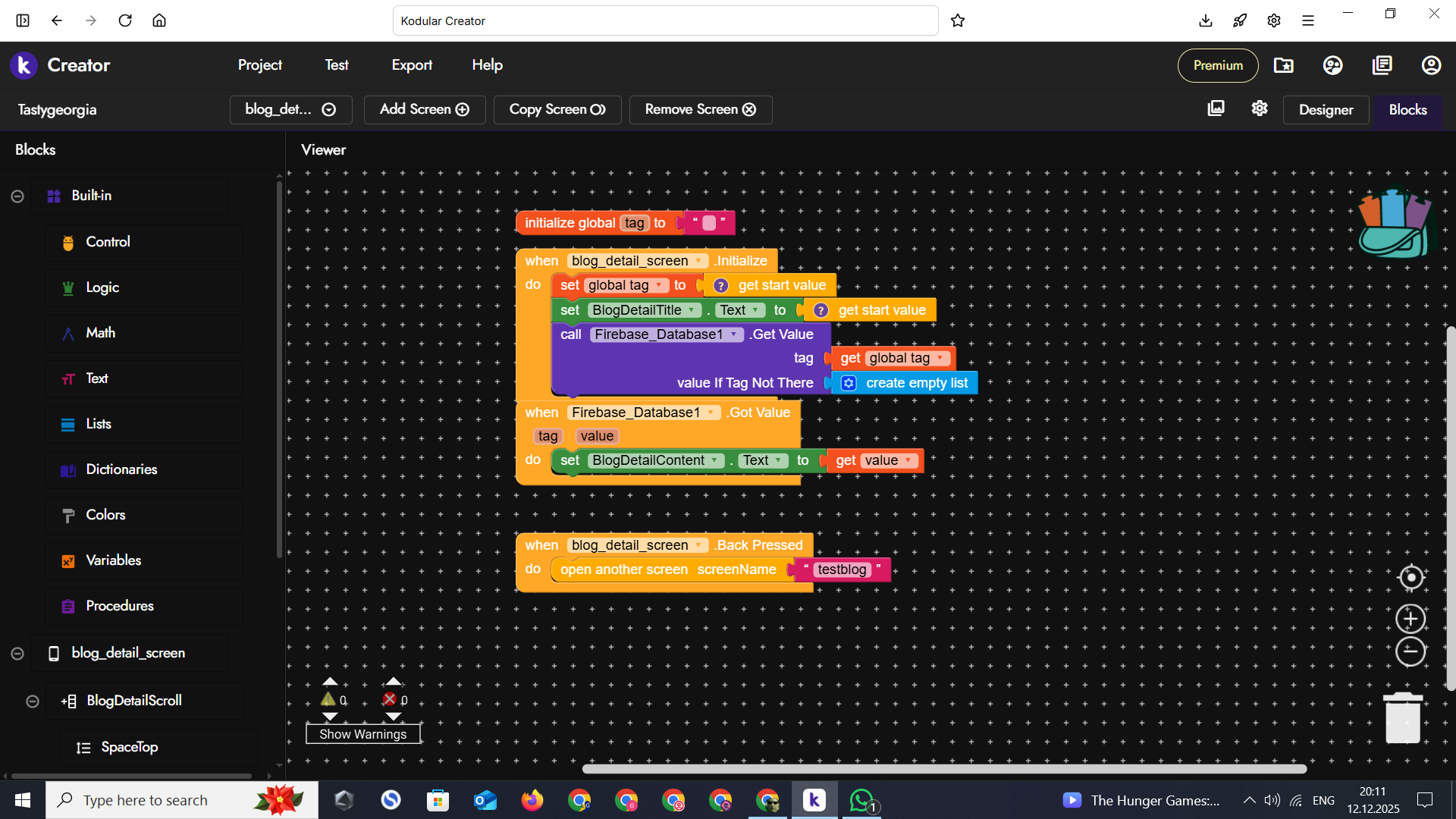
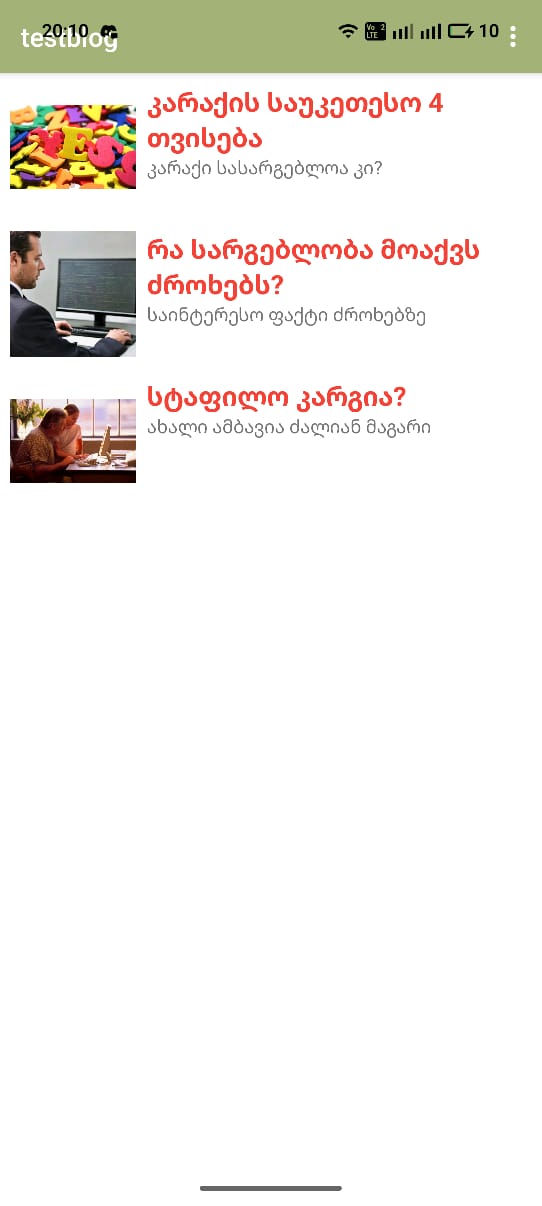
I want to get posts from the database, which works and all posts are visible on the screen through the listview. But now I want to click on each post in the listview and open it in a completely new screen. I have created the screen and I think I have the blocks correctly, but it still gives an error, can you help me? Explain it simply and clearly, I don’t have much knowledge in kodular yet. Thanks
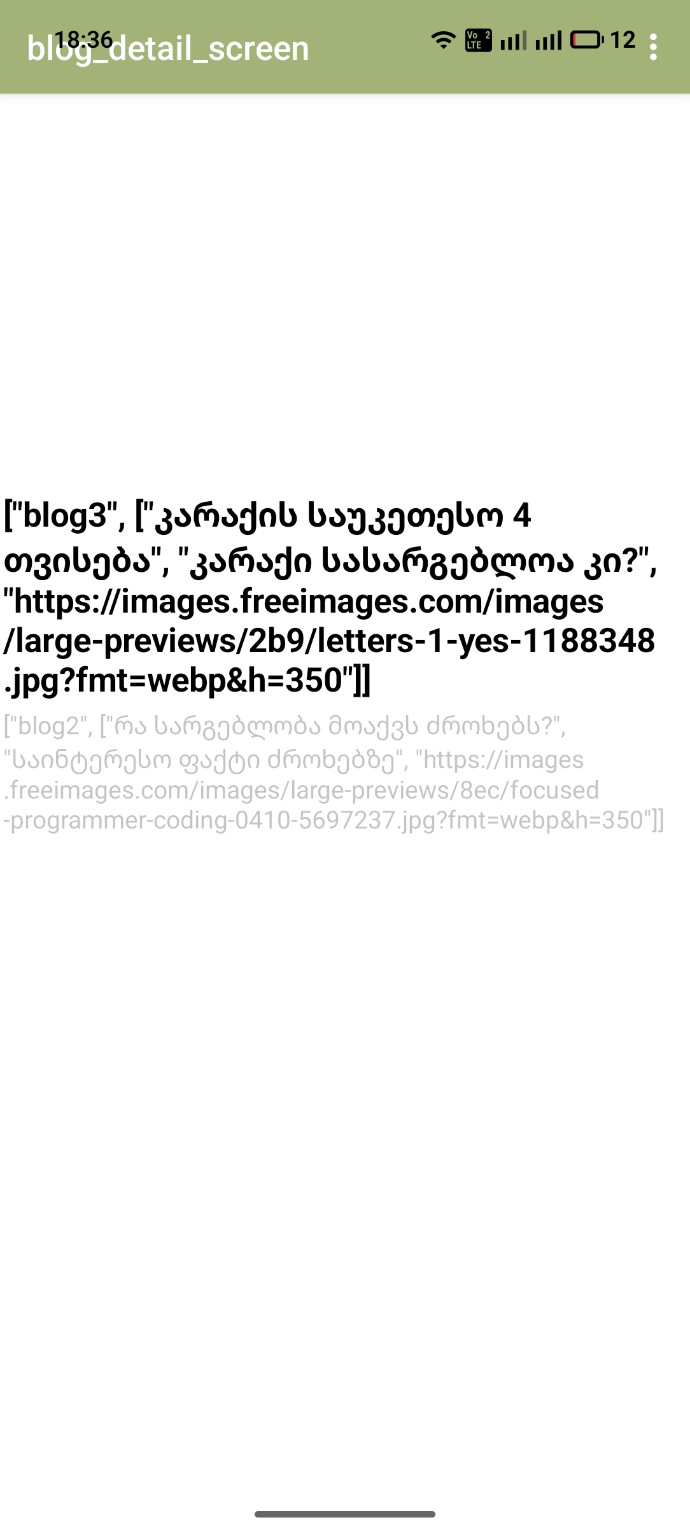
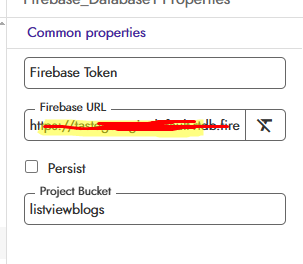
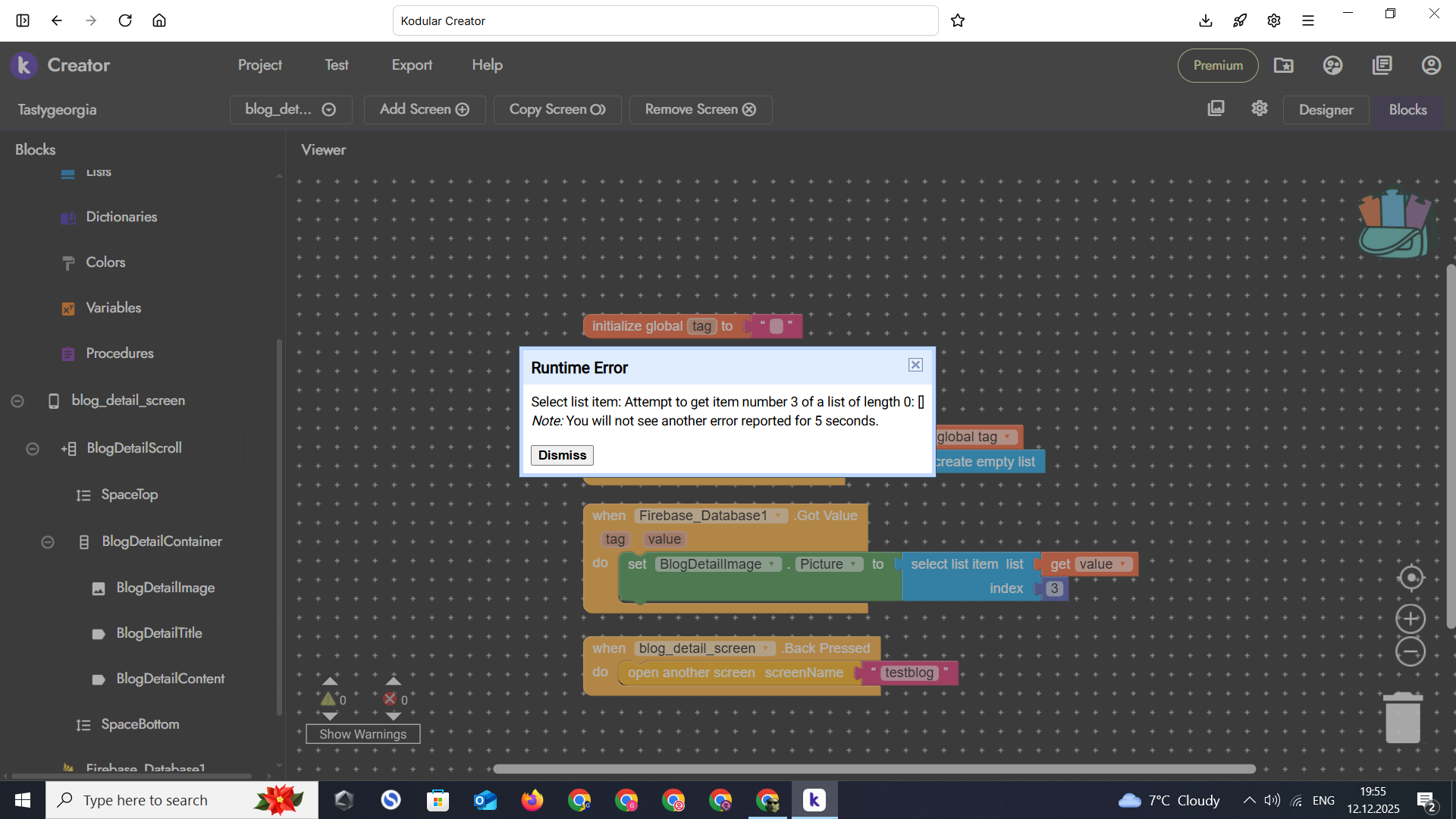
I’m sharing screenshots: 1. listview screen that works, 2. new screen where posts should be opened (error also visible) 3. database
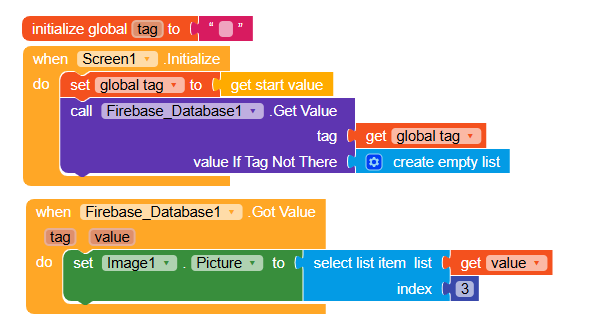
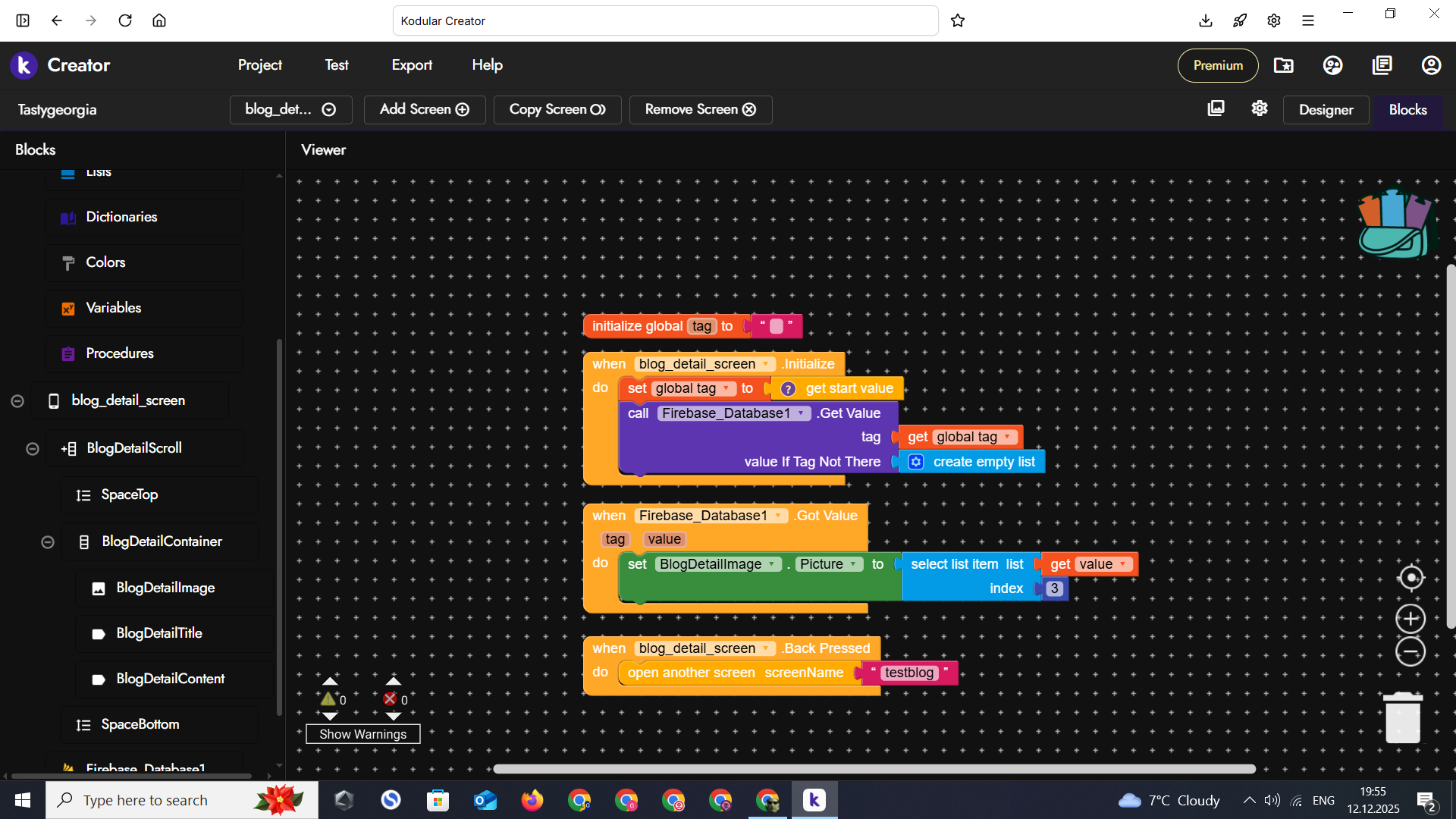
You wrongly set blocks in new screen. You should not set the get start value to the global initialization of variable where pls add one empty text box and in the screen initialize just add
I did this, it opens a new screen, doesn’t show an error but doesn’t show the photo and shows the texts of all three blogs. How can I fix it so that all blogs open and show me?
Also it, your blocks, surprises me.. As per your block the calling firebase tag is empty so instead of returning the specific tag i believe it is returning the whole data present in the firebase project
Pls share us your fb specific atruture, also share us what is present in the getstartValue so that i can suggest you further. Is your required things present in the above getvalue returning from the firebase get value?
Sorry to bother you with so many questions, but I really want to do it. I’ve been working on the app for a year and this is all I have left to do. I’ve been avoiding it for 3 weeks and I haven’t been able to do it.
i repeat first make sure what is printed in the getstartvalue, and what are you getting in the firebase get value?
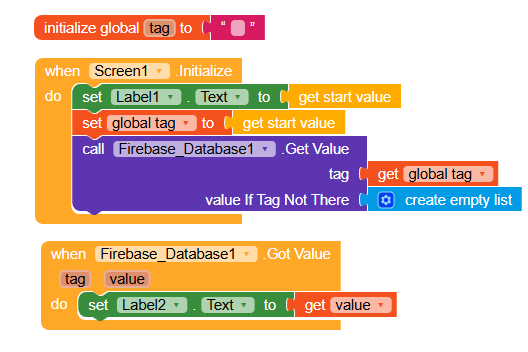
click on do it after connecting in the companion, also in teh firebase got value use one lable and cath cathc the out put and show us both. Your error says nothing comes out as a list in the firebase got value event
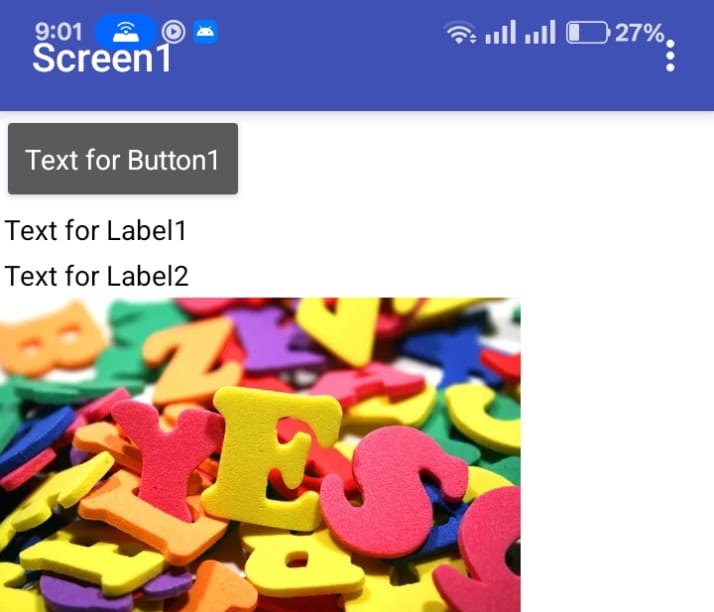
OR try like this and show us your companion screen as a screenshot as i did earlier
So now it is working , Go on with image component now. Just add the previous block such as set image picture to select list item list (get value} index (3) in the firebase got value event block above or below to the exisitng set blog detail text
Please can you show me a screenshot of the blocks as I should do them, I think we’re close to doing them, I can’t believe I can actually finish this task.