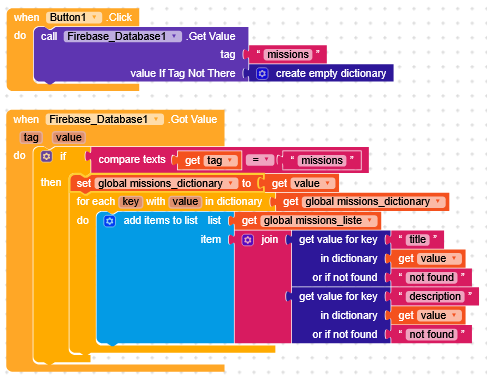
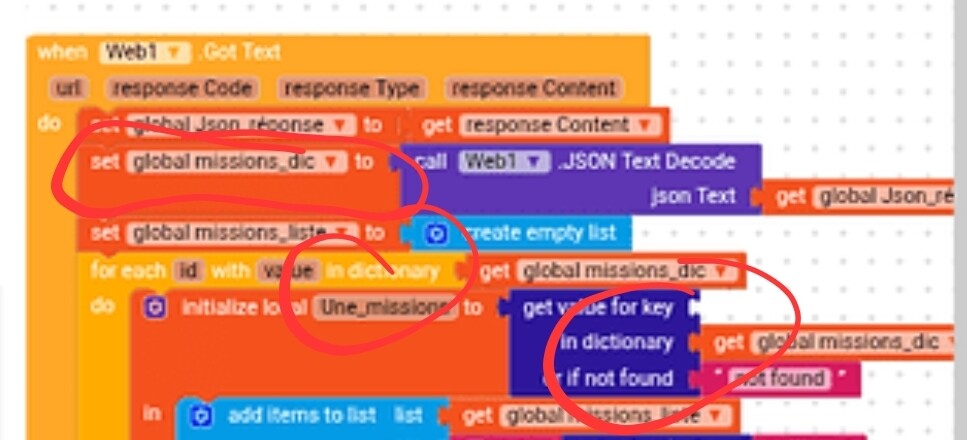
During a for each key in dictionary loop, in each cycle the variable key will hold the key from your dictionary, and value will hold the value of that key.
Example
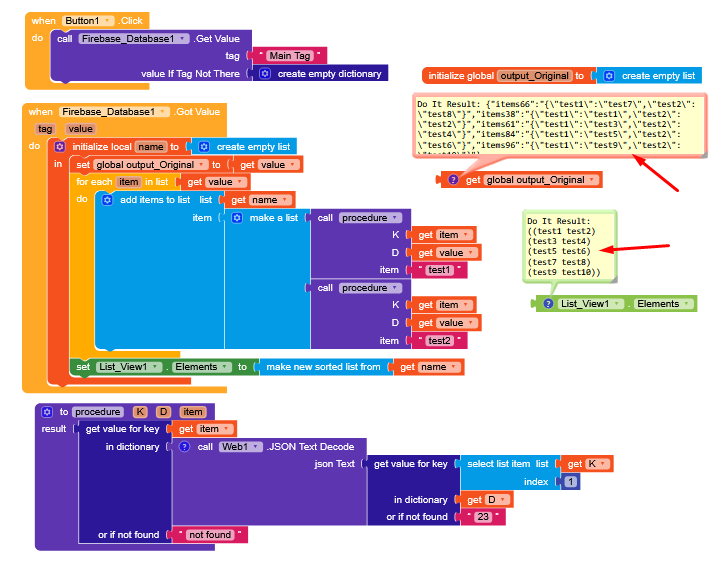
“It’s about storing data in Firebase and displaying it in a ListView using Kodular. I’m trying to loop through dictionaries and retrieve their values, but I can’t get the ListView to show the data correctly. Instead, I receive this error message.”
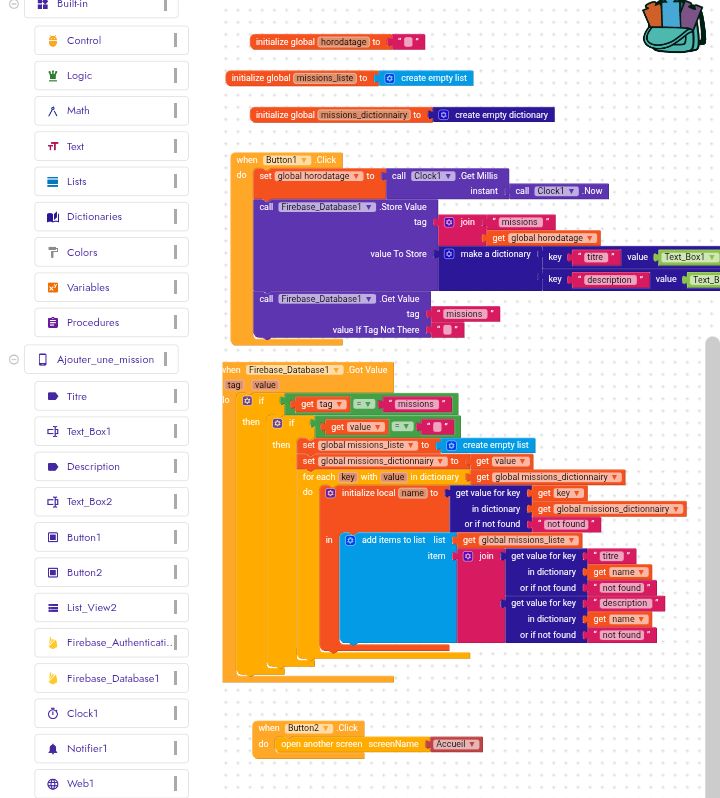
Thanks for your help! Just to clarify: I use the make dictionary block when I create and send data to Firebase (for example in Button.Click), so that the data is stored as a dictionary. But when I read the data back with Got Value, I don’t use make dictionary because Firebase already returns it as a dictionary.
The problem is that even with this, the data is not stored correctly or it doesn’t display in the ListView.
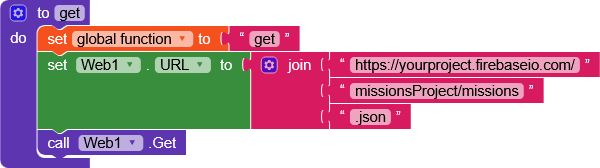
To save data in Firebase in dictionary format, the best way is to use the Web component.
Read this recent post that talks about it and check Tim ’s guide, which covers everything you need to konw.
The goal was to create an application that allows a user to add information on one page, and then have that information displayed in a list on another page. I’m using Firebase, but despite your help, I’m still facing difficulties.
It would really help if you provided a screenshot your relevant blocks, so we can see what you are trying to do, and where the problem may be.
To get an image of your blocks, right click in the Blocks Editor and select “Download Blocks as Image”. You might want to use an image editor to crop etc. if required. Then post it here in the community.
Decodes the given JSON encoded value to produce a corresponding AppInventor value A JSON list [x, y, z] decodes to a list (x y z), A JSON object with name A and value B,(denoted as A:B enclosed in curly braces) decodes to a list((A B)), that is, a list containing the two-element list (A B).
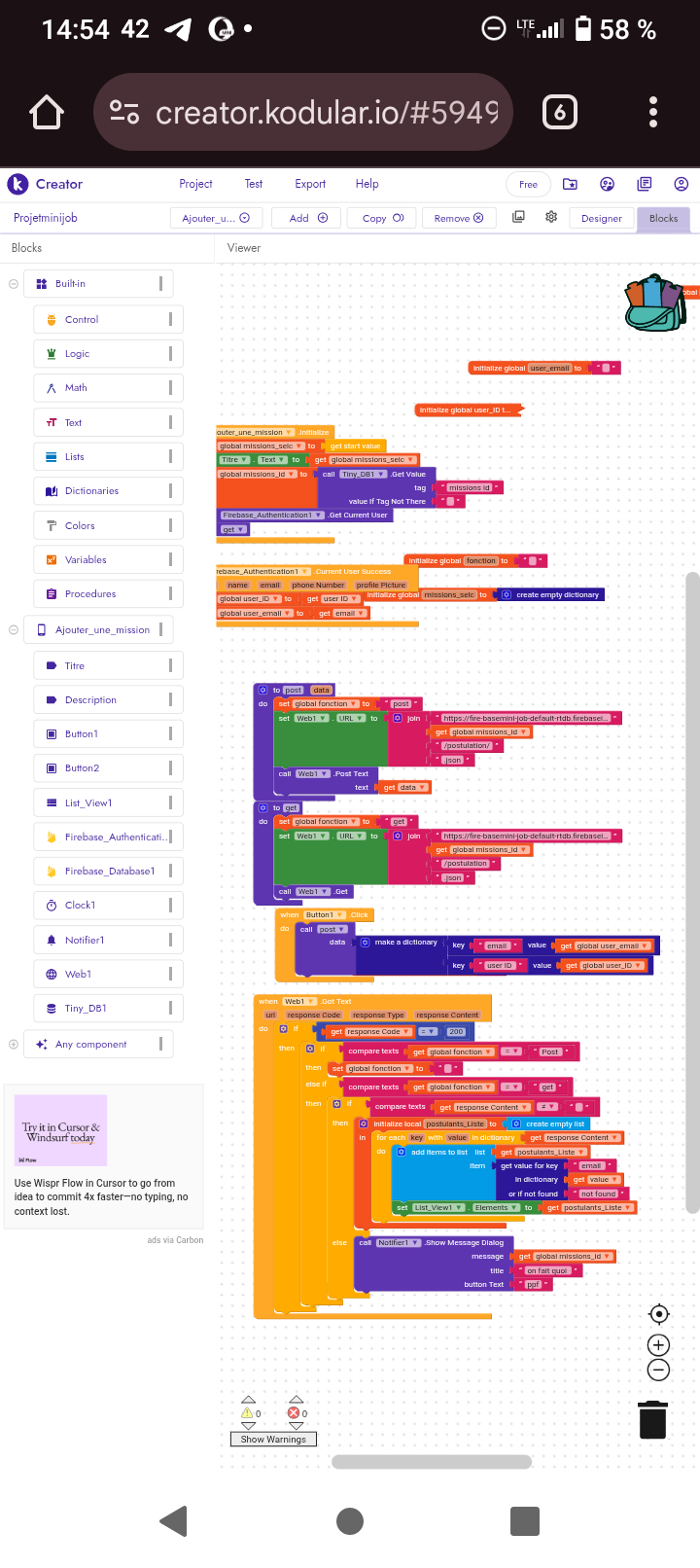
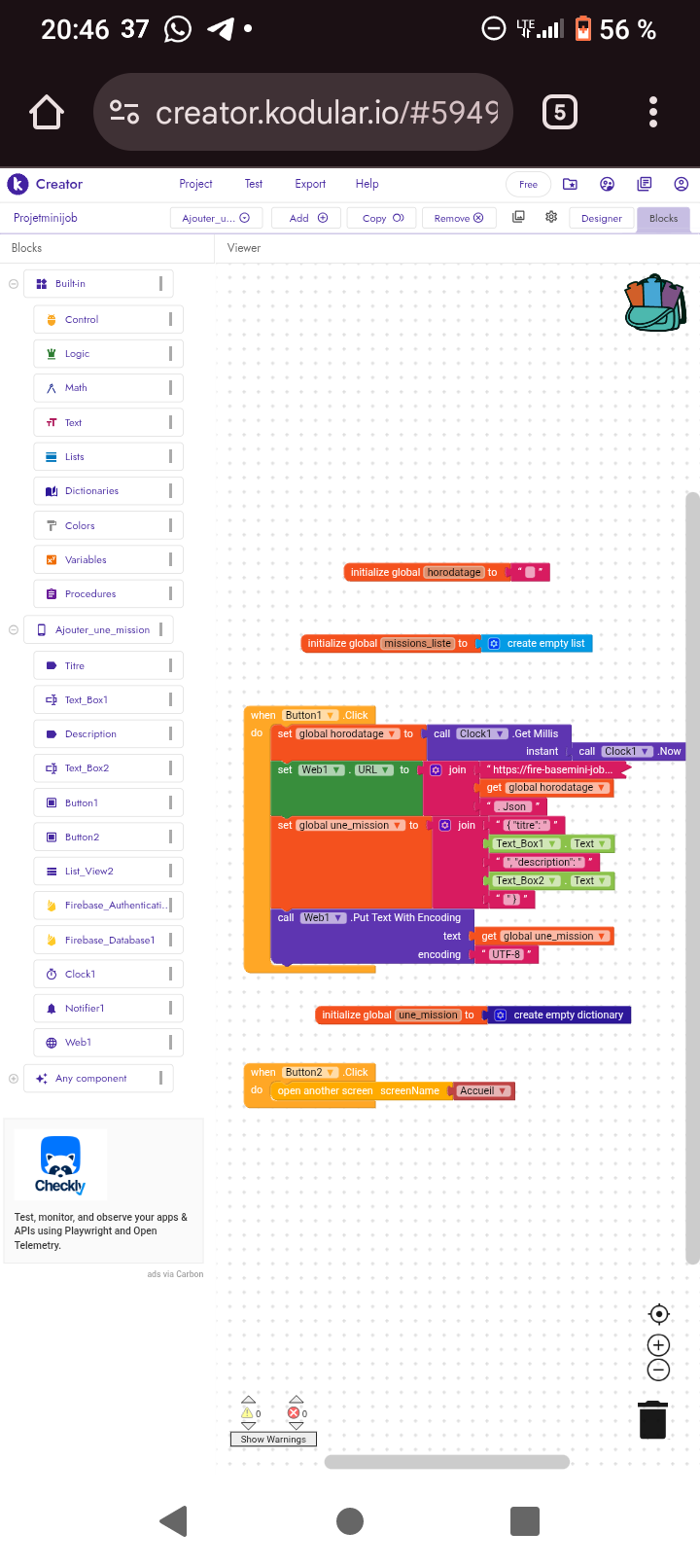
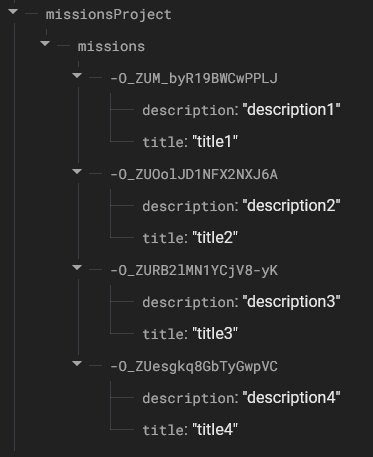
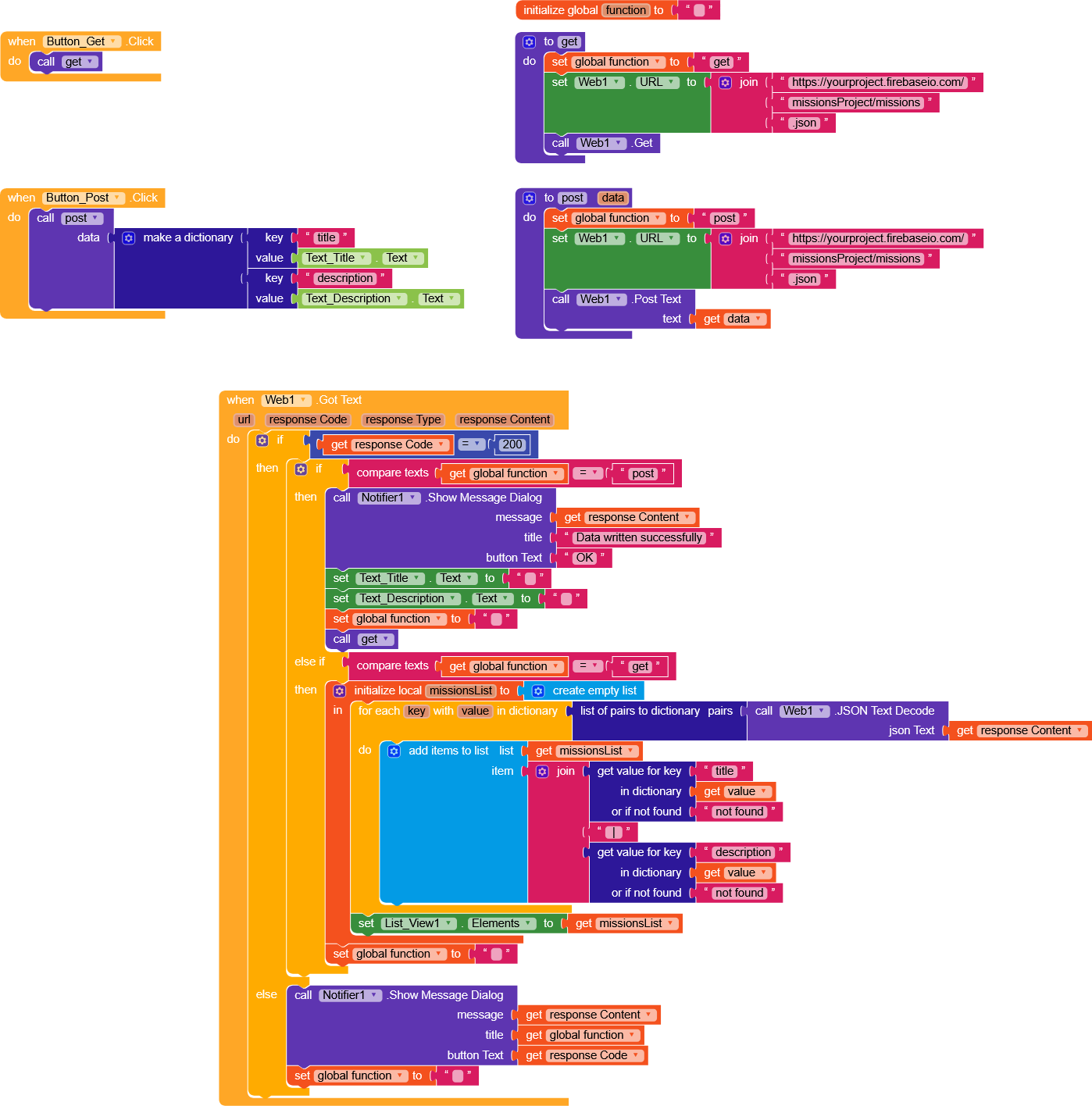
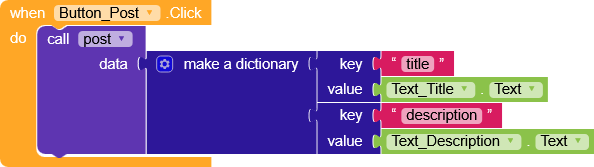
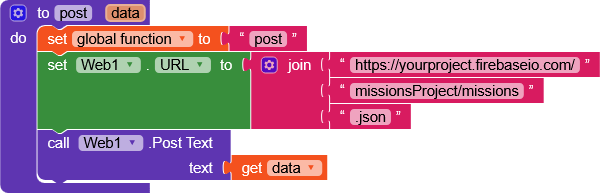
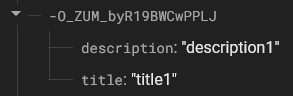
post function takes just one parameter, a dictionary, and will create a node under missions with a unique ID as the key (which also makes data management easier)
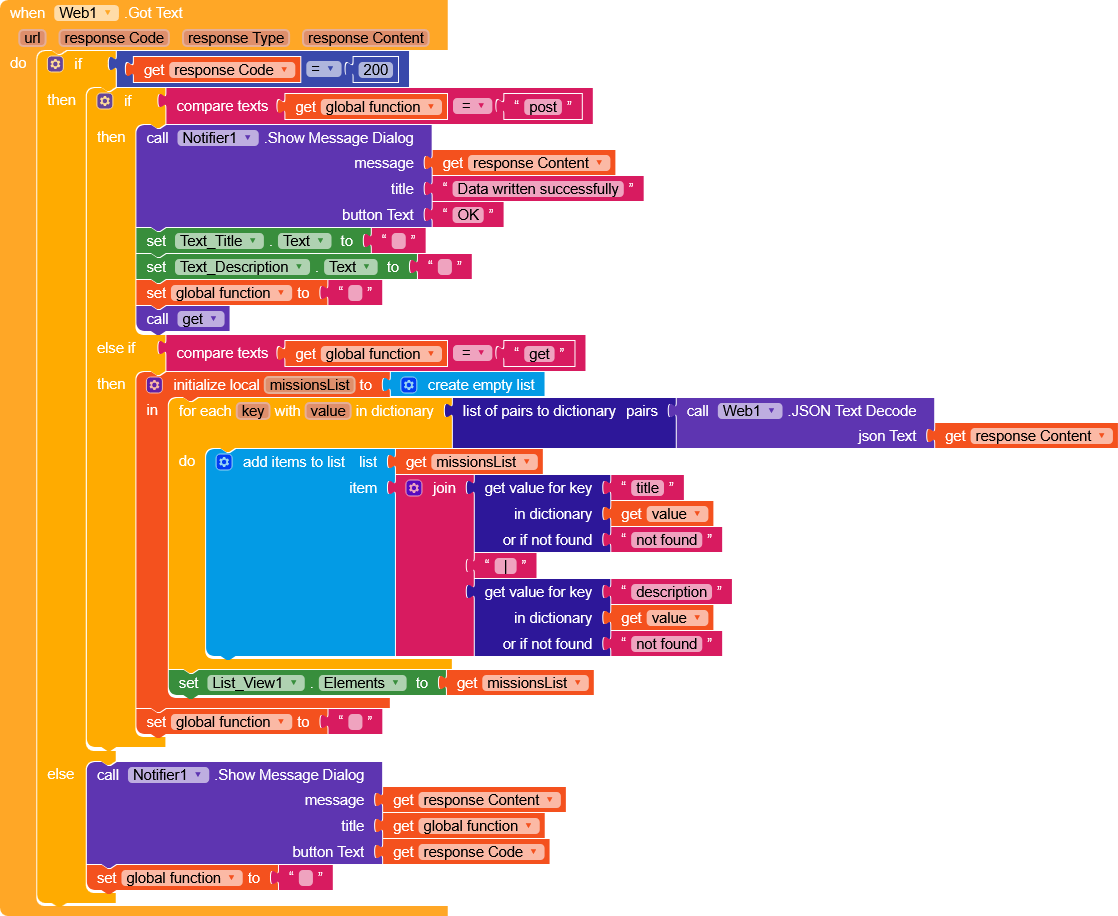
if responseCode = 200 (success)
   it the function = "post",
       display a message with the response,
       clear the textboxes,
       reset the function variable,
       and call get function to retrieve the updated list
   else if function = "get"
       loops through the dictionary returned as the response
       for each value in dictionary (just like you did before),
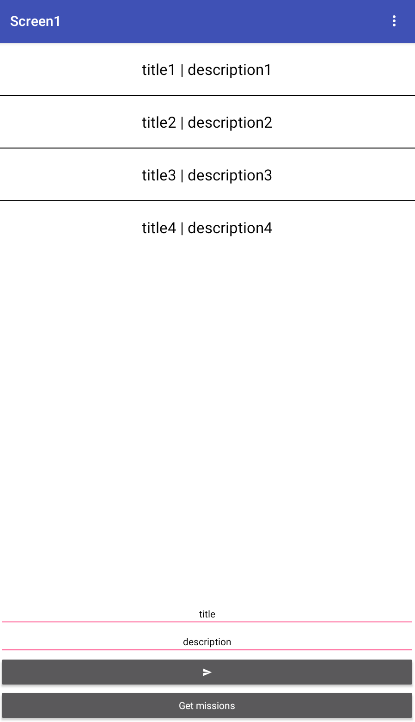
       performs a join (title | description) + add to missionsList
       and displays it in the ListView.
If the responseCode is something else,
    just display a message with infos.
Hello,
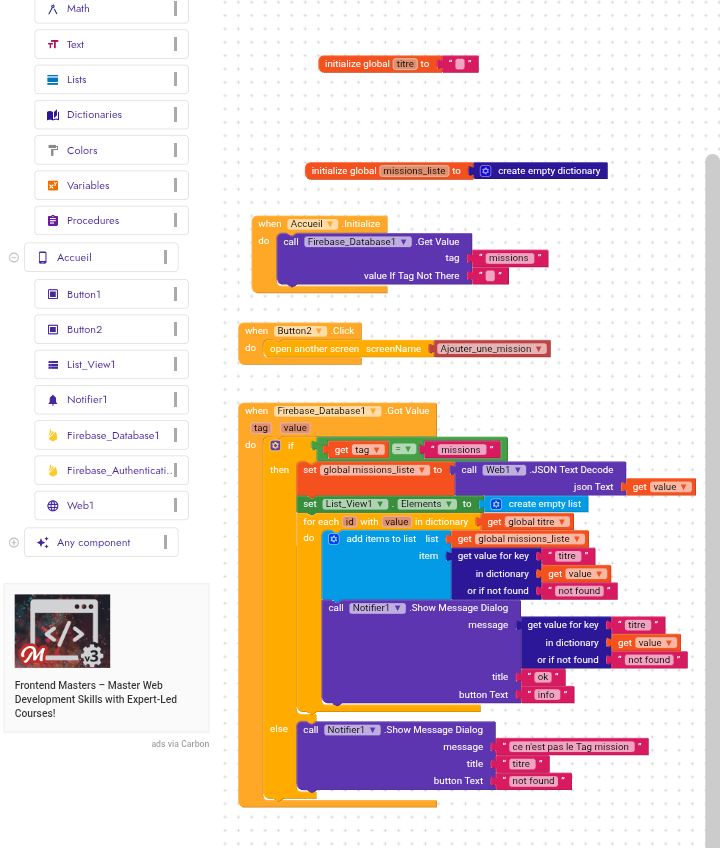
I managed to display the list of missions in a ListView (thanks to your previous advice ).
Now, I’m trying to do the same to display the list of applicants for a mission.
The problem is that as soon as I try to retrieve and display the applicants, the app crashes immediately, even if there is nothing in Firebase yet.
Does anyone know why a ListView can crash an app when trying to display data coming from Firebase?
Is there a specific check or process to do before adding the data to the ListView?

 Tim
Tim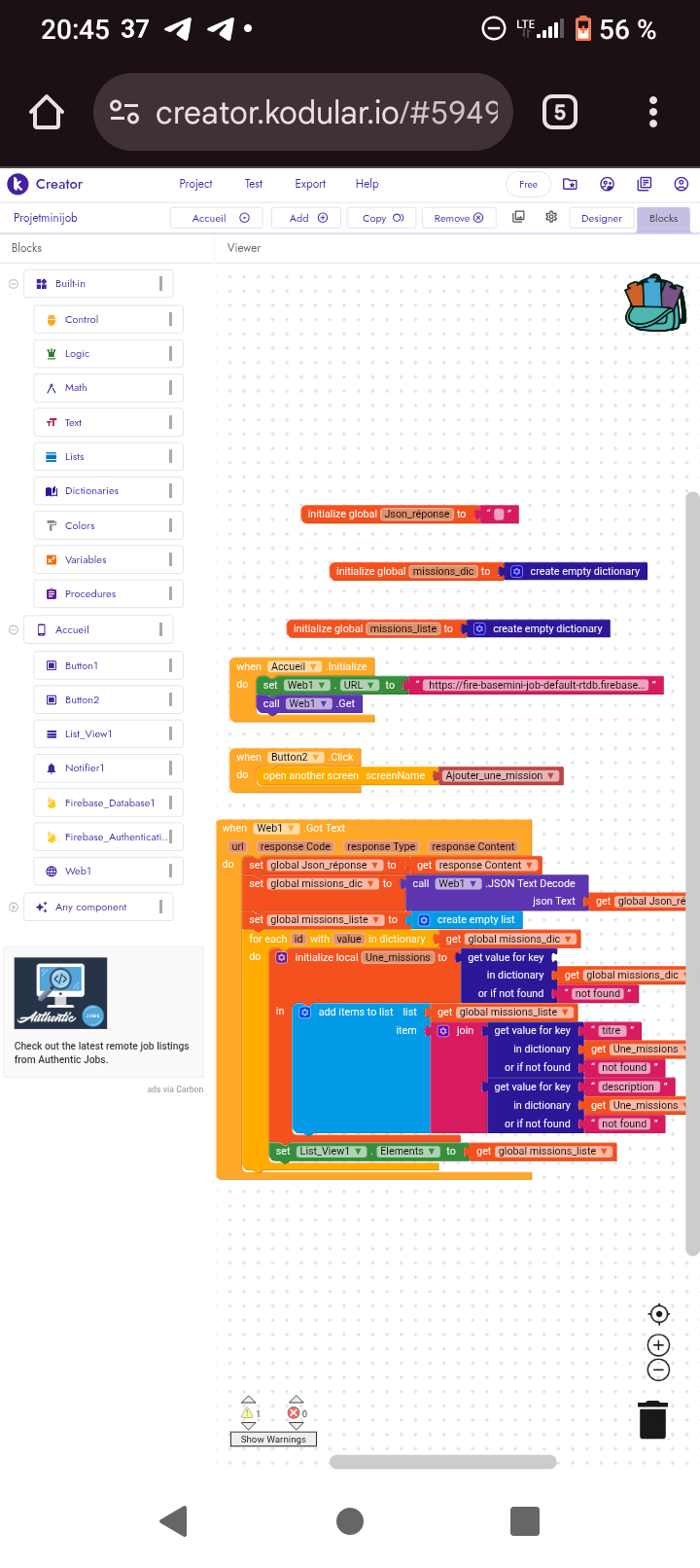

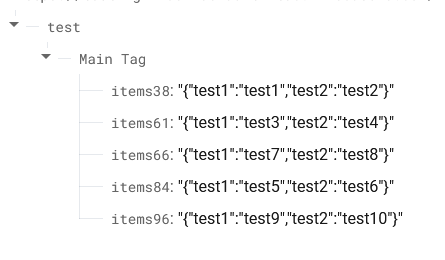
 ).
). Does anyone know why a ListView can crash an app when trying to display data coming from Firebase?