Pagination scroll logic setup blocks give me for load airtable images
1st load 6 image and scroll load next 6 and scroll load next 6…
Hi dear,
Are you familiar with RecyclerList?
@RaYzZz am here too I want that function too, so if you can do something count me in 
I had found a guide some time ago that did exactly this.
As soon as I have a moment, I’ll try to do something with RecyclerList, and I’ll keep you updated if anything comes up.
2 Likes
I’ve finally found some time to work on this project 
(I think I’ll make a guide, so as soon as I can I’ll add it to this answer.)
I also added the like function but it’s only visual, maybe it can be useful to see how it works
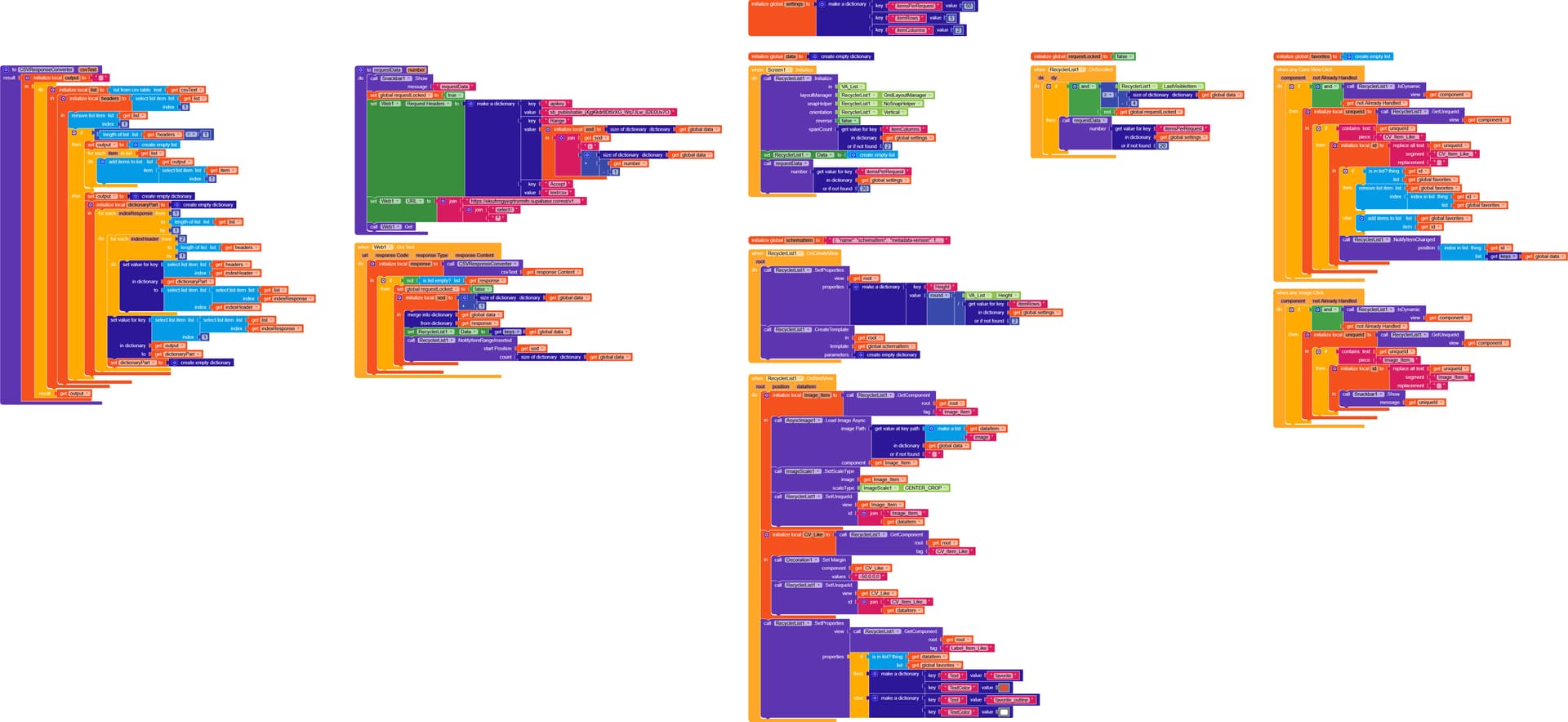

Supabase as DB
RLWithDBLoading.aia (172.9 KB)

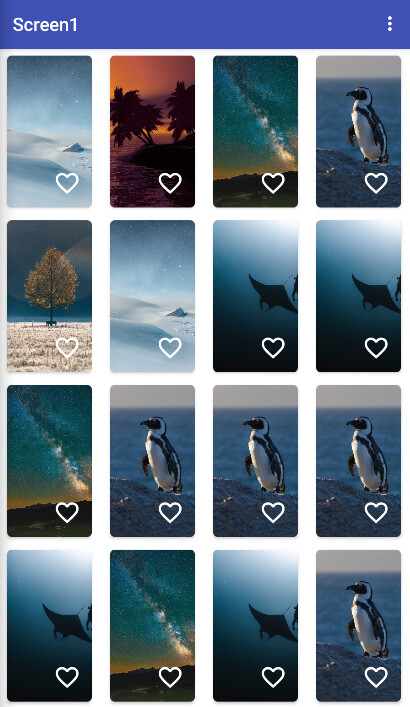


Hi @RaYzZz, thanks for taking the time to work on this.
for the upcoming guide much appreciated.
I just want to clarify one point before going further, I’m not using Supabase as my database.
My backend/data sources are more common, such as, Google Sheets, Airtable, Firebase Or any other similar REST-based database
Thanks again for your effort and looking forward to your guide.
Everytime if you want to use GET method ot call the data from the database is not good or advisable one.
Get the whole data, create dynamically to the desired amount you want. While scrolling up and when the scroll reachea the limit show loading for few sec then hide it and show next dynamically created components. Go on to this untill you reach the total length of the datas
Sheet → FullList
↓
Create Components (10)
↓
Click Load More
↓
Create next 10 (OLD stays)
↓
Repeat
You may try this procedure
procedure LoadNextPage
for number i from global CurrentIndex + 1
to min(global CurrentIndex + global PageSize, length of global FullList)
// Create row container
call DynamicComponents1.CreateVerticalArrangement
id = “row” & i
parent = VerticalArrangement_Main
width = -2
height = -2
// Create label inside row
call DynamicComponents1.CreateLabel
id = “label” & i
parent = “row” & i
text = select list item global FullList i
textSize = 14
width = -2
end for
set global CurrentIndex to
min(global CurrentIndex + global PageSize, length of global FullList)
// Hide button if finished
if global CurrentIndex >= length of global FullList
set Button_LoadMore.Visible to false
Hey @Still-learning, i understand, due to RaYzZz implementation he is Calling the data each time he want the Pagination

The procedure call Get function again
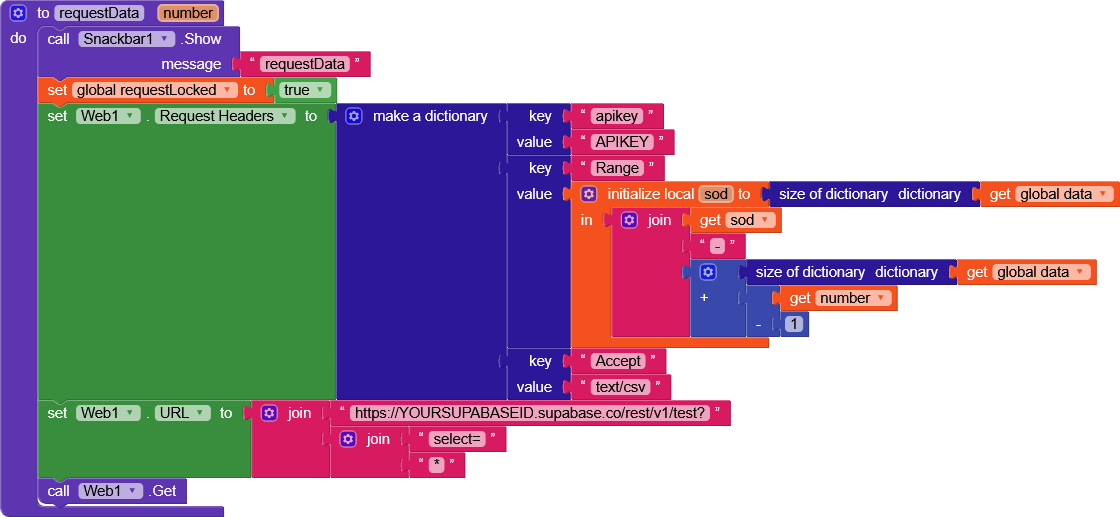
And when scrolled
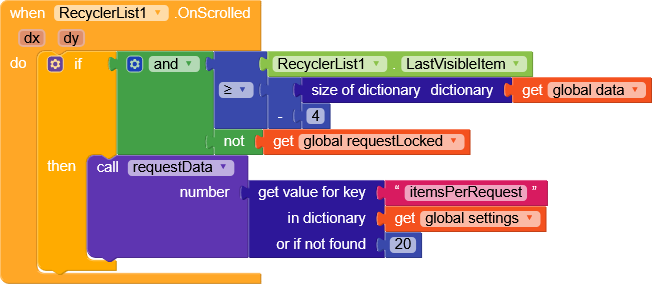
The aim was to do it with RecylerList as @RaYzZz stated it here
About
Can you do it Visually?
I don’t think this is the most efficient method, any modern app downloads/generates data whenever the user reaches the end of the downloaded data (Instagram, TikTok, Facebook, etc.).
For example, if I have 100,000 items, it’s unthinkable to download them all, and it would heavily impact the database.
No problem, you just need to change the request method and, instead of requesting from Supabase, use Google Sheets.
I think I’ll add this to the guide as well, but believe me, it’s very simple.
The only thing needed to use this method is the ability to request data with a defined range.
1 Like
When the fourth-to-last element becomes visible, you download the new elements
Here the elements are downloaded with the range
data dictionary size - data dictionary size + 20
Example
first request
0–19 (on Supabase it starts from 0)
second request
20–39
I was about to start but i come and ask my self can i Request data in Gsheets using webcomponet with range without script? Then am confused, how to fetch with range and URL
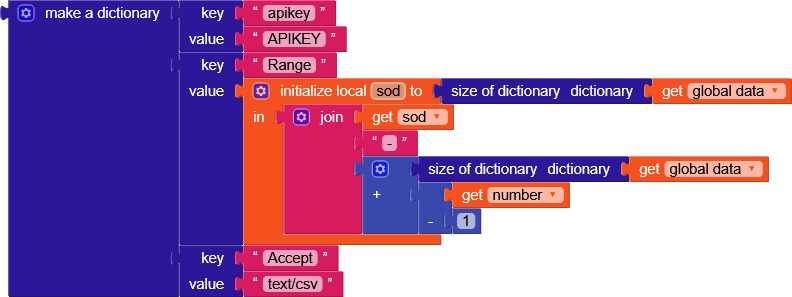

Am waiting for it
gviz with offset
I have tried making something though not pretty good, anyways am waiting for your guide
I have added gviz/tq?tqx=out:csv&sheet=Products&range=
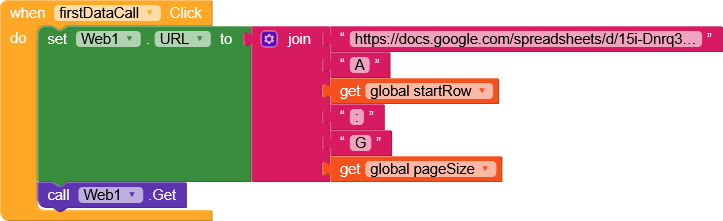
I didn’t modify the whole project, I simply implemented data retrieval via Google Sheets.
If you still have doubts, let me know.
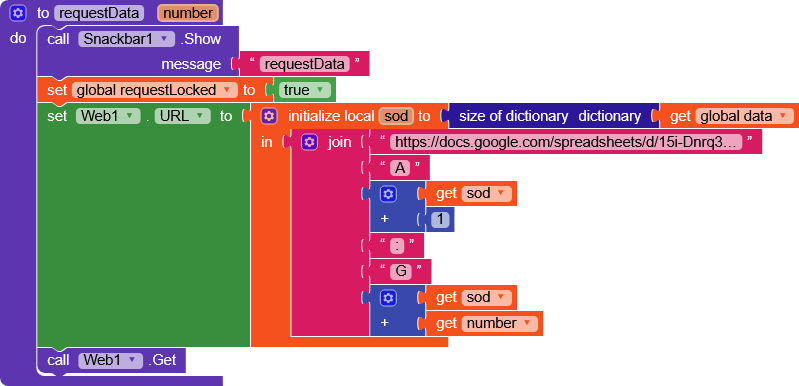
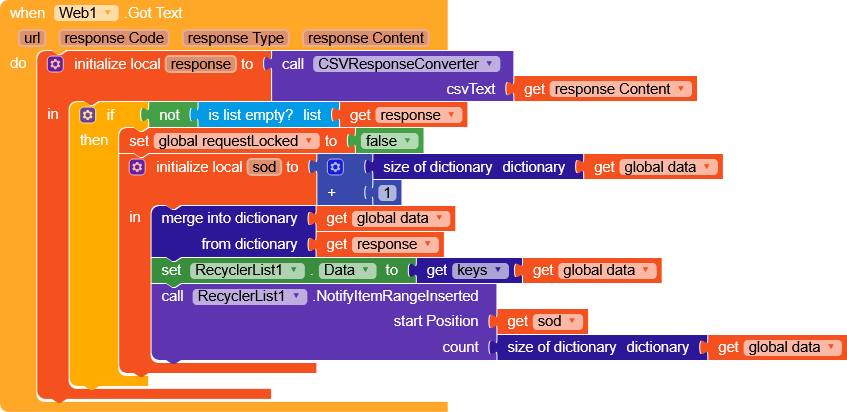
RLWithGSLoading.aia (172.5 KB)
1 Like
I have tested it and its perfect, you’re amazing. Thanks again
Very good, I’m glad 
have a nice day, dear 
1 Like