When the quiz starts, the first correct answer of the first question is automatically highlighted in green. Then, when moving to the next question, everything goes back to normal. I want the app not to automatically select or highlight the first correct answer at the start. The correct answer should only be shown after the user selects an option.
Hi Andreea,
Welcome to the  odular community!
I’d ask you to provide a bit more detail, such as blocks and screenshots of the layouts, so we can better understand the situation.
Anyway, if the color is already set to green, I assume you’ve configured it somewhere.
Try showing us a few images, Thanks!
Hi! Thank you for the welcome!
Sure, I’ll share more details soon — I’ll add a screenshot of the blocks
so it’s easier to see what’s going on.
Thank you!
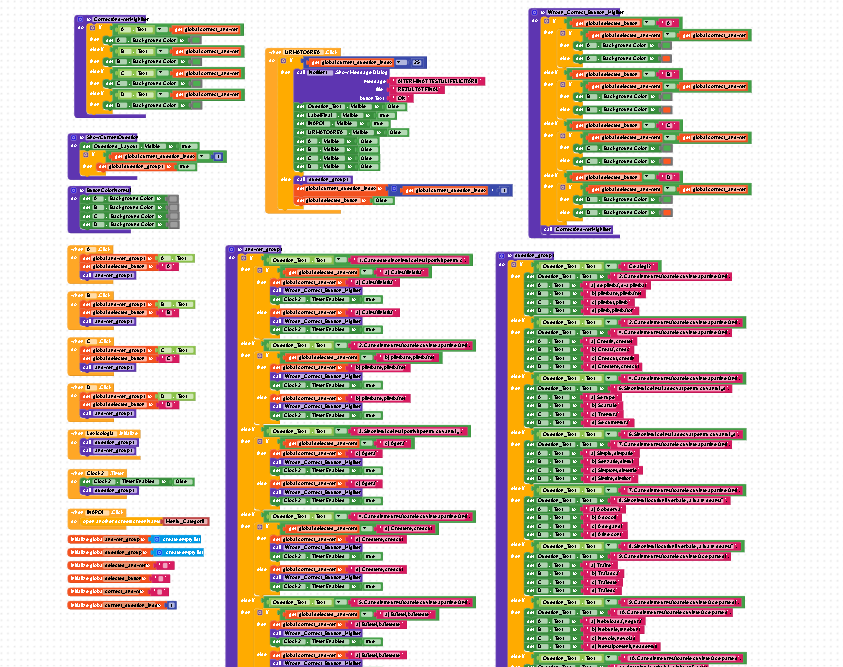


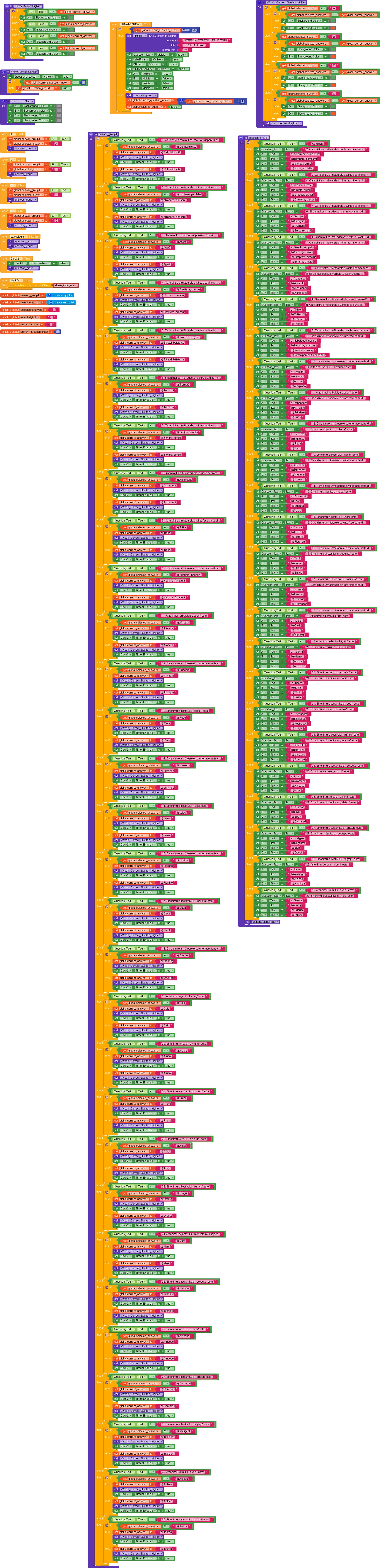
Perfect,
First of all, I’m sorry you handled all the questions this way, it could have been done in a much simpler and more automated manner, but we’ll see later how to fix that.
As a first question, I’d like to ask, how are the backgroundColor values set in the designer? Are they all gray from the start?
Also, does Question_Text already have a question set in its text when the app starts?
First of all, thank you so much for helping me with this problem, I really appreciate it!
This is actually the only way I know how to do it, based on a tutorial I found on YouTube.
If you happen to know another, easier method or have a good tutorial about it, I’d be really grateful if you could please share it with me.
Regarding your first question: yes, the backgroundColor values are all set to gray from the start.
And for your second question: yes, the Question_Text already has a question set when the app starts, and the A, B, C, D options also have some text written in the Designer.
I’m still a beginner, and this is actually my first time using Kodular, so I don’t have much experience yet.
I really don’t know what I am doing wrong 
It’s a pleasure to help you.
So, to understand where the problem starts, it’s very simple.
You have two functions that highlight the answers in green.
CorrectAnswerHighliter
and
Wrong_Correct_Button_Highliter
To avoid unnecessary troubleshooting, just try disabling this function.
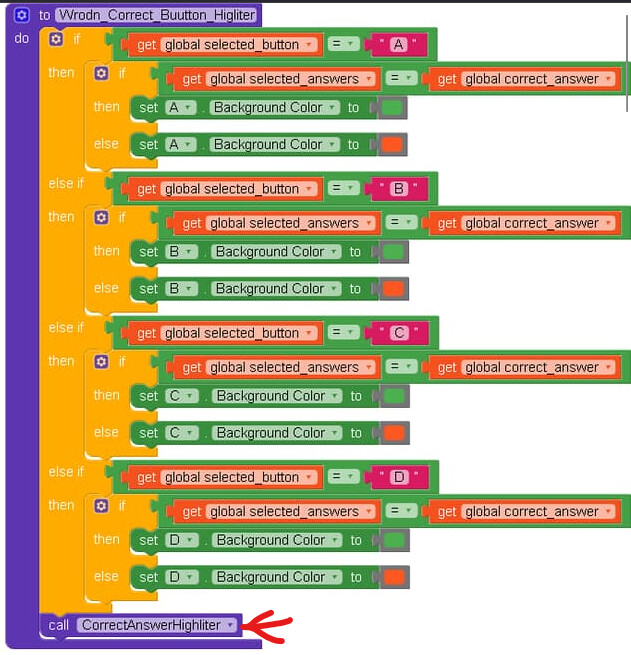
At least we can figure out where the problem starts.
Also known as DRY principle - Don’t repeat yourself
Taifun
1 Like
I did what you said, but after I disable the function, all the buttons turn red when I press them. Sorry for the late reply.
Do you know an easier way, please?
you have made very hard method of coding. try to minimize the logic. put all the questions and it s answer either in global variables or dictionary mode (pref) or list of list. also use when any button clicked logic. so your code will become one third reduced with easy understanding and easy to find the bug. else use any web storage platform for questions and answers. in out community too there are many guides available. ref to that
But without clicking anything, what color is the answer that used to turn green now?
Correct, but I think the issue lies elsewhere.
I had already pointed it out myself, as did Taifun, but even applying a DRY approach, the problem would still persist.
which mean clearly it states that there is problem with screen init block. he have to call the reset button colour procedure in it at the top of screen init. else native button colour which is set initially will appear and that may cause this problem.
Sure
well, let’s see what he says.
Without clicking anything, the answer is gray, just like all the others, and when you click on it, it turns red. I’m going to redo everything from the beginning and look for a tutorial presented in a way that’s not so DRY, to make it easier. Also, I’m a she, not a he.
Thank you all for your answers! I’ll close the discussion here.
Give me your aia and I’ll correct it for you.
This is a very simple example,
see if it can help you in some way, even just to get you familiar with the world of procedures.
QandA.aia (8.1 KB)
I’m so sorry 
here in Italy, Andrea is predominantly a male name.
1 Like
her aia is too complicated
why she doesn’t make the quiz dynamic using airtabe or gsheet or baserow as database .. and dynamic component 