I’m a beginner who just started using Kodular. While working on a project, I noticed that the dotted outline that used to appear when setting the size of an Image Sprite suddenly disappeared. If anyone knows how to fix this, please help.
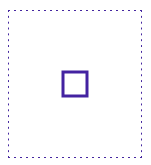
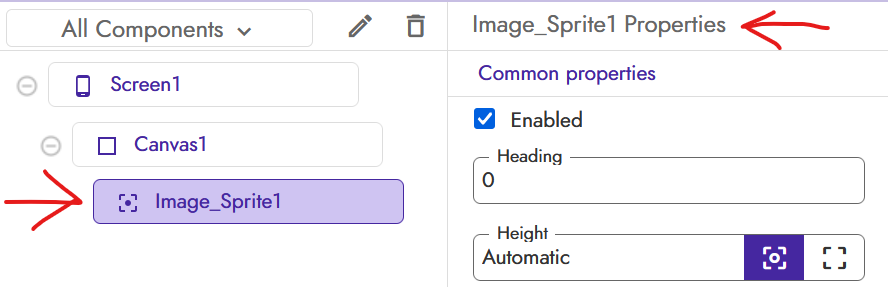

Even if you don’t see the dotted border, select the sprite on which you need to make the changes from the menu on the right.
If you want you can explain to me what you are trying to do.
I.m making walls along the line in the picture so that the ball disappears when it hit the walls. Sometimes I’m supposed to make a rectangular to save Walls. So I need to see the lines of the Image Sprites to match the shapes. At first, it worked. But suddenly it disappears. I can do nothing. Thanks again.
You could load an image into the sprite to see the actual edges
Hello Kodular Community,
I’m facing an issue with Image Sprite components in the Kodular Designer. The dotted border that indicates the size of the Image Sprite is not visible, making it difficult to gauge and adjust the sprite’s size visually. Below are the details of my setup and the issue:
Issue Description
- Problem: The dotted border around Image Sprite components does not appear in the Designer view, even after setting the Width and Height properties.
- When it occurs: This happens consistently in the Designer screen, regardless of zooming in/out or changing the canvas size.
- Impact: I cannot visually confirm the size of the Image Sprite, which is critical for designing my app.
What I’ve Tried
- Adjusted the zoom level in the Designer view.
- Changed canvas size to fixed pixels (e.g., 300px x 300px).
- Tested with different browsers (e.g., Chrome).
- Removed any extensions to check for conflicts.
- Checked Image Sprite properties (Visible is set to True, valid Width/Height values).
Questions
- Has anyone else encountered this issue with Image Sprite dotted borders not showing?
- Are there any specific settings or workarounds to make the dotted border visible?
- Could this be a Kodular Designer bug, and if so, how can I report it?
Any help or suggestions would be greatly appreciated! Thank you in advance.
Kodular Designer does not show dotted borders for Image Sprites it is only visible in the app during runtime.