Importing an App Inventor project results in runtime error after trying to run apk file

Did anyone already find out what needs to be done to get an App Inventor project running in Kodular after the latest update? @Diego ?

It looks like the theming issue got fixed meanwhile… :+1:

I tested a very simple app (only a button and a notifier). Importing the project works fine. I changed the Min sdk Level to 21 in the project properties and built the app.

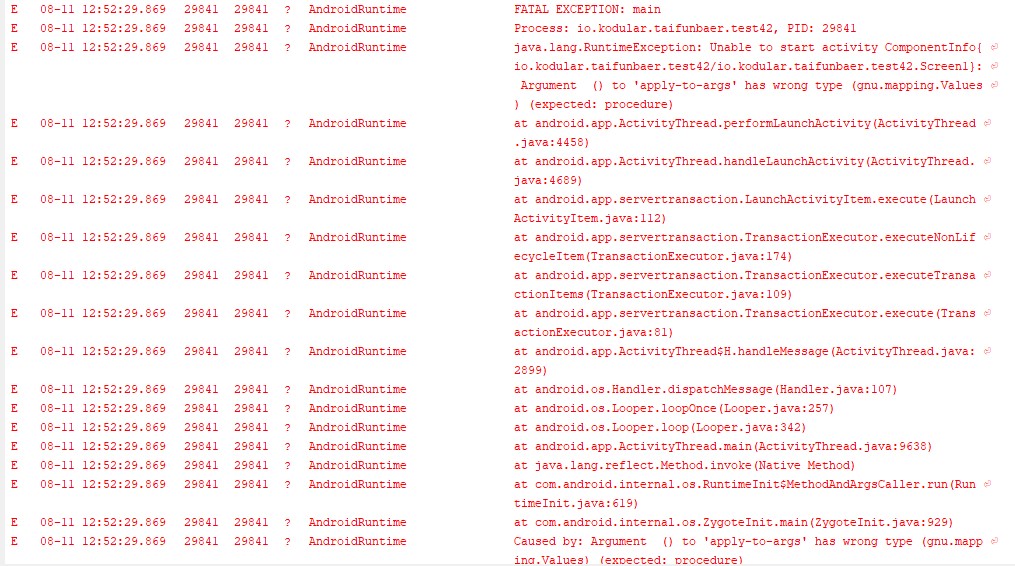
Then after running the apk file I get the following runtime error:

Unable to start activity ComponentInfo: Argument () to ‘apply-to-args’ has wrong type (gnu.mapping.Values) (expected: procedure)

original App Inventor test project attached (without updating the min sdk settings)
test42.aia (1.5 KB)

Taifun

I think changing the Min SDK is unrelated tbh. I just tried your AIA, uploaded it, and even without changing the Min SDK I just get a blank white screen, symtom of the YAIL not being able to run.

Let me try to see what can be causing it…

1 Like

So, creating a full empty project in AI2 and importing to Kodular works as intended. When I add Button and Notifier in AI2 and import into Kodular, it fails.

Will try to isolate the component in particular…

1 Like

I was able to find a mitigation, but need to investigate further on why it is happening.

To fix the issue on any imported AI2 app, follow these steps:

  1. Open the Settings modal for the App
  2. In General, check and uncheck the following properties (or uncheck and check, if you want them enabled):
    1. Splash Enabled
    2. RTL Support
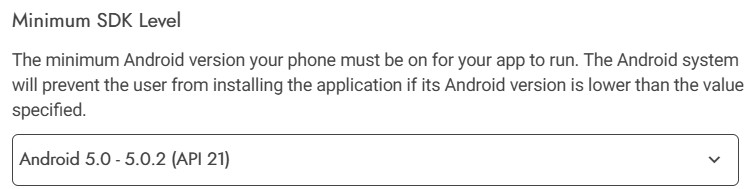
  3. In Publishing, select Min SDK 21 (I did not test without this, but should be ok to just set it).
  4. Now export the app.

For some reason, when importing an AI2 app, those properties get set with the incorrect types in YAIL. Then, at runtime, they fail to get initialized correctly.
Basically, forcing a mutation of those properties causes the app to get its types properly refreshed, hence fixing the issue.

Can you try if it works for you?


EDIT: The issue seems to be related to how AI2 saves projects.

This is the projects.properties and Screen1.scm files when no component is added yet:

#
#Mon Aug 11 19:46:30 UTC 2025
sizing=Fixed
color.primary.dark=0
color.primary=0
color.accent=0
aname=
defaultfilescope=App
main=appinventor.ai_diego_barreiro_perez.CleanProjectTest.Screen1
source=../src
actionbar=false
useslocation=false
assets=../assets
build=../build
name=CleanProjectTest
showlistsasjson=false
theme=AppTheme.Light.DarkActionBar
versioncode=1
versionname=1.0
#|
$JSON
{"authURL":[],"YaVersion":"232","Source":"Form","Properties":{"$Name":"Screen1","$Type":"Form","$Version":"31","Uuid":"0","Title":"Screen1","AppName":"CleanProjectTest","Theme":"AppTheme.Light.DarkActionBar"}}
|#

This is how those files go after adding and deleting a component:

#
#Mon Aug 11 19:46:41 UTC 2025
sizing=Responsive
color.primary.dark=&HFF303F9F
color.primary=&HFF3F51B5
color.accent=&HFFFF4081
aname=CleanProjectTest
defaultfilescope=App
main=appinventor.ai_diego_barreiro_perez.CleanProjectTest.Screen1
source=../src
actionbar=True
useslocation=False
assets=../assets
build=../build
name=CleanProjectTest
showlistsasjson=True
theme=AppTheme.Light.DarkActionBar
versioncode=1
versionname=1.0
#|
$JSON
{"authURL":["ai2.appinventor.mit.edu"],"YaVersion":"232","Source":"Form","Properties":{"$Name":"Screen1","$Type":"Form","$Version":"31","ActionBar":"True","AppName":"CleanProjectTest","Title":"Screen1","Uuid":"0"}}
|#

Importing a project with the first set of files works fine, but importing one with the ones below fails to start.

3 Likes

If this is the cause, I am very sure it’s an older issue. Don’t know about others, but i face this most of the time and changing options and unchecking or checking above options solve the problem.

Thank you @Diego , I can confirm it is working!
Thank you again for super fast support!

Taifun

1 Like

Seems like so… I’m looking at the commit history, and I’m testing for a fix for it. Git blame seems to date the commits back from 2018…

I got some good news. The bug is now fixed (pending release), and new ones have been discovered related to that, which were also fixed.

  • Projects imported from AI2 were not properly setting the Min SDK, Show Splash Screen and RTL Support properties.
    • We will now automatically set it to the default values (21, True and False, respectively) automatically.
  • RTL Support was not being set properly in Manifest (it was being capitalized, now it’s fully lowercase).
  • Show Splash Screen value is now properly set to True.
    • There was a case before which could result in the property behave as False, but the user actually set as True.
  • When importing a clean project from AI2, we were using the legacy default colours for the theme. We are now using our default colours.
6 Likes

Hi @Diego , this was working yesterday, but today not anymore…
did you already change something in the system?
Today the same example project

after checking and unchecking the properties

again unfortunately results in the same runtime error as previously

Taifun

Did you also set the Min SDK? Just to confirm, the 3 properties need to be set/“updated”, otherwise the generated YAIL is corrupted.

Yes I did
I did several tests and also tried to check/uncheck further parameters including trying to set the App Name to something and the theme to Light Theme

Taifun

After restarting the browser magically worked again.
Thank you @Diego for amazing support!

Taifun

1 Like

All the bugs mentioned in this thread should have been fixed as of now. Keep in mind they only apply to “newly imported projects”, so previously imported ones do still require the manual fix.

@Taifun can you give it a try, and see if it now works?

1 Like

thank you it works! :+1:
Taifun

1 Like

This topic was automatically closed 30 days after the last reply. New replies are no longer allowed.