I’m trying to implement a one-time purchase in my app and I’m facing an issue during internal testing.
What I have done:
The app is published to the Internal Testing track.
The one-time product is created and its status is Active.
My Google account is added to both the Internal Testers list and the License Testers list (Setup > License testing).
I have uninstalled any old versions and installed the app using the opt-in link from the Play Store.
I have waited several hours for everything to propagate.
The Problem:
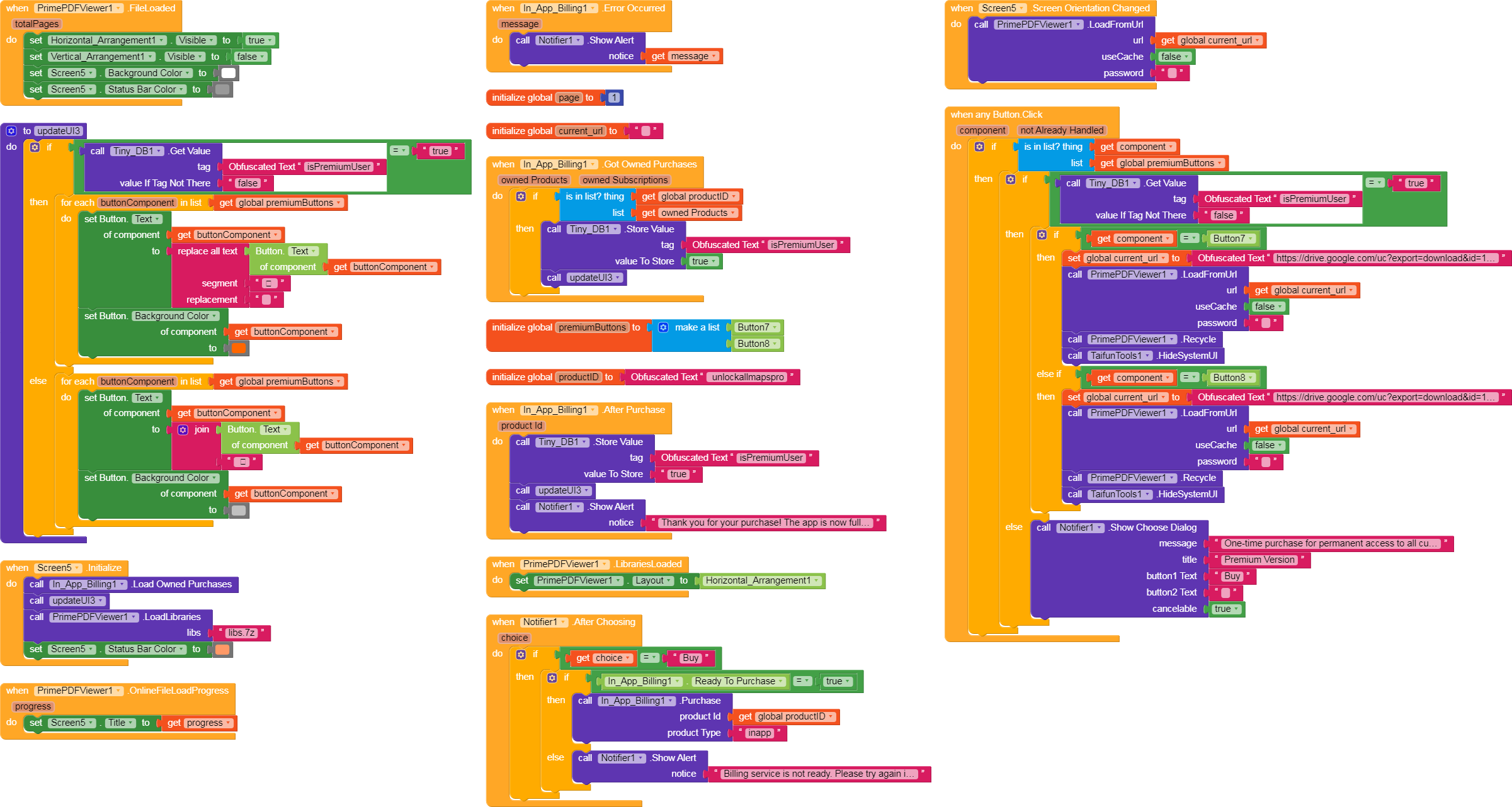
When the app starts, I try to purchase the item. I have a button that, when clicked, checks if In_App_Billing1.Ready To Purchase is true. It always returns false, and I get the alert “Billing service is not ready. Please try again in a moment.”
This happens even after waiting a minute or two after opening the app.
I’m implementing a one-time purchase in my app and I’m facing a logic issue during internal testing. I’ve set up everything correctly on the Google Play Console (Internal Testing track, active product, tester emails added, matching productID).
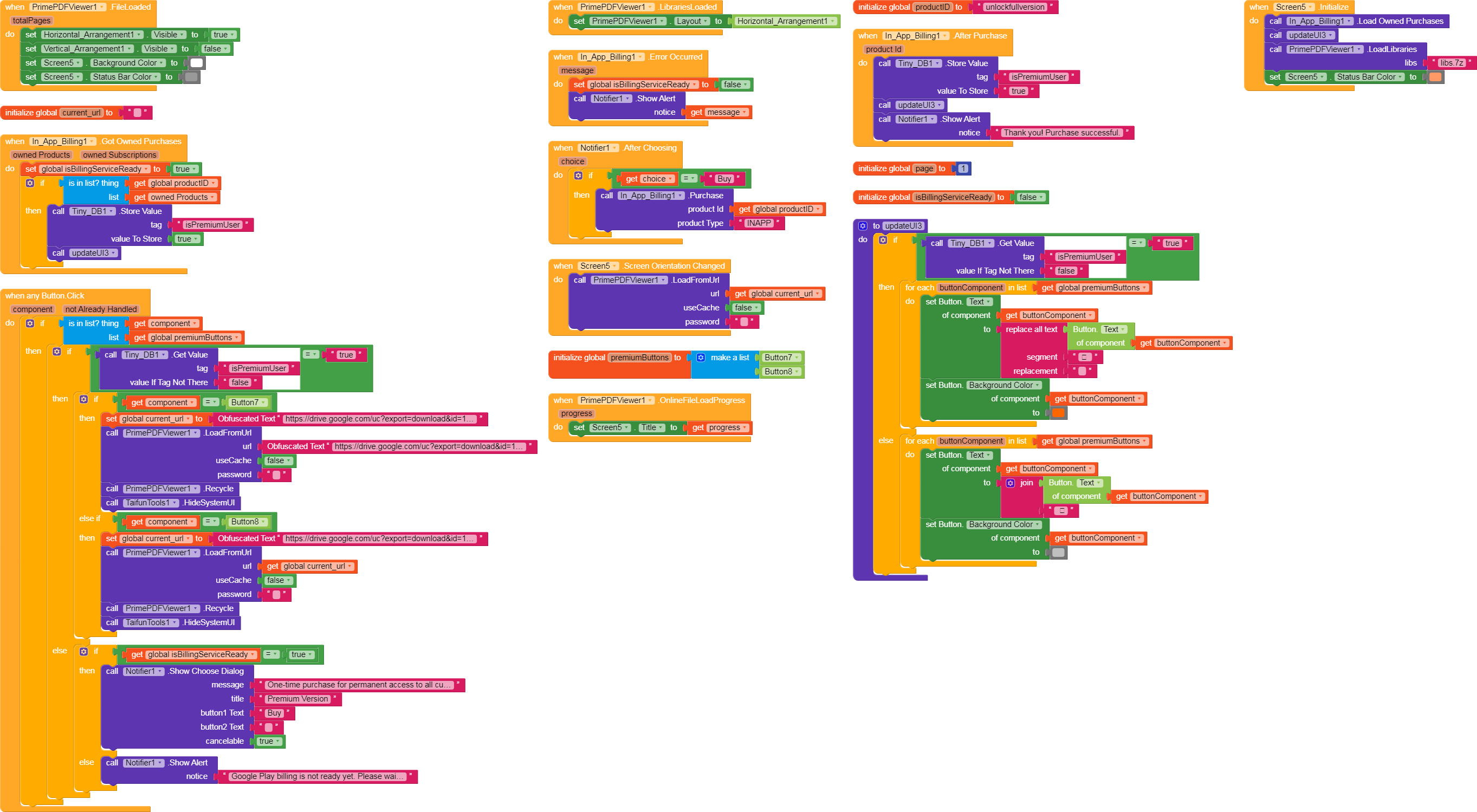
When I press Button7 or Button8 and then “Buy”, nothing happens; instead, an error notification appears:
Google Play billing is not ready yet. Please wait a moment and try again.
I’m sorry I couldn’t help you earlier, but I’m not an expert in this field.
However, I noticed another similar topic where a very useful question was asked.
To answer your question, yes, my app has been published on the Play Store for over a month, and I am using the internal testing track. I always make sure to install the app on my test device directly from the Play Store link provided to testers.
However, I am still facing the “Billing service is not ready” error. I’m starting to suspect there might be an issue with my blocks setup itself. I will re-examine my block logic carefully, in addition to double-checking the other steps like the tester account and product ID.