List_Picker Selection drawer, Navigation bar & Status bar color problem in android 15

I checked out Kodular Fenix (v1.5D.0) Bug Tracker before creating a new topic

Describe your issue

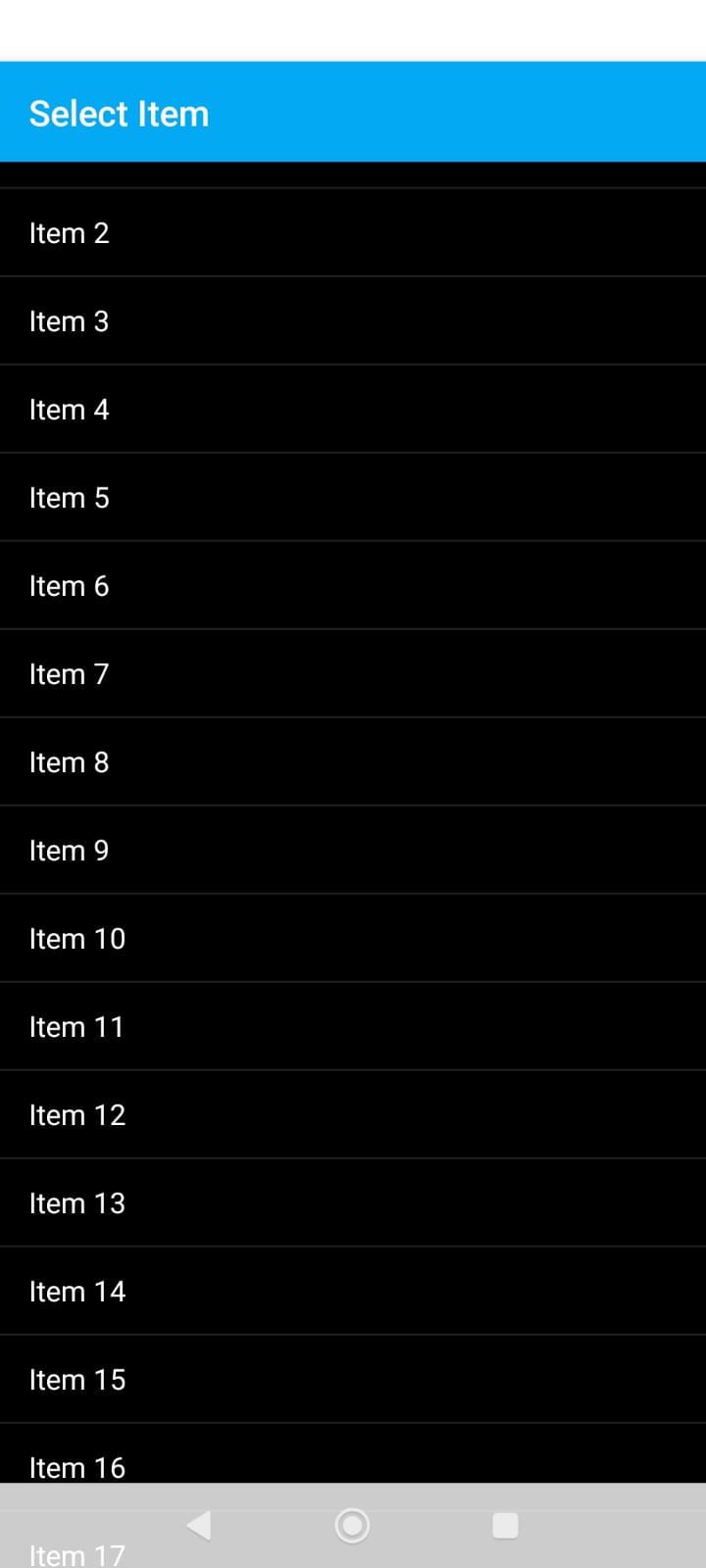
In Android 15 List_Picker not drawer properly, 1st item goes under title and last item goes under navigation bar, also when selection open Navigation bar & Status bar colors shows transparent

2nd problem in android 15 Navigation bar & Status bar color unable to set it, in companion its shows in blue color and when install in phone its shows in transparent color

Steps to reproduce the issue

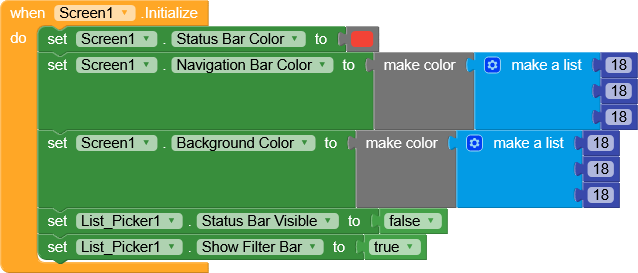
create new app with just List_Picker block and in blocks change Navigation bar & Status bar colors but not work
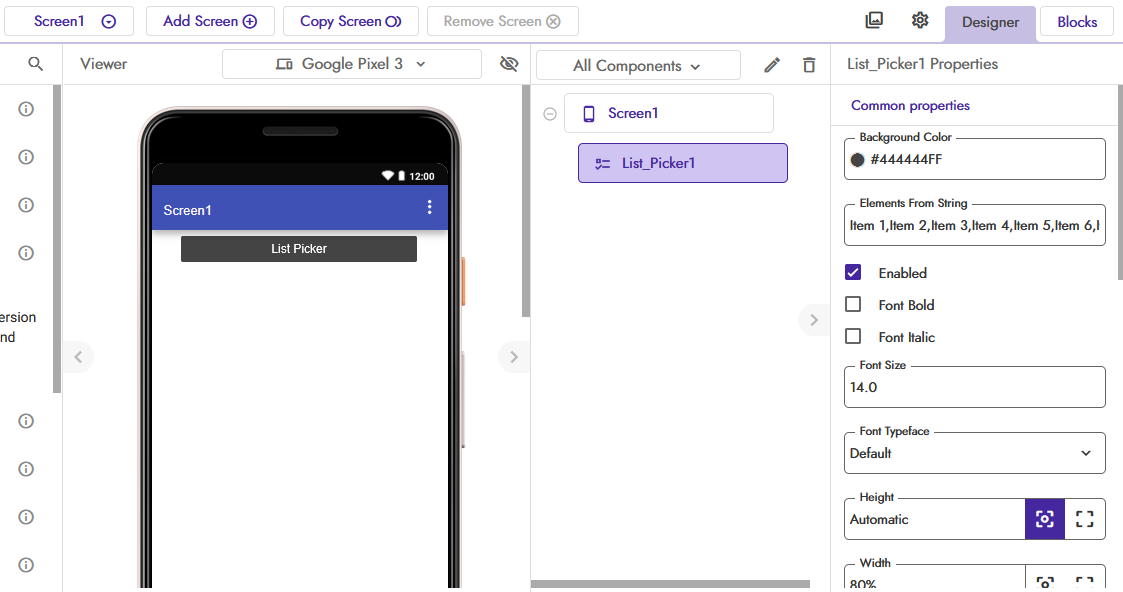
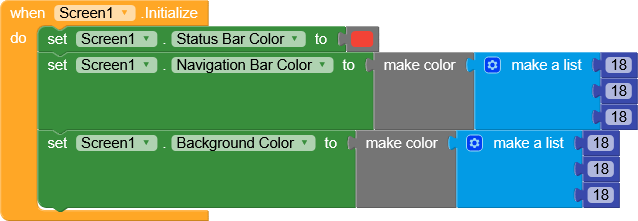
in older android version its working well

Show your Blocks


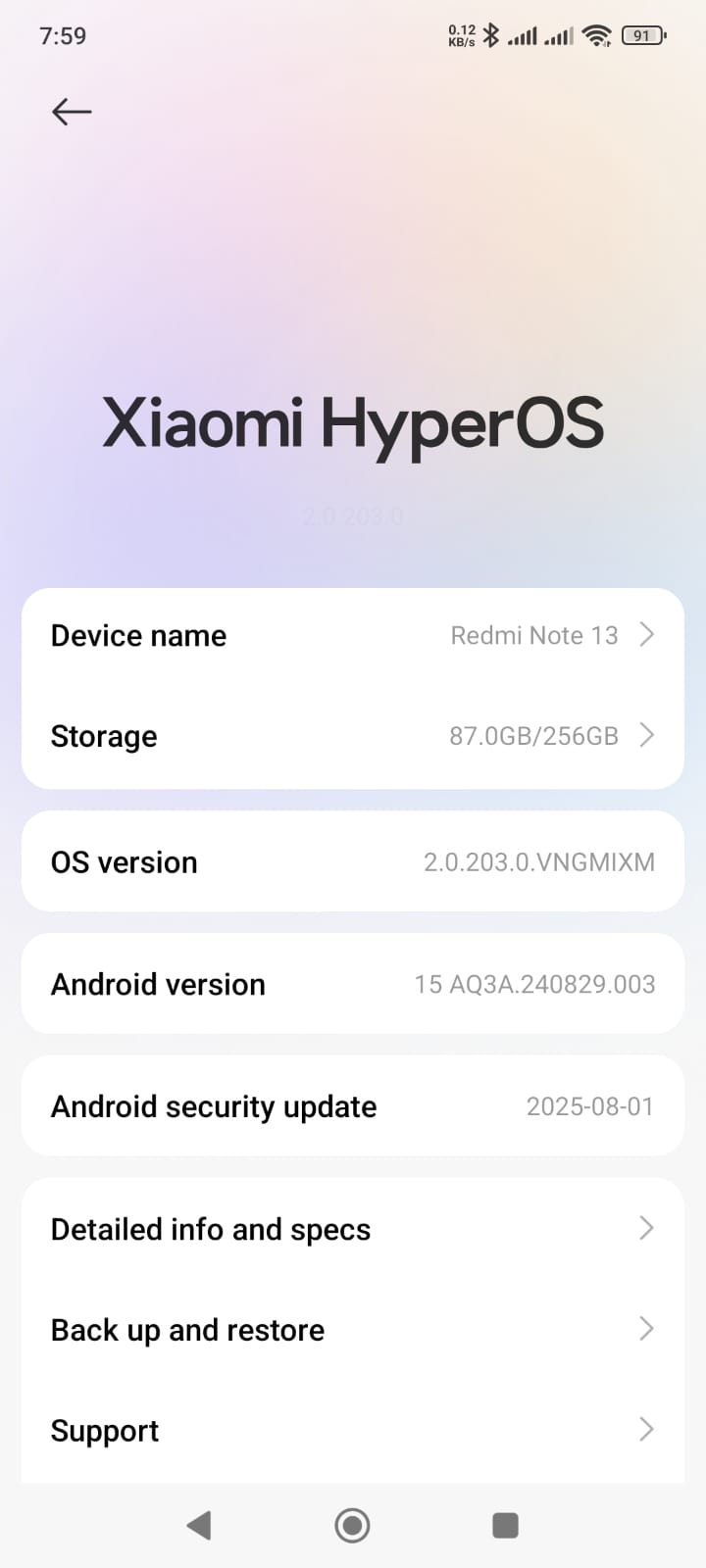
Android version

15

List_Picker Status Bar Visible set to false also not working

List_Picker Show Filter Bar set to true also not working

temporary solution

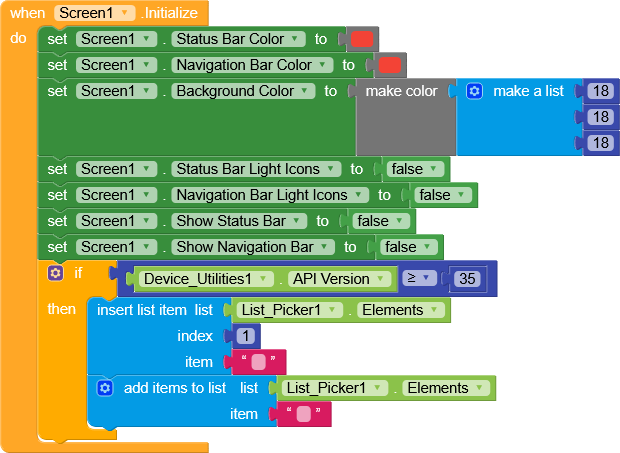
right now doing it simply

and finding solution for Navigation bar and status bar color (its shows transparent)

doing 1 fix by hiding both and use Light Icons False :wink:

1 Like

Of course, there are a thousand ways to solve this problem, this was just an option in case you hadn’t solved it yet.

Thanks for posting your idea, it might also be useful to someone else.

Have a nice day.

Please add this problem in bug tracker so it can be fix

Done
Taifun

1 Like

Thanks buddy

Is this still an issue after 2025.10.2?

this is still an issue even after 2025.10.3 .


After update my app now looks like this. Header section moves to status bar.

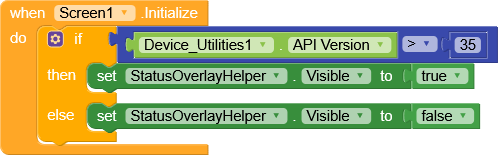
Am using this workaround, just make sure the status bar color matches the Helper

Designer

Blocks

2 Likes

This should be now fixed in 2025.10.5:

1 Like