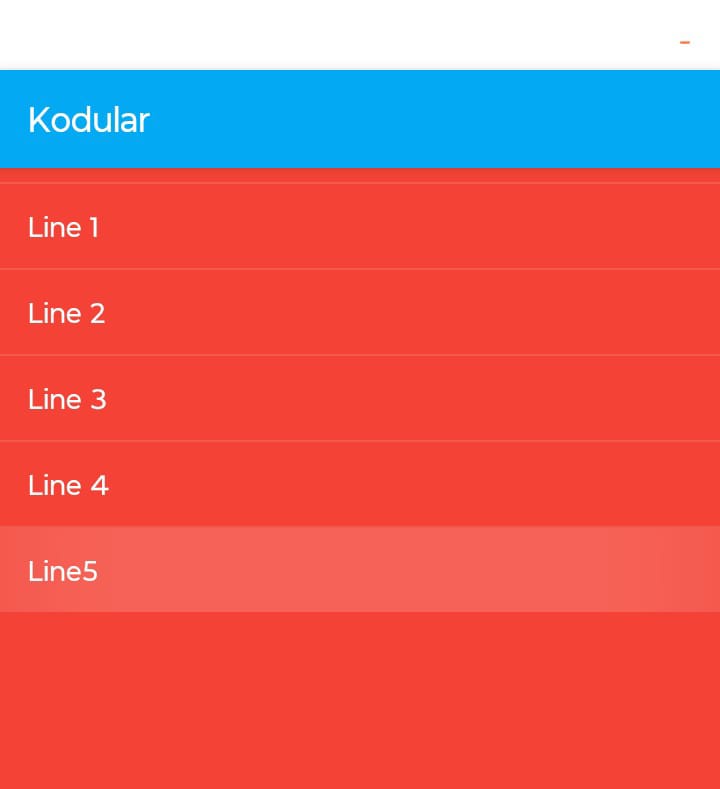
Temporary solution listPicker (1st element hidden)

Hi everyone,

I’ve noticed several topics reporting that the listPicker doesn’t work as it should on Android 15, hiding the first element behind the TitleBar.

The possible temporary solution would be to create a screen dedicated to a ListView and use a button that opens that screen, passing the list values and title.
From the ListView screen we will pass to the Screen1 the title to know which listPicker we were using and the selection.

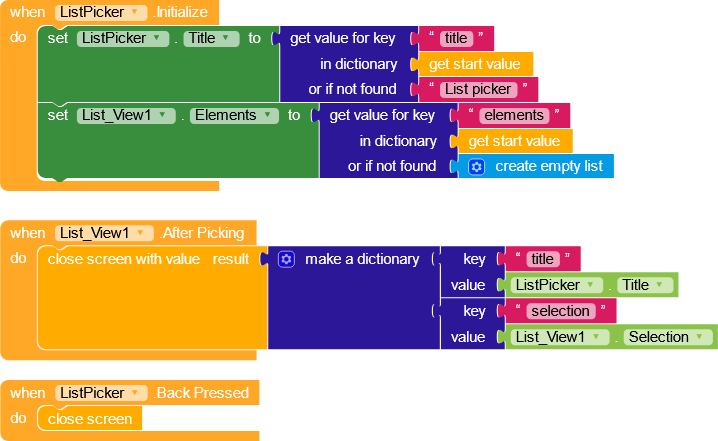
Screen1

ListPicker (screen)

ListPicker.aia (5.2 KB)

Or we could use a recycler view

1 Like

Of course, any solution is a good solution.

My idea was to have a temporary fix using the native components.

1 Like

It works, but do you know when a solution for the component will open?

I think it’s related to this bug and it’s still a work in progress, but I can’t tell you much more for now :face_with_diagonal_mouth:.

What happens if you create the first element as empty?

1 Like

sure, it could be a solution.
I just tried to recreate it identically.

1 Like

Excellent solution and if the list is very long, also put an empty one at the end of the list and it solves the problem.

Also, add an exception in listpicker.AfterSelection in case the first empty item is pressed (since it remains clickable anyway).