Thank you all @Rogerio_Rios @WatermelonIce @golumaths100 . I have decided to uninstall JDK & ANT. And install them again. Delete and recreate environment variables. I will let you if it works then.
5 Likes
@Rogerio_Rios @WatermelonIce @golumaths100 That didnt work
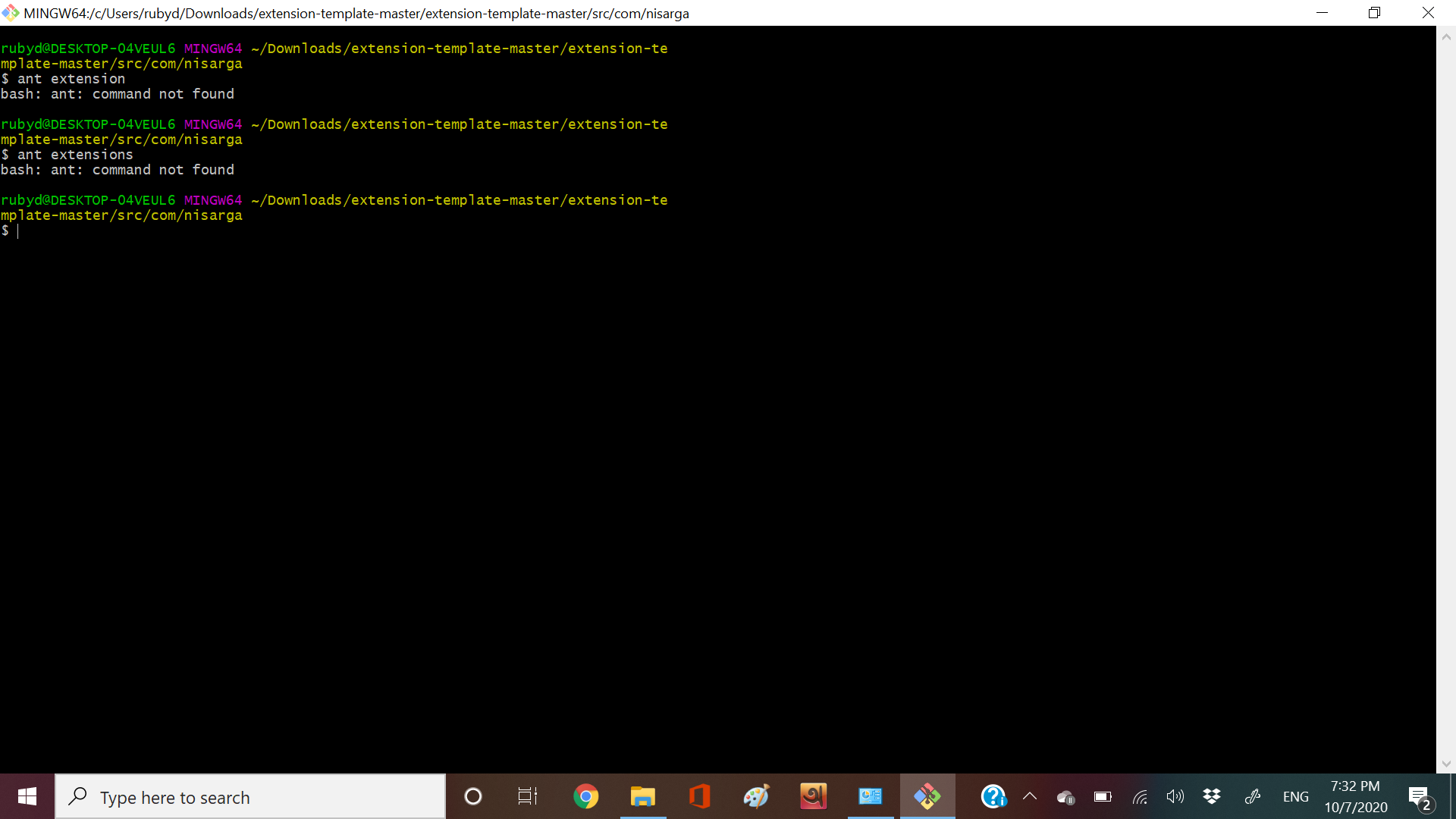
1 Like
Do help me!
2 Likes
Run the commands in the main directory of the template
5 Likes
For checking you should have a file called build.xml in the main directory.
4 Likes
Check if you have setup your Git properly.
I used the windows cmd, After setting the environment variables in Windows 7.
ant - version
java - version.
I wiil Go print my screen old notebook 
1 Like
I didn’t get you, please describe @Vishwas
1 Like
Were you able, after setting up as Java environment variables, to test to see if everything was ok? After that, create the Ant variables and test to see if everything is ok.
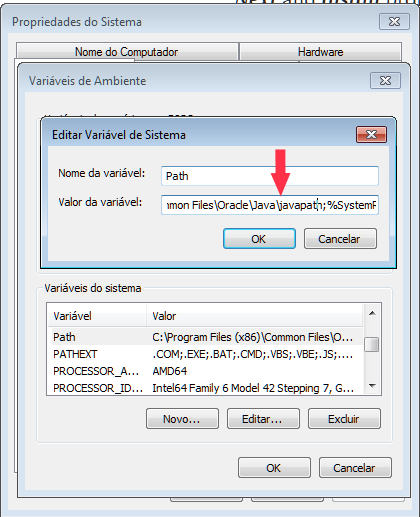
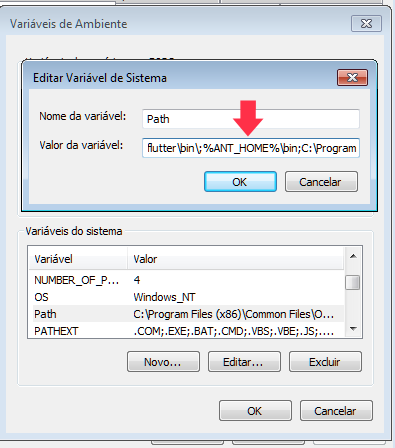
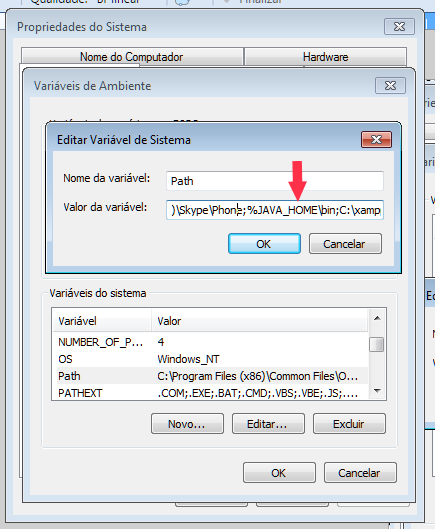
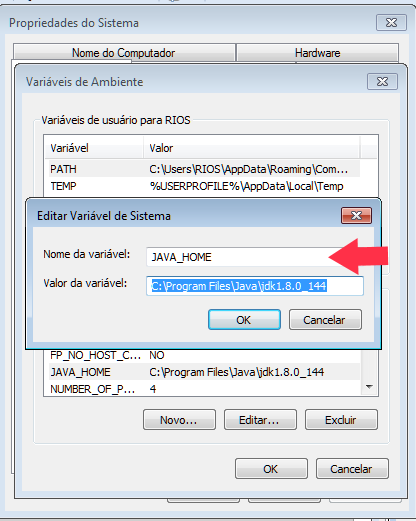
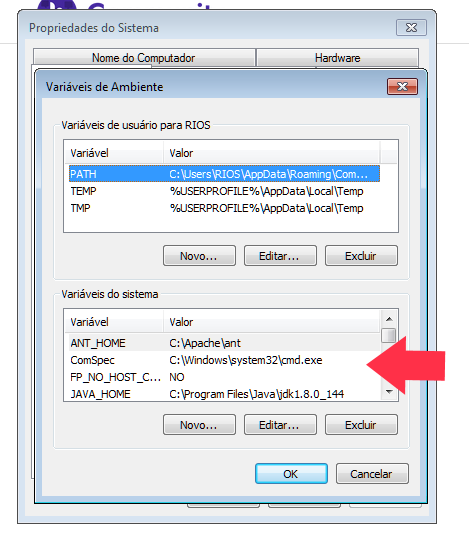
5 Likes
You installed ant 1.9
You should install 1.10+
Or forgot to add semi colons in the path(windows 7)
Try reinstalling ant and try again
As mentioned in App Inventor docs
3 Likes
IF NOTHING WORKS WHY NOT U USE https://editor.appybuilder.com/login.php
1 Like
Please no shouting here
1 Like
SORRY I DIDN’T SHOUT I JUST GAVE A TIP DON’T THINK BAD 
You should not use all capitals, because it seems like shouting. @electrobot_appy
3 Likes
thanks i am new sorry
2 Likes