I couldn’t find the web api key in the Firebase panel. I think it has been removed or is it just me? Has anyone had the same problem?
Nope it’s still there, sometimes it happens when you’re using firebase database only without registration of real app.
How to get key
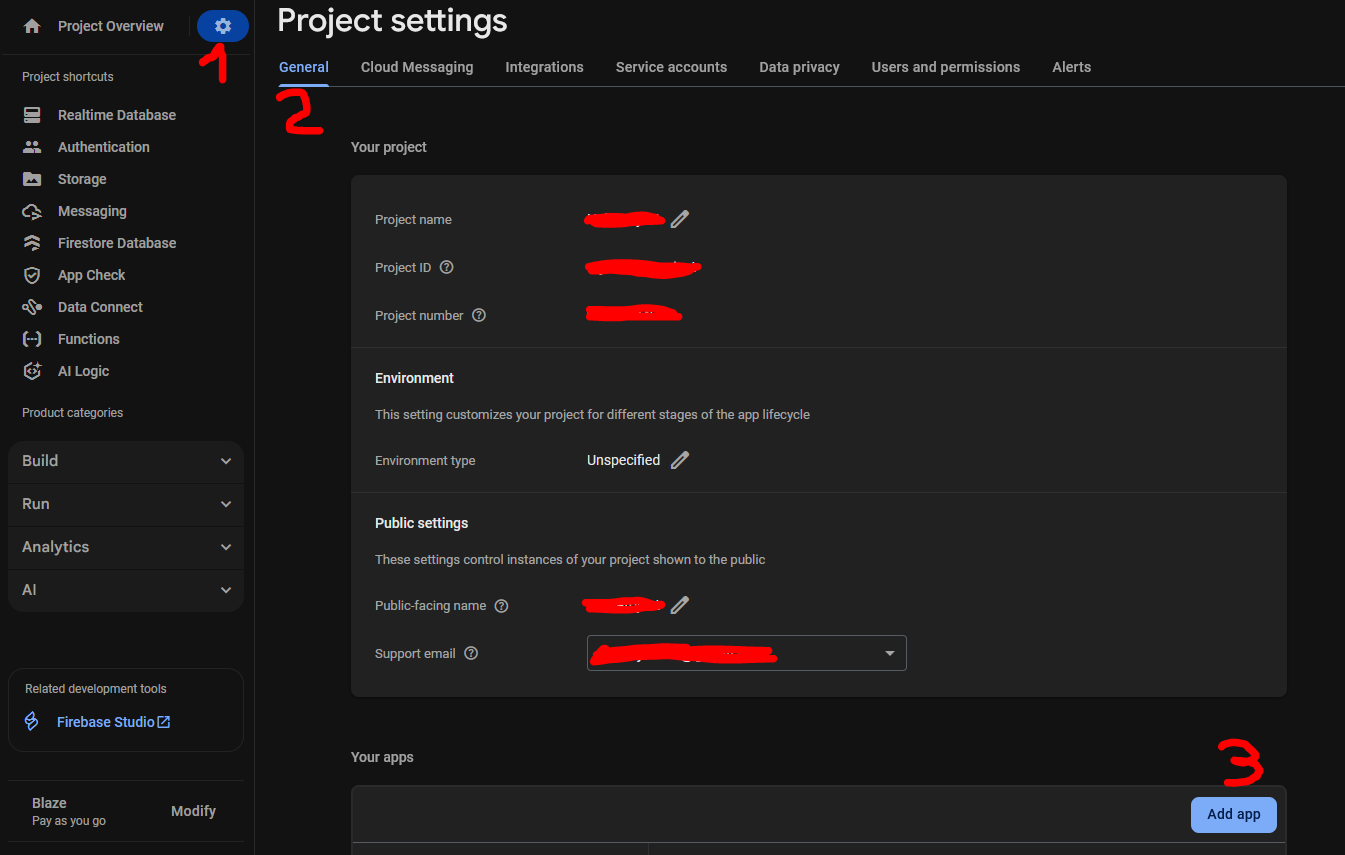
First go to project settings then download Google services.json file, open it with any text editor if it open for you, or select any browser app, (pc) then you will find the current key in “Ahsi37277488…ETC” that’s your key.
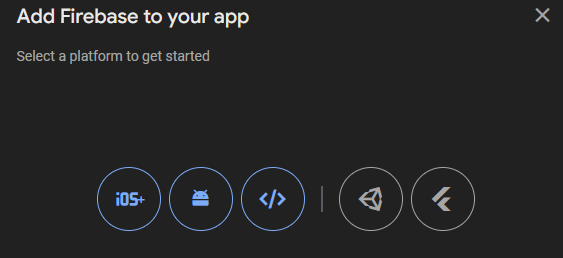
My application was already added, but when I checked today I saw that it was not there.
That’s strange, when you add it again, do you see the API key?
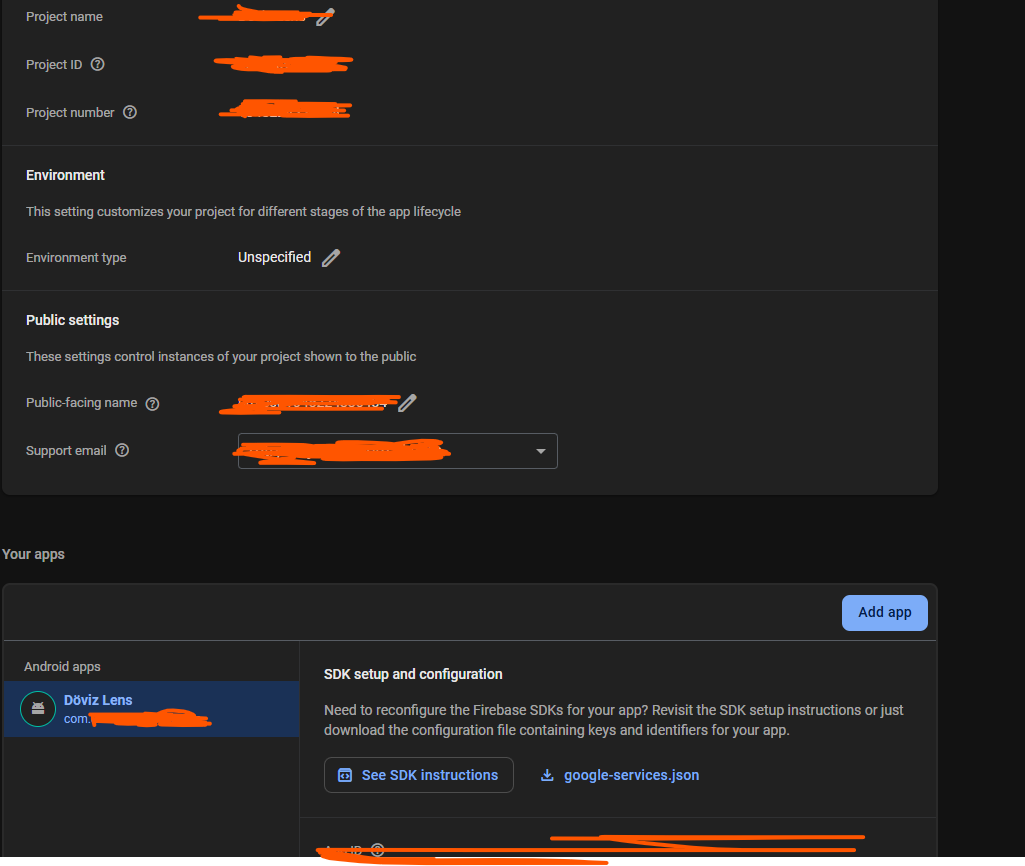
And if you follow Ibrahim’s advice, do you see the key in google-services.json?
Yes, I see it under apikey>currentkey
Something seems to be going on today. When I used the registration and login system in my app, I received an “unresponsive” error. After getting the link, I logged into Firebase and saw that the API key was missing.
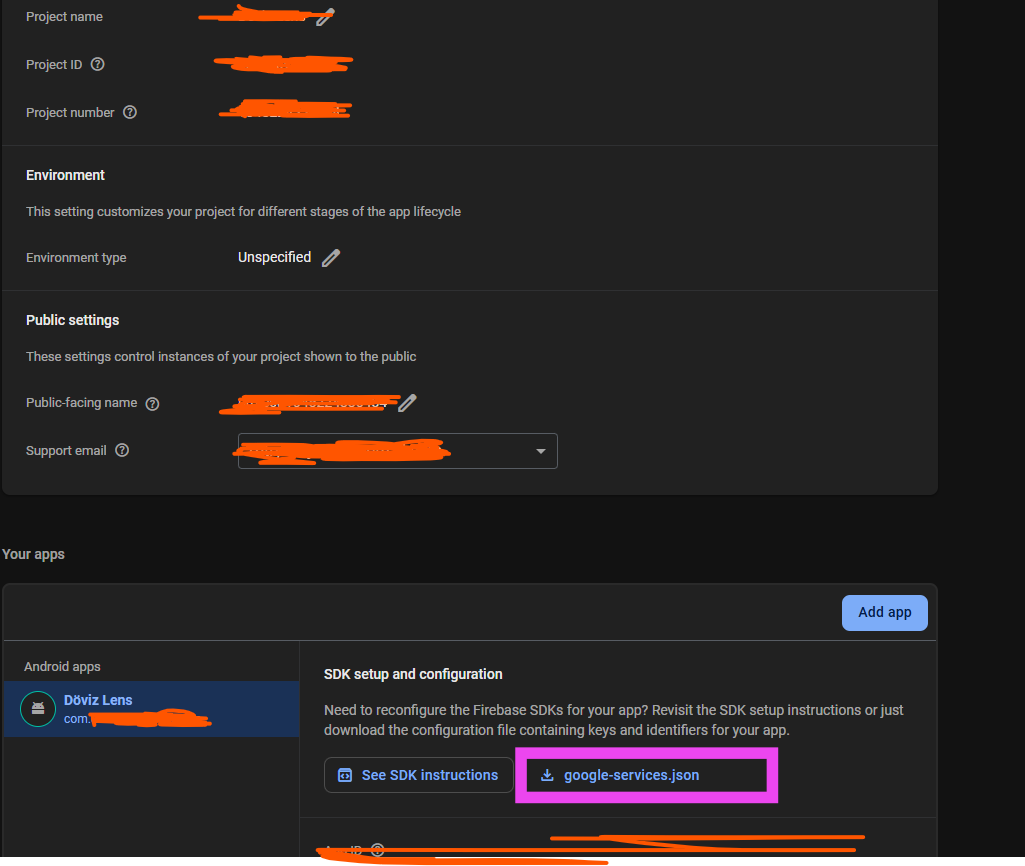
Definitely you didn’t follow what I said earlier, that’s all you have to do in order to get API key if not available public
 The JSON file contains all information about your app includes API key
Click on pink Mark
I already found it and did it now, but as the application progresses, Firebase gives an error.
What error are you getting? Show us the error dialog
Edit:
Is seems like the authentication component needs an update, there’s now a lot of reported issues related to authenticate component
I’m not getting the full error, but my login and registration system is slow and doesn’t work, and it no longer remembers people who have logged in. I’ve started rebuilding these structures from scratch, and if that doesn’t work, I’ll get back to the community.
Read my last thread, I have edited it.
Try using extension.
download google_services.json file and then open it . the key must be in there