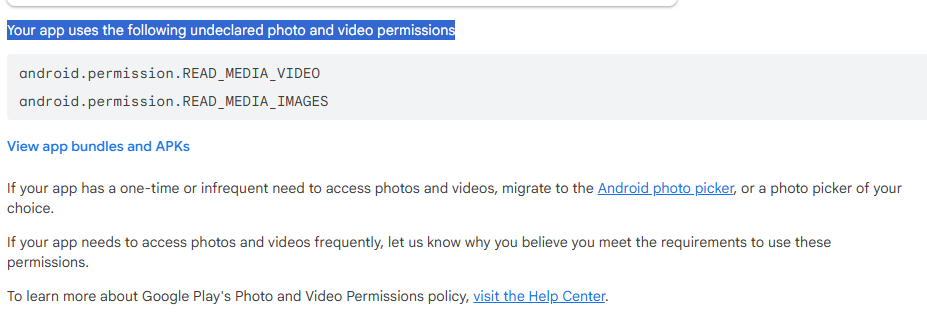
It showed update rejected because it has auto permission. I have not given any permission to this app. How to fix this?
2 Likes
Your update got rejected or it showed this before you pushed the update?
May I have the link of your app
Before updating
Which components are you using? The image picker? How do you access photos and videos?
This might be an alternative
Taifun
I have the same problem
Your app uses the android.permission.READ_MEDIA_IMAGES permission
My app do not have any image picker or any media related component, and without any permission required when installing the APK, please help.
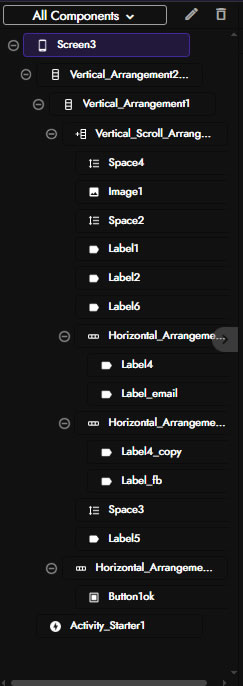
could you attach a screenshot of extensions you have used? and components too
For special components, a Activity_Starter for adding URL link, Color_Utilities for translate hex color code.
The other components are just simple buttons and sounds etc.
For extension just a horizontal/vertical scroll handler for scrolling control.
The previous version submitted to Google did not have the permission problem, thank you!


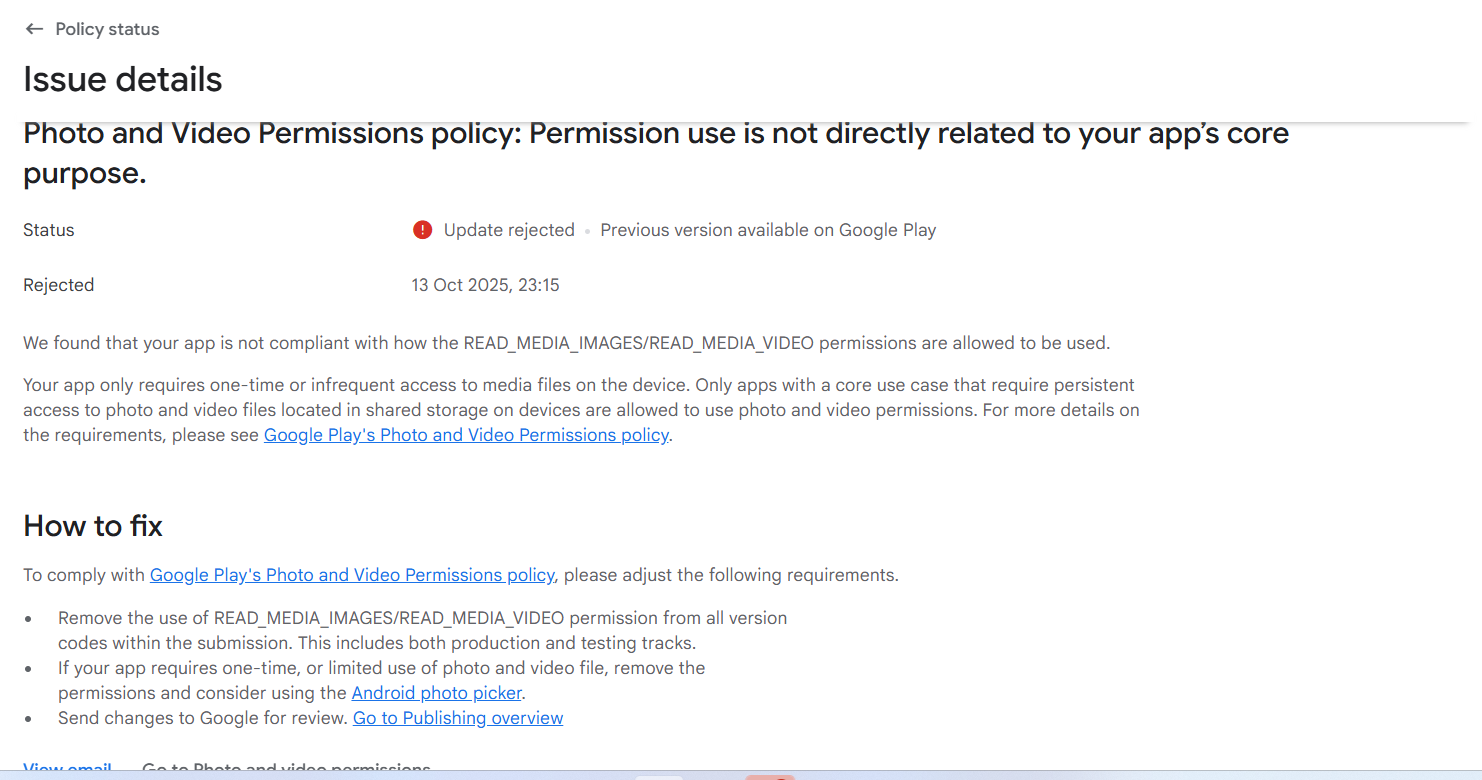
I have same issue I can’t update my app because of READ_MEDIA_IMAGES permission
and I am using image component but this permission is not needed and automatically added
Hi @Diego please take a look at this, might be a bug
1 Like
Hi Everyone,
Since Kodular new update cam, I tried to upadte my app (with few changes) and uplaod newer version on playstore.
(In new Version or old there is no file upload or stoarge read permission, I’m using Webviewer/Extensions and add new InApp Update component)
Since I’m getting this error:
In App Content
Photo and video permissionsYour app uses the android.permission.READ_MEDIA_IMAGES permission
If your app has a one-time or infrequent need to access photos and videos, migrate to the Android photo picker, or a photo picker of your choice.
If your app needs to access photos and videos frequently, let us know why you believe that you meet the requirements to use this permission.
To learn more about Google Play’s photo and video permissions policy, visit the Help Centre.
Read media images
Describe your app’s use of the READ_MEDIA_IMAGES permission
The app's core function is a Devotional Book and does not require broad media access. READ_MEDIA_IMAGES is automatically bundled by the App Inventor/Kodular builder (API 33+) due to internal component use, not for core functionality. We do not access user photos or videos.
How fix this issue, last version was working perfectly, Since Kodular New update came and trying to upload my app new version on PLAy store getting this error
How to fix this?
Now added to the bug tracker
Taifun
Hi,
@Diego @Taifun any idea when this bug going to resolve? (Any expected date/hrs.)
actually I have to update my old apps to latest SDK before October,
I’m currently trying to update my app and I’m getting the same error. I’m saying this because my app doesn’t use any image components, nor does it save or read information from the phone.
1 Like
This is a serious problem and needs to be fixed ASAP, all updates are pending @Diego
1 Like
We will provide a fix for this within the next few days, hopefully less than 2-3.
8 Likes
This problem continues for everyone, we are waiting for the Kodular team
Same here guys,i have uploaded a initial version of my app that was ok, but now this issue is reported buy google to reject any update attempts. My app uses webviewer, activity starter and in-app-update components and don’t require any special permission on start to work properly.
Well, i’m waiting for news from Kodular Team about this, clearly some unexpected bug ocurred with the new kodular update. Thanks!
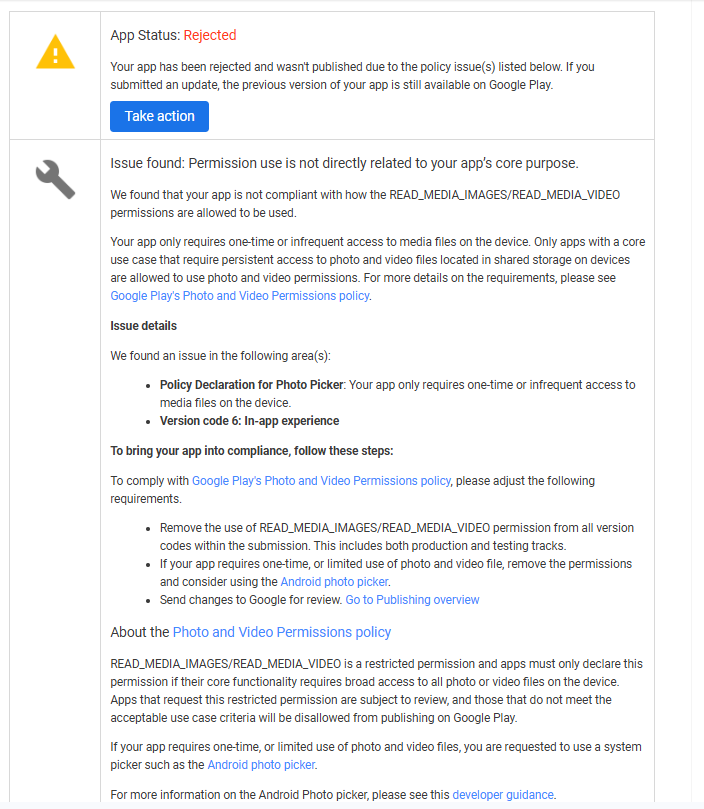
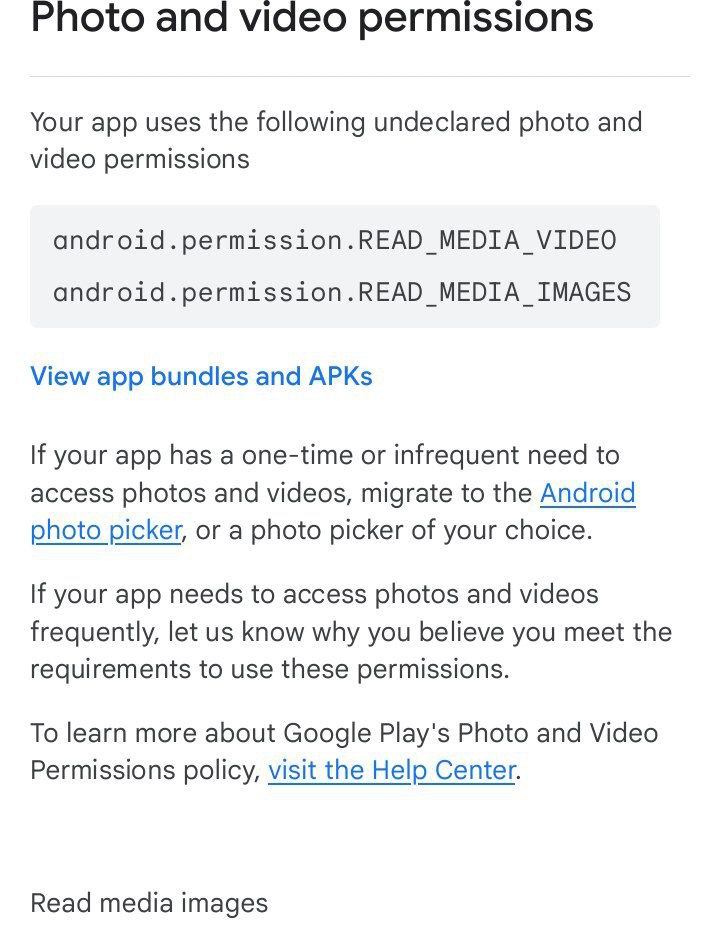
This is an urgent issue.
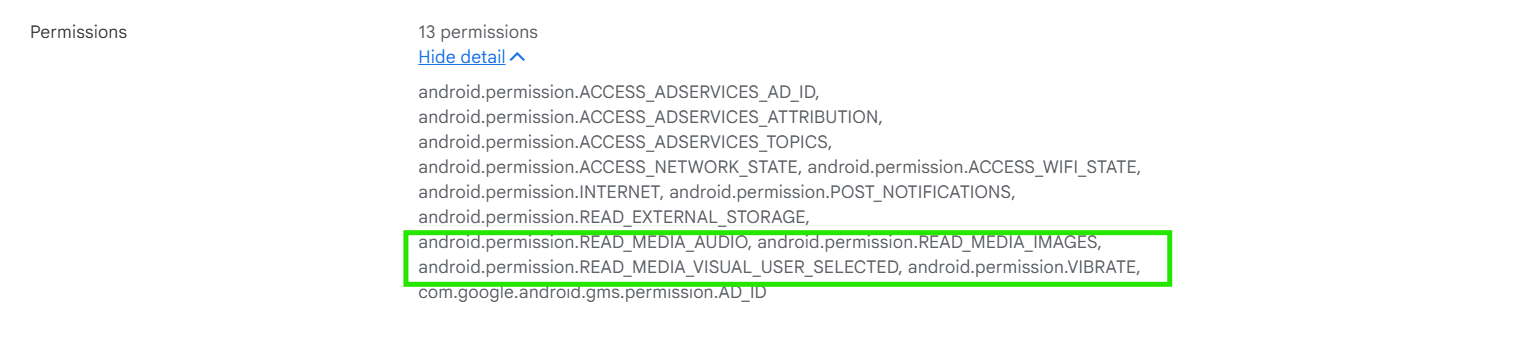
After the latest Kodular update, Google Play Console is flagging my app with the following undeclared permissions:
android.permission.READ_MEDIA_IMAGES
android.permission.READ_MEDIA_VIDEO
 I have NOT declared these permissions in my project, but they are automatically being added during build.
Because of this, my app update is being blocked by Google Play due to “Photo and Video Permissions Policy” violation.
My app is fully ready — only this permission issue is stopping my release.
Please fix this on priority or provide a temporary workaround to remove these permissions.
Screenshot attached below.
Thank you 