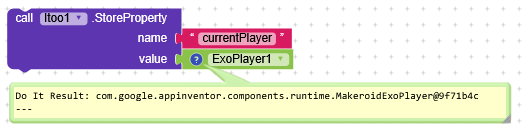
I’m building a music player app using ExoPlayer combined with a custom MediaNotification extension.
Problem:
When the app reloads (like reopening the screen or app regaining focus), and a song is already playing in the background, pressing a new play button causes overlapping audio — instead of pausing the previous one.
Yes i tried, it works ony if the app is active but if the app reloads (like reopening the screen or app regaining focus while another song is running) pressing a new play button causes overlapping audio — instead of pausing the previous one.
I guess with itools it possible just don’t know how to
As the Notification Style extension is outdated anyway, you first should replace it by the Melon Notification extension before continuing with your issue
@Taifun even if i replace it, i will still have the same problem, what i need most is that the app must listen to use click functions, eg after minimized it for 10 minute when user want to skip or play another it must stop the previous song, but if the screen reload it lost audio forcus which lead to cause overlaps
So first if its possible help me dealing with it then we go forward
Even with/without any notification extension this problem still occurs I don’t why you talk to me in this way
If there’s a solution just let me know how to make it, let me ask you @Taifun if I replace the extension will this issue be solved? 100% no so I don’t know where I replied wrongly
@RaYzZz I still waiting for you, any idea will be appreciated
But Taifun is right in pointing out that working with an outdated extension definitely doesn’t help.
You might find the solution, but with a non-functioning extension, you wouldn’t realize it’s actually working.
He didn’t mean it in a bad way.
I’m at work, I can’t always respond, as soon as I get home I’ll try doing some tests .
I dropped all blocks from the main screen, they are huge to read
So but may aim is to track the current song that is played and stop it when click new song even if it plays from background, I don’t know where might be the issue because if I use only button for calling events it works, but with Recyclerlist on any dynamic card click it isn’t working,
Its a music streaming app, fetches music from Gsheets, for playing music list i am using RecyclerList, so if i tap any music in RecylerList its start playing, am able to minimize it, (Recent app) after 2-3 minutes if i reopen then its loaded everything ( player instance ever exists.) thats where thing got stuck
 What I’ve Tried:
 Using a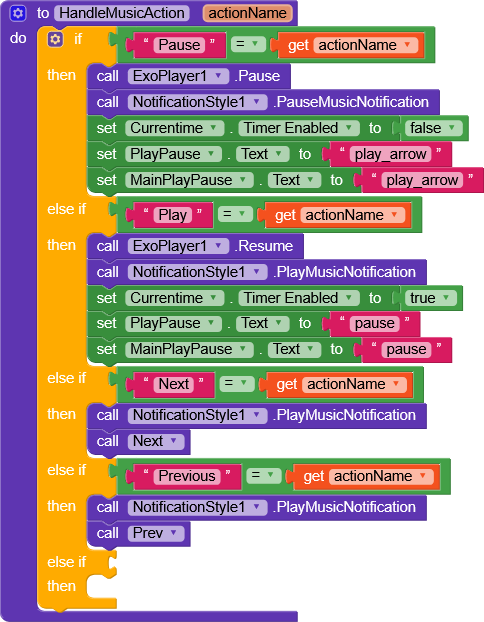
 What I Need:

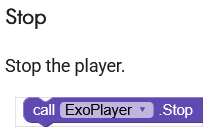
 .
.


 )
)