I need help. I want to send
posts from the database into the application. These blocks should work properly, can you help me?
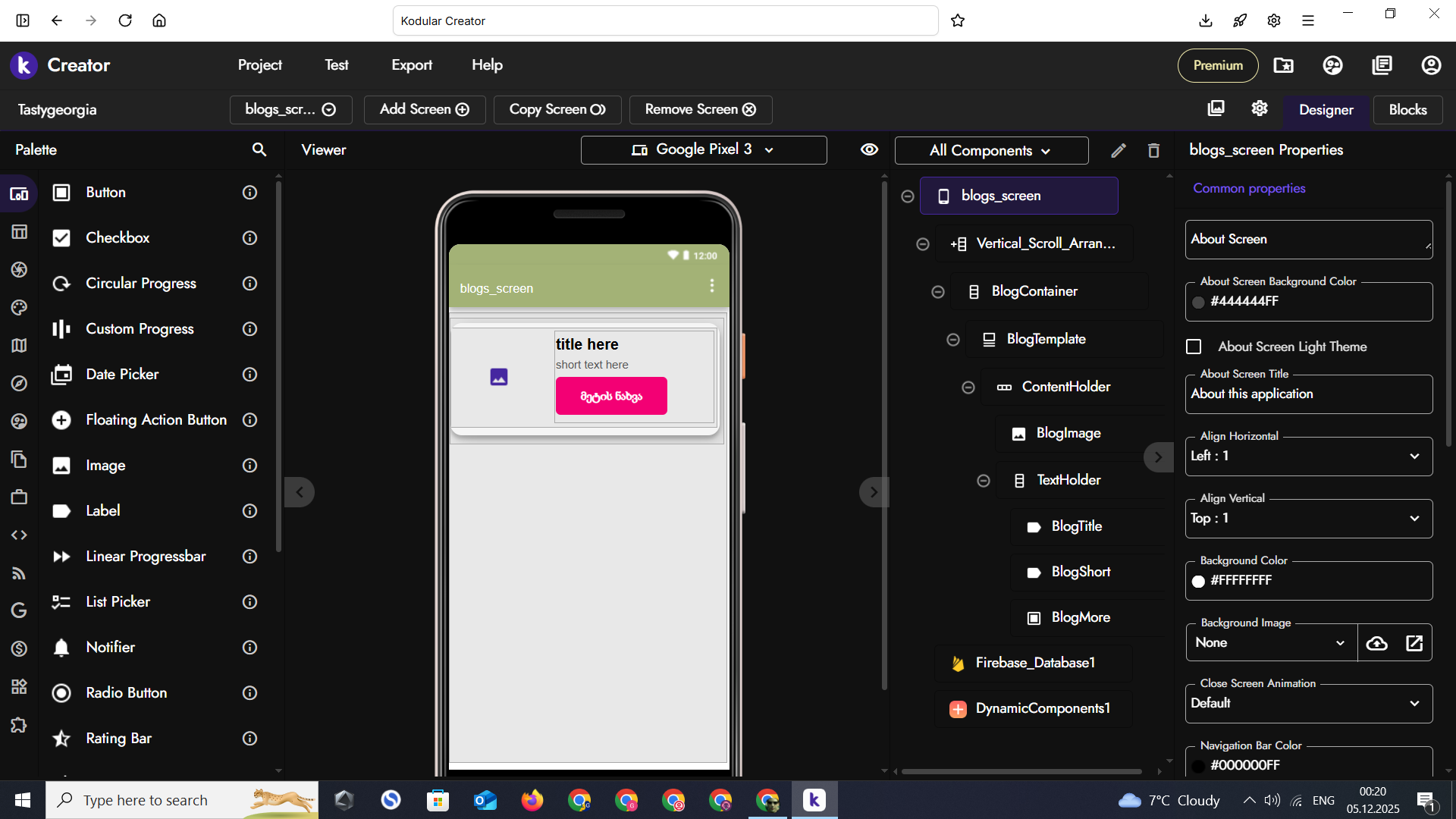
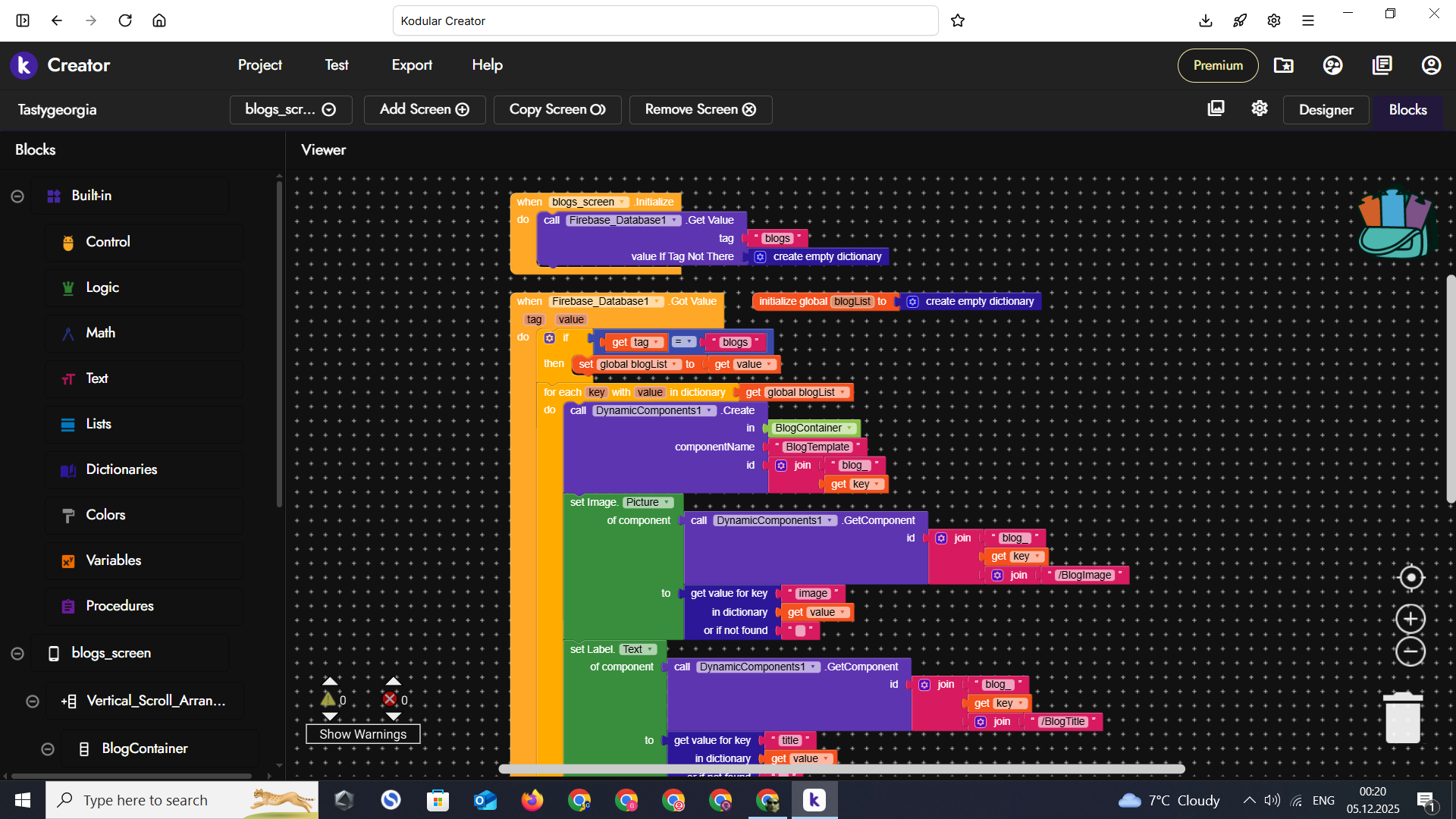
Hi dear,
It seems ok, are you getting any errors?
1 Like
Hello friend, it doesn’t write an error, I wrote the post in the database but nothing appears in the Kodular companion, the entire screen is blank
Well, then it’s very simple, you’re probably not receiving data from Firebase, so GotValue is never triggered, or you’re receiving an empty dictionary.
Add the Firebase error block with a message dialog, which is always useful.
Then, while connected in Companion, right-click on blogList and do “Do it” to see if the variable has been populated.
1 Like
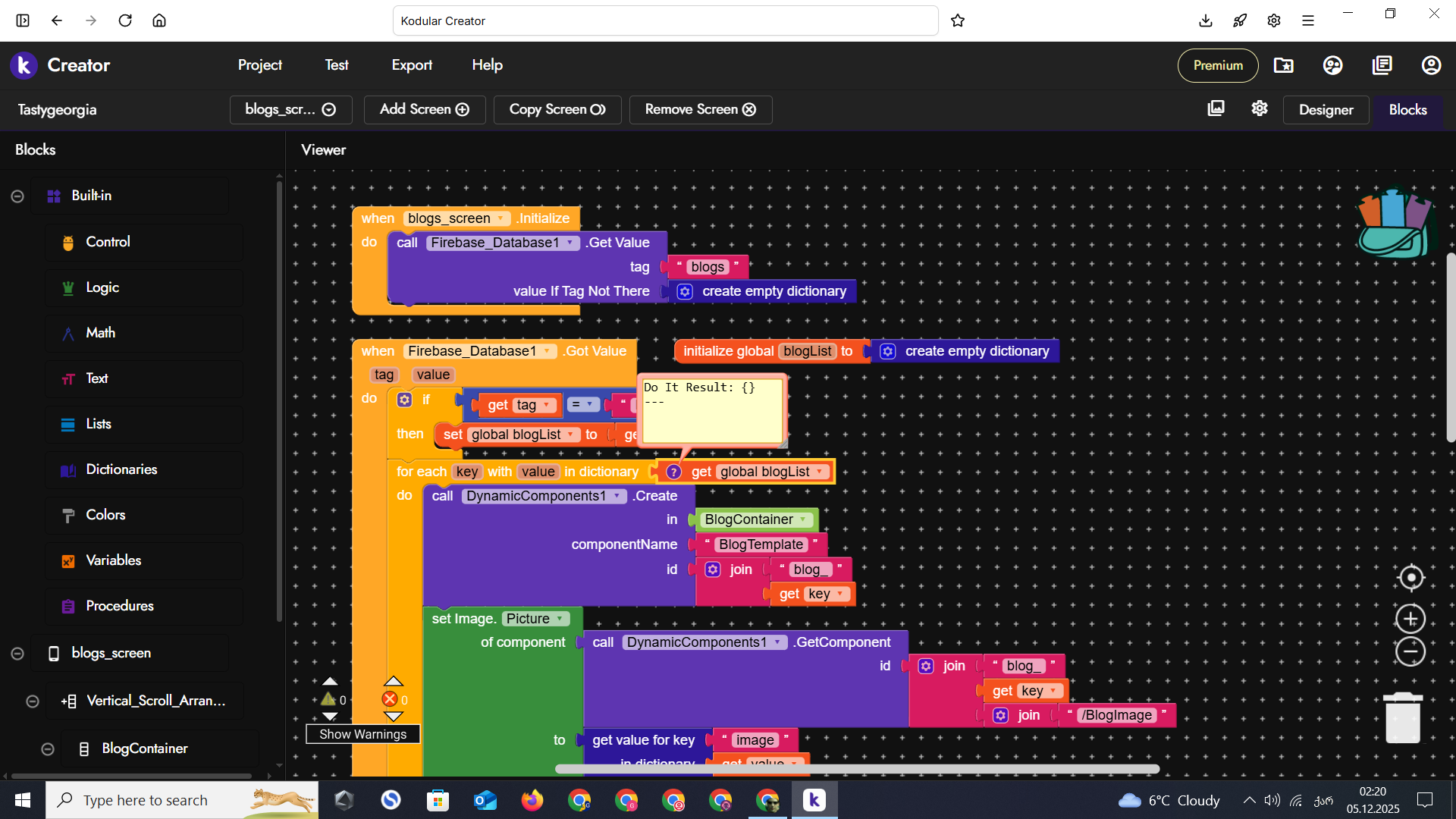
Great, at least we’ve identified the problem.
Since you’re not receiving anything, you’re getting valueIfTagNotThere, which is an empty dictionary.
1 Like
- Make sure you receive something.
- You’re using SET without having created the objects (image and label) first.
2 Likes
I left the bucket empty and now it shows something in the blocks, but in COMPANION the post that comes from the database still doesn’t appear on the screen.
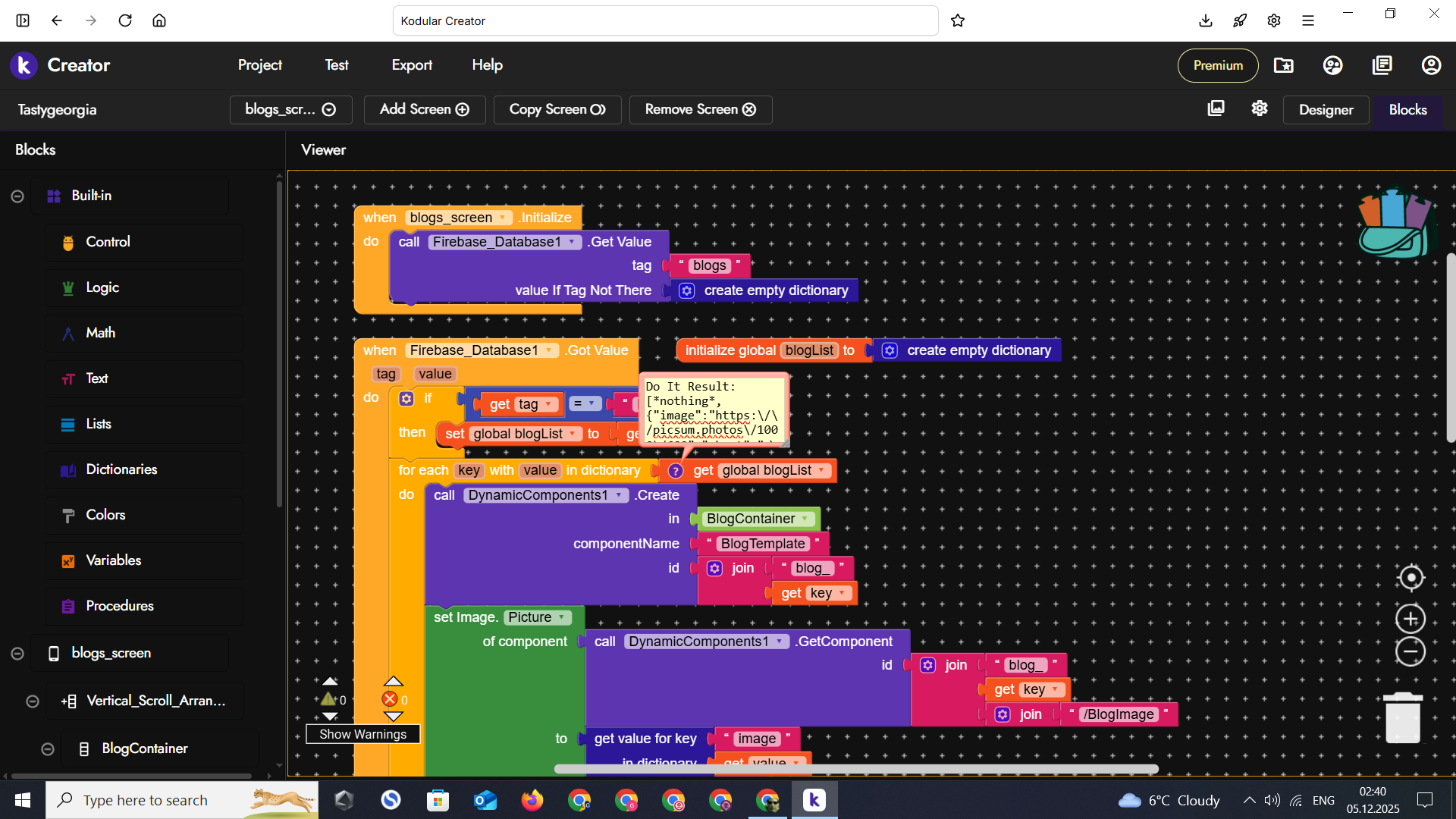
Wow, at first glance I didn’t notice, now I see this other thing too.
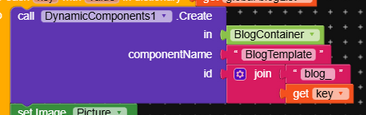
componentName will never work with that wording, the CN must be Button, Label, MakeroidCardView, etc.To create a template, there’s the dedicated
.Schema block, but it must be used correctly by generating a valid schema.
What you received starts with [, so it’s a list and not a dictionary, which should start with {.
Before proceeding, resolve the issues Gaston pointed out.
If you’re trying to create a schema, follow this brief explanation otherwise, you first need to create a dynamic image before you can use a Set block on it.
1 Like
Can I use a schema generator? Will that make things easier for me or is it better to write the blocks manually? To be honest, I didn’t even know about its existence, it’s very confusing and I don’t know how to do it.
I honestly much prefer schemas, but it depends on what you find more convenient.
I didn’t have many problems understanding how they worked even at the beginning, there are many guides in the community.
These, back then, helped me understand how it worked very well.
I usually create a screen called screenNAMEOFSCHEMA with the name of what that schema is going to do, then I build the layout I want there.
After that, I export the screen as .ais and import it here.
In Kodular I create a variable called schemaNAMEOFSCHEMA (at least, even if I use the schema in other parts of the app, to modify them I just need to change the value of this variable) and paste the schema text into it, then I use DynamicComponent.Schema (I’d recommend RecyclerList more, but I understand it makes everything more complex) to create the template.
Follow the guide to understand how the parameters work.
1 Like
With Schema you can do some really great things.
1 Like
I don’t know English well and that’s why I can’t study well. If you have time, can you help me do this? I’ve been using chtgb for 4 days. I’ve put 308 screenshots on this hair and I can’t do it.
I’m sorry for this difficulty,
First of all follow this step.
In that screen you create the design that layout will have, in your case I imagine it will be a CardView with a label and an image.