Zeljko
September 10, 2025, 12:54pm
1
I need a link to lesson for the best and simplest way to load data from a spreadsheet into a list view. Everything I found either didn’t work or was for something else.
RaYzZz
September 10, 2025, 1:08pm
2
Hi Zeljko,
I split it into a new topic because I thought it was more appropriate.
Sorry FIKIR, but as I explained to you,
works without any problems
list of 8000 elements
[immagine]
[immagine]
is there something in particular you don’t understand or had trouble with?
Instead of using Listview can you try using Dynamic or Recyclerlistview? It offer customizable UI. If you face any problem drop it here
RaYzZz
September 10, 2025, 1:26pm
5
Don’t keep them all to yourself
RaYzZz
September 10, 2025, 1:28pm
6
I don’t know how experienced he is, but teaching him to use dynamic components right away could make things difficult for him, one step at a time
RaYzZz:
one step at a time
Also forgive me, but i have to ask, what type of app are you planning to create? Then we can suggest where you should start
Zeljko
September 10, 2025, 2:58pm
8
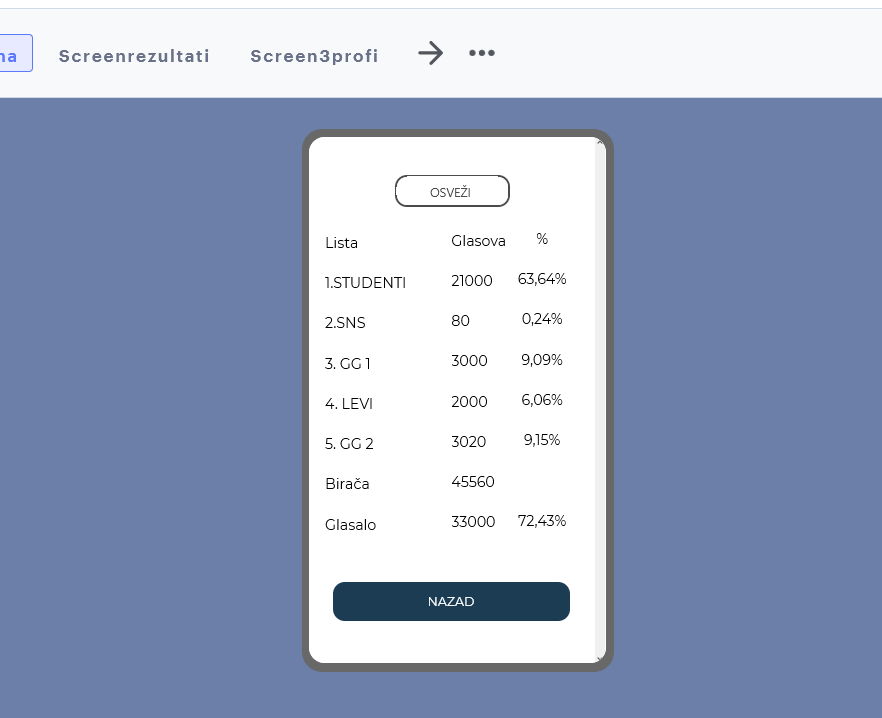
I want to import data from a Google Sheet as it’s displayed in columns. Here’s how I did it in Thunkable in a few clicks.
The data loads when the page opens, and there are only buttons for refresh and exit.
RaYzZz
September 10, 2025, 4:03pm
9
There are so many ways/extensions you can use,
I have make another version of TableViewer, it's a package of Webviewer and Javascript and CSS. so you can set up the style as you wish, if you know some CSS knowledge. Alll Blocks Init the extension layout can be vertical arrangement or...
Reading time: 48 mins 🕑
Likes: 188 ❤
If you want to create your own table view, you can create it using the WebViewTools Extension which you can download here:
[image]
I will explain each block
The main block in Web_Viewer is Evaluate Js
Zeljko
September 10, 2025, 4:42pm
10
I started indexing, the plan is to create a range and select cells from the range.
RaYzZz
September 10, 2025, 4:48pm
11
Sorry, I don’t think I understood very well
Me too,
I think if you respond here we would be in the end of the app
Edited: Just mention it’s functions
Zeljko
September 12, 2025, 4:45pm
13
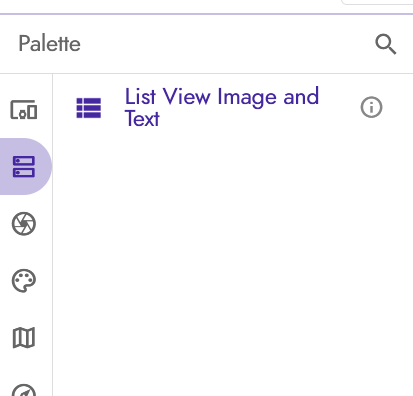
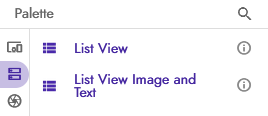
Can someone explain why there’s only one list image and text and no text-only list?
RaYzZz
September 12, 2025, 5:29pm
14
Try reloading the browser or search for it in the search bar
 Only trouble.