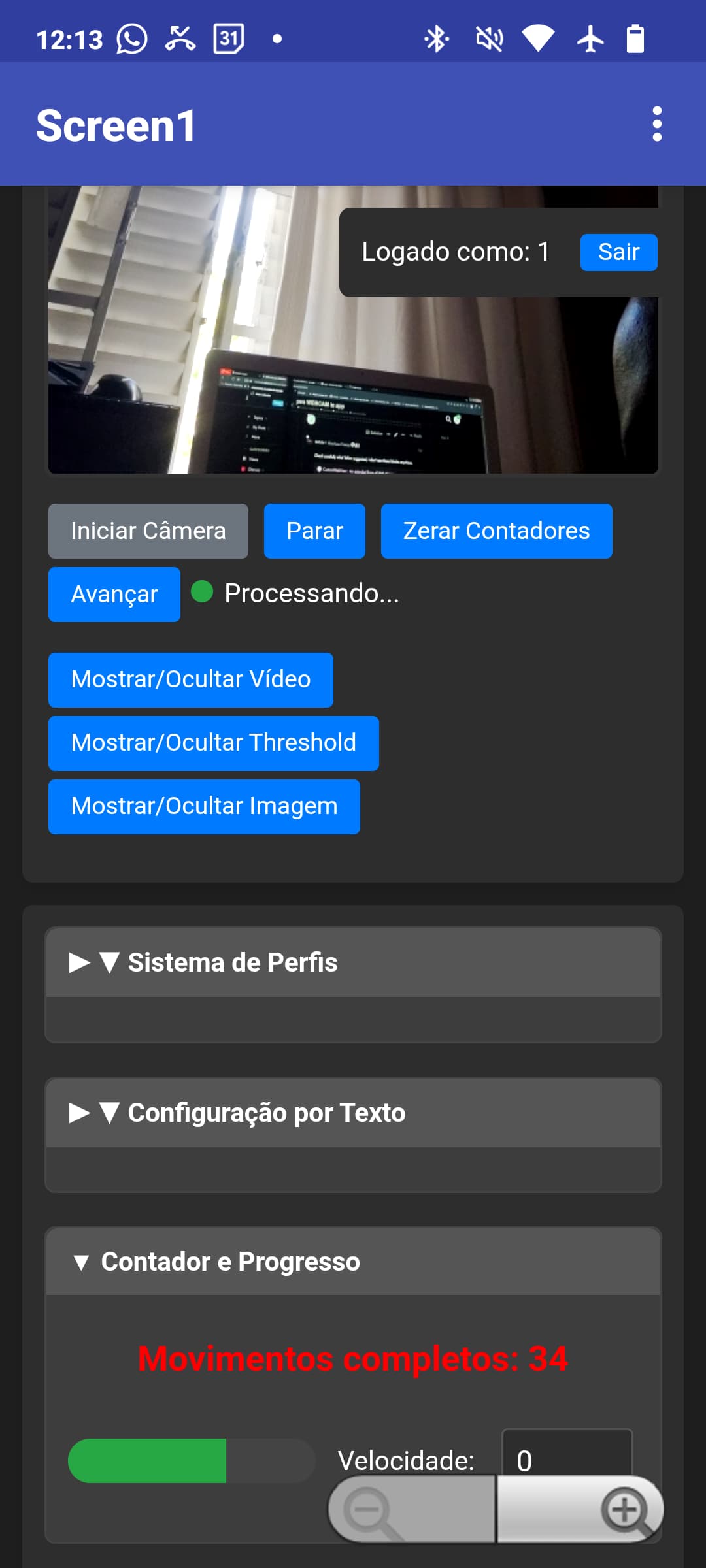
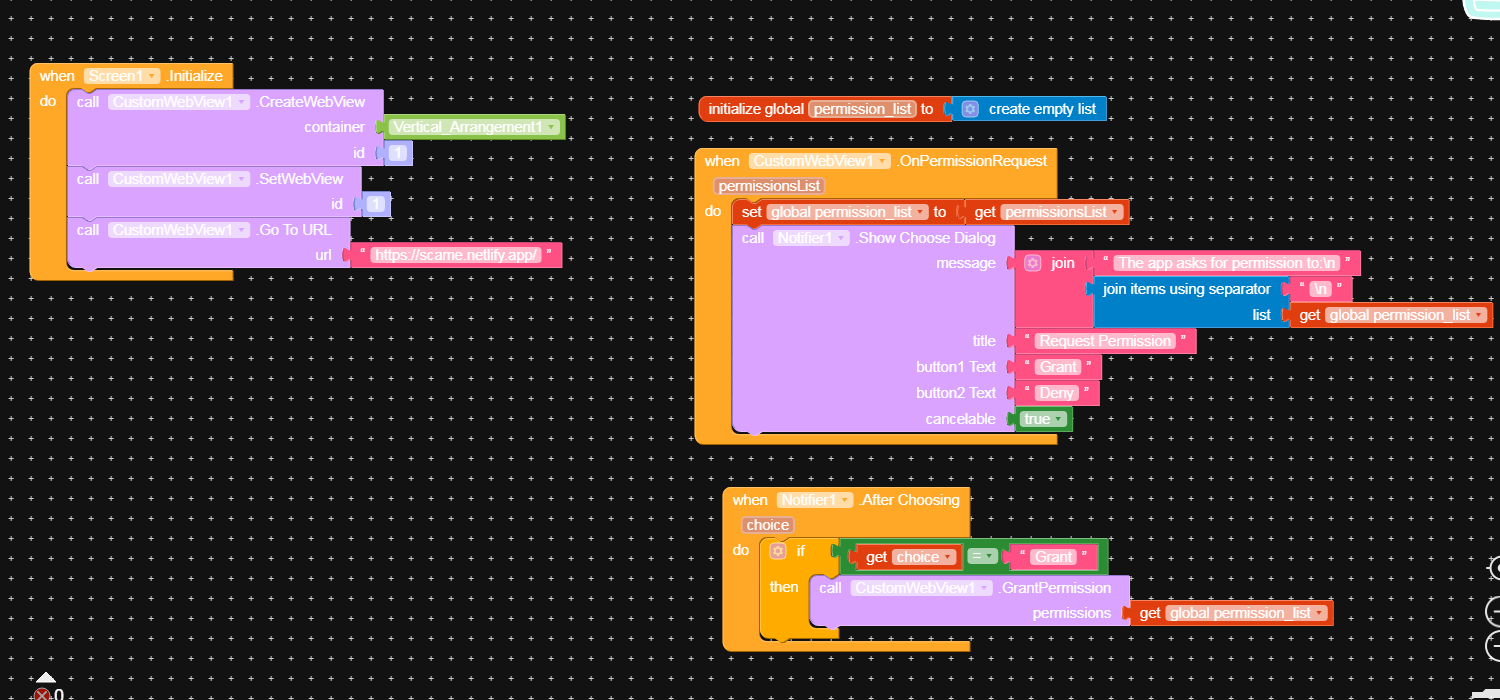
My webcam no open
Have extension to open my webcam ?
Hi @Jay_jason
Welcome to community!
What do you mean, can you elobrate more with screenshots?
Hi dear
A similar question was already asked some time ago use CustomWebViewer.
I try some alternatives fund here in site but anyone runs and open my webcam…
I try some AIA files. if i change someone freze screen after start.
and this question too , not are run.
I did some tests, and everything works correctly with CustomWebViewer (I tried it on two different devices using the APK).
What problems are you encountering?
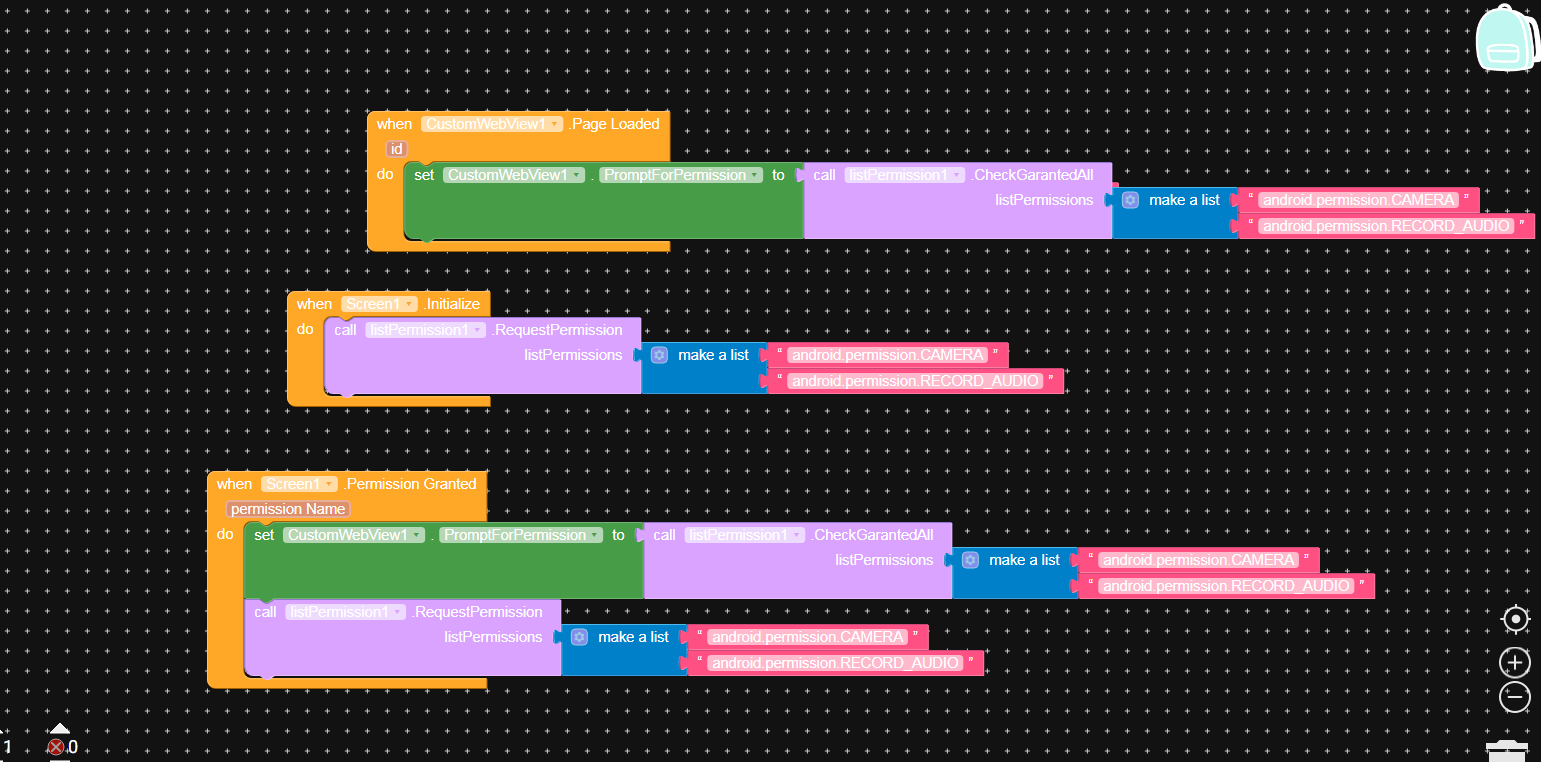
I try it … webview_permissions only run if i get APK ready if i compile on Kodular the AIA file of post the page only freee on android 12 and 14 … , other AIA runs normally.
you can send-me a print or aia.
my site are on https too.
Attached below is the blocked for what I have done, however, I have noticed that: There is always a pop up message whenever I open the app that says allows the app to record audio, also whenever I try to go live on the website, the app is not acessing the camera, the screen is always dark, lastly, the app can not record audio.
What I want the app to do:
record audio,
allows access to camera for livescreaming
allows file uploads, file upload is working.
ask and allow for location access
thanks
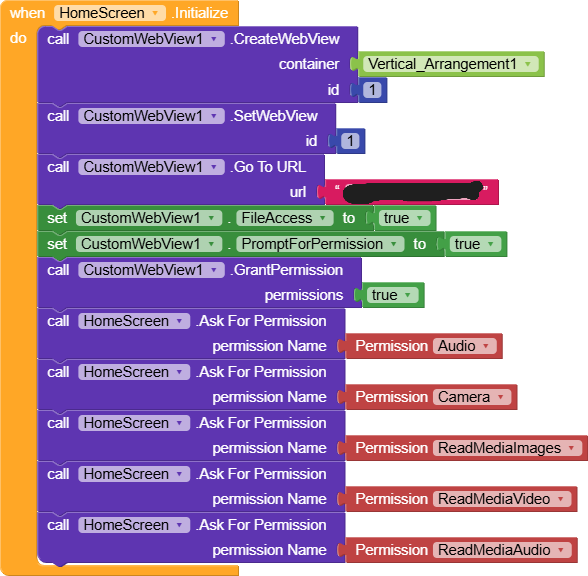

my android too frezee screen .
not see custom webview
See this example about how to use GrantPermission correctly
Taifun
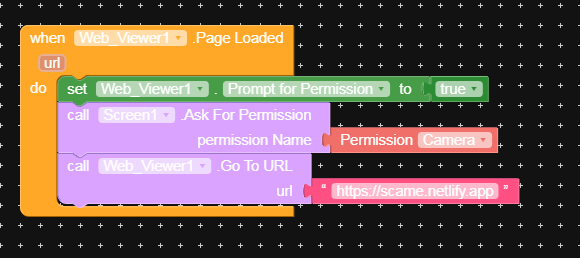
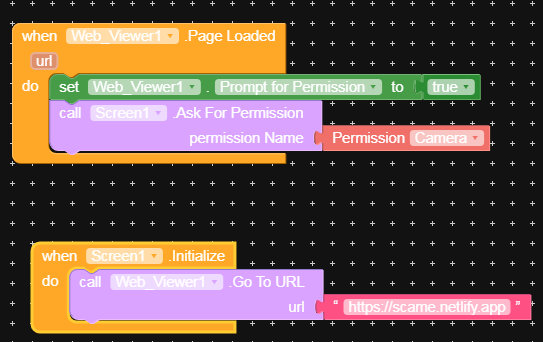
its show that my can areopen but i not see
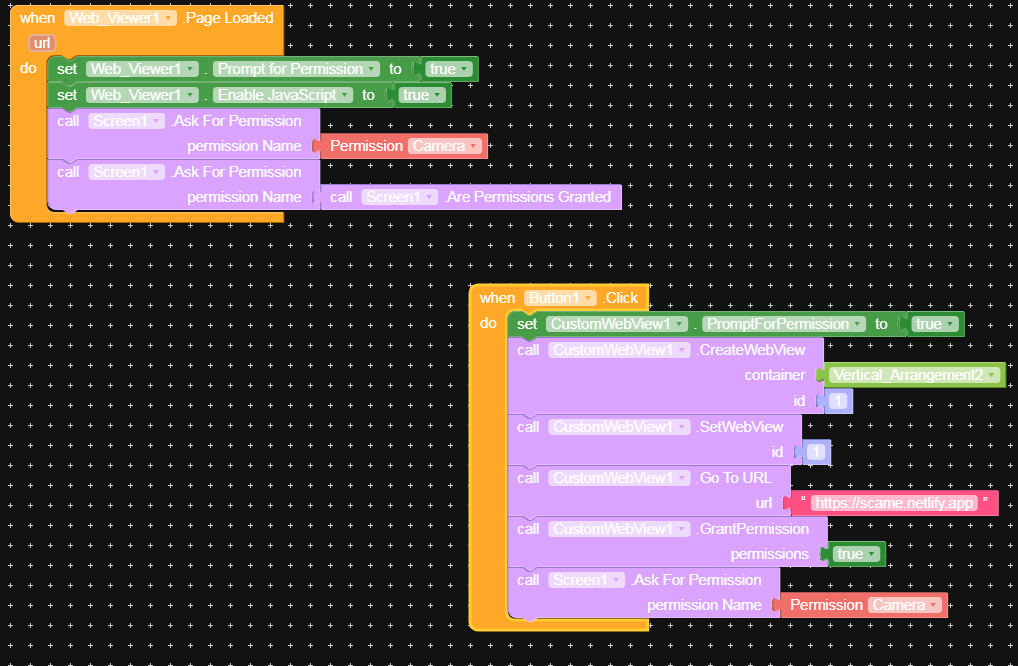
Check carefully what Taifun suggested, I don’t see those blocks anywhere.

Permissions requires the name of the permission, not a boolean.
1 Like