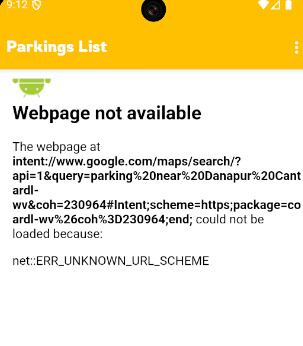
and when click it suppose to show Map Near by parking location through webpage but showing this error with extra part autoamtically adding in url is this : #Intent;scheme=https;package=co ardl-wv%26coh%3D230964; end;
Sorry, I hadn’t read carefully and didn’t realize it was on your own website
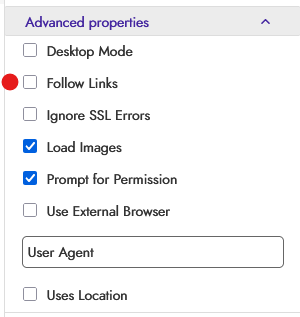
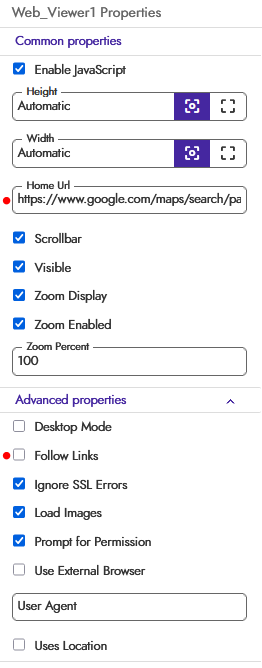
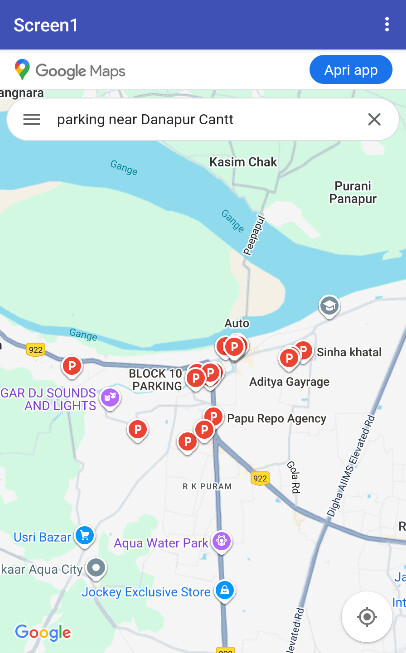
If you set the WebViewer URL directly to the map link with Follow Links disabled, you can view the map directly within the app WW without having to exit.
problem is I have to set to URL, But I Have multiple cards on my website where for everylocation a button to find nearby parking to that loaction, and when clicking on that button not able to get, that’s why i used external browser and it’s opening MAP directly which is good too.
I thought of doing it this way because I read that you wanted to view the map directly from Kodular.
You can dynamically create buttons/cards that set the WebViewer URL so you don’t even have to leave the app.
Anyway, the important thing is that you’ve solved it.
Securebugs has a website containing buttons that, when clicked, redirect to Google Maps.
My idea was to recreate those buttons on Kodular and assign each one a URL.
When a button is clicked, it performs a GoToURL action in the WebViewer, so there’s no need to even leave the app.