Hi all!  ,
,
Today I want to share with you a way to create a custom view pager.
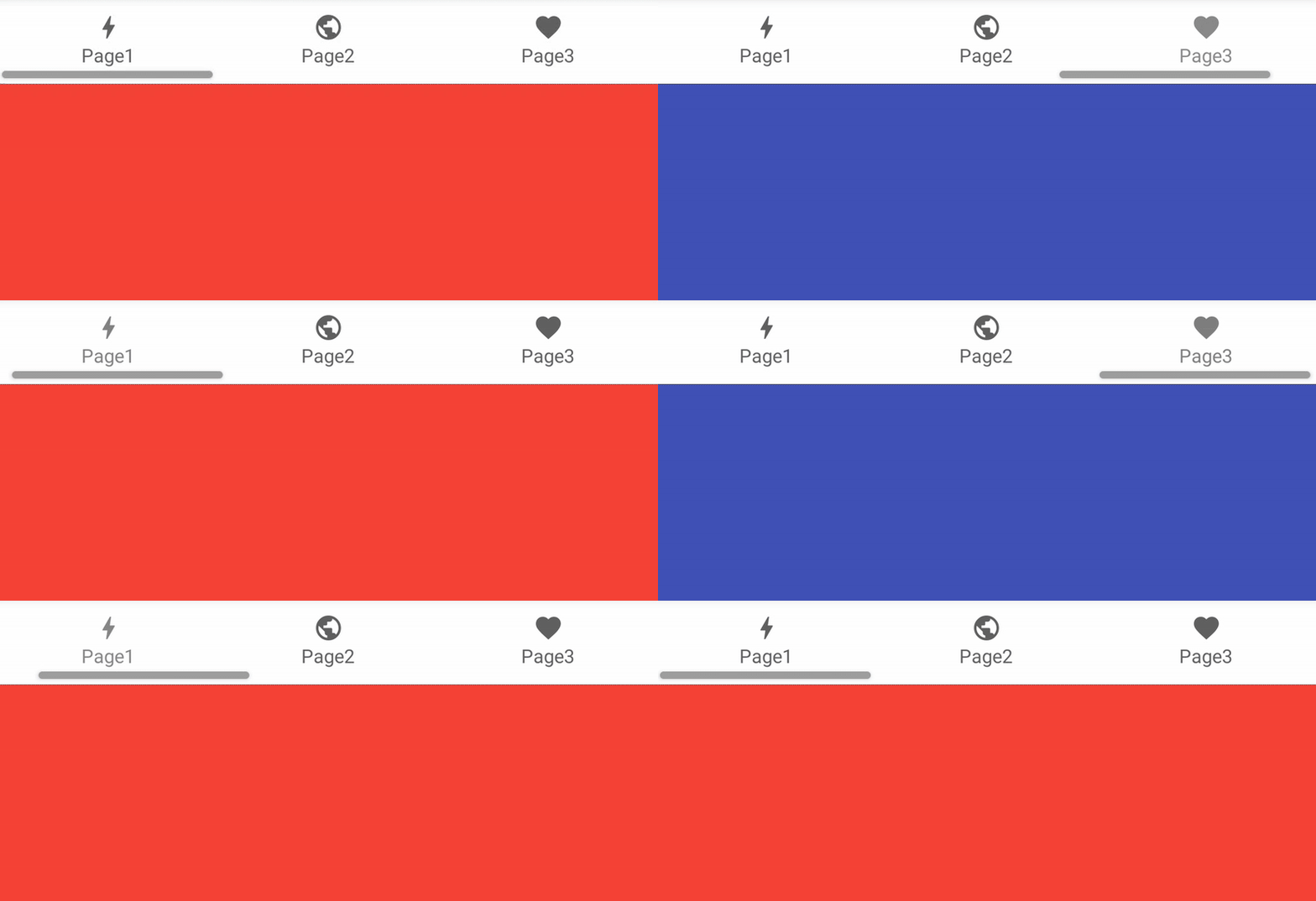
We will start with an example using only native components, and then with Dynamic Component (very simple and easy to use).
Native components
Layout
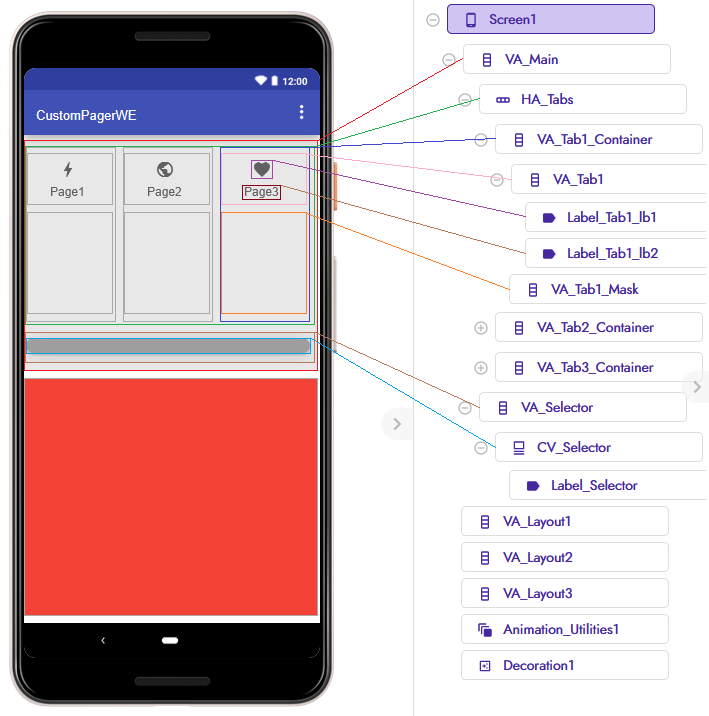
Let’s start by explaining the layout and what each component does.
VA_Main(VerticalArrangement) will be our main container for all layouts it will actually be the ViewPager.HA_Tabs(HorizontalArrangement) will contain the various tabs (VA_Tab_Container).VA_Selectoris the container for our selector bar.
Each tab (container) will consist of:
VA_Tab_ContainerVA_Tab- Label_Tab_lb1
- Label_Tab_lb2
VA_Tab_Mask
VA_Tab_Container contains VA_Tab and VA_Tab_Mask which will overlays VA_Tab to make it fully clickable.
VA_Tabholds images, labels, Lottie animations, or any other components we want, and it will be the actual tab.VA_Tab_Maskis a transparent layout on top, allowing us to use it as the .Click target.
Then we’ll have three VA_Layout components corresponding to the number of tabs created.
They will be displayed when a tab is clicked.
And finally Animation_Utilities + Decoration components.
Screen1.Initialize
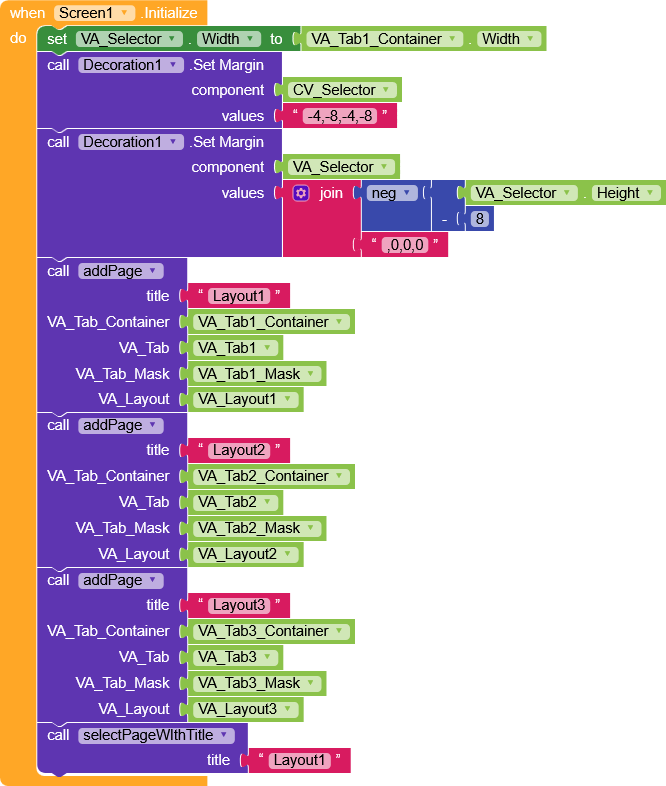
- Initialize the screen by setting
VA_Selectorto the width of the first tab element - Apply negative margins to
CV_Selectorto reduce the occupied space - Apply negative margins to
VA_Selectorso it overlapsHA_Tabs - Call the
addPagefunction with parameters:title,VA_Tab,VA_Tab_Mask,VA_Tab_Container, andVA_Layout - Select the first layout by calling
selectPageWithTitle(Layout1)
addPage
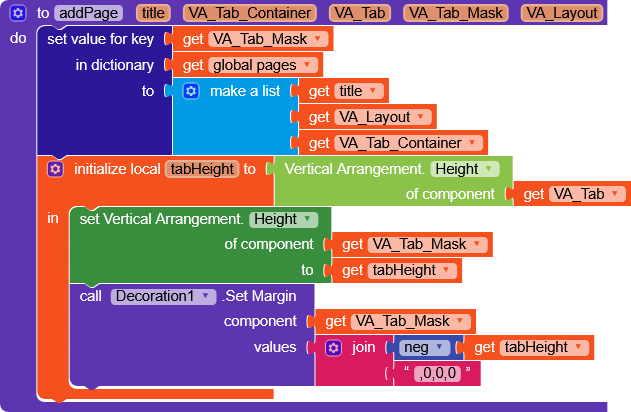
- This function saves a dictionary with
VA_Tab_Maskas the key and a list of parameters (we’ll need later). - Create a variable
tabHeightcontaining the height ofVA_Taband set it toVA_Tab_Mask.Height, then apply a negative margin so it perfectly coversVA_Tab.
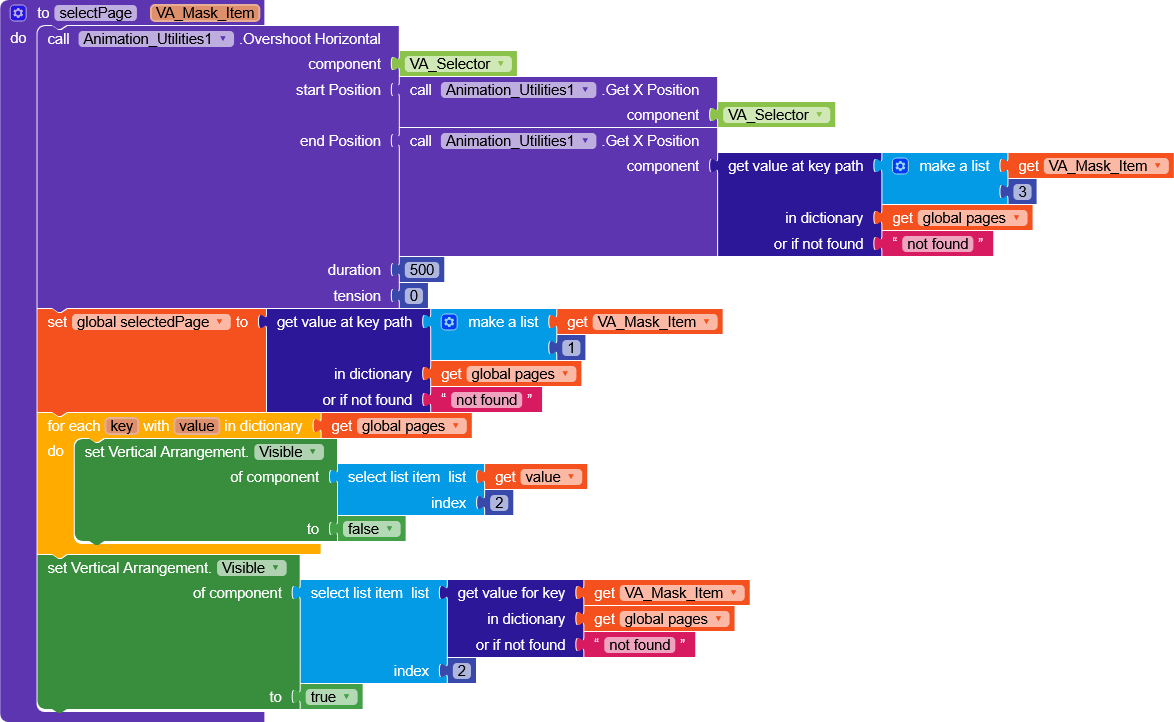
selectPage
- Using
OvershootHorizontal, moveVA_Selectorhorizontally from its current X position to the X ofVA_Tab_Container - You can choose any animation style and adjust parameters like duration and tension, or even use an extension for advanced effects (e.g., Phase Animations Made Easy)
- Retrieve the title from the
pagesdictionary and setselectedPageto always know which page is active - Hide all
VA_Layoutcomponents and only show the correct one.
If we want, Instead of hiding the layouts we could connect a real ViewPager with hidden tabs to also enable left and right swipe .
whenAnyVerticalArrangement.Click
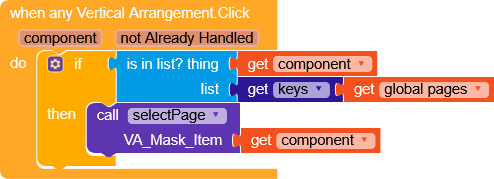
- Checks if the clicked VA is a key in
pages(remember, keys are alwaysVA_Tab_Mask) - Calls
selectPage(clickedComponent)
selectPageWithTitle
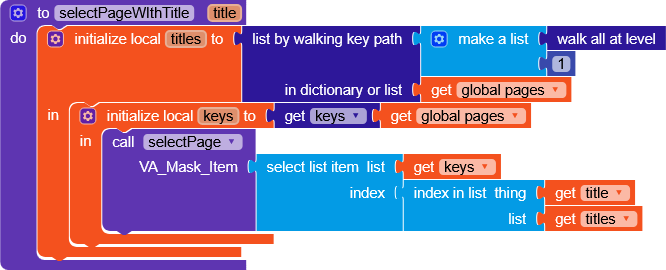
- Retrieves all titles in
pagesand saves them intitles - Saves all keys from
pagesinkeys - Finds the index of the title and retrieves the corresponding key (
VA_Tab_Maskcomponent)
And that’s it! 
AIA (Without extensions)
CustomPagerWE.aia (10.0 KB)
Dynamic Component
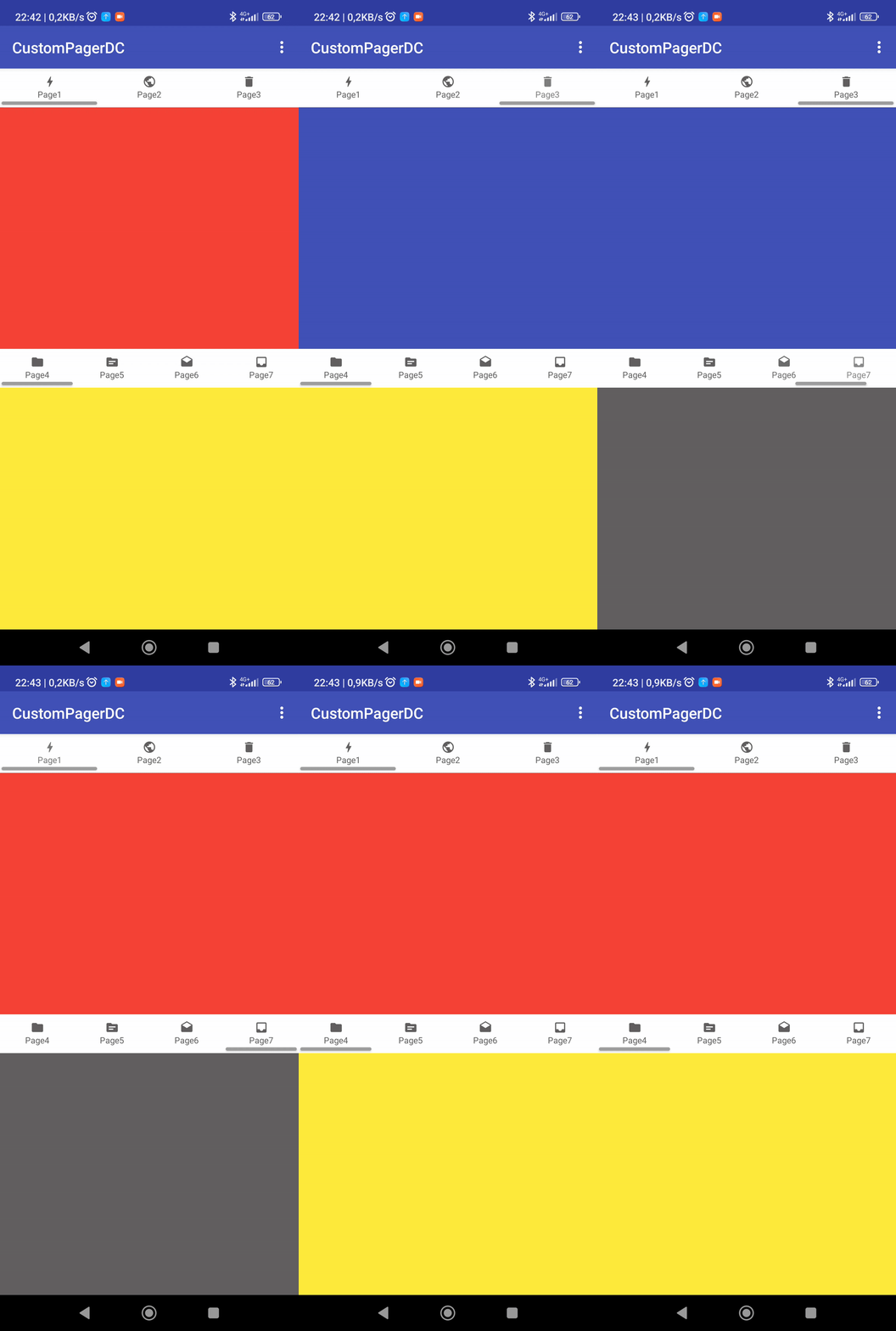
If you have the Dynamic Component extension, everything will be even easier.
Thanks to Dynamic Component, we can create a structure and have multiple tabs without needing to copy/create anything.
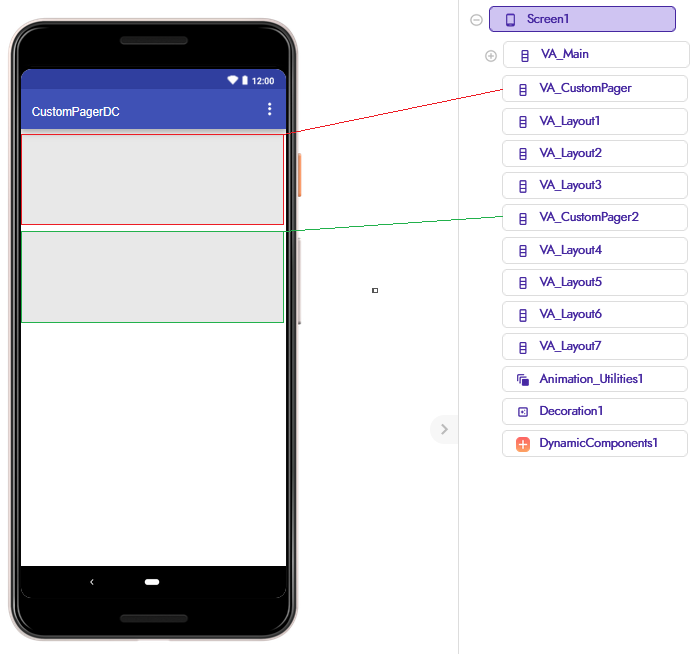
We’ll just need one arrangement to create the pager (useful only to see where it’s positioned in the Designer, can be dynamic) and to create the layouts to insert inside it (though these can also be dynamic elements, an inception of arrangements  ).
).
I’m leaving a project without explanations because the logic is practically the same, just adapted to the dynamic functionality.
AIA (Dynamic components)
CustomPagerDC.aia (50.2 KB)
If anything is unclear, as always I am available to provide further explanations.
I avoided going into too much detail to prevent creating an overly long guide.
As with all the custom guides I’ve made, I remind you that we have full freedom to modify the layouts in any way we like, so don’t set any limits, if you have something specific in mind that you can’t manage to do, feel free to ask for help.
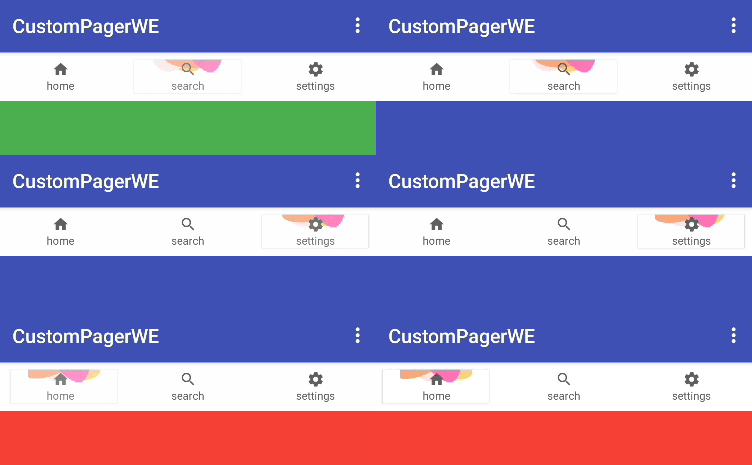
With a Lottie component
Happy  oding!
