I tried, nothing worked, so removed all blocks inside it.
How about the extension I just posted here?
I am looking for easy solution using customwebviewer OnErrorReceived block.
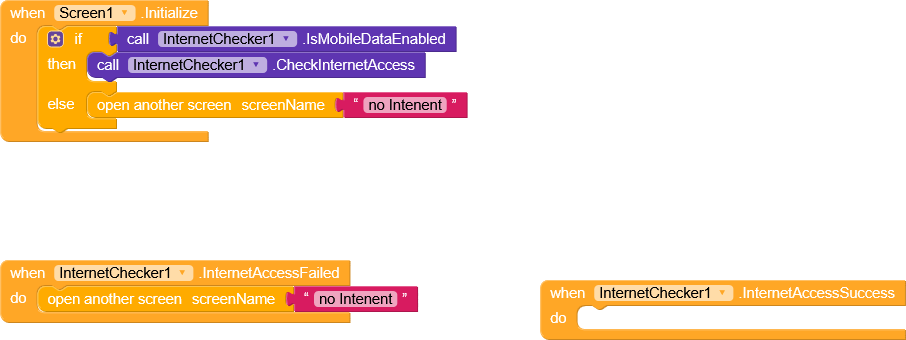

If you still needed to use the error from the Custom WebView, you can use the error code+contains but this may triggered either the device got internet access

Cant we block this "webpage not available"page. it should not show at all.
or
when it is triggered, custom error screen should show.
Which means you’re not trying anything am adding here

Have you?
Since it’s a WebView that’s not seems available
Show what you have done using OnErrorOccurred event.
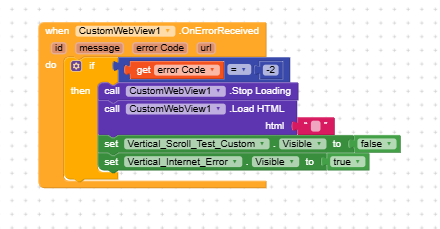
sir, i tried like this. when internet disconnected, it showed blank page. when i connected it using no data sim, it showed Webpage not available with err_connetion_aborted.
Good, now tell me what error are you handling in the event?
Is it err_connetion_aborted ?
A simple search on google about android webview error codes will give you common error codes which you’ll need.
For more info, check this
1 Like
Thank you @vknow360. Will try.
How to clear CustomWebView history stack when switching URLs on a single ID?
I am building an app using CustomWebView extension and I’m having trouble managing the browser history stack.
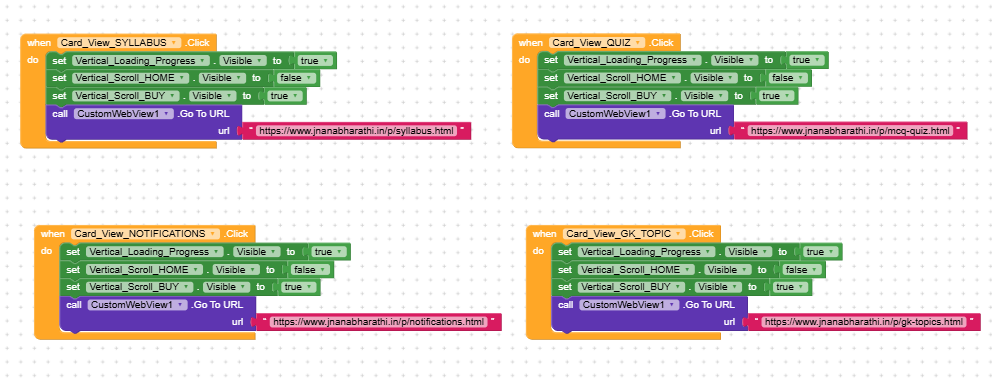
My app has a Home screen layout with multiple Card Views (e.g., Syllabus, Notifications). When clicked, each card sets a webviewer layout to visible and loads a specific URL using ID 1.
The Problem: When switching between these sections, the history stack from the previous URL remains active.
- User clicks Syllabus - opens Syllabus URL.
- User presses Back - hides webviewer layout, returns to Home layout.
- User clicks Notifications - opens Notifications URL.
- User presses Back - instead of returning to the Home layout, the webview navigates backward to the Syllabus page because it’s still in the history stack of
id 1.
I have attached Current Blocks. Any guidance / block examples would be greatly appreciated. Thank you! @vknow360
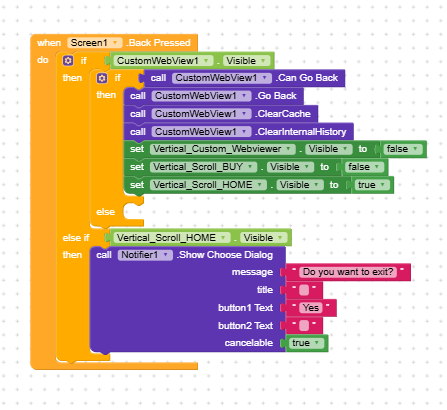
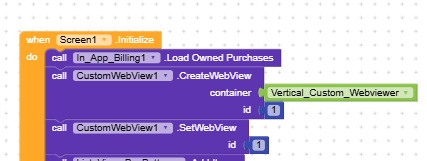
You call GoBack before you clear the internal history ?
If you just want to go to the Home layout, why not just call that url ?
Please guide me with the correct backpressed blocks.
You may want to set/reset a url for the webviewer and clear the history?
When backpressed, look for previous page, if no pages, clear web history and close. Thats what i want.
Set a variable with your previous page url, then call that instead of relying on GoBack
Hi dear,
Isn’t it enough to simply not use GoBack? 
There are more links inside the syllabus page.
So you simply need to clear the History when you’re not in Syllabus.
I recommend following this guide that explains how to use virtual screens
you can implement it and use it to specify that if you’re not in Syllabus or others “screen”, it should clear the History