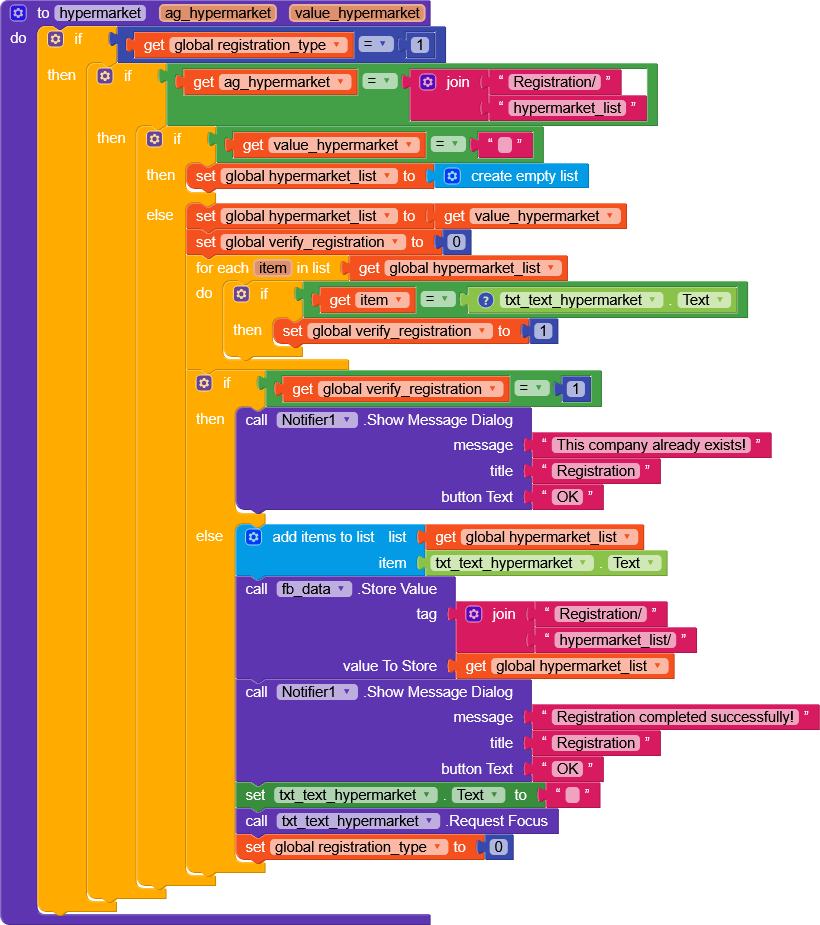
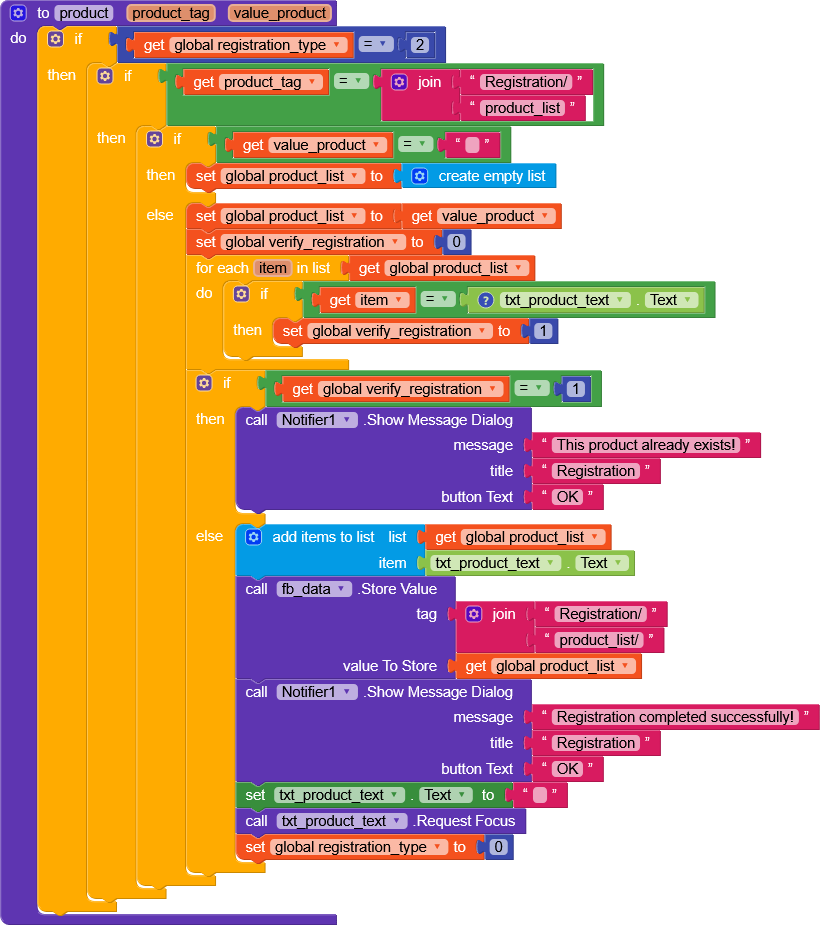
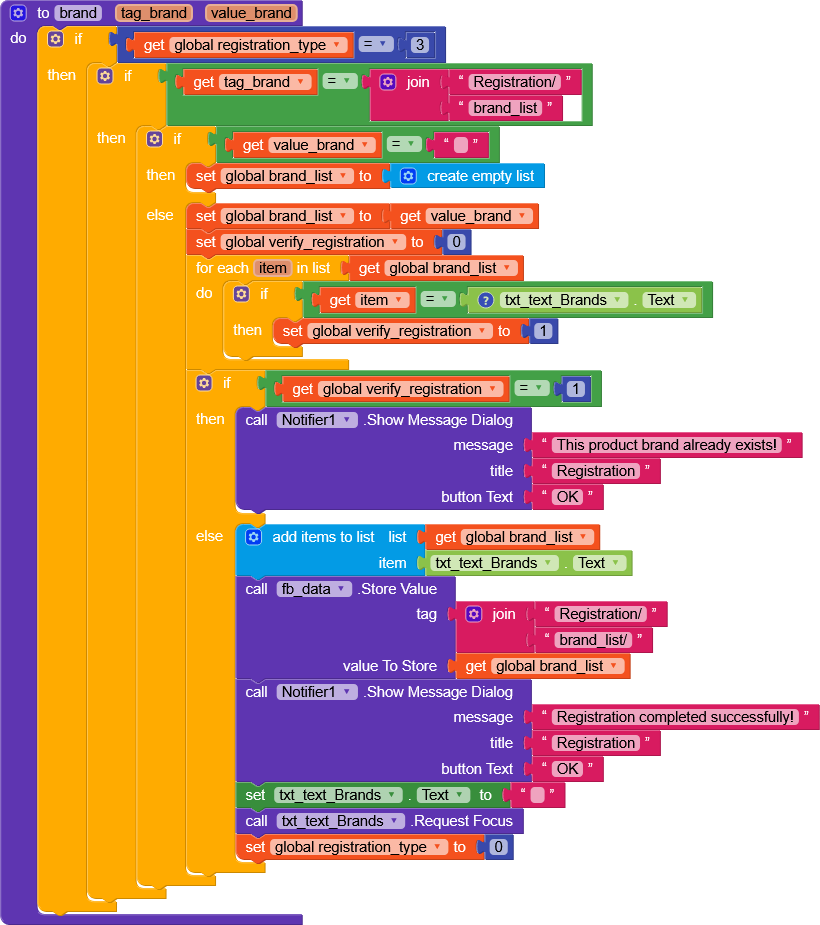
To save the data to the database, I did the following:
I created four variables, three of which were empty lists and two of which were integer variables.
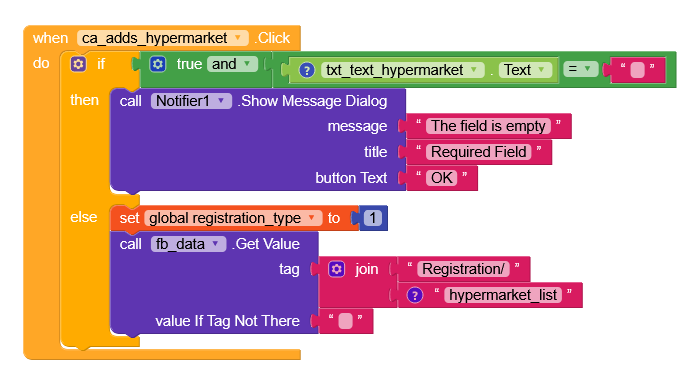
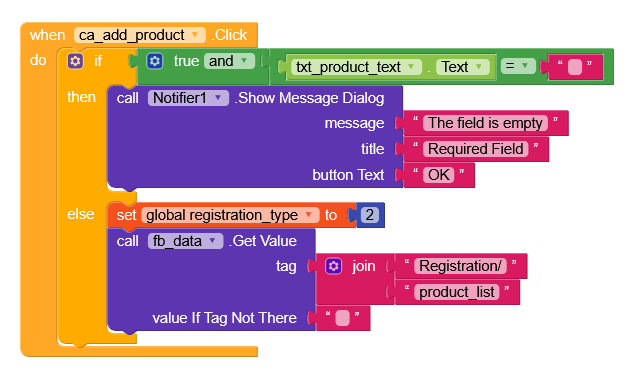
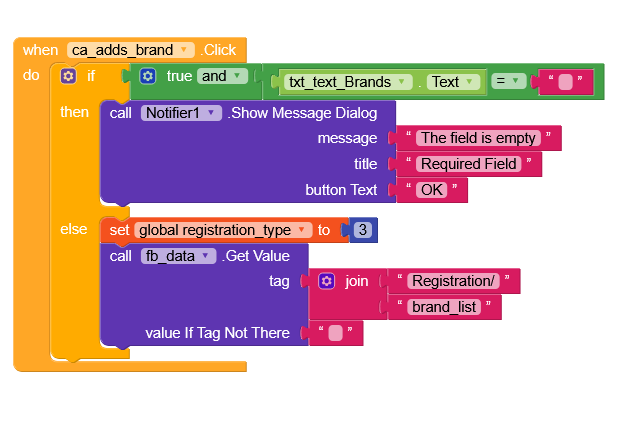
I have three card views for adding hypermarket, product, and brand.
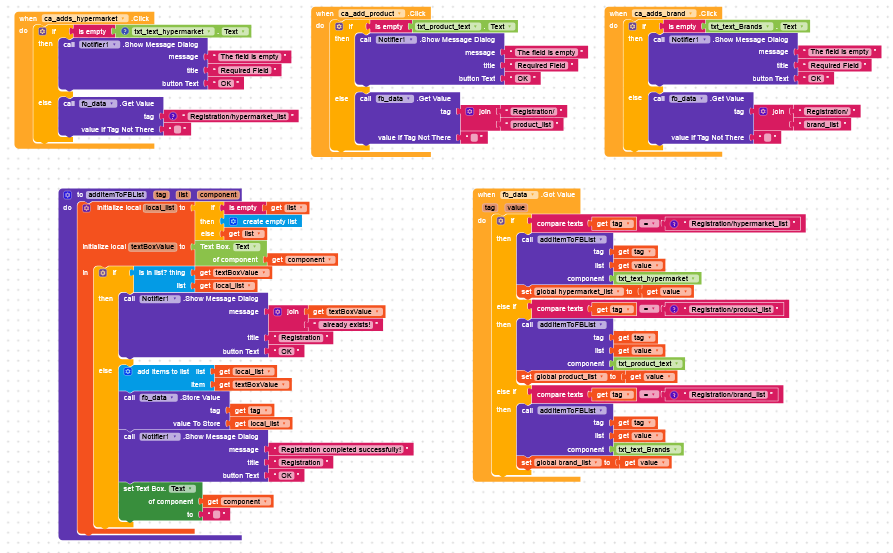
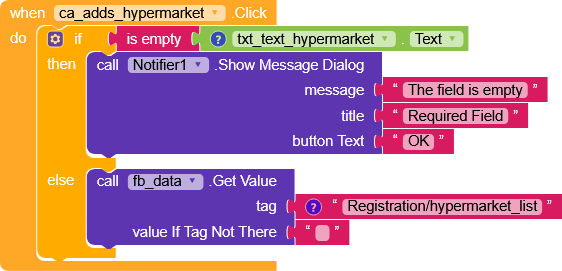
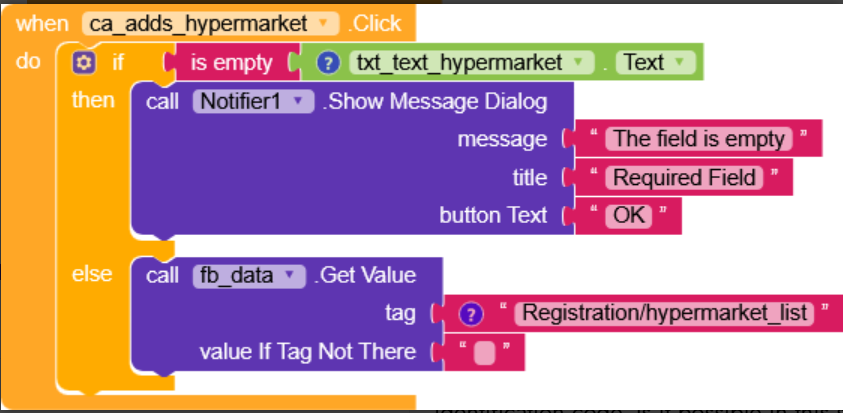
Before adding, check that the text boxes are not empty for each one.
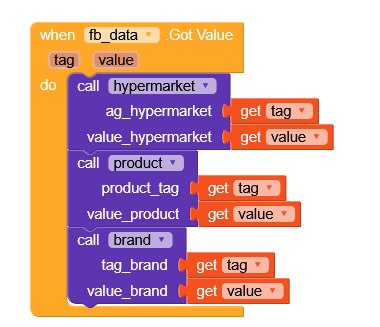
If they are not, I call Firebase to get the value.
The “registration type” variable identifies whether the record will be of the hypermarket, product, or brand type.
The “verify registration” variable determines whether the data being recorded already exists in the database to avoid duplication.
It turns out that it’s not recording any of these types.
instead of doing if true and txt_text_hypermarket.Text = "" just use is empty directly
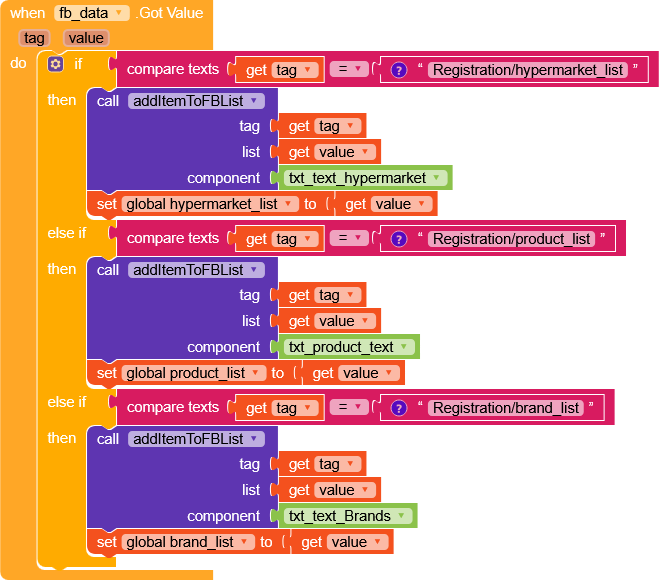
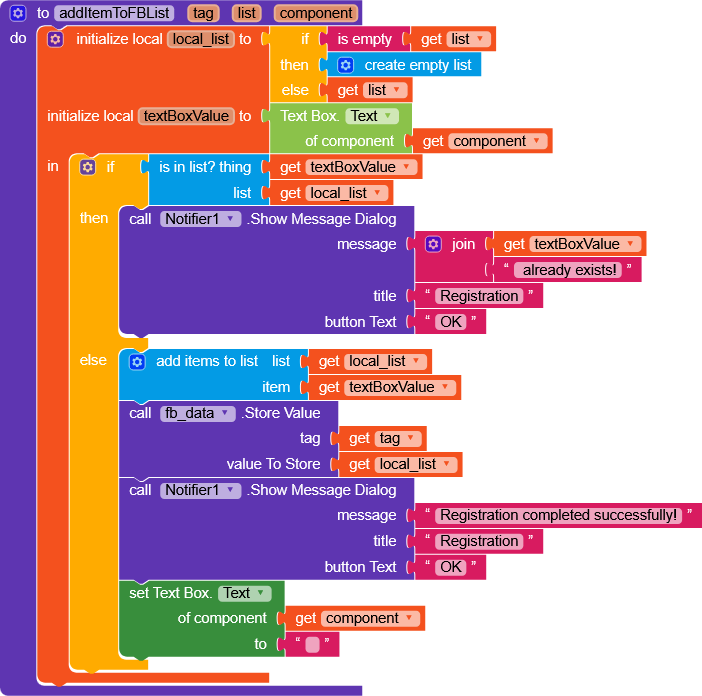
we can remove the variable registration_type because you can filter the function to use directly in gotValue
if the tag is /Registration/brand_list you use the brand function,
if the tag is /Registration/product_list you use the product function,
and the same goes for the other one.
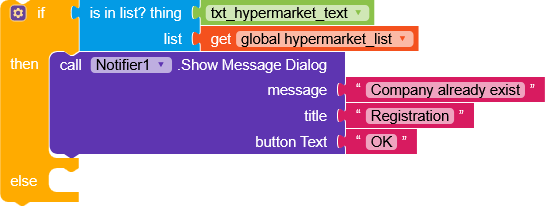
when you check if the data is already present with the functions you could instead
regarding writing to the database, first check if you are actually adding something, add a notifier that shows you the hypermarket list before sending it
Perfect. I’ll run the tests here and let you know.
Just one question. In the post I accidentally deleted about the popular hypermarket, product, and brand spinners, which has already been resolved, I was getting an error when starting the screen. That is, since there was no data saved in the database, the companion would freeze. To prevent the user from entering this screen and getting this error, is there a way to perform a validation beforehand, such as when it verifies that no data is saved, it displays a message that they must register first?
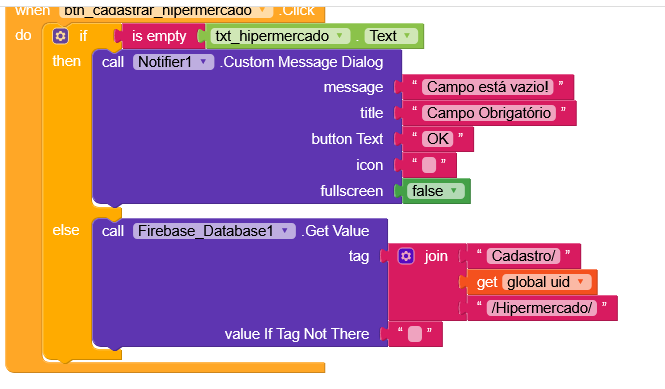
Gianluca, I wanted to save my tag this way, because it now has the Firebase authentication identification code. Is it possible in this structure that you gave me?
You should be more specific.
When using a node with the UID, you should also use rules, but they don’t work very well with the Firebase Authentication component.
Unfortunately, the native Firebase component doesn’t pass the auth token during operations, so it wouldn’t be very useful to use a UID in the middle of the nodes.
However, not all is lost, the legendary TIMAI2 has made a guide with all the details on how to use rules in Firebase through the Web component.


 .
.

 Tim
Tim