Hello, the adGuard DNS service is canceling advertisements. How can I know which DNS the user is using or bypass this method?
You are confusing two terms here: DNS and DNS-based ad blocker. The “DNS”, or DNS server, are usually a set of IPs used by devices to translate from domain names (let’s say, kodular.io) to the actual IP it has to route the request to. A DNS-based ad blocker is just a proxy over another DNS server, which will not “forward” the request to translate the domain name if the domain name is known for being used to serve ads.
For example, when a normal user tries to resolve admob.com, if they have Google DNS configured, the request will go to 8.8.8.8, and Google will reply back with admob.com IP address. If an user is using AdGuard DNS, the request will go to whichever IP AdGuard DNS is hosted on, and AdGuard will not forward the request to 8.8.8.8: it will reply saying the domain does not exist. If instead the user wants to resolve google.com, then AdGuard DNS will forward the request to 8.8.8.8, and Google will reply back with the correct IP, which will be proxied by AdGuard DNS.
Using AdGuard DNS does not mean they are using an ad blocker for example. In AdGuard, you can configure “lists” of undesired domain names. For example see GitHub - hagezi/dns-blocklists: DNS-Blocklists: For a better internet - keep the internet clean!. Some lists are indeed for ad blocking, but some others are to prevent malware or NSFW sites. Another benefit of AdGuard DNS is that it provides a local cache of resolved DNS, so if two devices in the same network want to resolve the same hostname, only one will go to the Internet, the second one will benefit from less latency as it has been cached due to other device requesting it previously.
DNS-based ad blocking is implemented using a “custom DNS server”, but using a custom DNS server by itself does not imply they are using an ad blocker.
If you want to know whether the user has any kind of DNS-based ad blocking, first of all the practice is discouraged. Users will get annoyed by your app, as “adblock blockers” are very much disliked: android - How to detect if a user is using an Adblocker on my app? - Stack Overflow.
However, if you still want to proceed, you may assume that “if admob.com cannot be resolved” (or any other known ad serving hostname), they may be using some kind of DNS-based ad blocker. However, it is still not guaranteed as it may be some connectivity issues for example.
In any case, you cannot say that, if they are using a custom and/or local DNS server, they are using an ad blocker. Most routers will actually have a local DNS server, proxying to an external one. But it may not have any kind of ad blocker features.
3 Likes
Wow. I tested dnsGuard and it really blocked ads from all apps, including those from other developers. So I think this practice can’t really be avoided, as it’s difficult to distinguish between a blocker or simply a connection problem.
thanks for your help
Probably because by default they do. I do have AdGuard DNS in my router, and if I don’t select any list in here, it won’t block any ads:
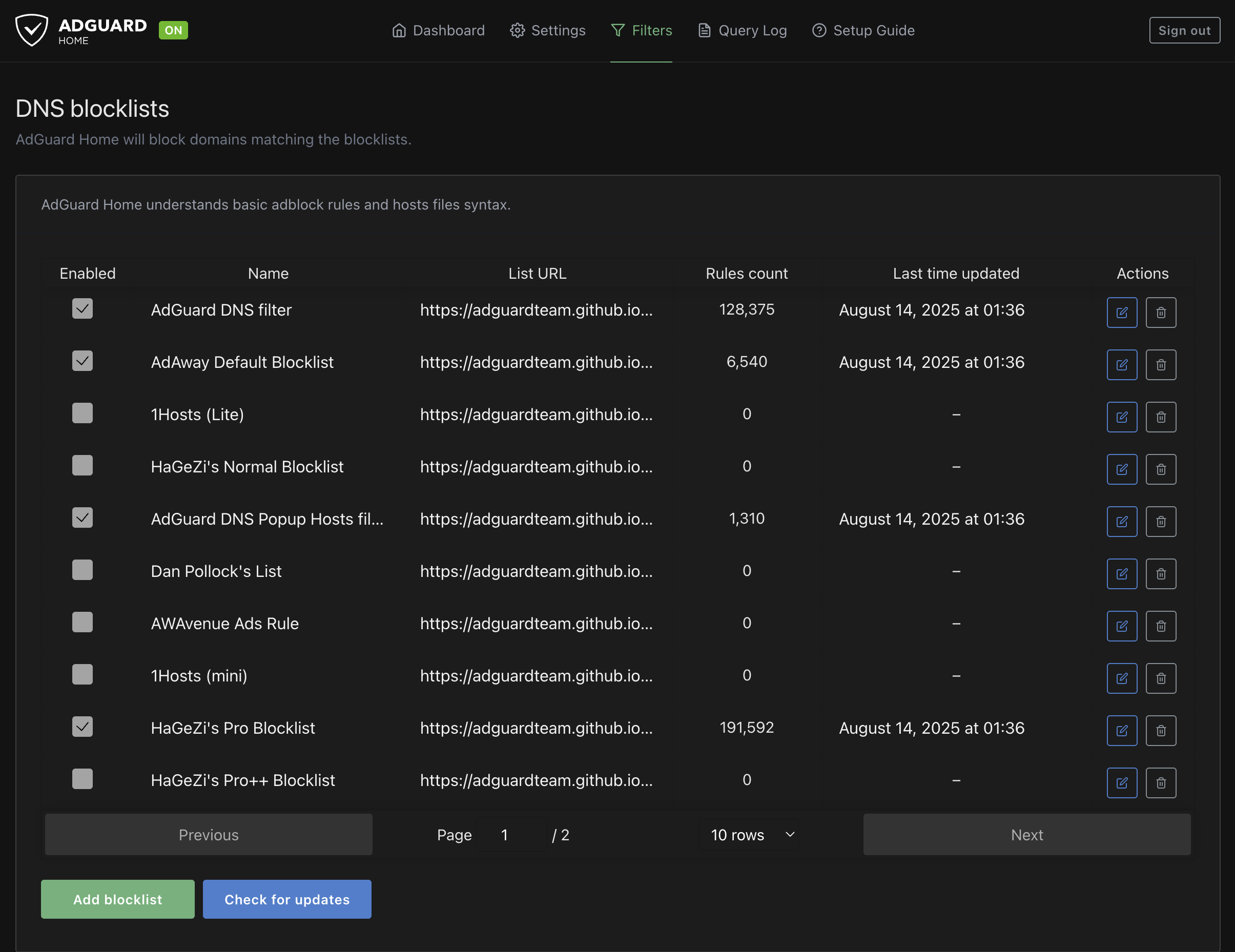
EDIT: Also, if I “disable” AdGuard DNS, it doesn’t disable resolving the DNS, it just disables the blocklists. My devices still go to AdGuard to resolve DNS, but it will just proxy the external ones:
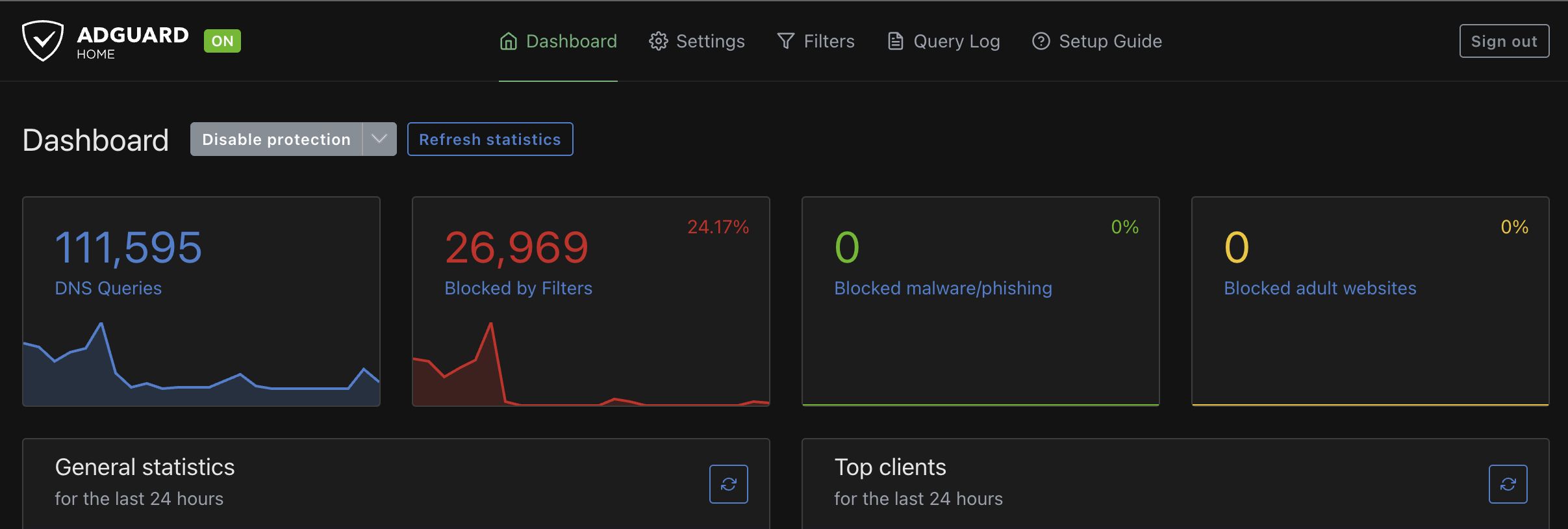
1 Like