Thank you so much for your help!
Your fix solved the error completely, and now the app loads without showing the “empty list” issue anymore. I also made sure to use length of list instead of length as you advised.
However, I still have one problem:
When I type a word that definitely exists in the wrongword list, the app still jumps to the final “word not found” condition, as if the word isn’t in the list.
So the matching part doesn’t work even though the word is actually there.
If you have any idea what might cause this, I’d really appreciate your help.
Thanks again for your time and support!
Well done, im glad.
Could you briefly explain to me what the whole part regarding button1 consists of? I think the code can be reduced a lot.
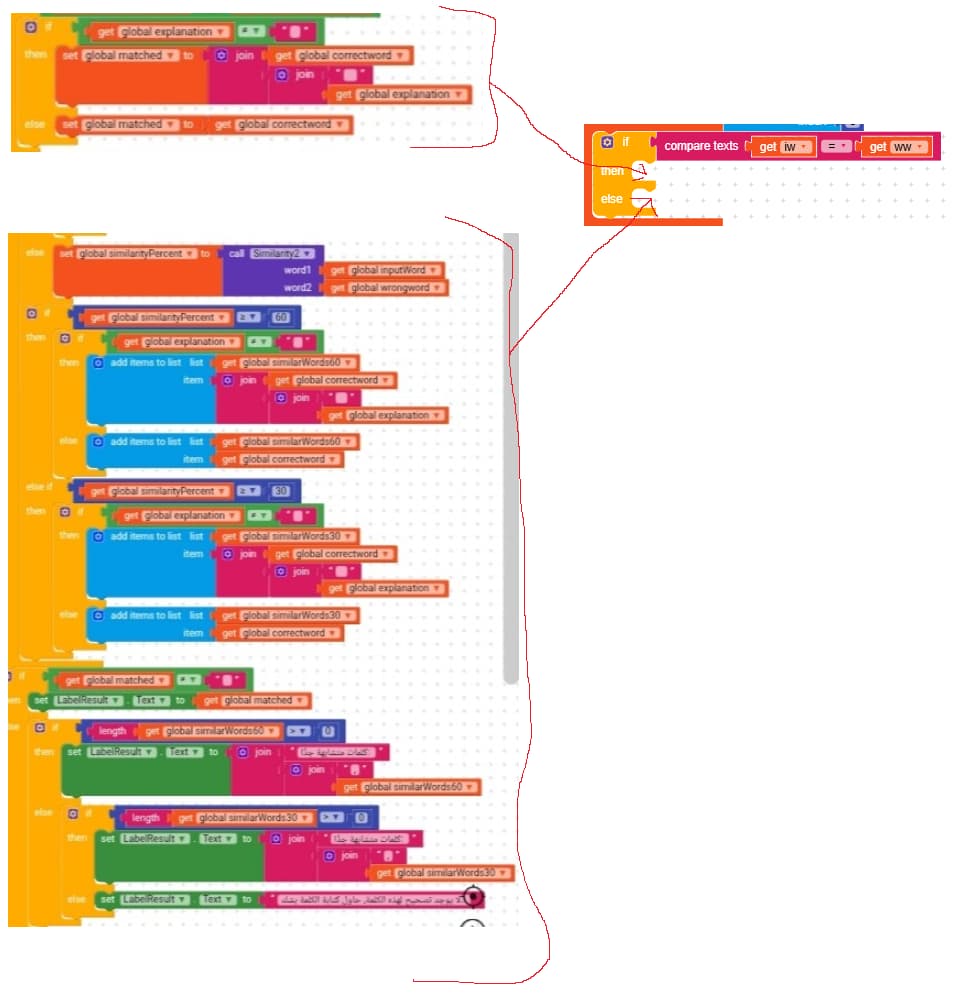
to compare two words, always use the blocks from the text section (not the solution)
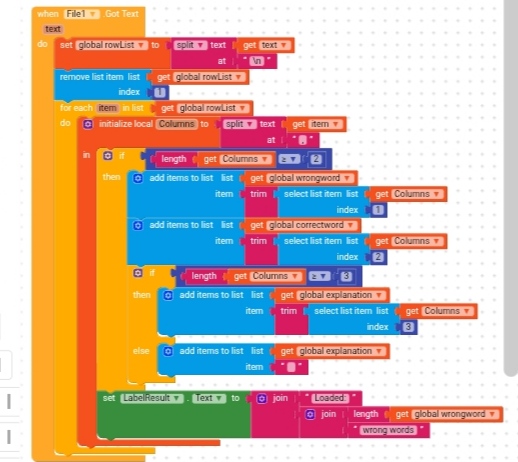
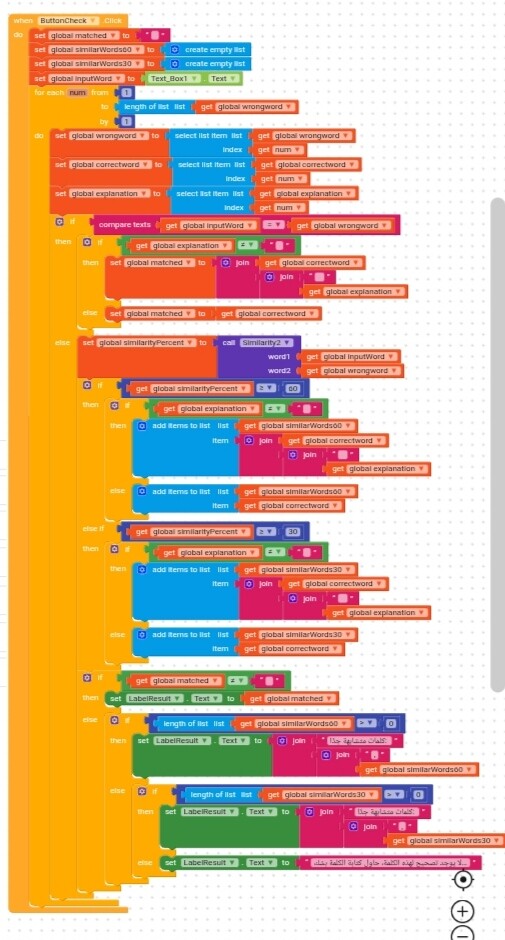
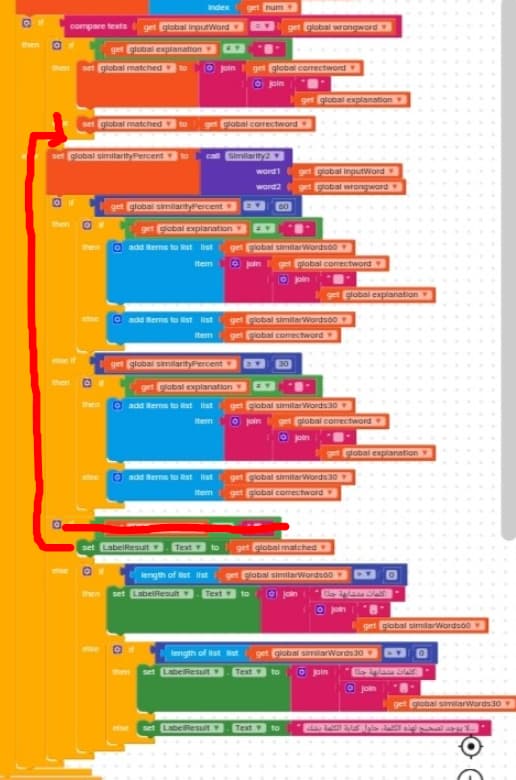
If you mean this part of the code, the “wrong word” section is inside a for loop without any if conditions, so for each element of the list it sets LabelResult to “Loaded: …”
Here is a brief explanation of what the Button1 logic is supposed to do:
The user types a word into TextBox1, and I store this text as inputWord.
This word already exists exactly in the wrongword column in my list (after loading the CSV).
When the user presses the button, the app should:
Check for an exact match
If inputWord exactly matches an item in the wrongword list,
then I get the corresponding correctword, and also the explanation if it exists.
If there is no exact match → check similarity ≥ 60%
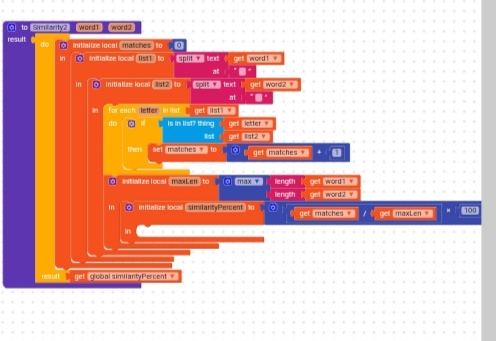
If similarity is ≥ 60 with any wrongword item, I add the corresponding correctword (and explanation if available) to a list of similar results.
If still no match → check similarity ≥ 30%
Same idea: collect all items with similarity ≥ 30.
If none of these conditions succeed
The app should show:
“The word is not found. Try another form.”
What is happening now:
Even when I type a word that definitely exists in the wrongword list,
the app always shows the last message (“word not found”),
as if the exact match is not being detected.
And yes, I confirmed that I used length of exactly as you told me.
Thank you so much again for your help. Your previous suggestion fixed the error, and I really appreciate it.
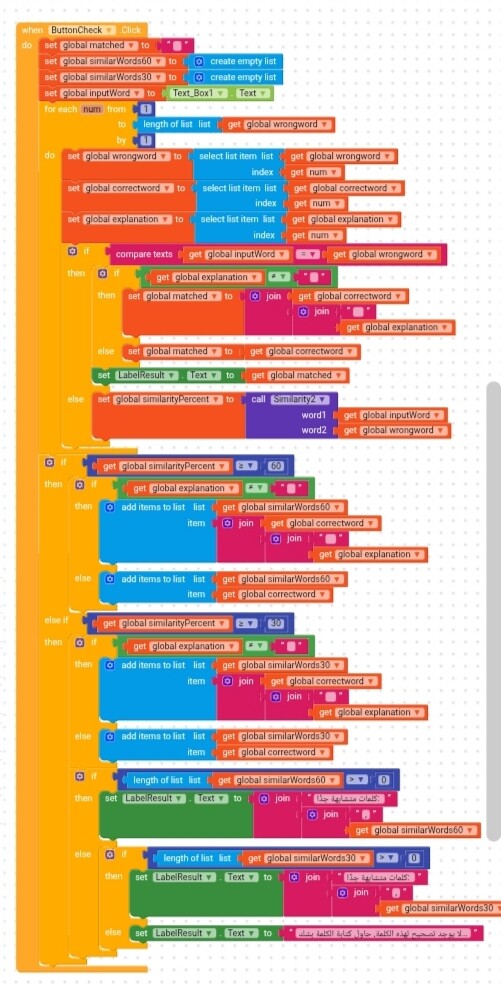
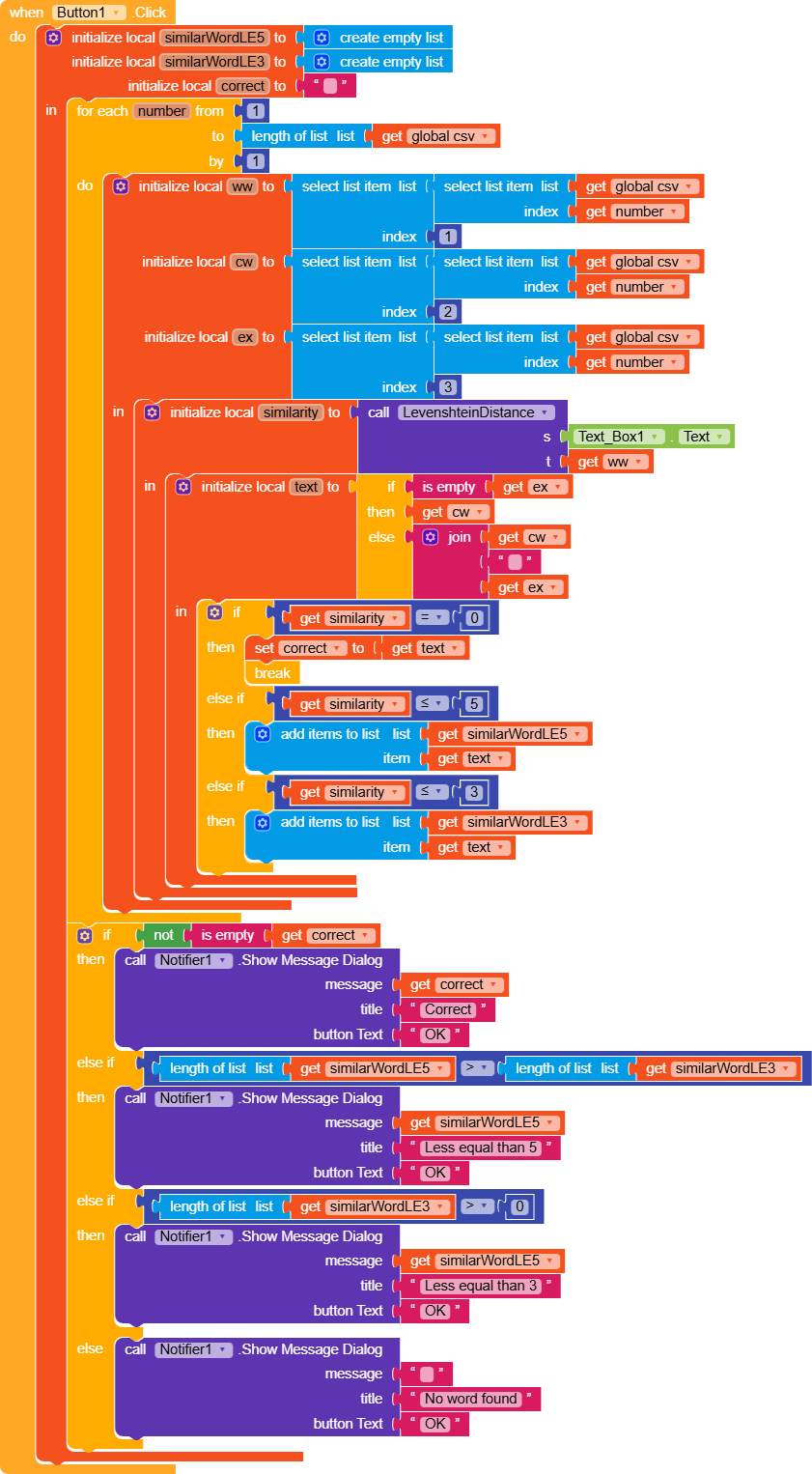
This is a compact version of what you did, the only extra thing I added is checking whether correct has been filled with text or whether the list similarWordLE5 is greater than similarWordLE3, if not, I show a message that the word is not there, otherwise I show some notifiers with the result.
Edit:
Since I didn’t really understand what data to enter, I just put random things
Thank you so much for your detailed explanation and effort in helping me.
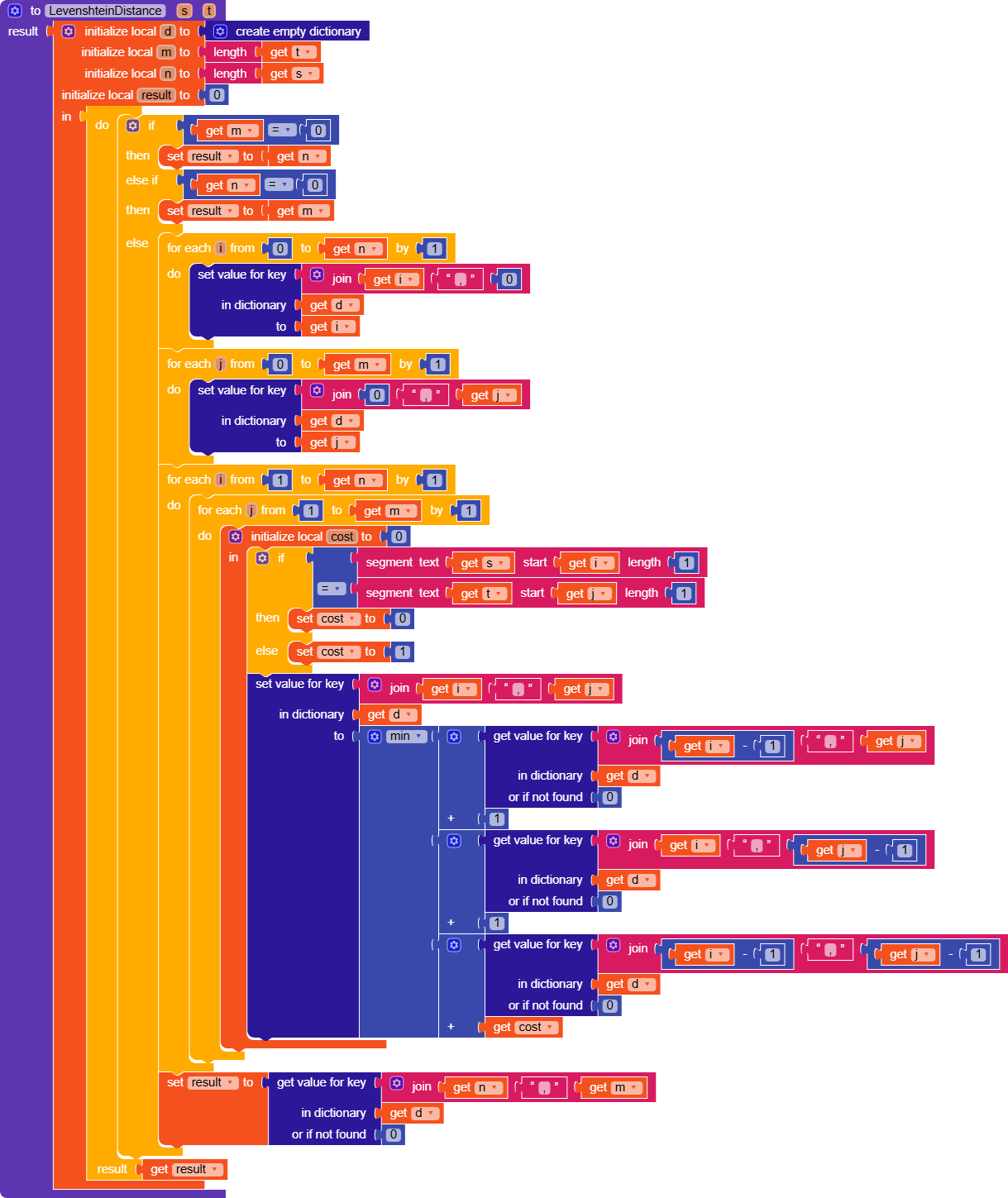
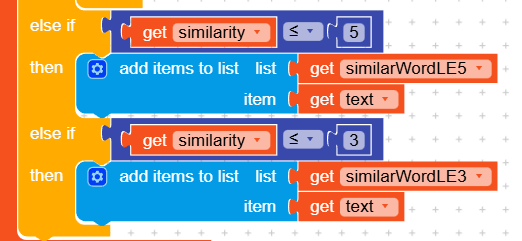
The method shown in the second picture might not work well for me because my CSV file has more than 700 rows, which makes it a bit complicated. However, I will try to use the dictionary method you suggested.
Since this is my first time trying to build an app, the topic is quite challenging for me, and I have been struggling with this project for a while.
If you happen to have any tutorial videos on YouTube or elsewhere about handling CSV files and using the blocks with them, could you please share the link with me? That would help me understand better.
Again, I really appreciate your help and support — it has been very valuable to me. I will try the approach you recommended and let you know how it goes.
I haven’t found many guides that talk specifically about a CSV, also because there aren’t many related blocks and they’re only used to convert it into a list, but…
If you have any spefic questions about list manipulation, don’t hesitate to open another topic (always check in the community first to see if your question has already been solved).
Thank you so much for your kind words and support.
I’ll continue working on the app and try to use the methods you suggested.
If I face anything difficult, I’ll post a new topic just like you recommended and wait for your reply.
Thanks again, I really appreciate your help!

 , not
, not  (is used only for strings).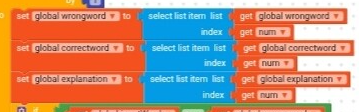



 ABG
ABG



 oding!