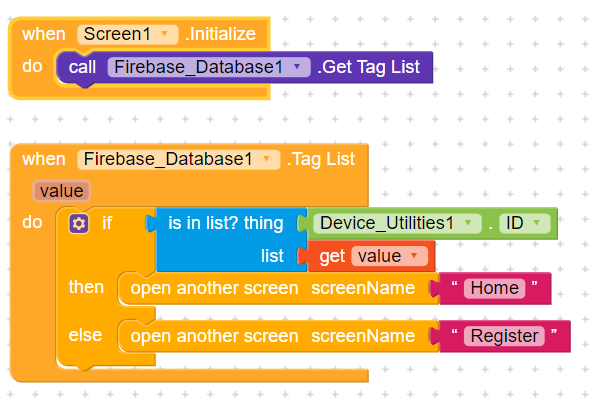
I use Firebase Authantication and Gmail Login for my app.
Below you see blocks which i used but auto login not work.
Please suggest me.
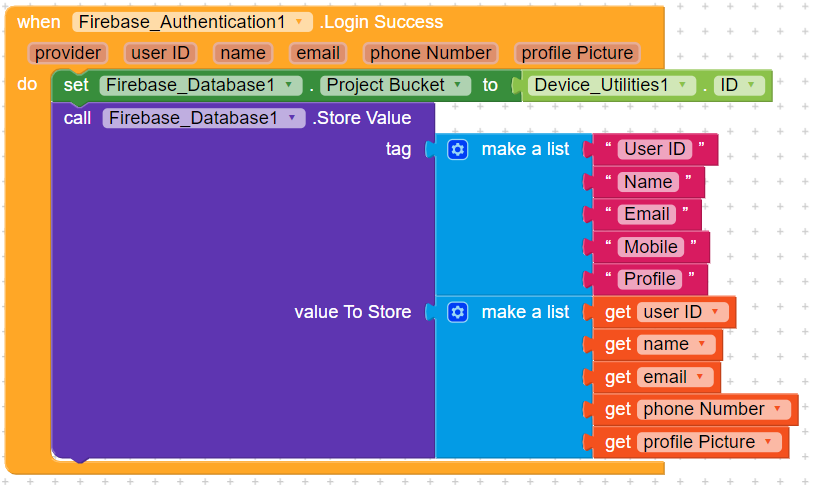
This Block is used for save data
This Block is I use in Screen1
I use Firebase Authantication and Gmail Login for my app.
Below you see blocks which i used but auto login not work.
Please suggest me.
This Block is used for save data
This Block is I use in Screen1
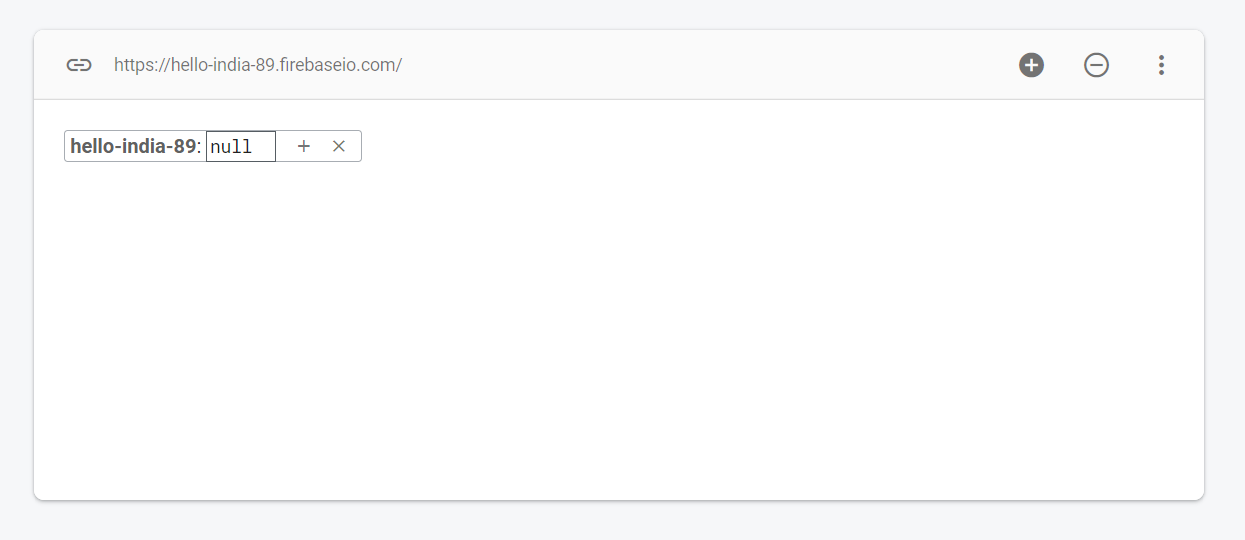
Can u show your firebase structure?
Means? I Don’t Understand
Firebase database screenshot.
Yes.
As i can see your database is empty, then how it will work.
So what is sollution?
Instead of storing user data like device id in firebase database just use tiny db.
On screen initialize compare tiny db is empty or not.
If empty then go to registration if not empty then open home screen.
On login success, store user data to tiny db.
I Created More then 5 Apps But I Always use Airtable Spreadsheet. So Firebase is Hard to me
It is not too hard. Simple with some logic.
Ok, I Understand.
Let me Try…
Thanks for Great Support
@The_K_Studio Login Works Using Your Tiny DB method. Now Will U Pls Teach me to Setup Registration Page? I Mean I Created it as u see in Image but I m confused that how i get data of One perticular User?
Which data of user u want? Name, image, email?
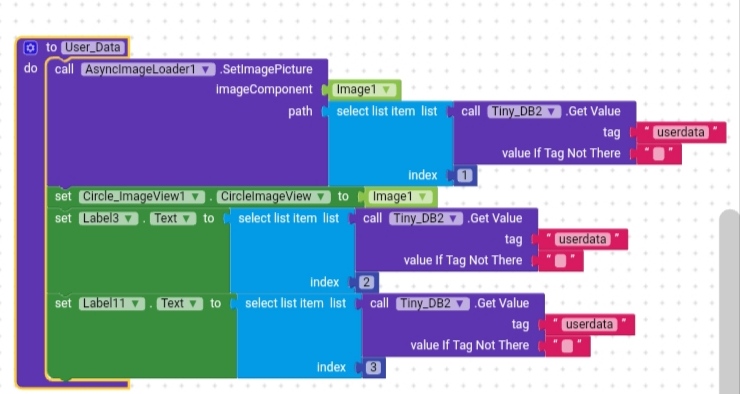
User data is stored in Tinydb2 as per above blocks.
Now u can call it whenever u want.
If u want to call it on on another screen then use open another screen with start value block.
@The_K_Studio Will You Please Tell me Why Firebase not Allow Device ID as a Project Bucket Name?
Is it contains any special characters?
But your problem is solved with tiny db then why asking about firebase database?
It Contains “.”
What if user Clear App Data?
This may be the reason. You can use - in the firebase bucket name but not any special characters.
Then he must have to login again.
This topic was automatically closed 30 days after the last reply. New replies are no longer allowed.