Hi, Koders! I just wanted to make a OneSignal push notification, here’s how to Do It.
1. Create New Project From Firebase
Creating a Project From Firebase, we will download the Account service JSON.
2. Tutorial Video
3. Description Help
First, go to OneSignal  and create your new OneSignal Project
In the options, select Google Android (FCM)
Click Next
Then, import the Service Account JSON from the  Console.
To download the Service Account JSON, go to your new project, then click on the Gear ( ) icon, choose Service Accounts in The Tab, then scroll down and click: Generate New Private Key or download using these code languages.
Node.js
var admin = require("firebase-admin");

var serviceAccount = require("path/to/serviceAccountKey.json");

admin.initializeApp({
  credential: admin.credential.cert(serviceAccount)
});
Java
FileInputStream serviceAccount =
new FileInputStream("path/to/serviceAccountKey.json");

FirebaseOptions options = new FirebaseOptions.Builder()
  .setCredentials(GoogleCredentials.fromStream(serviceAccount))
  .build();

FirebaseApp.initializeApp(options);
Python
import firebase_admin
from firebase_admin import credentials

cred = credentials.Certificate("path/to/serviceAccountKey.json")
firebase_admin.initialize_app(cred)
Go
import (
  "fmt"
  "context"

  firebase "firebase.google.com/go"
  "firebase.google.com/go/auth"

  "google.golang.org/api/option"
)

opt := option.WithCredentialsFile("path/to/serviceAccountKey.json")
app, err := firebase.NewApp(context.Background(), nil, opt)
if err != nil {
  return nil, fmt.Errorf("error initializing app: %v", err)
}
While you finish downloading, go back to OneSignal, then select Upload File, choose the downloaded file, and after uploading, click Save and continue. Then, Copy the OneSignal App ID. Go back to Kodular and click the Gear Icon () - Project settings, choose “API Keys” Section, then paste then, Paste the copied OneSignal App ID To the TextBox Called “OneSignal App ID”
And… Done!
And i will recommend the blocks, too (I Forgot to make it recommended.)

The REST API Key is same as API Key from OneSignal Dashboard.


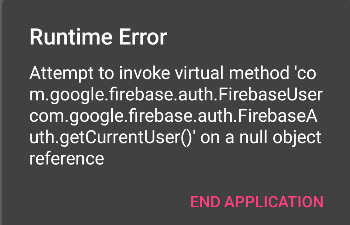


 seems like Ahmed didn;t go through complete post.