Hello Kodular community,
I am working on a quiz app with 42 questions. I created a procedure named listContent that contains lists of the questions, four answer choices, and the correct answer for each.
I also created a global variable called QuestionInOrder initialized to 1 to keep track of which question is being displayed.
I made a procedure named showContent to display the questions.
The tutorial video I followed uses the random integer block to display questions randomly.
However, I want to display the questions in order (sequentially) instead of randomly.
How can I implement this sequential display in my procedure?
Thank you in advance for your help!
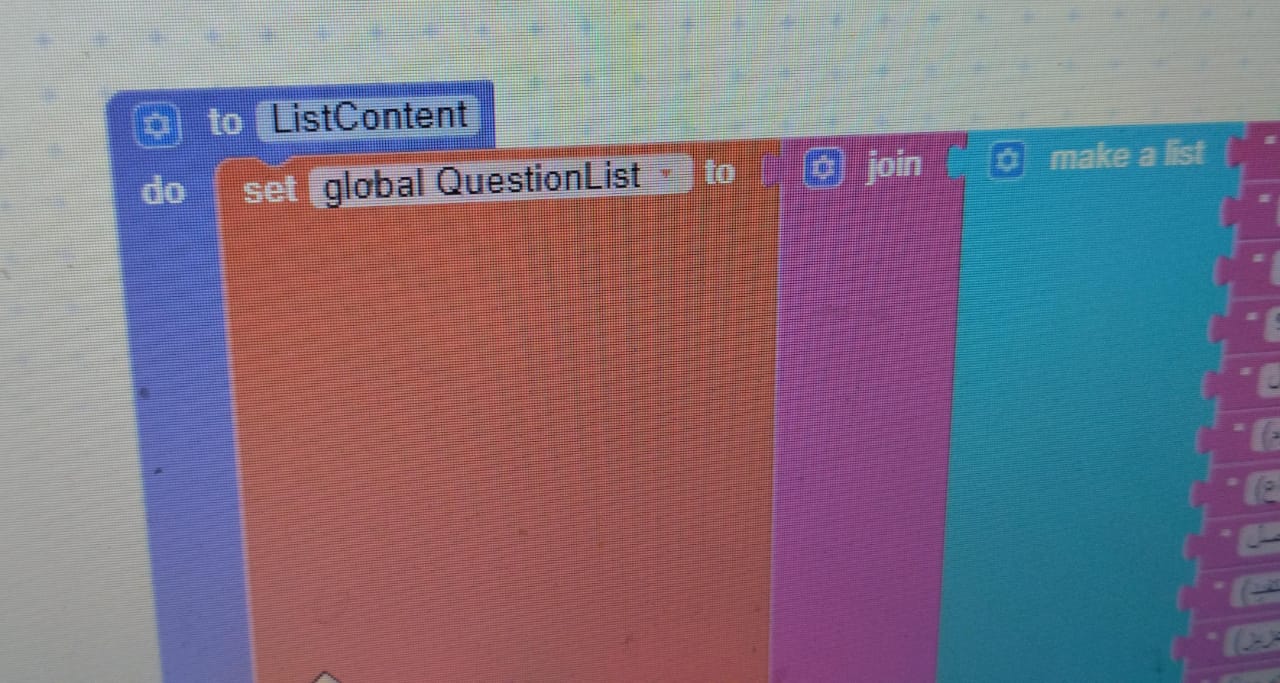
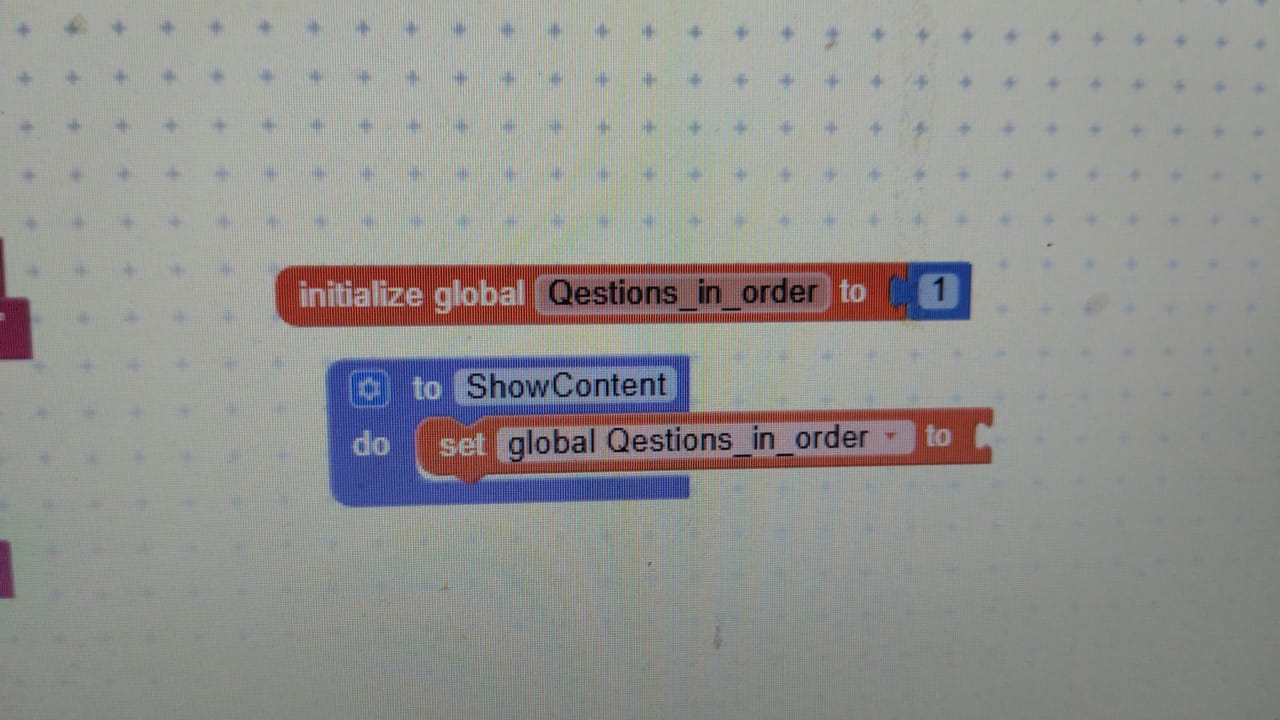
Can we see the whole process?
To get image of your blocks follow the Taifun guide
1 Like
- Do not use join block
- In you code if you use or implement shuffle or random block just remove it
- Whn quiz started, get the total qns.
- Using index method call question by question when any button clicked event or use your click event. If the current index is reaches less than or equal to total qns just atoo or visible reault
1 Like
Hi Noor,
I’m attaching an example I made for a user some time ago.
The data is received from Google Sheets and saved in TinyDB, if you’re not interested, we can easily remove it by creating our own list of lists structured like this
(
(Question1 OptionA OptionB OptionC OptionD Correct)
(Question2 OptionA OptionB OptionC OptionD Correct)
)
it’s currently connected to one of my Google Sheets
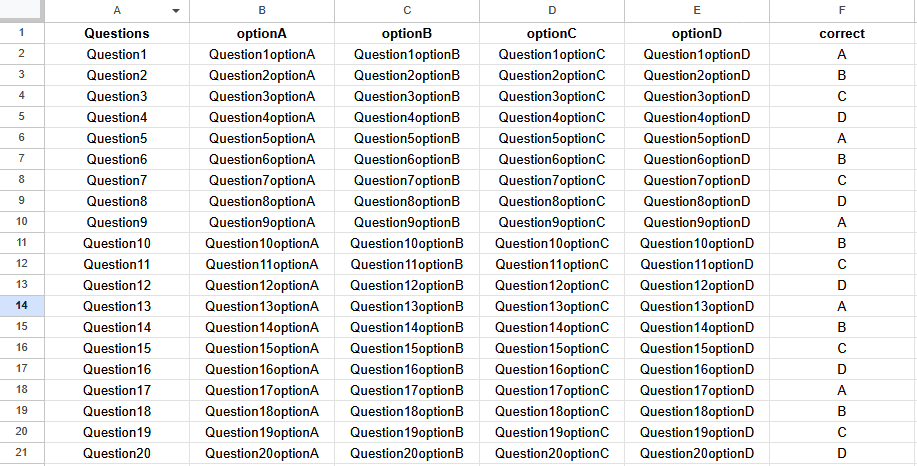
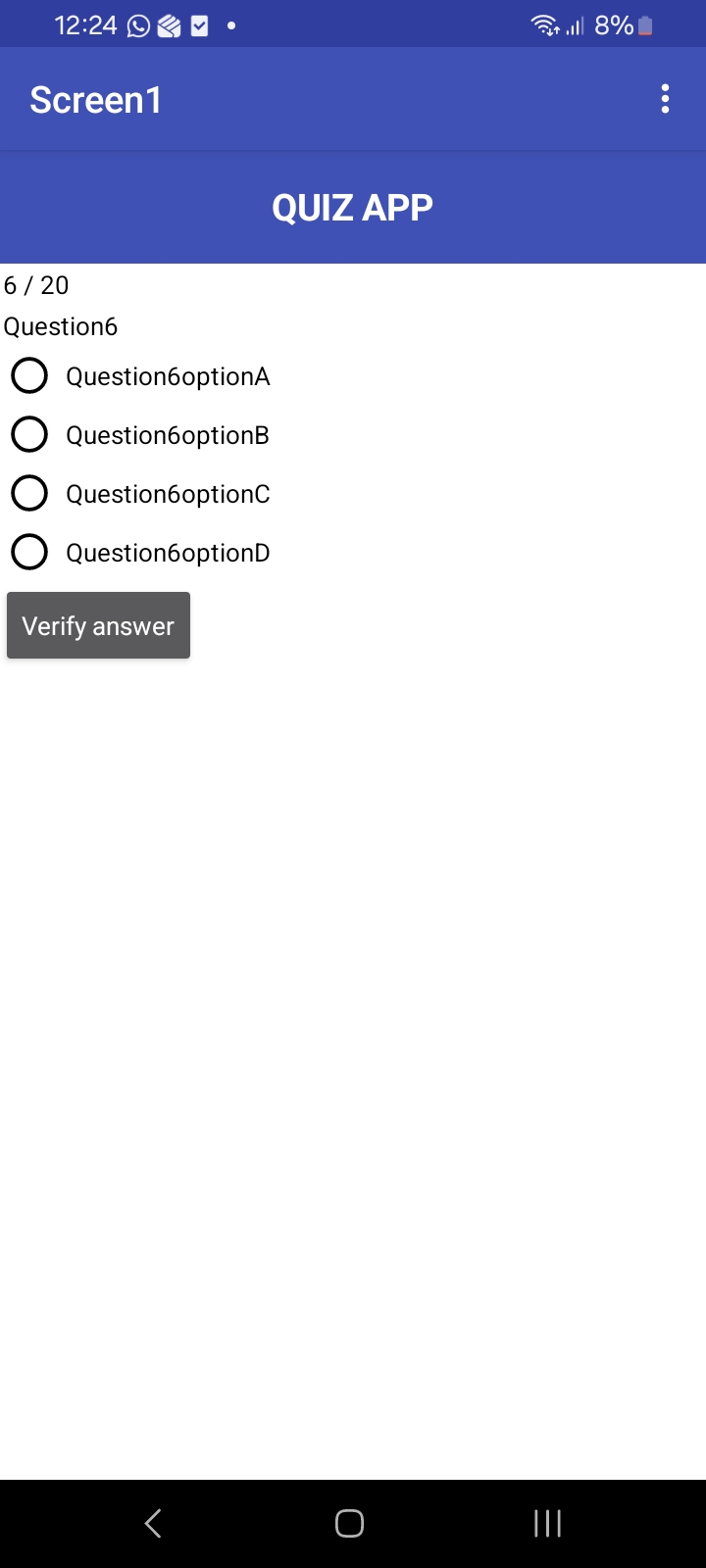
QuizApp.aia (217.8 KB)
1 Like
Hi,
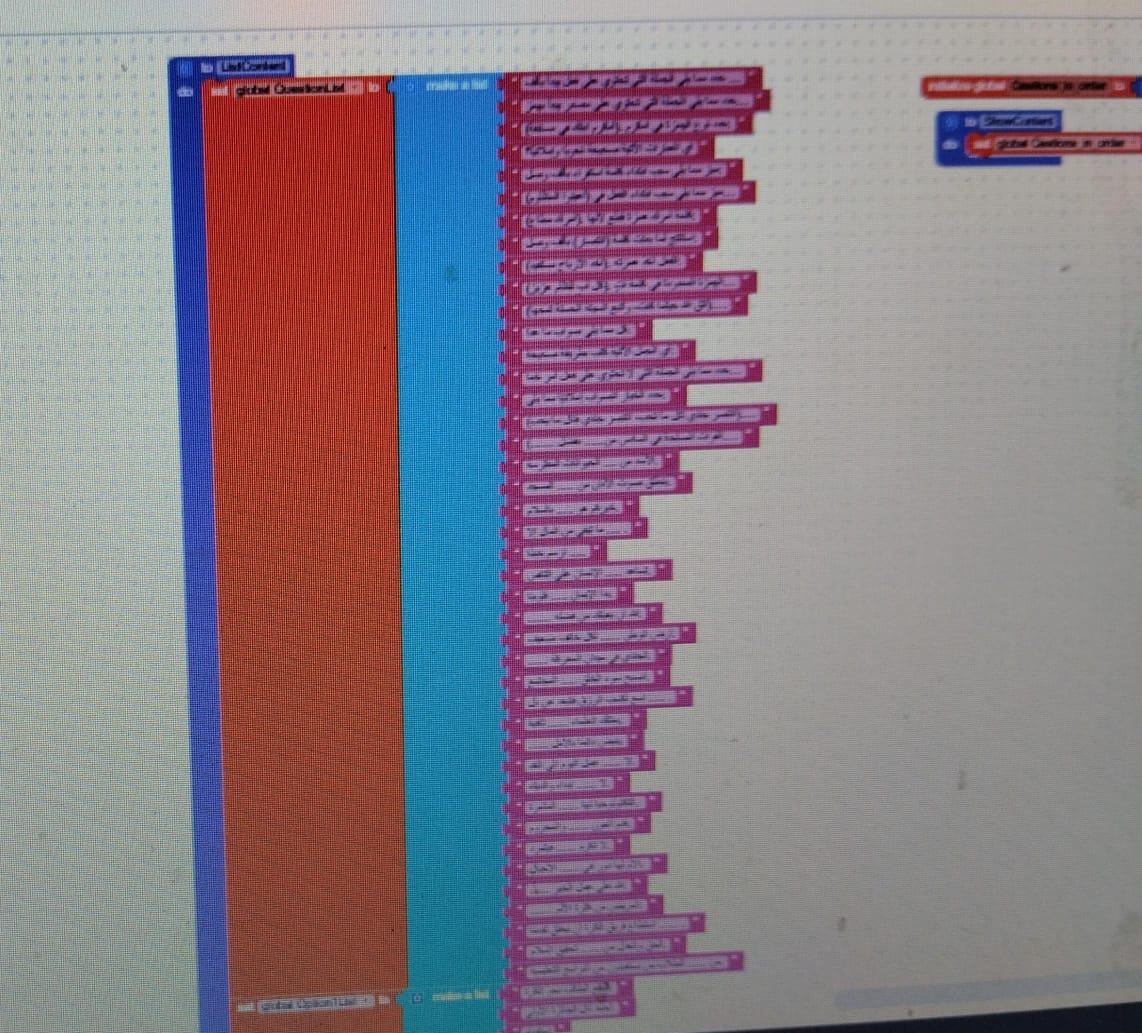
Here is an image of some of the blocks I made. I created lists for the questions, the four options, and the correct answer, all structured like these.
Sorry, I couldn’t download all the blocks as one image — not sure what the issue is, it won’t let me download the full blocks.
Thanks a lot for your help!
Hi,
Thank you for the useful advice.
Hi,
Thanks for sharing the example file. After reviewing it, I decided I want to create the question lists directly inside the app without relying on Google Sheets.
However, I need some help on how to display the questions sequentially using a specific block in Kodular.
I understand from the file how to proceed and display the questions properly, but I’m not sure how to make the display ordered rather than random.
Nextime follow what i said here to drop quality image, don’t use camera’s to get Image block
1 Like
Here it is,
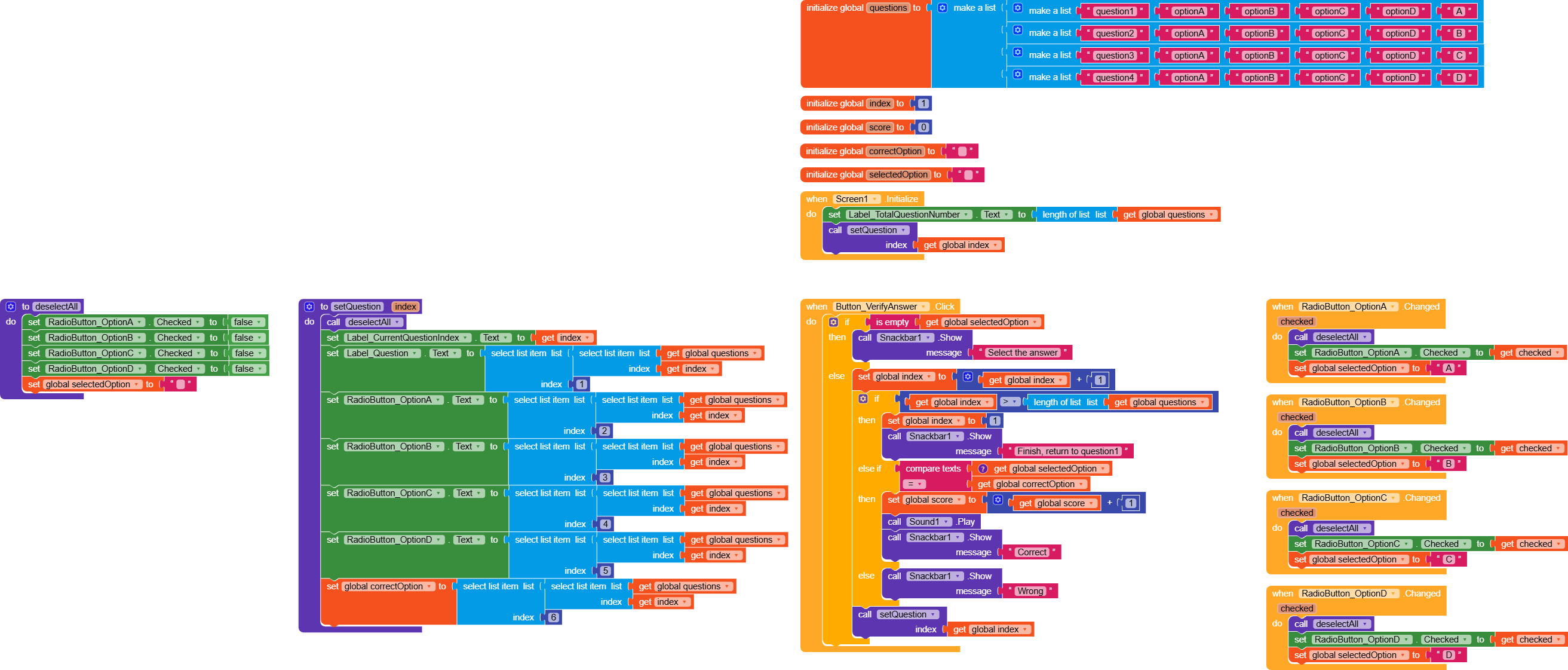
Now the app reads the questions from the questions variable (a list of lists).

The questions are iterated through using the
setQuestion function, which is set based on the index, and the index is increased every time a question is answered by index = index + 1.
QuizAppLocal.aia (218.0 KB)
Let me know if you need further clarifications
1 Like
Hi,
Thank you so much for your advice. I really appreciate your guidance and will make sure to follow your method next time.
Hi,
Thanks a lot for your help and the example you shared.
I implemented your method, but I organized the questions inside a Vertical Arrangement named VA_Question, which should display when the user clicks on Card View 2.
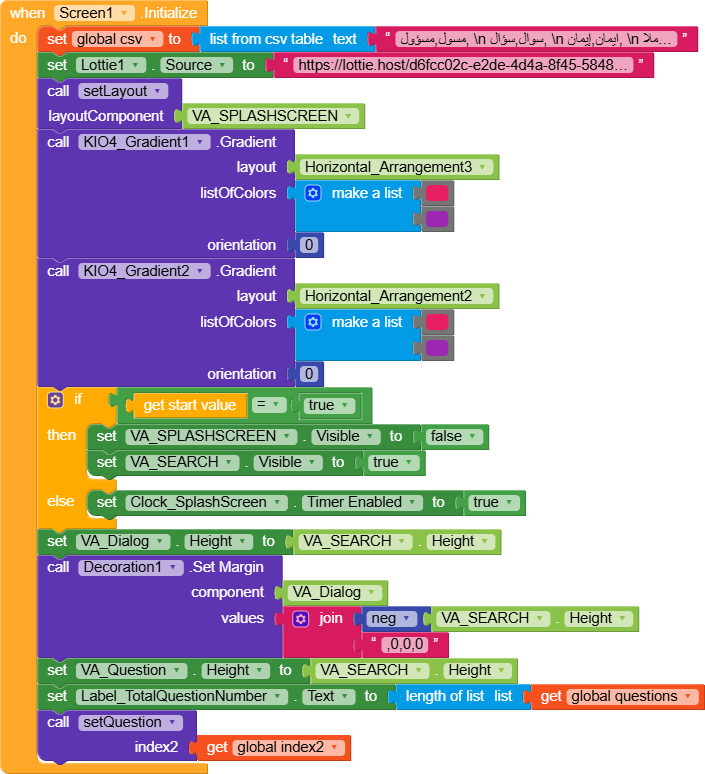
So far, I have created the click event block for the button and added the same blocks you showed inside the Screen Initialize event. However, I am encountering an error, and the questions are not displaying as expected.
I suspect the problem might be related to the Screen Initialize blocks, but I’m not sure why. Could you please help me figure out what might be causing this?
Thanks again for your support!

1 Like
What is yhe error you get? What is the value given to global index2?
1 Like
Hello,
This is the error message that appears immediately when I open the app:
Argument () to ‘apply-to-args’ has wrong type (gnu.mapping.Values) (expected: procedure) at gnu.kawa.functions.ApplyToArgs.applyN(ApplyToArgs.java:170) at gnu.mapping.ProcedureN.apply1(ProcedureN.java:31) at io.makeroid.companion.Screen1.processException(Screen1.yail:10101) at io.makeroid.companion.Screen1.dispatchEvent(Screen1.yail:10157) at com.google.appinventor.components.runtime.EventDispatcher.delegateDispatchEvent(EventDispatcher.java:242) at com.google.appinventor.components.runtime.EventDispatcher.dispatchEvent(EventDispatcher.java:198) at com.google.appinventor.components.runtime.Form$3.run(Form.java:1067) at android.os.Handler.handleCallback(Handler.java:938) at android.os.Handler.dispatchMessage(Handler.java:99) at android.os.Looper.loop(Looper.java:237) at android.app.ActivityThread.main(ActivityThread.java:8163) at java.lang.reflect.Method.invoke(Native Method) at com.android.internal.os.RuntimeInit$MethodAndArgsCaller.run(RuntimeInit.java:656) at com.google.appinventor.components.runtime.ZygoteInit.main(ZygoteInit.java:967)
Also, I have assigned the index value 2 to 1.
Unfortunately this error doesn’t help much (as soon as the app initializes the error is visible through an alert, if you can, try to take a screenshot or tell us what it says, even just the beginning of the sentence).
For now, try simply remove setQuestion procedure to see if the error persist
1 Like
Hello,
When I removed the setQuestion procedure from the Screen.Initialize event, the error disappeared and the app works fine now.
However, now when I click the button that should show the questions, it opens the questions as a full screen instead of a popup window. Also, only the input fields with the names I assigned appear — the actual questions and answer choices do not show up.
I will attach a screenshot to show you what I mean.
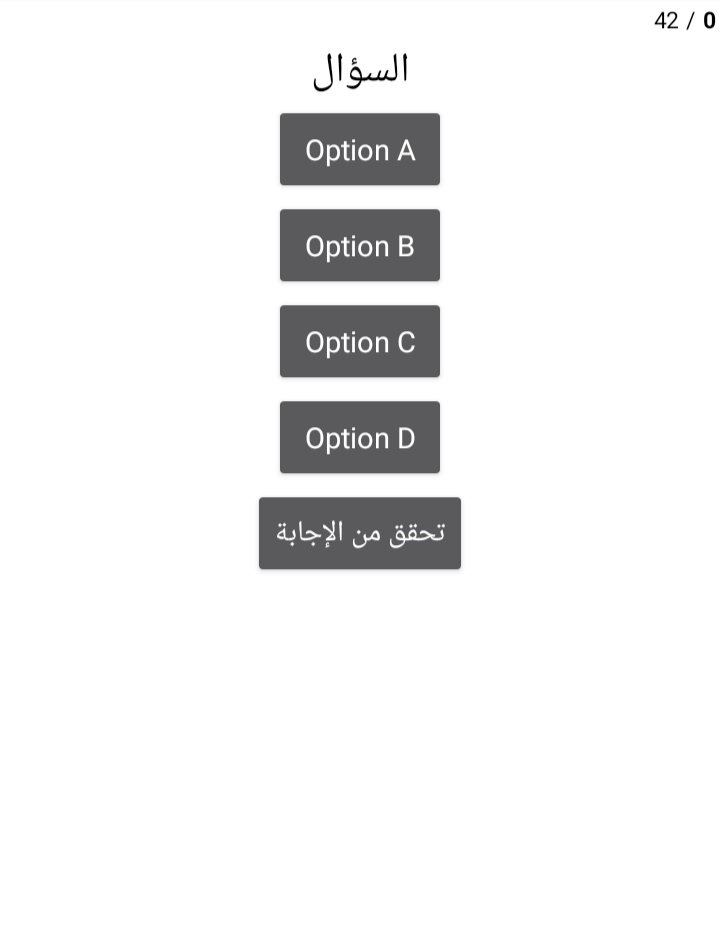
Could you please advise how to make the questions and answers display properly, ideally as a popup window?
Thank you!
I asked you to do it this way just to understand whether the error was caused by the procedure.
Now that we’ve isolated the error, we can focus on the possible issues.
Is the list of lists of questions correctly formatted with items made up of 5 elements?
1 Like
I followed your method exactly.
I have a list of 42 questions, where each question is a sublist with 6 elements:
the question, four answers, and the correct answer.
This matches exactly the structure shown in your image.
it means there is a problem with the procedure while setting the question can you show it again? have you clicked the do it on the procedure after initializing the index?
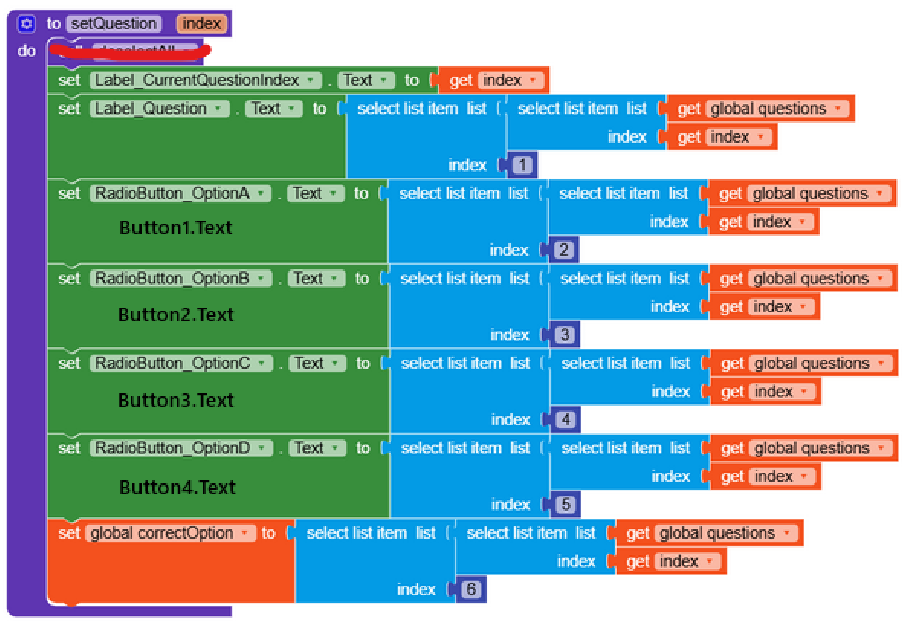


QuizAppLocal_JSR (1).aia (217.7 KB)
same quiz app but with reduced blocks. No need to use multiple radio button checked event, simply use when any radio button clicked event.
still if you find any error shae your sample ai hee to read your error.
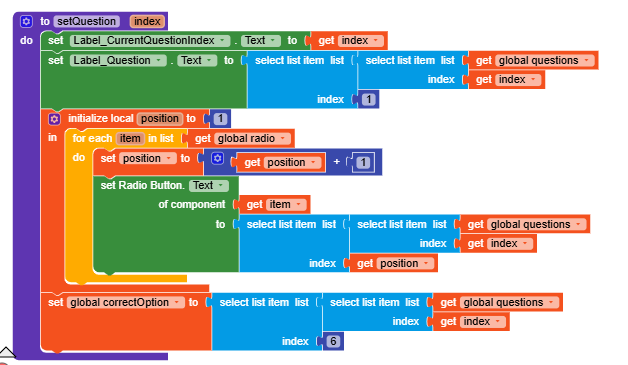
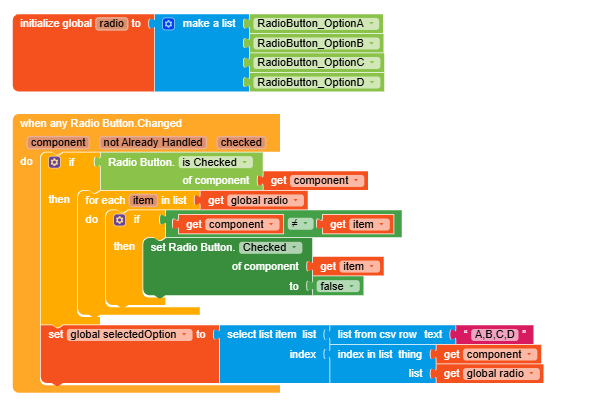
Make sure what is your initialized value in global index2
ref my previous post regarding how to use When any radio button clicked event
1 Like
When I deleted the calldetectall block and pressed the button for the questions, the first question and answers appeared normally. However, the problem now is that when I press the “Verify Answer” button, it says “Select the answer” even though I clicked on the answers multiple times. The selected answer does not register, so when I press the “Verify Answer” button, it asks me to choose an answer. What is the solution?
Thank you, but it didn’t work for me either.
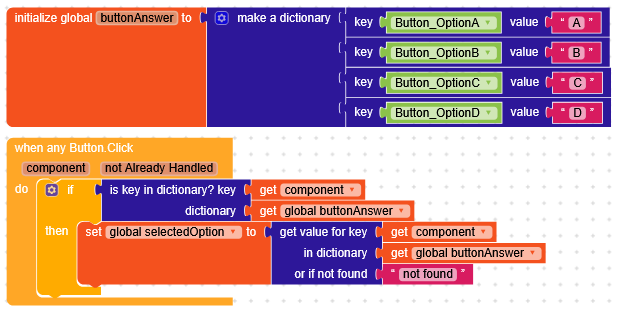
I think the problem now is just that you haven’t configured the button clicks.
Create each button.Click like this.

Or, following Still-learning’s suggestion to use WhenAny, you could also do something like this
1 Like
1 Like