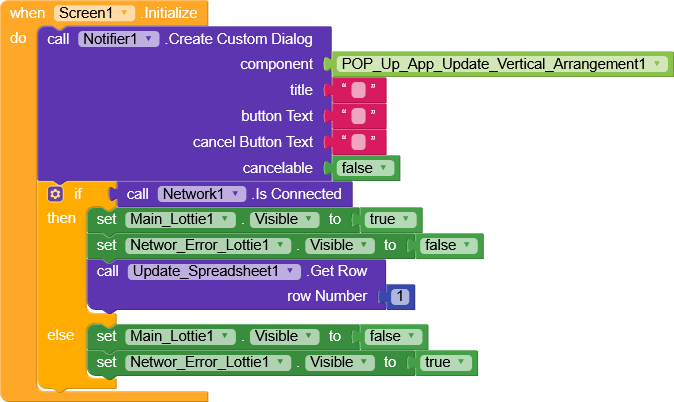
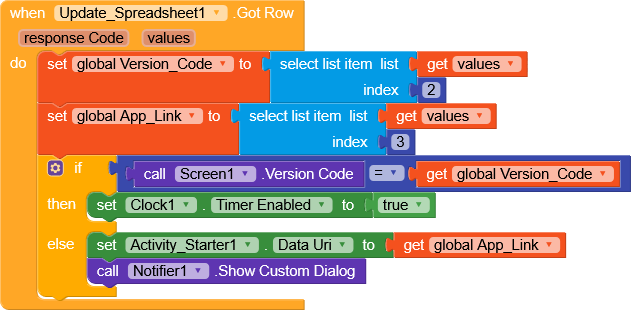
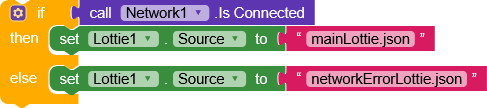
Hi friends error in network and wifi connnection on off,when i turned off wifi or mobile data it goes to another screen, when it turned on only lottie in loop, any one please check this blocks
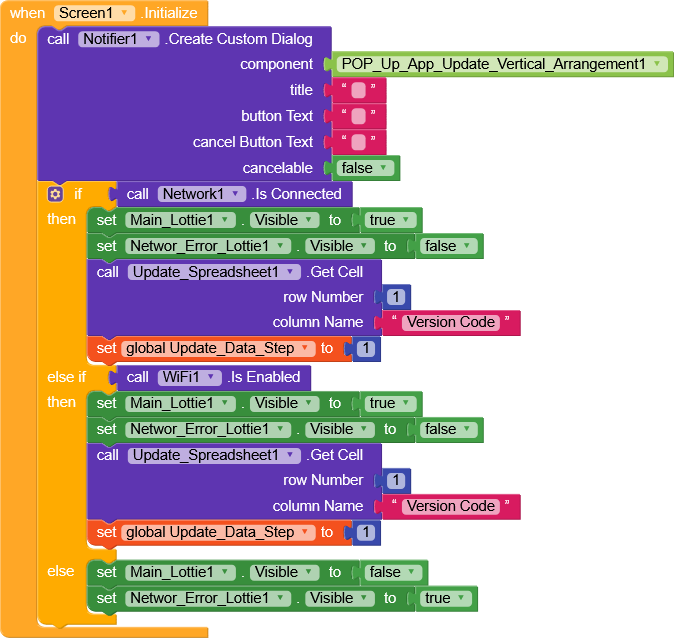
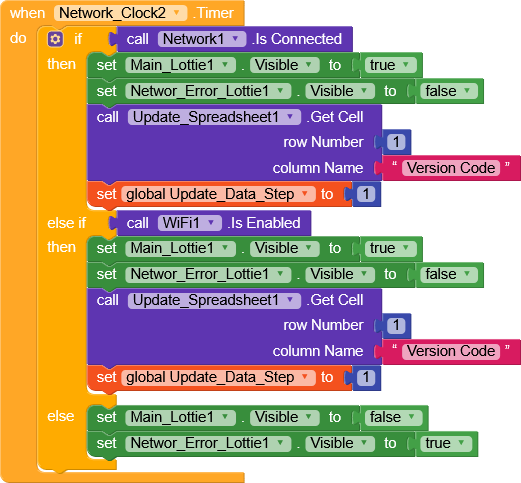
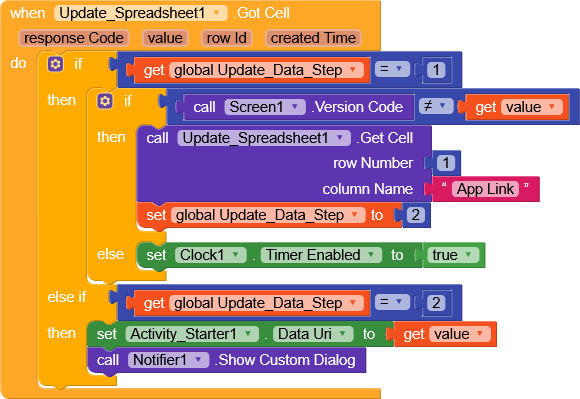
I think you should add blocks that are opening that screen, in your current blocks there’s no way to open any screen, so for easy understanding, add the open another screen blocks. In short I can say how’s that screen opened?
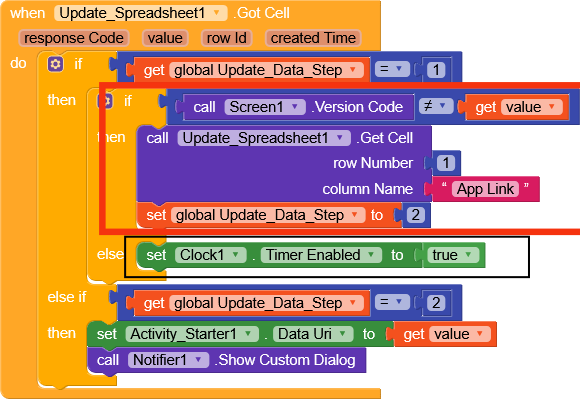
I think something is not working here
Hi dear,
Sorry, but I’m not quite understanding your code.
Network.IsConnected does exactly the same thing as Wifi.isEnabled, and you could use an OR.

If you need to check precisely for Wi-Fi, Mobile, or Roaming, do it like this.
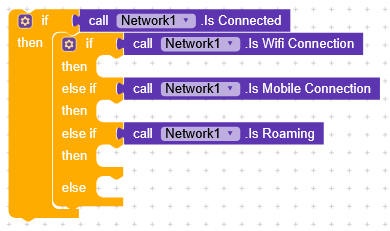
But if you just need to check whether it’s connected, there’s no need to specify all the connection types leave only
if Network.IsConnected.
But most importantly why are you using a Clock to check the connection status ? 
You should use .OnConnect or .OnDisconnect instead.
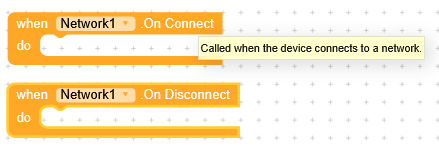
Maybe giving the app local loading time before opening, eg show splash screen then check theses functions, anyway @Sri_Balaji_Traders does the value form your gsheets really returns actual number? Try it on plain text component to catch the response
1 Like

the name made me suspicious
Edit:
I noticed that you’re getting row 1 for both the version and the link without changing the table, couldn’t you simply get row 1 once and, with a single get, check the version and then decide whether to call the Activity Starter?
1 Like
Also how this function can work outside the code
Where are these stored? where can the value 2 comes outside this blocks
RaYzZz can you explain to me maybe am missing out
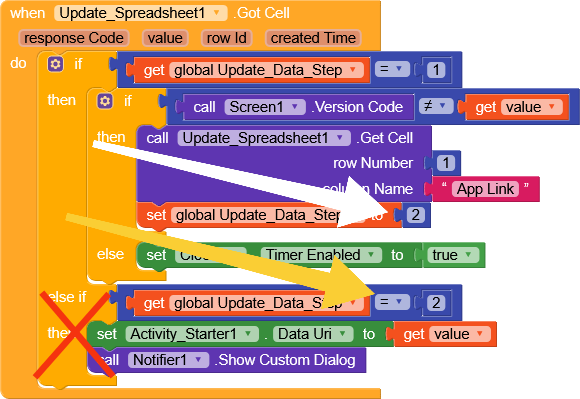
Since it performs two getCell operations, the global variable is used to identify which get response is coming from.
First, it checks the version from the VersionCode column (data step 1), if it’s different, it then requests the value from the AppLink column (data step 2).
Anyway, I’d be interested in understanding this better
Okay,
Though still not getting it 
 because it attached inside the screen1 version code then implement it outside of the code, will this block got cell called again with the same number
If you do cross check the value 2 is comes from this block only
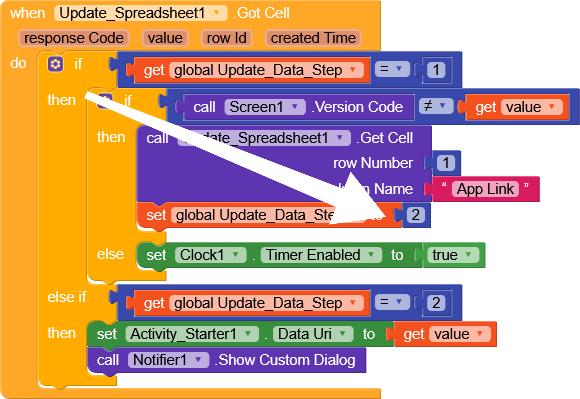
Let’s wait for the owner to respond something