Good afternoon, everyone…
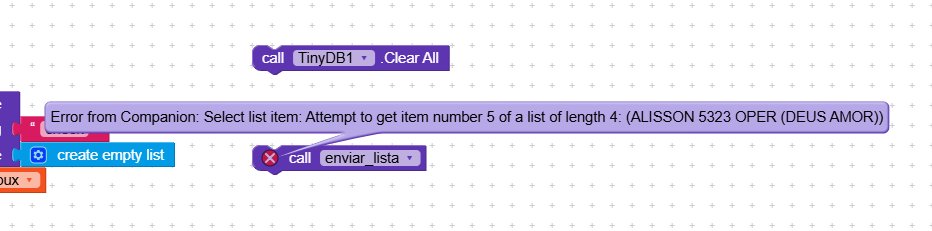
I’m testing this app, but it’s freezing and I can’t get past it…
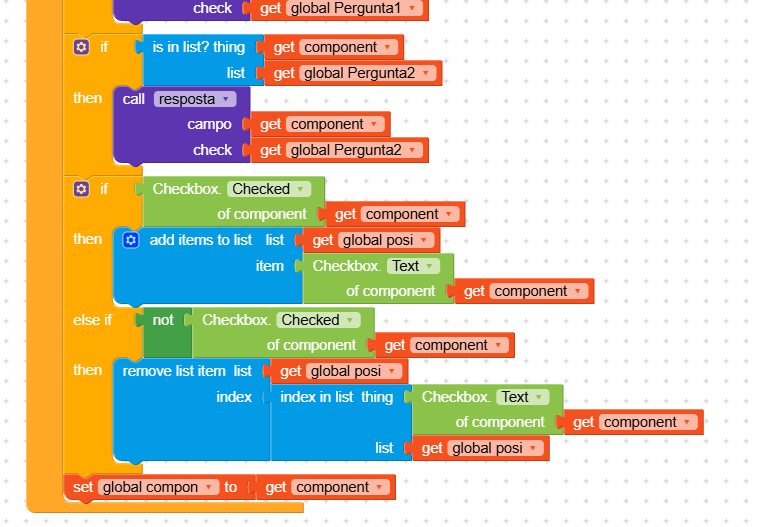
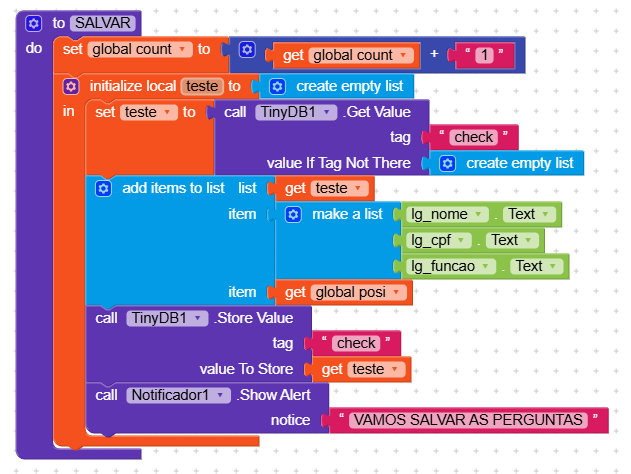
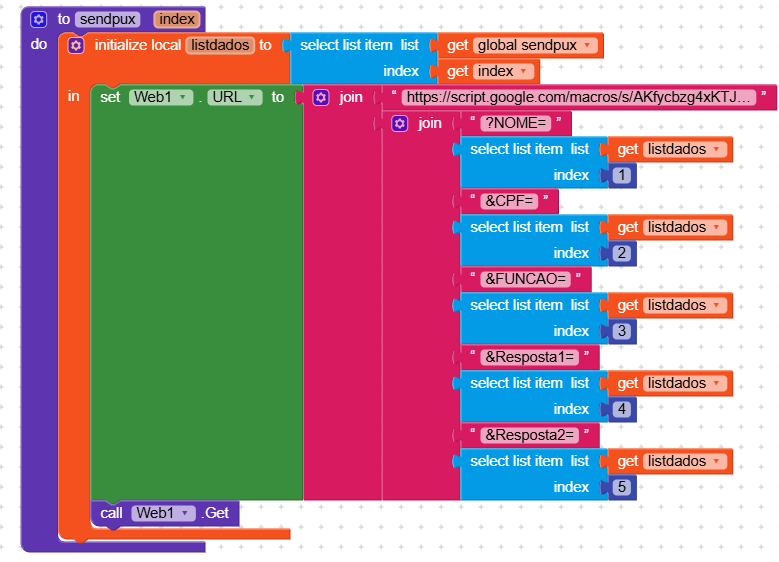
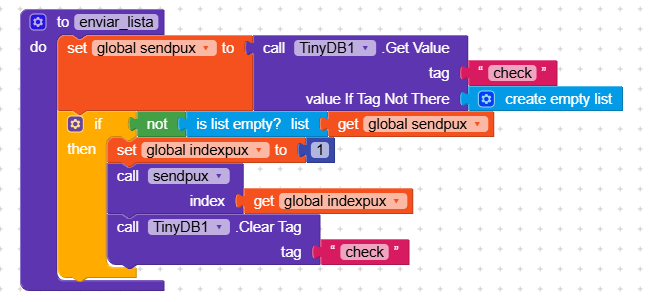
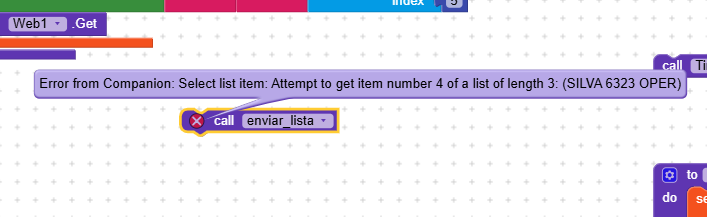
I’m saving various checkboxes and text from the first tab, but when I try to send it to Sheets, I get an error and it’s stuck.
Help???
Good afternoon, everyone…
I’m testing this app, but it’s freezing and I can’t get past it…
I’m saving various checkboxes and text from the first tab, but when I try to send it to Sheets, I get an error and it’s stuck.
Help???
what error exactly?
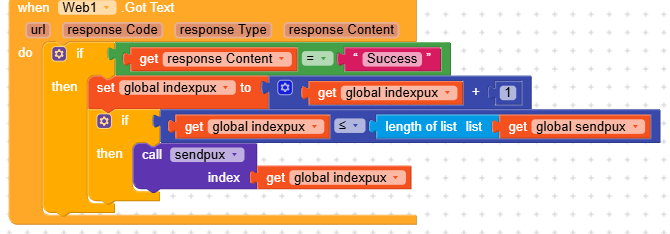
Please also provide a screenshot of your Web.GotText event
Taifun
The error is in sendpux, where you’re trying to select index 4 of a list that is only 3 items long.
The list you showed
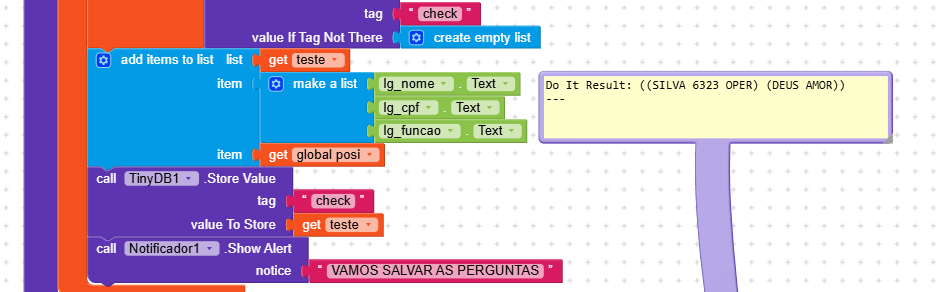
((SILVA 6323 OPER) (DEUS AMOR))
is a list made up of two lists, each list is a pair of parentheses ().
And you obtained it by selecting index 1 of the sendpux variable.
If you help us better understand how you’re retrieving and storing this data, we can help you more.
And maybe we can also manage to optimize the code.
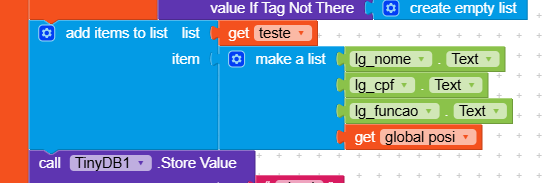
I’m combining three saved texts and adding checkboxes, which is why two lists are appearing. How can I create a single list?
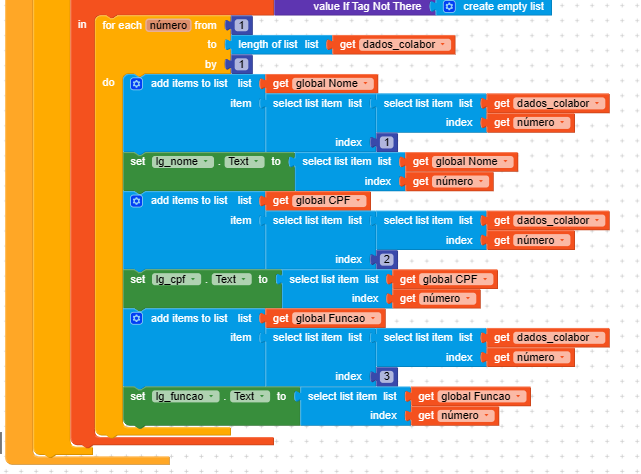
I already have three names saved.
I bring them into another tab and save them along with the checkboxes.
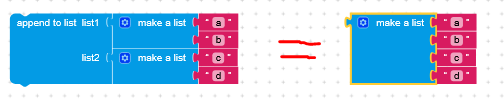
use make a list block , and add as many items in the list to bring down into one single lists

Since you have two lists, try this, it allows you to merge them.
However, if you can, show us this entire block.
I’d like to understand globally how you’re handling the saving, because I think it can be optimized.
Sorry, I don’t understand how to do it?
show us your complete work in term of blocks as a proper screnshots, also tell us what you want. else you will be ending with confusing logics, codes, and all will manipulate your efforts. Do not try the logic parts by parts from various suggestions. To have a good flow of logic, explain better along with what have you tried so for and what is your expectation. Showing part of your code is time waste for us to guess the remaing flow.
And what would be the solution? I’m not understanding.
Have you solved the problem?
Sorry
It was your idea, I followed the guidance you gave earlier…
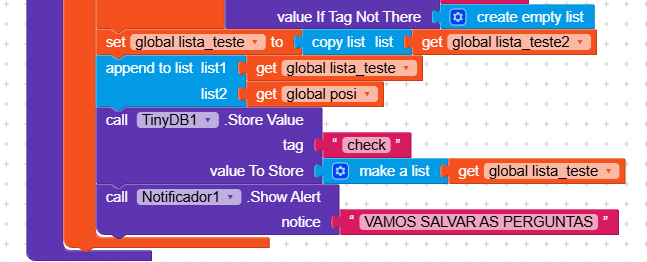
This was the solution…
you should remove this block else you will struggle to access your data again  the globe lista teste is already a list, just call tinyDB store value=globe lista teste

This topic was automatically closed 30 days after the last reply. New replies are no longer allowed.