Hi everyone,
I’m using Kodular with Spreadsheet/Airtable.
I already load images online using image URLs and Dynamic_Image.
Now I want to implement real image caching:
once an image is loaded, it should be available offline.
I tried using TinyDB and Web.DownloadFile to save images locally,
but my logic is not working yet.
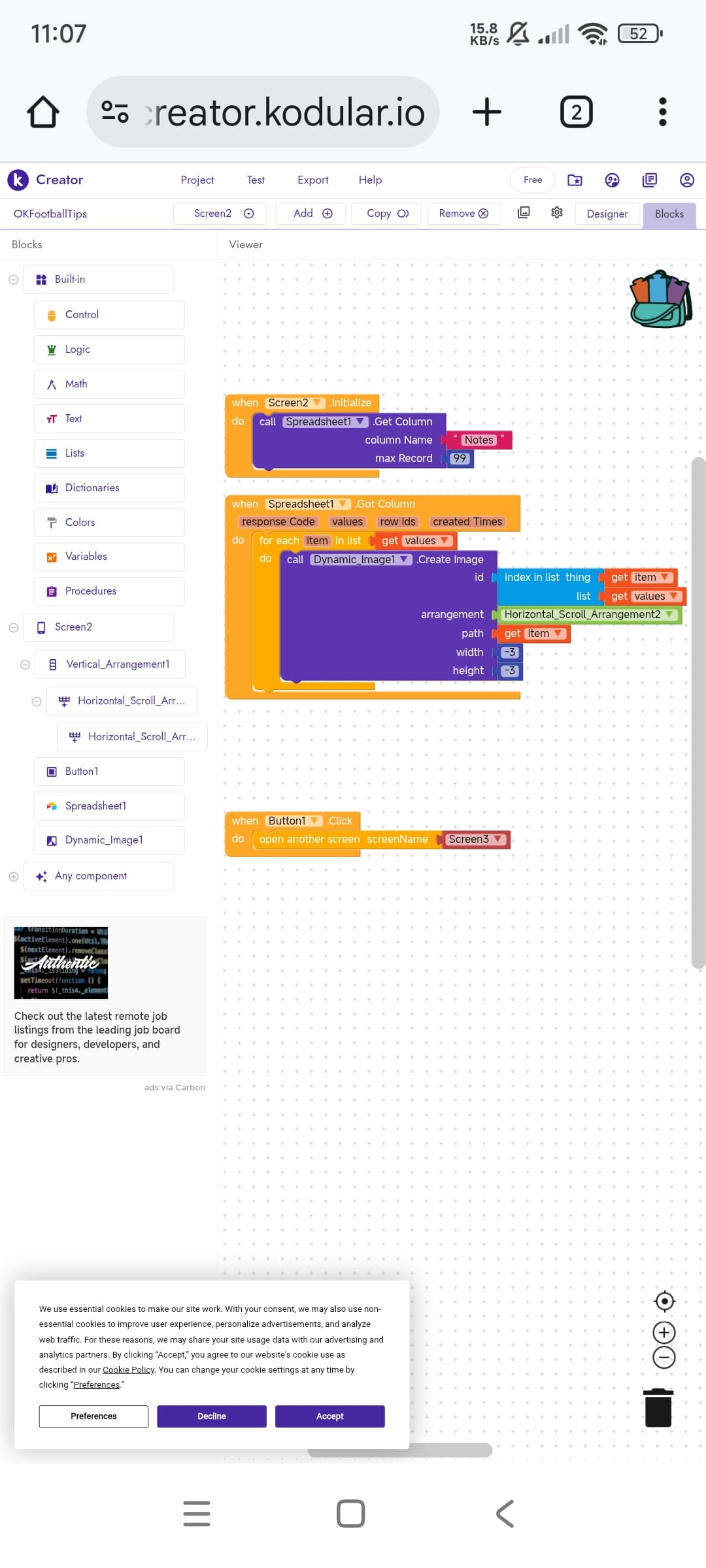
I attached my blocks screenshots below.
There are several extensions that can make your work easier, the main ones are these.
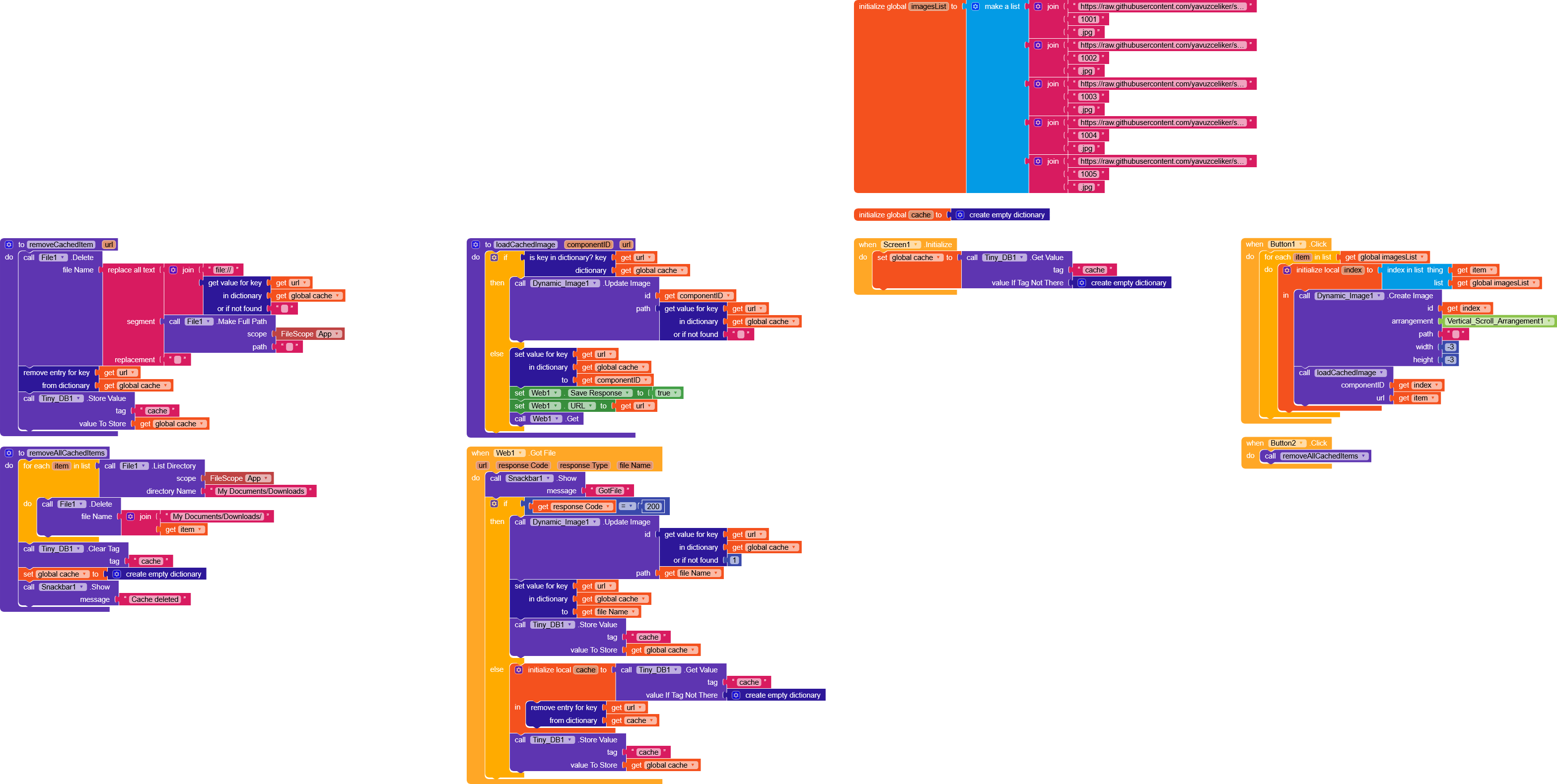
As for doing this with native blocks, you just need to create a dictionary in TinyDB with the image URL as the key and the image itself as the value.
When you request an image from a URL, you first check whether it’s present in the dictionary, if it is, you load it from TinyDB, if not, you download it.
This is a very simple example of how to cache images using native components.
I’d like to point out that using an extension is much easier, but nothing prevents us from using this method
As you can see, I have a list of URLs that corresponds to what you receive in GotColumn.
When Button1 is pressed, we loop through the entire list, create the DynamicImages, and use the loadCachedImage function.
This function checks whether the image is present in cache dictionary variable, if it isn’t, it downloads it using the Web component.
I also created some functions to clear the cache if needed.
Note that the cached files will be downloaded into the My Documents/Downloads folder inside the main directory (we could do something more professional by moving the data to another folder, but to avoid overcomplicating things, I preferred to leave them there).
 odular community!