I use list view image and text for showing data from google sheet with Tab Kay out. In google sheet sheet there is various sheet (tab). When i click on tab data load from respective sheet and appear in list. While i click on tab then it will call data from google sheet and appear in list view for this required a time.
I need such a system that when screen initialize load all sheets data once so that when click on tab data show quickly without any delay.
I think we can start where you are currently now, I mean show us how you’re handling the blocks. Else u can use when tab click set some arrangements visible to true and add ittem8to listview
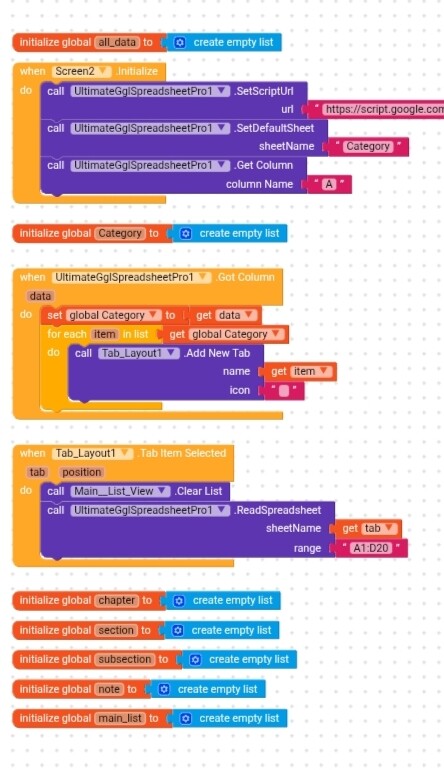
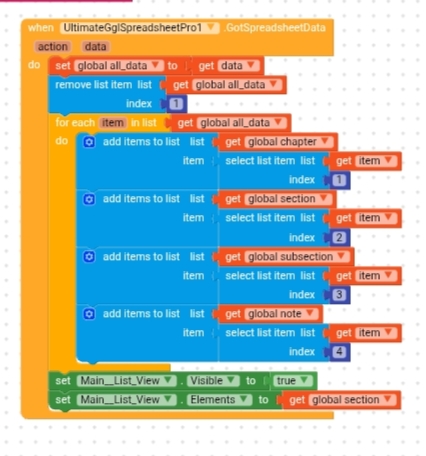
Unfortunately, with the extension you’re using
it’s not possible to download all sheets in a single request, so I’d recommend running a loop in Screen.Initialize that downloads each sheet one by one.
Loop through a list containing all the sheet names and, inside the loop, use…
ReadSpreadsheetFullRange for each sheet
If the idea is to get all sheets then i guess he can use API with script that has function like this
function doGet() {
const ss = SpreadsheetApp.openById(“SPREADSHEET_ID”);
const sheets = ss.getSheets();
let result = {};
sheets.forEach(sheet => {
const data = sheet.getDataRange().getValues();
result[sheet.getName()] = data;
});
return ContentService
.createTextOutput(JSON.stringify(result))
.setMimeType(ContentService.MimeType.JSON);
}
it can maybe release something like
{
“Sheet1”: [[…]],
“Users”: [[…]],
“Orders”: [[…]]
}
Edite: Let me try it too it sounds interesting idea 
1 Like
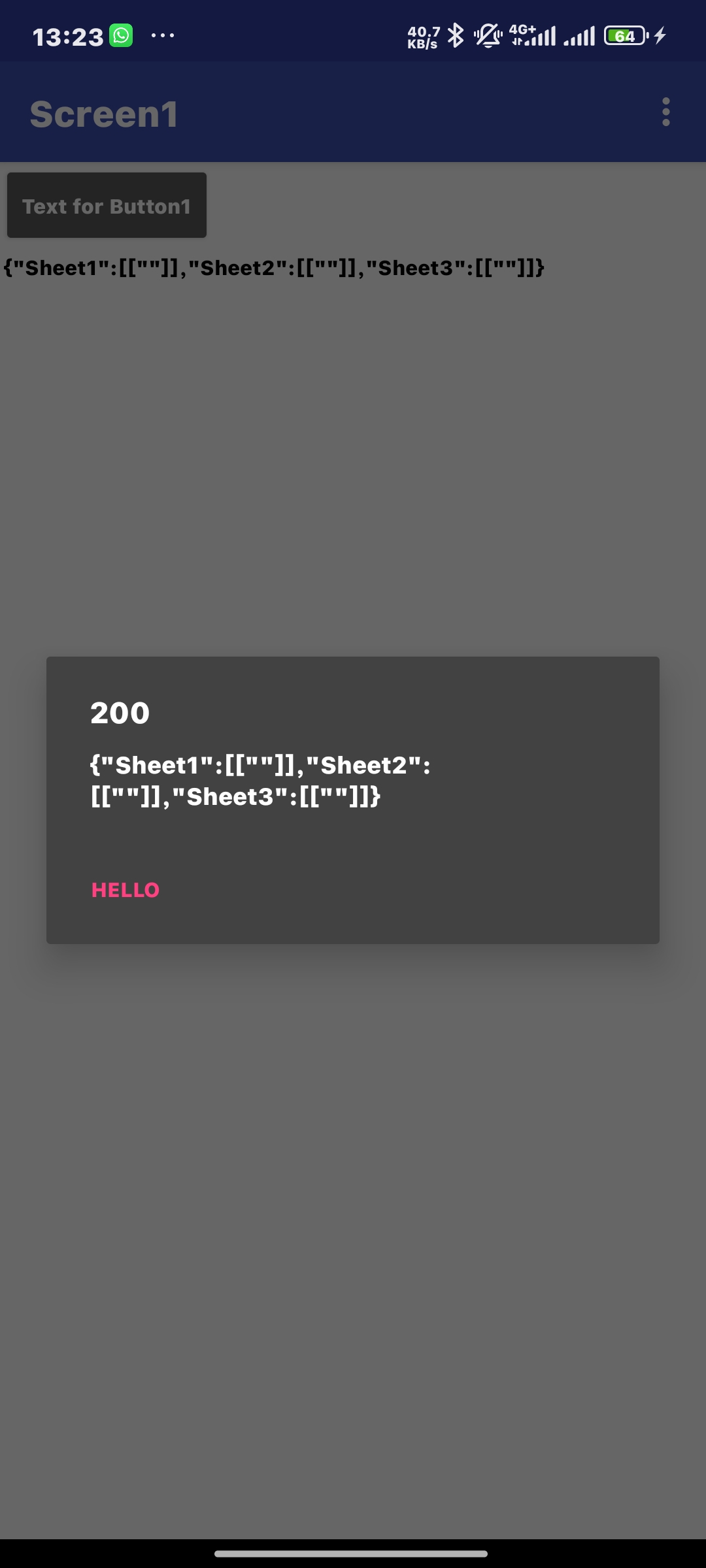
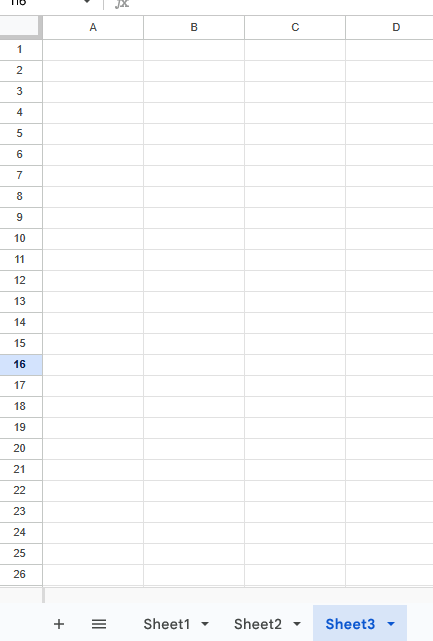
Its works but with this script
function doGet() {
  try {
    const ss = SpreadsheetApp.getActiveSpreadsheet();
    const sheets = ss.getSheets();

    let result = {};

    sheets.forEach(sheet => {
      result[sheet.getName()] = sheet.getDataRange().getValues();
    });

    return ContentService
      .createTextOutput(JSON.stringify(result))
      .setMimeType(ContentService.MimeType.JSON);

  } catch (e) {
    return ContentService
      .createTextOutput(
        JSON.stringify({ status: "error", message: e.toString() })
      )
      .setMimeType(ContentService.MimeType.JSON);
  }
}
@Sagar_Thosre you need to deploy this in your google sheets
How would be block arrangement
I assume you’re already using a script, in that case, you should adapt Ibrahim’s script to yours.
(do not publish the script here because the extension is paid)
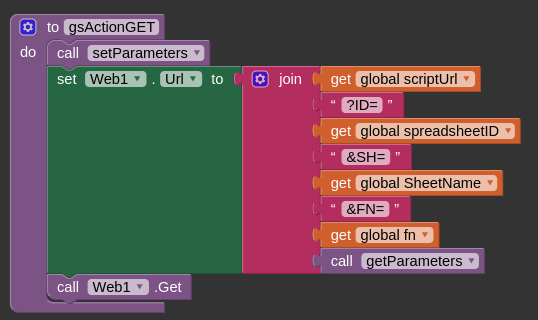
For the blocks, you just need to set Web.URL to
https://script.google.com/macros/s/YOURSCRIPTID/exec?YOURPARAMETERS
then Get.
this might help
In particular
1 Like
After deploying the script above
Simply paste your Script Url

And on Got Text

its where you will separate your data to what you intend to do with it as

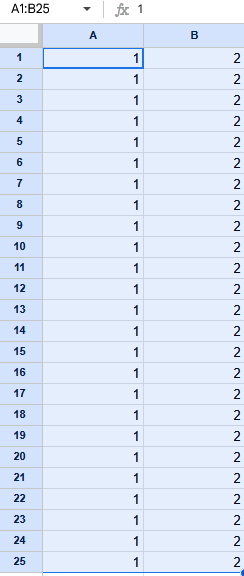
This will give exact data in your Gsheet
((1 2) (1 2) (1 2) (1 2) (1 2) (1 2) (1 2) (1 2) (1 2) (1 2) (1 2) (1 2) (1 2) (1 2) (1 2) (1 2) (1 2) (1 2) (1 2) (1 2) (1 2) (1 2) (1 2) (1 2) (1 2))