how to create an image and save it to gallary (create an image with white background and text “HELLO WORLD” and save to gallary (if possible to make it apear at spesific times
Hi dear,
With Canvas you can do exactly this.
Could you explain how?
Draw a text onto the canvas and save it
Check the documentation
and try something
and if you got stuck, post a screenshot of your relevant blocks
Taifun
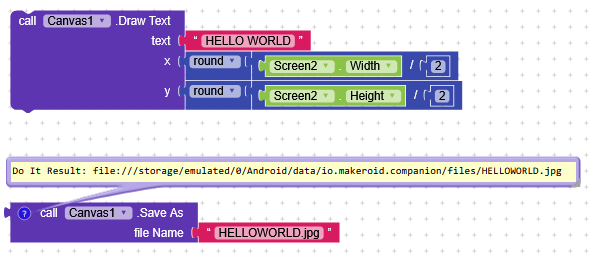
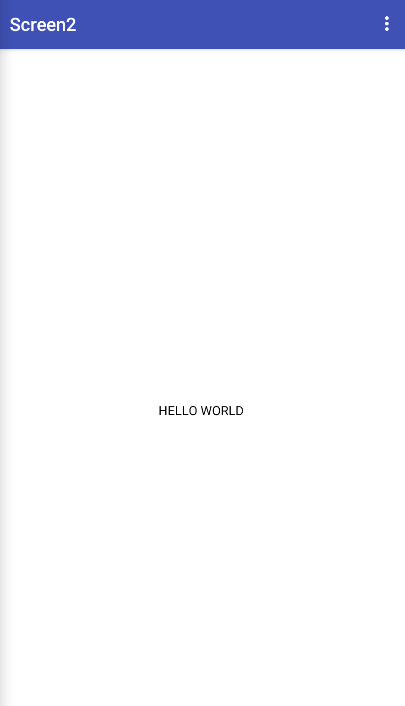
But the save as is a result block, how to connect it, the time is that to make it look like i downloaded the picture like a year ago in the gallery.
Ad another block of your choice to get back the path to the stored file
For example set Label1 Text to
Taifun
how to save it to gallery?, and not to this place
You can use the Canvas.SaveAs command and save it in the app’s directory, then execute a File.MoveFile.
could you explain exactly how (im kind of new to kodular), what should i connect to each part of move file
Sure,
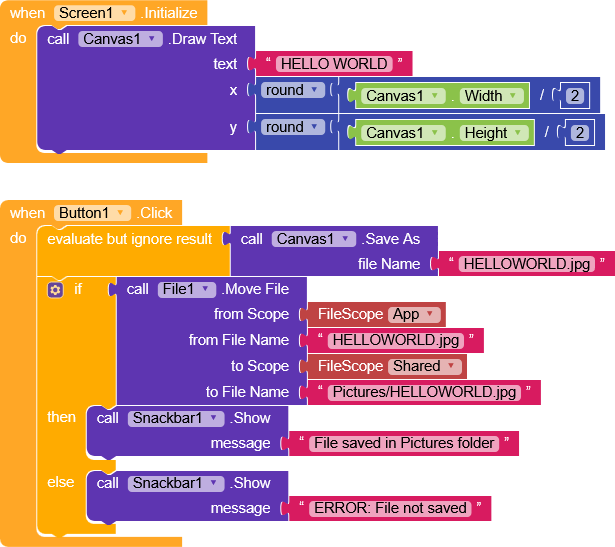
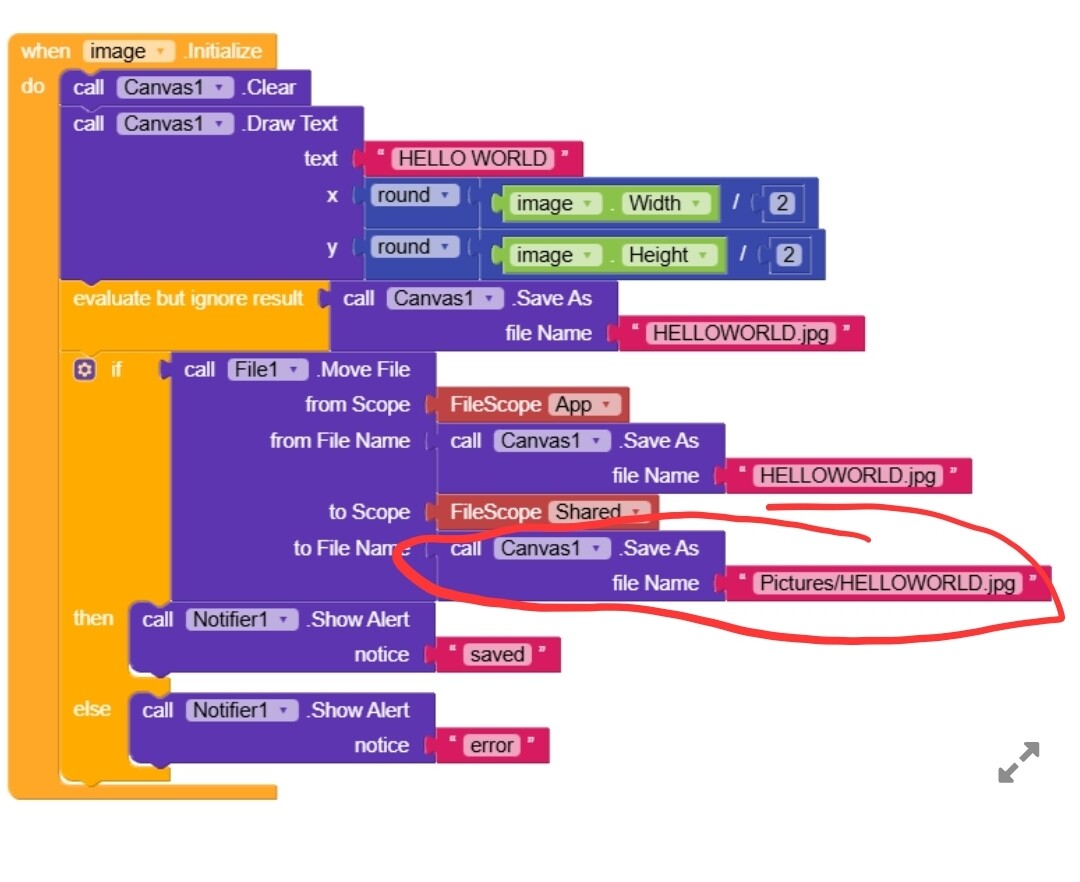
here’s an example where, in Screen.Initialize, we use a Canvas to write HELLO WORLD in the center (where X is half the canvas width and Y is half the canvas height).
On button click, we save the image with Canvas.SaveAs (by default it’s saved in the app’s main folder) and we ignore its result, which is the path where the image was saved.
Then, using File.MoveFile, we move the image from the App scope (which points to the app’s main folder storage/emulated/0/Android/data/your.app.packagename) to the Shared scope (storage/emulated/0) and save it in /Pictures.
Translated:
We move the file from
storage/emulated/0/Android/data/your.app.packagename/HELLOWORLD.jpg
to
storage/emulated/0/Pictures/HELLOWORLD.jpg
I recommend checking out this wonderful guide by Anke about storage.
Happy  oding!
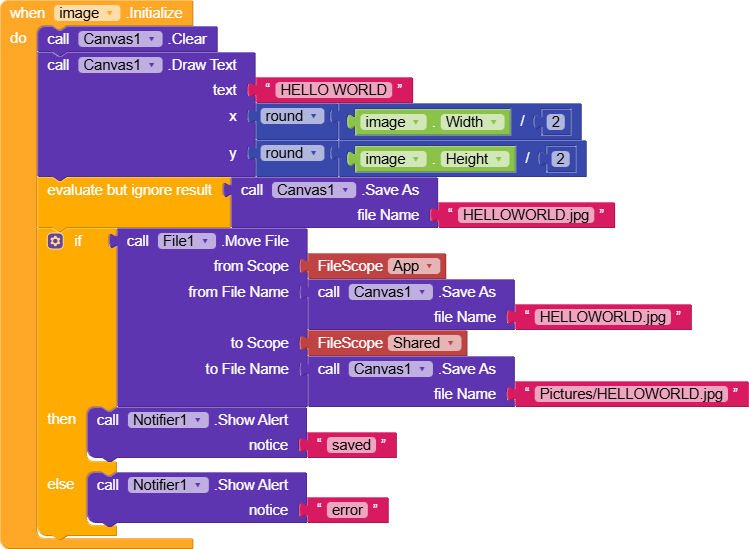
got it, sorry
another question, how to save it with a “fake time”, i know you can change manually a time of a picture taken/downloaded on your phone but i want it to have a “fake time” (e.g. like 2012)
I think this extension is right for you.
how to use it, i read it and i didnt understand, also it costs money i want a free solution, i want the picture i created to apear at the bottom of the gallery
A very good way to learn App Inventor or Kodular is to read the free Inventor’s Manual here in the AI2 free online eBook App Inventor 2 Book: Create Your Own Android Apps … the links are at the bottom of the Web page. The book ‘teaches’ users how to program with AI2 blocks.
There is a free programming course here Course In A Box and the aia files for the projects in the book are here: App Inventor 2 Book: Create Your Own Android Apps
How to do a lot of basic things with App Inventor are described here: How do you...? .
Also do the tutorials Our Tutorials! to learn the basics of App Inventor, then try something and follow the Top 5 Tips: How to learn App Inventor
Find the correct tag, then set it to a value of your choice
See also
Try the example app to find out more
It looks like there is no free extension available which can do it… in this case you could write your own extension and create the functionality yourself…
more information about how to create an extension see the App Inventor Extensions document
however that will be more advanced and will require some Java skills…
Taifun
This topic was automatically closed 30 days after the last reply. New replies are no longer allowed.